🎯 Own the fight with pro-level arcade power in your hands!
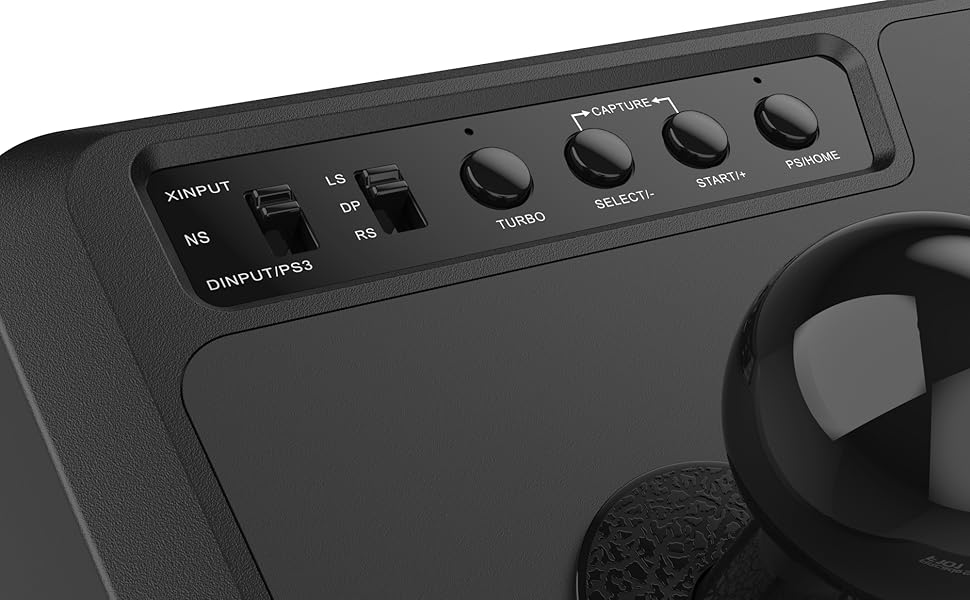
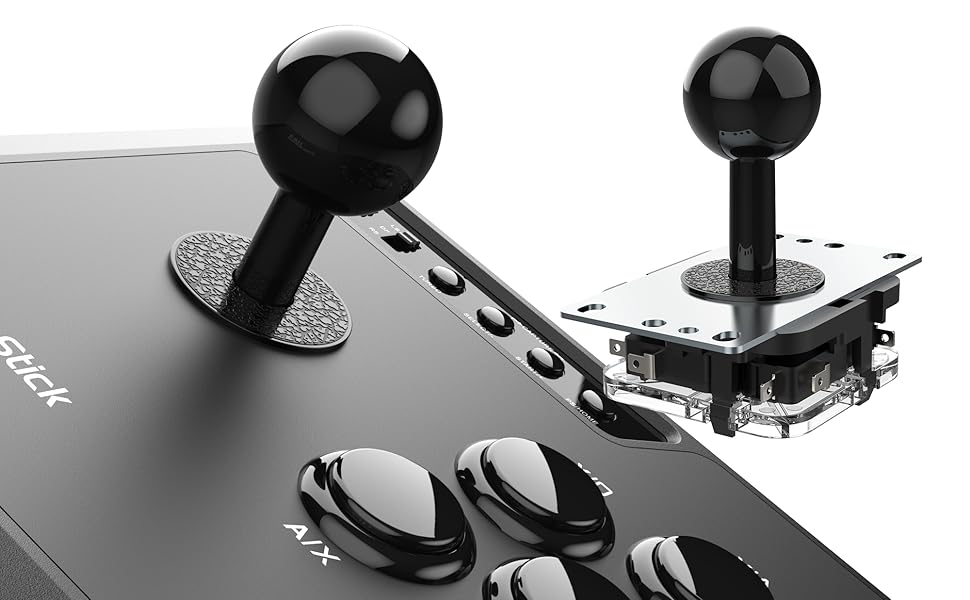
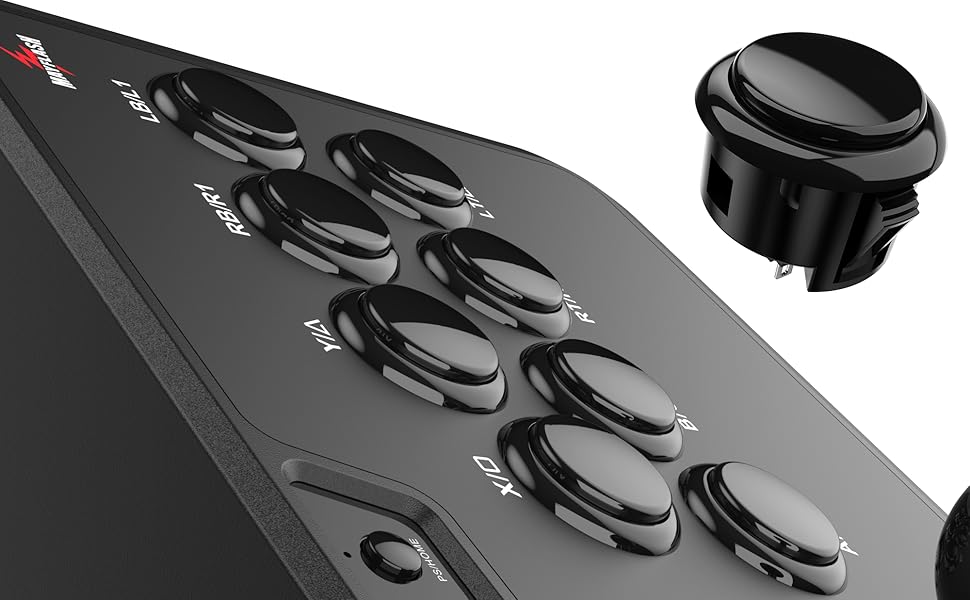
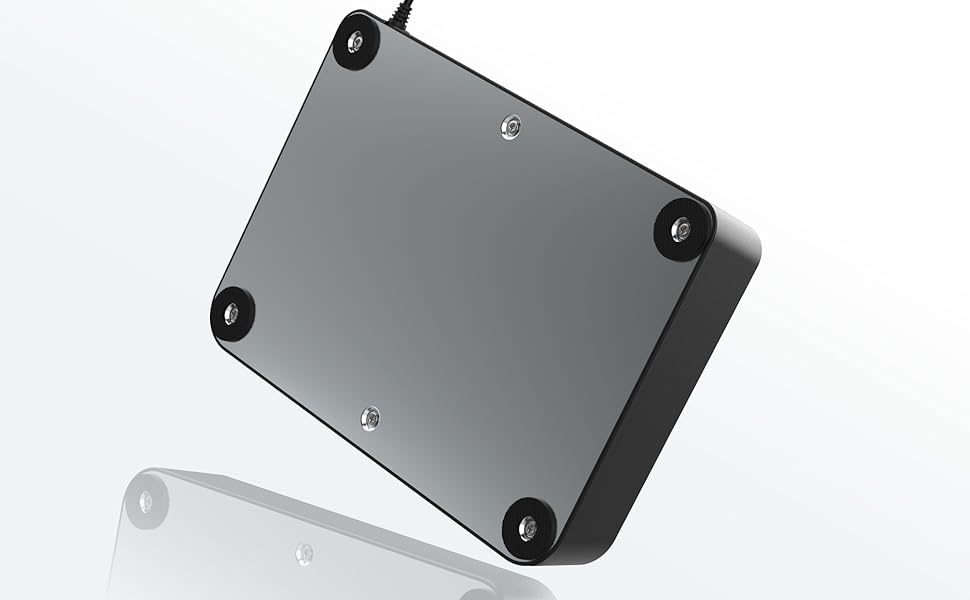
The MAYFLASH Arcade Fighting Stick F101 is a versatile, multi-platform joystick controller compatible with Nintendo Switch, PC, PS3, Android, and classic mini consoles. Designed for easy customization, it supports Sanwa Denshi buttons and offers turbo functions with adjustable speeds. Its ergonomic build includes anti-skid pads and a velcro cord wrap for convenience, making it a top-tier choice for gamers seeking arcade-quality performance at an unbeatable price.


| ASIN | B07D26RD9P |
| Best Sellers Rank | #12,069 in Video Games ( See Top 100 in Video Games ) #18 in PlayStation 3 Gamepads & Standard Controllers #250 in GEM Box Microconsole |
| Brand | MAYFLASH |
| Color | Black |
| Customer Reviews | 4.4 4.4 out of 5 stars (1,233) |
| Date First Available | May 13, 2018 |
| Hardware Platform | Android, Nintendo Switch, PC/Mac, PlayStation 3 |
| Is Discontinued By Manufacturer | No |
| Item Dimensions LxWxH | 12.13 x 9.37 x 4.96 inches |
| Item Weight | 3 pounds |
| Item model number | F101 |
| Manufacturer | MAYFLASH |
| Operating System | Android,Vista,Windows 10,Windows 7,Windows 8,Windows Xp |
| Power Source | Corded Electric |
| Product Dimensions | 12.13 x 9.37 x 4.96 inches |
| Series | F101 |
A**R
Amazing (especially for the price!)
A great arcade stick that works with almost everything. I almost bought the Hori Switch-exclusive fight stick mini, but I'm so glad I picked this one instead! It works with PC (so I can use it for my Steam fighting game library), and Playstation and Android (both of which I'll never use) along with Nintendo Switch! I imagine it will work with XBOX also even though it isn't mentioned since it works with Xinput. Yes, the button labels can be a little confusing because they're meant to be "universal" and Nintendo swaps the B and A, X and Y order... but everyone knows that, right? The only thing you have to remember is that the buttons are pretty much where you expect them to be when playing on your platform of choice! The stick and buttons feel arcade style (and better than the sticks that came with, say, an original NEO GEO AES and about the same as the venerable Dreamcast stick) and seem rugged. It also has nice quality of life features like anti-skid pads if you put it on a table/desk a size that's "just right" for lap use, but still not enormous, plus a velcro strip built into the cord for easy storage. All for only $40!
A**R
A better-than-expected controller with hands down the easiest upgrade path I've ever experienced.
This stick has the easiest Sanwa conversion I've ever done. Without any soldering, you can unplug the old buttons, pop them out of the case, pop in the new buttons, and plug them in. The circuit board takes both a 5 pin Sanwa stick (4 direction wires + ground) and an 8 pin traditional stick (4 directions with hot and ground for each). Note that the 5 pin cable doesn't always come with the stick, (at least, not with a header), so you will probably have to buy a separate cable with headers. Switching out the buttons probably took a total of about 2 minutes. The stick probably took 10, once I had ordered the proper cable. Also note that both stick inputs seem to be available simultaneously, so I've modded mine to have both a d-pad and a stick, depending on how I feel like playing. I feel slightly bad about modding this stick, because the hardware was actually pretty good. In this price range I was expecting horrible cheap action, terrible inconsistent button detection, and a clunky stick. But I could have happily used all of the buttons and the stick without issue. They're not the best I've ever used, but they're probably in the upper half. If you're looking for a good low-cost stick, this is clearly one of the best values. If you're looking to mod up to arcade-quality Sanwa components, this is one of the easiest and cheapest options. What can I say? I'm genuinely surprised and happy.
M**E
Great Value for 40 bucks.
It doesn't get much better than this for the price. It works flawlessly with windows so I'm not sure what others are talking about. Could be a quality control issue so if yours doesn't work with windows return it and replace it with another one, also make sure it's set to the correct switch to use with PC (Xinput/DP mode). This stick comes with the square gate installed and mine came with an octogon as well (which isn't advertised) also for some reason came with a USB b to c adapter, I'm guessing maybe for the switch but I'm not sure. Because this is America I put the octogon gate in and it works just how I'm used to at arcades. The buttons are serviceable but really arent desirable. They don't have a "click" to them so they feel really hollow when pressing them. I'd recommend finding some cheap buttons (I believe the size is 30mm) and replacing them as soon as possible. The stick itself is great, and sure beats the hell out of worn arcade sticks in cabinets at the barcades. The only issue is that if you are hard on the stick and let go sometimes the spring registers the opposite direction. So if I slam the stick right and let go swiftly then it may register as left for a fraction of a second as a "recoil". I'm not sure if official sanwa sticks do this or not but I'm guessing they don't. Either way it's only noticible when you are hard on the stick, which you should be avoiding anyways. I play Street Fighter 2 and it didn't affect my gameplay so long as I didn't ram the stick into a side and let go, the problem is really only noticeable when you let go of the stick after ramming it. Not an issue when throwing fireballs/hurricane kicks etc.. Now pac man is another story. If you aren't cognant of just letting go of the stick after moving another direction then you might do a 180 and be a ghosts lunch 😂. The simple solution to this is to just not let go of the stick completely when reverting it to the neutral position, or don't ram it in the first place. I do wish that the stick had better documentation on how to open it. You will need to unscrew the 6 screws on the bottom of the unit and take a flathead screwdriver or something to pry the metal lid open, right below where the USB port enters the stick. Also no mention of how the turbo function works. Still trying to figure that out. Also, retroarch picks up this stick and I've successfully hooked it up to my SNES classic/genesis mini. Really great for those systems in my opinion So in conclusion I'd say it's a pretty great stick. I knocked a star off for the documentation not talking about how to open the thing, the default buttons not being great and the stick recoil. But if you're looking for a first stick that you plan on modding out, go for this one. I plan on buying another for my daughter so she stands a fair chance at street fighter 😉.
R**Z
Great for my Arcade setup
Great value. Works on NINTENDO SWITCH. The buttons are nice and its just plug and play
A**R
Very good arcade stick, excellent for the price
I've had a lot of arcade controls over the years, including an X-Arcade Tankstick that still works perfectly after 20 years. Don't be dissuaded by all of the people who say it needs upgraded controls, new out of the box this is a very good arcade stick. For the price, it's an excellent arcade stick. This is weighted so it doesn't slide around during normal use. It's got great settings to change the USB protocol so it's compatible with a wide range of devices. I'm currently using it as a arcade stick for my Sega Genesis with a Brook adapter to use USB controls with original Genesis consoles. It even works great like that.
C**T
Does not work with Nintendo Switch
Sadly this does not work with the Nintendo Switch. I verified this arcade stick works well with a Windows PC but I could not get it to connect to my Switch via USB ports on the Switch dock. I assumed it was a problem where it was drawing too much power. I hooked it up to a powered USB hub. The LED flashed for a second but no response on the console. I tried to download a firmware update on the Mayflash support page but the download link was broken. It is great quality and built well. Great for PC if that is what you need. I will be buying an 8bitdo Arcade Stick for Switch for over twice the price. Ouch.
M**D
Can injure your hands after long sessions of playing, to be exact first dorsal interosseous muscle, and when you lean your wrist on it, the problems to point out are the height of the unit and the joystick itself, also there’s a big gap between the joystick and the microswitches which can cause a huge delay for the movements, also there’s not enough space on the left side of the joystick which make using it very very uncomfortable because you can’t fully rest your other fingers while holding the stick, I consider them both the unit and the joystick are bad quality, and I would highly NOT recommend
C**N
Me ha sorprendido la calidad y el acabado. Buenas sensaciones para el precio que tiene. Es el primer mando de este tipo que compro y lo noto preciso en los botones y la palanca. De hecho venía con una pieza para reemplazar bajo la palanca y ahora es más preciso incluso. Permite reemplazar las piezas por otras de mayor calidad. De momento no las cambiaré. En la mesa es muy estable. Está hecho en plástico, pero la base es de metal. No se mueve nada.
H**M
This stick works great. I am trying it on my PC and works great. One thing makes annoyed is that there input type, etc is complicated and there is no clear manual about it. Games download from Steam has also different input style, so I guess part of it is because of that, but still complicated to have working input
C**N
Probabilmente è l'arcade stick entry level con il migliore rapporto qualità/prezzo, attualmente. Di dimensioni più che idonee anche per chi ha le mani grandi, solido e stabile, precisissimi e senza lag i comandi dello stick e dei pulsanti. Testato fino ad ora con Windows 11, Windows 7 e Android 7.0 (su Nvidia Shield Tablet K1) senza riscontrare nessun problema di compatibilità alcuno. Viene fornito in bundle con restrittore ottagonale e cavo adattatore OTG USB-C. Il firmware è aggiornabile, alla pagina web del produttore si trova comodamente tutto il necessario. La feature di essere compatibile plug & play con i componenti Sanwa lo rende ulteriormente interessante, sostituendo i pulsanti (che non restituiscono effettivamente una buona sensazione alla pressione, ma che comunque sono estremamente precisi e sensibili) lo si trasforma di fatto in un prodotto di fascia superiore. Non vi è ragione invece di sostituire lo stick se non in caso di rottura, dato che quello originale fornisce prestazioni e feeling pressoché identici a quelli del suo ricambio Sanwa.
B**S
This is the first stick I have bought and in terms of using it, it has been great. Feels very nice to use and easy to learn and pick up. It is perfect for someone that wants to try out a fight stick and not have to spend an arm and a leg on it. But there is one issue that seems to be very common with people that buy this product. If you use it for PC it seems to have connection issues, every time I go to plug it in it rapidly disconnects and you have to unplug it and plug it into multiple different USB cables to get it working, sometimes I have to change it only once, sometimes I have to change it 10 times. It can really get annoying when you just want to play but if you can be patient and get through the issue, this fight stick is 100% the right product for a person that wants a quality stick with good modding and affordable pricing.
Trustpilot
3 weeks ago
1 week ago