Desertcart purchases this item on your behalf and handles shipping, customs, and support to Thailand.
🎥 Preserve your past in HD—because your memories deserve the spotlight!
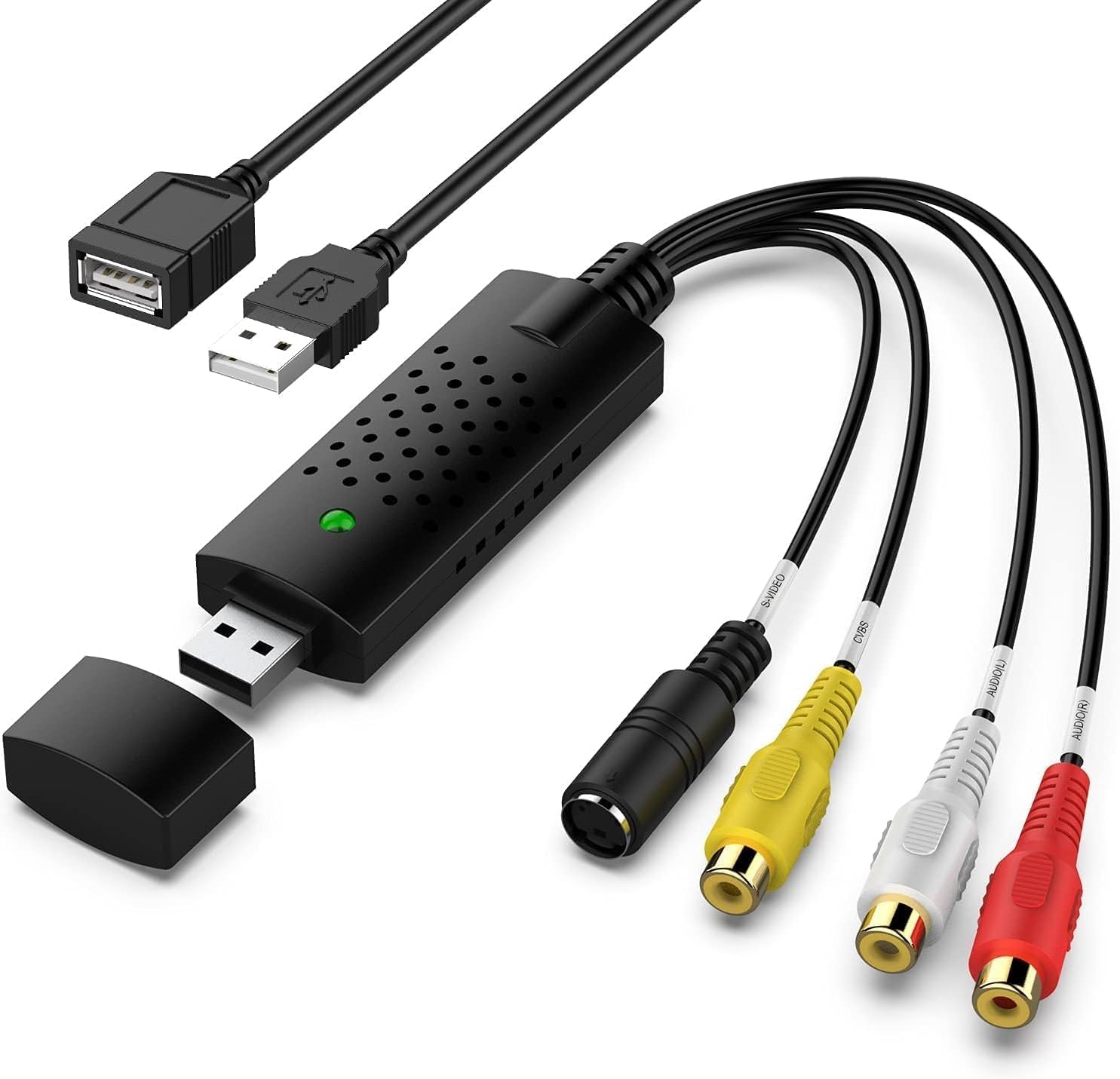
The VIXLW BR116 Video Capture Card converts analog RCA and S-Video inputs into crisp 720p HD digital video via USB 2.0. Compatible with both Windows and Mac, it supports NTSC and PAL formats and requires no external power or complex setup. Ideal for digitizing VHS, VCR, Hi8, and camcorder tapes, this lightweight device features advanced signal processing for superior color and audio quality, backed by a 2-year manufacturer warranty.


| Antenna Location | Video Recording |
| Asin | B0D9NHFJ9V |
| Av Output | USB |
| Best Sellers Rank | #12 in Internal TV Tuner & Video Capture Cards |
| Brand | VIXLW |
| Compatible Devices | Camcorder, Personal Computer, Videocassette Recorder |
| Customer Reviews | 4.4 4.4 out of 5 stars (370) 4.4 out of 5 stars |
| Hardware Interface | USB 2.0 |
| Item Weight | 0.03 kg |
| Manufacturer | VIXLW |
| Mfr Part Number | BR116 |
| Minimum System Requirements | Minimum system requirements: Windows operating system, 2 GHz processor, 2 GB RAM, available disk space for software installation and video storage. |
| Model Name | BR116 |
| Model Number | BR116 |
| Operating System | Windows |
| Other Special Features Of The Product | Powerful RCA to USB Video Capture and Conversion Capability |
| Platform | Windows |
| Tuner Type | NTSC, PAL |
| Upc | 797422758823 |
| Video Capture Resolution | 720p |
| Warranty Description | 2 Year Manufacturer |
User
Works very well! (MacBook Pro user)
Worked very nicely! Easy to use and surprisingly very compatible with my MacBook Pro. You will need a separate RCA cable with this item. Thankfully, I already had one because it wasn't included with the Video Capture Card. Audio and Video quality matched my original VHS perfectly! I do believe you will be pleased with this item.
User
Worked Fine With Win 11 - No New Software Needed
Plugged it into my PC, plugged it into the VCR, fired up OBS Studio and it worked without a problem. Win 11 compatible out of the box.Copied a tape without issue. Worked fine for me. Thank you!
User
This device captures to VirtualDub with good video quality BUT ONLY 1-CHANNEL AUDIO!
If you're looking to capture your VHS tapes into a non-lossy format (e.g. HuffYUV), using VirtualDub, then you already know what I'm talking about and I'm here to tell you: This very inexpensive USB devices captures VHS (S-VHS or composite video input) to my Windows 10 machine, into VirtualDub (x64 version, no special drivers needed), and the default resolution is 640x480, and the video quality is very good - BUT the device can only capture 1-channel audio. It is high-quality audio, DVD compatible, but only 1-channel. I have separate USB audio devices for the audio input, so this is not an issue for me, again because the price is very low and the video quality (for VHS) is very high.
User
Works Great
I have a bunch of home movies on VHS tape. I bought this, plugged it into an old VCR I found, and connected the other end to my laptop and it worked perfectly. I didn't even read any instructions. I'm using OBS studio that I downloaded for free. Good product, good price, good fun.
User
Works!
Easy to use, does fine with VHS to digital transfers
User
Very misleading product. No audio captured at all
I bought this USB VHS capture device expecting to digitize old tapes with both video and audio, as the listing implies. In practice, the video works, but no audio is captured at all using any software, on Linux or Windows. After troubleshooting at the system level, I confirmed that the device is internally a MacroSilicon MS210x series USB video grabber, which only presents a UVC video interface and does not expose any USB audio device.The red and white RCA jacks appear to be audio inputs, but they are not connected internally. This product is video only. If you need audio with your VHS transfers, this unit will not work regardless of drivers or operating system. I wasted time and money and now have to use a separate audio interface just to capture sound.Very disappointed with the misleading description. Do not buy if you need audio.
User
Exactly What I Was Looking For
This capture device did exactly what I was looking for. I was able to rescue a stack of old 8mm video footage with no issues. I used a Mac Mini with its native Quicktime software. It was plug and play with no config or messing around needed.
User
Great device once you take the time to learn how to use it
This Capture Device works really well once you take the time to learn how to use it. Have transferred many cassette videos from a Sony handy cam from the ‘90s and they came out great, but there is a definite learning curve. I first tried using it on an older Windows 10 system and was not having much luck. Then I installed it on a Windows 11 operating system and it worked right away. I then used the OBS System download recommended with the capture device instructions and with some patience and using the OBS troubleshooting forums got it recording perfectly. My difficulty was with the audio recording on the capture and took some time to figure it out, but if I can do it, anyone can! Am in my 70’s and am definitely no computer expert! Great device if you take the time to figure it out! Highly recommended.
User
Fantastic!
Amazing, so easy to use abs works perfectly!
User
Works perfectly
Works fantastic. Used OBS software and successfully digitized numerous VHS tapes. Great easy to use product.
User
Great product that’s easy to configure
After trying several other variations of transferring videos from an old JVC camcorder to the computer, this one worked right out of the box. Easy to use.
User
happy customer
product was exactly as advertised. instructions are clear and concise. worked well to transfer video8 home videos to my computer.
User
Works well with a MAC
This actually works pretty good. I use it on a MAC book. Took a bit to figure it out, but it is actually quite quick and easy to use, and does a pretty impressive job. (Using Quicktime) I'd recommend it if you are taking old videos off of an old camcorder or hand held camera.
Trustpilot
2 weeks ago
3 weeks ago