🔬 See the unseen, fix with finesse — your ultimate tech sidekick!
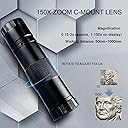
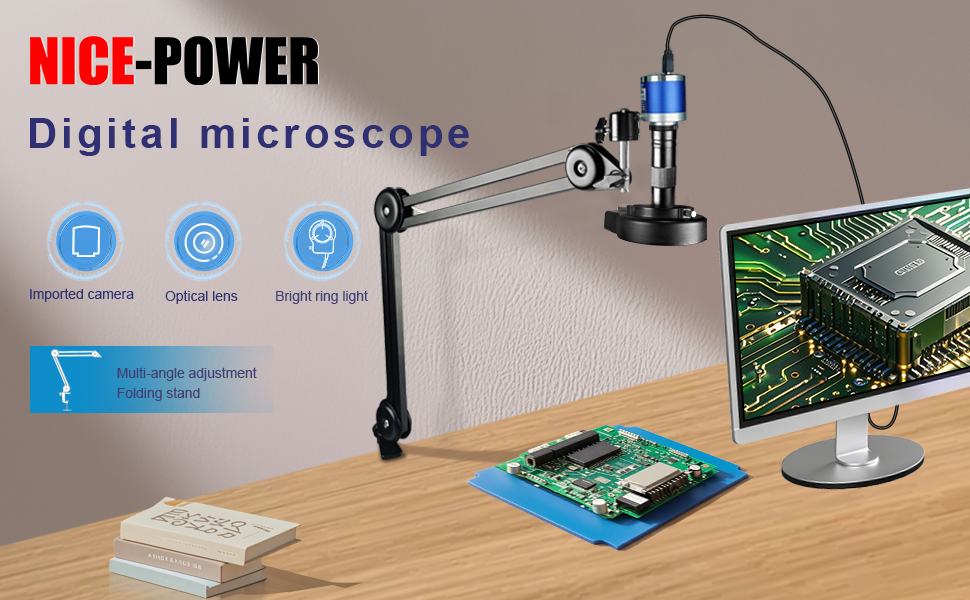
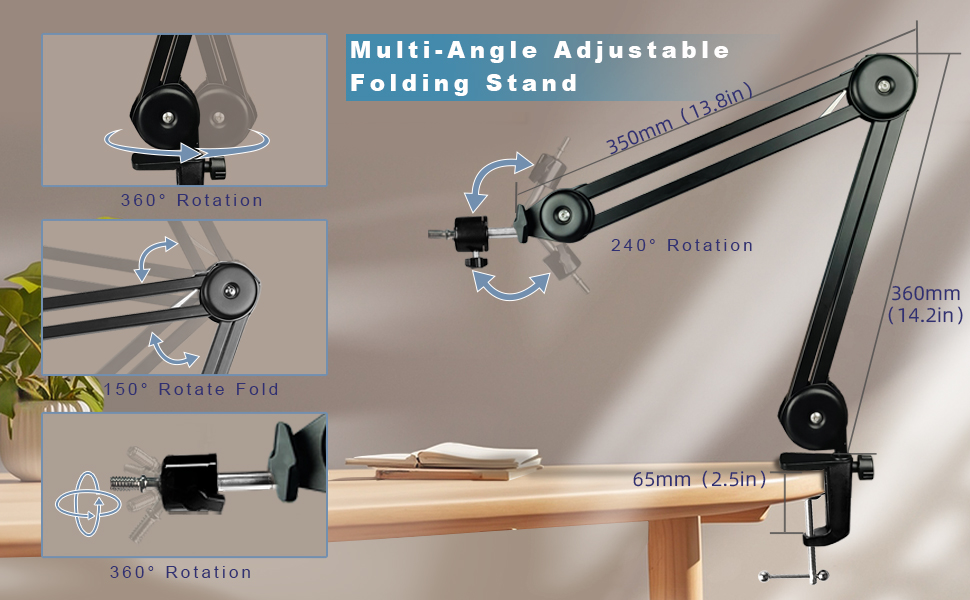
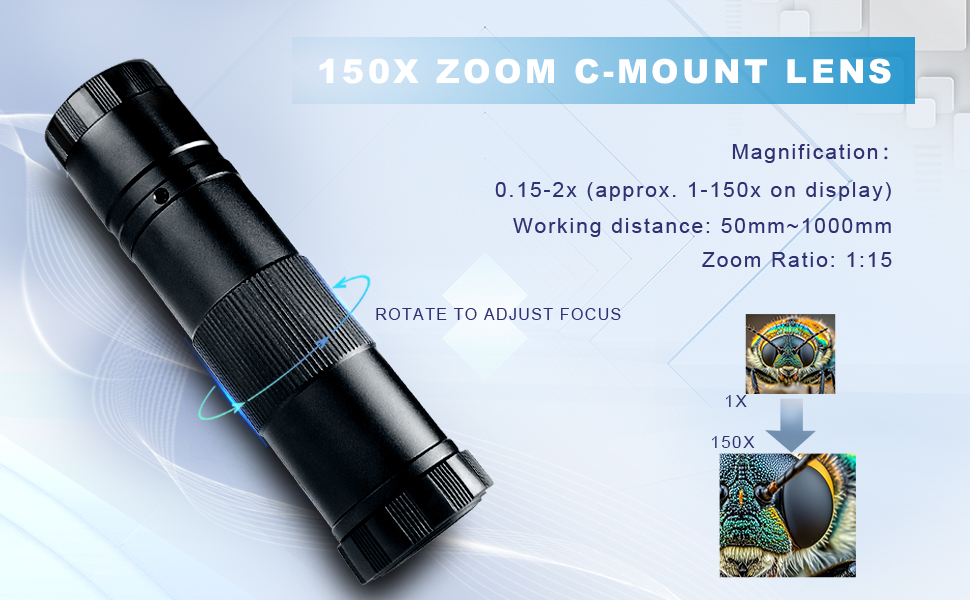
The NICE-POWER Digital Microscope features a cutting-edge 48MP sensor capable of 4K video and 1080P HDMI output, paired with a 150X zoom C-mount lens and a bright, adjustable 56-LED ring light. Its flexible foldable stand and remote control enhance precision and ease of use, making it ideal for electronics repair, detailed inspections, and professional lab work.


| ASIN | B0DJQTRR5D |
| Best Sellers Rank | #3,103 in Camera & Photo Products ( See Top 100 in Camera & Photo Products ) #400 in Lab Handheld Digital Microscopes |
| Brand | NICE-POWER |
| Color | Black |
| Customer Reviews | 3.3 out of 5 stars 19 Reviews |
| Enclosure Material | Metal |
| Magnification Maximum | 150 x |
| Manufacturer | NICE-POWER |
| Manufacturer Part Number | Microscope02 |
| Material | Metal |
| Objective Lens Description | 150X Zoom C-Mount Lens |
| UPC | 768351106757 |
M**S
A Great Microscope With A Boom Arm But 🙄
I love being able to use my larger monitor for viewing circuitry and soldering. I immediately noticed there were no adjustments to the accessories that came with the boom arm version of this microscope. The boom arm is approximately 2 feet in length but the power, USB-C, and HDMI cords are all 3 feet in length which leaves only 1 foot of cable to connect to the respective outlets on the wall and PC. These cords will need to be replaced or extended with longer cords which increases the price of the product. In addition, the software is very limited as the Mirror option can only flip the image horizontally/vertically. It cannot rotate the image which is required for a microscope that is attached to a boom arm mounted on the side of the desk (the boom arm has to be mounted on the front or back of the desk for an upright view). Images display in a 180 degree view as there is no option to rotate the image. Most importantly, there is NO true standby mode. If the power is turned off, the LED goes from yellow to red indicating it is off but the cam is very warm minutes later so its definitely on. The only way to be sure the camera is off is to disconnect the USB-C cable.
D**N
Great camera but mount no good
Camera is nice but mount is really bad.
T**A
NO application with this item!
please don't purchase this it does not come with an application or clear step-by-step instructions to follow, or where to get the app. I would not recommend this item, in fact, I am returning it, it's useless to me. it has the setup I want so I purchased it.
A**H
Not worth it
This digital microscope looked so sleek in the listing that I thought it might be the gadget that made close-up work a breeze. In reality, it’s a headache dressed up as high-tech. The stand feels flimsy, the focusing is finicky, and the image quality doesn’t live up to the promises. Plenty of reviewers complain about blurry images unless everything is set up with surgeon-level precision, and I found the same. The remote is temperamental, the software clunky, and the whole experience leans more frustrating than fun. If you like wrestling with tech instead of using it, this microscope will give you the workout.
M**P
Great microscope with not great software
I’ve been using the microscope for a couple of weeks now, and honestly, it's been a mixed bag. On the plus side, the image clarity is impressive—when you plug it into HDMI or USB‑C, you get sharp 1080p video, and it can snap 4K stills at 48 MP. Zooming in up to around 150× with the C‑mount lens is pretty cool—you can easily inspect circuit boards, jewelry, even coins with great detail. The adjustable LED ring light is bright and helps bring out details in darker areas. The foldable stand is handy and flexible, letting you position the camera just right. The remote control (when in HDMI mode) is a nice touch too—it makes taking screenshots or videos less shaky. Plus, the ability to record directly to a micro‑SD card means I don’t always need a laptop connected. That said, the software side is a bit clunky. If you want to adjust exposure or white balance manually, you're forced to dig into menus via the software—no shortcut knobs on the device. Auto‑exposure often overshoots unless you tweak it. Also, while 150× zoom sounds awesome, in practice the field of view gets really narrow and requires constant fine‑tuning of focus and lighting. Durability-wise, the build feels average—not cheap, but not ultra‑premium either. And though specs claim wide device compatibility, I hit a few hiccups once connecting via USB‑C to my laptop—the software didn’t always recognize the camera until I switched to HDMI. Overall, this microscope delivers excellent image quality and detailed magnification, especially for hobbyists who want to inspect small parts or record 4K stills. Just be ready for a bit of a learning curve with the software and setup, and don’t expect flawless plug‑and‑play every time.
E**R
Does not include any software
This does not include any software or download instructions, as indicated in the description. There is no good way to use this. I have seen the same thing for sale from Chinese vendors on other websites for less money, and they indicate that a software CD is included.
K**S
Easy to use Microscope to display on the big screen
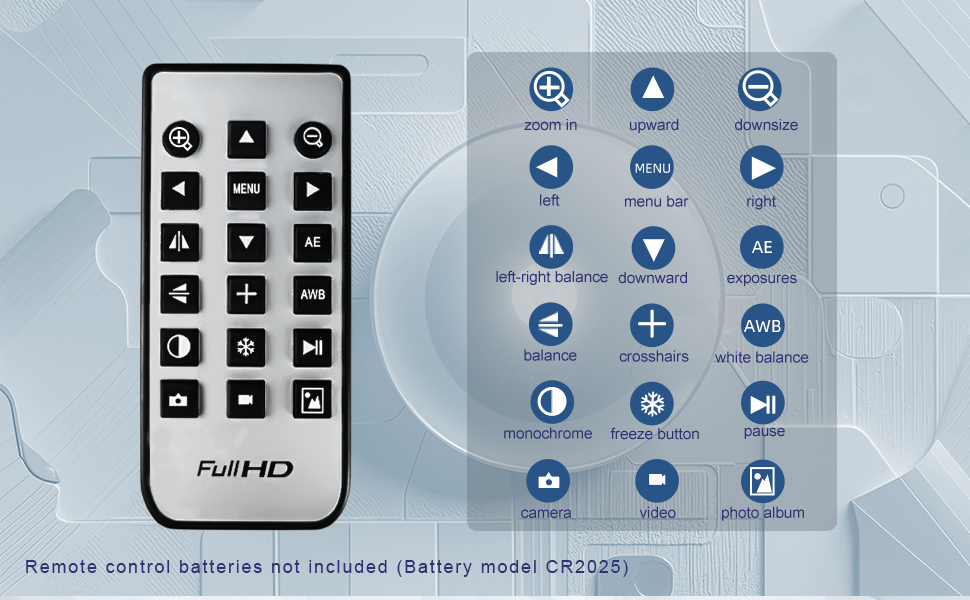
This really is one of the easiest to use video (digital) microsopes I have ever tried. And ever since my college biology days ( a long time ago) I have been looking for an easy to use microscope to show our kids and now grandkids small natural things up close. In all honesty this is not perfect nor is it a college level instrument. But it is a pretty good tool for your home school or small church school on a serious budget. It does show things very clearly. Check out the video for examples. I can't wait for my grandsons to bring in bugs and other crawling things to look at. Cons - when you are recording to the SD card it won't let you zoom in or out. Many things won't happen while recording internally which is why I was recording via the HDMI cable. So set things up ahead of time then record to the SD card. You can still focus at any time since that is a manual task. The buttons on the camera body are very small and tight to the cables so very difficult to use with my big fingers. You will need to use the remote which does not come with a battery - Takes a 2032 button battery The remote is a bit finicky and doesn't always resopond immediately. Look for the text or picture on the screen that it responded. Taking a picture will dispay a camera upper left, video displays a timer upper right, If something doesn't seem to work, go back to menu, then turn menu off and try again. That seems to work. Pros - The arm is very sturdy, stable and tight so move to position you want and leave it alone. The video is surprisingly good. There are 3 levels of video, 4K, 1080P and 720P that can be sent via the HDMI. At one point though I could not get it to work due to the needs of the monitor I was using. Lowering the video to 720 worked on that monitor. I was able to verify the 3 levels of resolution on my vdeo switcher. Manual focus is super easy to move if you have your light mounted at the bottom of the lens. Initially I had it mounted above the focus ring but with the light on, my fingers blocked the light and made it difficult to see what I was doing.
F**X
Overpriced paperweight.
Not gonna lie? I was excited for this. As a fun little toy, as a useful tool, all of it. Wow was I disappointed almost immediately. First things first, the instructions that come with the unit are mismatched. The instructions are for the H1605C model. This is the 1614. And the problems just cascade from there. The instructions and the device itself say that the USB source limits to 1080 at 30fps. Funny enough... that is wrong. Sourcing this as a camera via USB gives you a 4k input, albeit one with a LOT of wibbly jiggling if anything moves. Which is fine, I suppose, as this is mostly for stills or just examination of stationary things. Oh, but that's not the bad part. There are six buttons. They do nothing. There is no Menu. There is no Control. There is also no software for this device. At all. It just registers as a video source. So there's no way to control anything. The buttons do nothing. Well... that's only partially true. The Up button causes the device to crash violently and it can only be recovered by unplugging the device and plugging it back in. So that's.... fun. So really, the only thing you can do is manually focus it. Which is itself not even good enough, because the focal plane is so ridiculously thin that you're gonna be fiddling like mad just to get the thing to focus properly. No menu and no controls means onboard recording doesn't work either. And I went to find the actual manufacturer behind this and checked for software and... the only software they have is some very basic capture software(you're better off using Streamlabs). No drivers. No control software. And to top it off, the LED ring is a PAIN. The clamp screws are right up against the faring of the LED ring itself, which means screwing them in is a pain, to say nothing of the fact that the screws terminate in narrow pins, pins that have no direct insertion point on the head of the lens, which means it's just little pins pushing against a housing. Pins that look like they're SUPPOSED to be capped with little rubber feet or something. But they aren't. Everything about this is weird. The actual manufacturer(OSEECam) ALSO lists it as an H1605C, but the device registers by PC as a different camera, there's no menu controls(the menu button does nothing), there's no software controls because there's no software, the HDMI output seems to do literally nothing from all tests I've run so far, and I'm just left in a weird place where I'm honestly not certain why this exists. Don't waste your money. You're better off just getting a proper microscope and an adapter ring for a normal camera.
Trustpilot
1 week ago
2 weeks ago