Buy anything from 5,000+ international stores. One checkout price. No surprise fees. Join 2M+ shoppers on Desertcart.
Desertcart purchases this item on your behalf and handles shipping, customs, and support to Thailand.
🎨 Elevate your art game with precision, color, and speed — don’t just create, captivate!
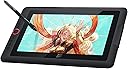
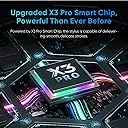
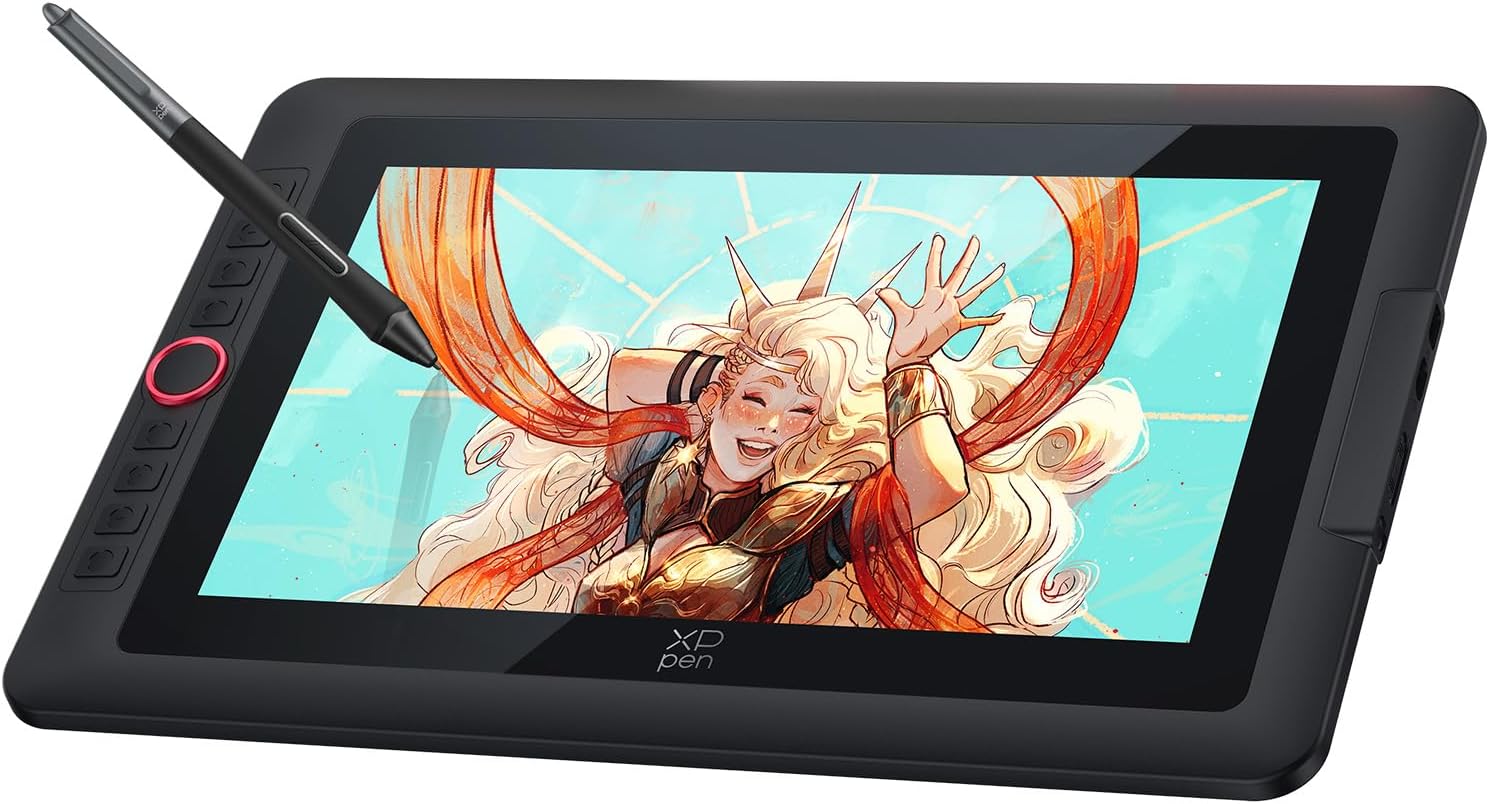
The XPPen Artist 13.3 Pro V2 is a professional-grade portable pen display featuring a 13.3-inch full-laminated screen with 99% sRGB color accuracy and anti-glare coating. Equipped with the groundbreaking X3 Pro Smart Chip stylus offering 8192 pressure levels and 16K sensitivity, it delivers an unparalleled natural drawing experience. Its 8 customizable shortcut keys and red dial streamline your workflow, while broad OS and software compatibility make it a versatile tool for digital artists seeking precision and portability.


| ASIN | B0DKT4Y74Y |
| Active Surface Area | 293.76 x 165.24 = 48.65 square inches |
| Best Sellers Rank | 11,374 in Computers & Accessories ( See Top 100 in Computers & Accessories ) 29 in Graphic Tablets |
| Box Contents | Stylus, Shortcut Keys |
| Brand | XP-Pen |
| Brand Name | XP-Pen |
| Colour | Black |
| Compatible Devices | Laptop, Desktop, Tablet |
| Connectivity technology | USB |
| Customer Reviews | 3.9 out of 5 stars 63 Reviews |
| Display Type | LED |
| Item Dimensions L x W | 39L x 25W centimetres |
| Item Weight | 1.14 Kilograms |
| Manufacturer | XP-Pen |
| Model Name | Artist 13.3 Pro V2 |
| Model Number | Artist 13.3 Pro v2 |
| Model name | Artist 13.3 Pro V2 |
| Native Resolution | 1920*1080 |
| Network Connectivity Technology | USB |
| Operating System | Windows, macOS |
| Operating system | Windows, macOS |
| Pressure Sensitivity | 16384 Levels |
| Pressure sensitivity | 16384 Levels |
| Product Features | Anti-Glare Glass |
| Product Warranty | 2 year manufacturer |
| Screen Size | 13.3 Inches |
| Special feature | Anti-Glare Glass |
| Specific Uses For Product | Drawing |
| Target Audience | Professional illustrators |
| UPC | 850065239552 |
| Unit Count | 1.0 count |
M**D
Pressure sensitivity settings had to be changed to adapt the pen (highly recommend product)
The 1 star reviews were putting me off from this tablet (I had a Wacom one tablet that stopped working) but this is a great product at a great price, going from one tablet company to another also worried me since I thought adjusting would take a while but it hasn’t its also very simple and clear, the side buttons are handy, people had problems in their reviews but they are a very small percentage of the thousands of people who got a great product. The only problem I had was that the pen had 0 pressure sensitivity but I heard the XPPen was very good, it turned out that the software I use needed its settings changed to adapt to the type of pen and now it works perfectly especially since it doesn’t need to be charged.
S**N
5star
Excellent one
J**A
No signal
I started return unfortunately I am so disappointed with this tablet.It was our daughter's Christmas gift but we couldn't never turned it on and connect to laptop or pc.Just ni signal. I've read and watched many rewiews and help guides and for me it's seemed obvious so many people were dealing with same problem as me.I even bought new ones cable pack and from same seller but all in vain (((It's sad actually we like the size of tablet and it's quality, looks very sturdy but we'll never know it's capabilities. So,I started return and i dropped off items on 27.12.2025 so still no updates on my return and it's not ok.Who going to buy this product do not waste your time,you gonna wait for your money back for weeks
S**H
Great buy of kit
Bought to help my wife with her online tutoring business. Uses it to interact and write on screen. She is delighted with it. Hasn't used it for art yet. Only negative is set up booklet waste very clear . Had to go online for video! On how to set up. Took a while.
C**B
Great drawing tablet
This drawing tablet is a very impressive piece of kit. It arrives with everything you need to get going including the tablet itself, stylus pen and spare nibs, a stand, and all the required cables. It also has a guide about how to install and a registration information kit where you can download software for drawing. Also included with the tablet is a suite of apps that you can download to get started which were free which was a nice touch. It took me a little bit of time to set it up. It is not a standalone unit and does require a PC or Mac in order to use. It essentially acts as a 2nd monitor for your computer with the stylus pen used as a mouse. It does require drivers for either mac or windows and these can be downloaded from the XP pen website. I connected it up using the supplied USB C cable only and this worked well for both powering the tablet and for bringing up the display. I did try using one of my own USB C cables and it didn't work so I wonder if it might actually be a proprietary connection. The software allows you to decide whether you want to use it to display part of your main screen, or as a separate monitor. The screen was very bright and the quality was excellent, I was really impressed with the colours and resolution. The stylus took a bit of getting used to - you hover it above the screen to move the mouse and touch it to the screen to draw or to click. The tracking of the stylus was very accurate and responsive/quick. There is a set of shortcut keys which can be mapped to certain tools/brushes in the drawing apps. All in I was very impressed with the quality of the screen, responsiveness and included apps and it would be a great addition to the desktop of somebody who enjoys drawing or doing graphic design work.
F**N
Brilliant drawing tablet, packed with features and great specs
This drawing tablet has beeen great during the past couple of months using it. When I first got the box I already had a good feeling about it as you can tell from the packaging it's a real premium drawing tablet. On taking it out of the box, I really liked the design and the way everything had been packaged in the box and the accessories included in there. It took me a bit of time at the start to get the driver for it and set it up, but I suppose it's like that for any tablet these days, minus the drivers which I am not used to having to do for tablets, but I was able to download them and put them on it following the instructions easily enough. After doing this, the tablet was set up and has been working without any problems. The is quite bright and vibrant, with what I would say is great colour accuracy. When used as a monitor the pen / stylus operates as an accurate control device which provides a natural drawing experience, very accurate and sensitive and I would say even more so than others I have tried. The stylus is comfortable to use too, not really any pressure or exertion required to draw and the grip is nice, feels natural in my hand. There is no lag or inaccuracy in the drawing. When you hover with it, that is quite accurate too and quite intuitive between hovering and applying the most minimal bit of pressure to actively draw or paint. The additional nibs supplied with the tablet are an added bonus too, I have not had to replace the nip yet but good to know it has come with extras for when that is needed. The shortcut keys on the tablet are very handy and are able to be customised too, so I found this really useful for getting a productive flow going for drawing. The rotating dial too for example is very useful for quickly zooming or changing brush or pen size for drawing. I typically keep the tablet plugged in with the usb c cable but it seems to have reasonable battery life when not plugged in. The stand keeps it stable position during drawing and at a decent comfortable angle. The tablet delivers precise results during both sketching and detailed digital painting tasks. The pressure sensitivity on the stylus means great accuracy both for painting and drawing even things like fine lines or curves. Very premium drawing tablet which I would say is actually great value.
A**R
Overpriced & poor.
Very poor, doesn't work well with linux. No power supply included. Very disappointing.
D**D
Beautiful vivid colours, bright screen, accurate stylus
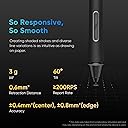
(Review based on testing with a PC) The XP-Pen tablet and stylus set is a pleasure to use, combining a large, high-quality drawing screen with an accurate, multifunctional stylus. The included stylus supports up to 60° tilt in any direction and will give precise, pressure-sensitive control. The stylus itself sits well in the hand. It's lightweight, battery-free, and magnetically interacts with the screen. Two programmable buttons on the stylus allow for quick actions like undoing a stroke or changing brushes, streamlining your workflow. The built-in hover feature enables cursor movement without clicking, making navigation and drawing even smoother. Additionally, the back end of the stylus functions as an eraser by default, mimicking a traditional drawing experience. The set also includes eight spare nibs stored in the stylus case, ensuring long-term usability. I found the stylus was pretty good at ignoring accidental touches (though there is a two-fingered glove included in the box), helping to prevent unintended marks while drawing. I really liked the showstopper screen - the full-HD (1920 x 1080) display offers vibrant colours and crisp visuals. There is a 2cm black border around the display with the actual viewable/usable screen measuring 29.5cm x 16.5cm (which is still comfortably large). Along the side of the tablet, you'll find a dial and eight programmable hotkeys, which can be customised or used with their default shortcuts for essential functions like saving and brush selection. The dial is a great addition - you can change the size of the brush whilst painting, or zoom in quickly (rather than pressing a button repeatedly). Brightness can be adjusted via two dedicated buttons on the side. For connectivity, the tablet provides two USB-C ports and supports multiple connection options, including USB-C and USB-A (with the second USB-C acting as an additional power source). However, it's important to note that not all USB-C ports will work—your device must support "Alt Mode" to transmit video signals to the tablet. Otherwise the included multicable will get around this by splitting the USB-C into two USB-A plugs and an HDMI. Weighing just 1.13kg, the XP-Pen tablet is still portable and well-suited for creative work on the go. A fold-flat display stand is included to offer a comfortable drawing incline. And it's a good job I liked the angle as its tilt isn't adjustable. Setting up the tablet is straightforward; simply download the drivers from the XP-Pen website, which will enable hotkey configuration and register the pen as a stylus. The website also provides links to open-source design software, offering budget-friendly options for those exploring digital art. Overall, I felt the XP-Pen tablet is an excellent out-of-the-box solution for graphic professionals and aspiring artists. Its pressure-sensitive, high-resolution screen ensures precision, making it an ideal upgrade for those who need accuracy in their digital design work on a PC (or Mac).
J**O
XPPen Artist 13.3 Pro V2 Tablet gráfico
Excelente produto. Corresponde ao anunciado
A**E
Good quality
After having had issues with 3 Huion Display Tablets (Dead pixels) I decided to go for an XPPen Tablet and I'm glad I did. No problems whatsoever, good quality display and pen for this price, also no dead pixels finally.
C**S
Bon produit
Superbe tablette graphique et livré dans les temps.
E**A
Muito boa
Muito satisfeito… rápido e eficiente …
W**.
Grafiktablett nicht nur für Fortgeschrittene
Das Grafiktablett ist überraschend groß, denn es hat, wie auch schon die älteren Modelle von XP-Pen, einen recht großen Rand. Ich habe das XP-Pen Artist 12 der ersten Generation und damit schon viel gemacht, doch es hat nun immer wieder das Problem, dass es bei der Übertragung das Bildsignal verliert und nur noch Streifen anzeigt. Deshalb traf es sich gut, dass ich ein neueres Modell mit größerer Bildschirmdiagonale testen durfte. Der Lieferumfang hat sich ebenfalls geändert. Bei dieser Variante ist zusätzlich noch ein Tablet-Ständer dabei, der absolut passgenau ist. In der eigentlichen Verpackung befindet sich das Tablet, der Ständer, eine Zeichen-Handschuh, diverse USB-C Kabel und der Stift in einer Box mit Ersatz-Spitzen. Eine Anleitung ist ebenfalls dabei. Dann gibt es noch ein extra Paket in der Versandverpackung mit einem Adapter-Kabel für HDMI, USB und die Stromversorgung, ein Netzteil wird nicht mehr mitgeliefert, das war bei dem XP-Pen Artist 12 noch im Lieferumfang dabei. Da aber ohnehin immer mehr auf USB-C umgestellt wird, sollte das kein Thema sein, Netzteile werden sowieso nur noch selten bei neueren Geräten mitgeliefert. Was die Funktion angeht, wer es erfolgreich schafft die Treiber zu installieren, bekommt ein gut funktionierendes Zeichentablett, dass es mit den Marktführern durchaus aufnehmen kann. Man darf jedoch nicht vergessen, dass es normale Tablets mit Zeichenfunktion und Stift gibt, die für viele Anwendungsfälle außerhalb des professionellen Bereichs bereits ausreichen und sich mit entsprechender Software auch als Zeichentablett am PC verwenden lassen. Hier beim XP-Pen Artist 13.3 bekommt noch ein Stück mehr geboten und es ist mir bisher auch kein normales Tablet bekannt, das mehr als 4096 Druckstufen unterstützt. Mit den hier vorhandenen 16k Druckstufen sind unfassbar feine Abstufungen möglich. Das sind direkt doppelt so viele Stufen wie beim XP-Pen Artist 12. Daher ist es für Profis eine geniale Lösung und ermöglicht sehr präzises arbeiten. Insgesamt ist es ein sehr stimmiges Konzept und wenn die Haltbarkeit mittlerweile Fortschritte gemacht hat, wäre das sehr zu begrüßen. Schade ist der üppige Rahmen um Display, der wäre so nicht nötigt meiner Meinung nach, das macht das Grafiktablett unnötig sperrig, doch dafür zeihe ich keinen Stern ab.
Trustpilot
1 week ago
3 days ago