Buy anything from 5,000+ international stores. One checkout price. No surprise fees. Join 2M+ shoppers on Desertcart.
Desertcart purchases this item on your behalf and handles shipping, customs, and support to Thailand.
🎧 Own your sound, own the moment.
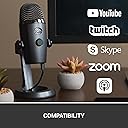
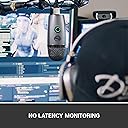
The Blue Yeti Nano Premium USB Mic is a compact, professional-grade condenser microphone designed for creators who demand superior audio quality. Featuring 120dB sensitivity, dual cardioid and omnidirectional polar patterns, and no-latency monitoring, it delivers crystal-clear sound for streaming, podcasting, gaming, and voiceovers. Enhanced by Blue VO!CE software, it offers customizable vocal effects and HD audio samples, all in a sleek, easy-to-use USB plug-and-play design.


| ASIN | B07DTTGZ7M |
| Antenna Location | Gaming, Streaming |
| Audible Noise | 44 Decibels |
| Audio Sensitivity | 120 Decibels |
| Best Sellers Rank | 6,684 in Musical Instruments & DJ ( See Top 100 in Musical Instruments & DJ ) 109 in Condenser Microphones |
| Box Contents | – Yeti Nano microphone including desktop stand – USB cable – 1/4-inch to 5/8-inch adapter – Quick-start guide – 2-year manufacturer’s guarantee |
| Brand | Logitech G |
| Brand Name | Logitech G |
| Colour | Grey |
| Compatible Devices | Personal Computer |
| Connectivity Technology | USB |
| Connectivity technology | USB |
| Connector Type | / |
| Connector type | / |
| Country of Origin | China |
| Customer Reviews | 4.6 out of 5 stars 6,513 Reviews |
| Enclosure Material | Plastic |
| External Testing Certification | Grau 1, Não aplicável |
| Frequency Range | 48 KHz |
| Frequency Response | 20 KHz |
| Global Trade Identification Number | 00836213000281, 05099206084025 |
| Hardware Platform | PC |
| Impedance | 16 Ohms |
| Item Dimensions | 10.9 x 9.6 x 21.1 centimetres |
| Item Type Name | Microphone |
| Item Weight | 1.39 Pounds |
| Manufacturer | Logitech for Creators |
| Manufacturer Part Number | 988-000088 |
| Microphone Form Factor | Plug On |
| Model Name | Blue Yeti Nano USB Mic |
| Model Number | 988-000088 |
| Model name | Blue Yeti Nano USB Mic |
| Number of Batteries | 1 Lithium Ion batteries required. |
| Number of Channels | 2 |
| Polar Pattern | Cardioid or Omnidirectional |
| Power Source | USB |
| Recommended uses for product | Gaming, Streaming |
| Signal-to-Noise Ratio | 100 dB |
| Special Feature | Stand |
| Special feature | Stand |
| UPC | 836213000281 097855160577 |
| Unit Count | 1.0 count |
M**5
Excellent Sound & Build Quality
I recently purchased this mic to use for recording voiceovers for videos I make, commentary during gameplay and also for recording instruments. I have to say this mic excels at all three! Firstly, I was impressed by the ease of installation. I run a windows system and as soon as I plugged in the mic, it was recognised, installed and was ready to go. I tested it with a variety of audio programs and was able to use it with no hassle in all of them. The Nano has less features than the original Yeti, but if you are solely looking for a mic for gaming/Youtube/podcasts etc, I highly recommend this mic. Sound-wise I have heard no difference between the two in test videos I researched and the two recording settings the Nano offers are more than suitable for most situations. The Nano is compact, a lot smaller than the original Yeti, and its build quality is very nice, even though it may look a little "plasticy". Once plugged in it is pretty much ready to go, though I would recommend playing with a few settings such as gain to find the sweet spot for you. I am still doing this myself, though the sound I got straight away from the mic was well above anything I have previously recorded with a headset. As for gaming, this mic will pick up your keyboard and mouse. How loud they will come across is dependant on your setup. I suggest a mic stand to avoid vibrations from using your kayboard. I also purchased a pop filter with mine and would put this down as a must to prevent yourself headaches when recording p's and other "pop" letters. Having the mic away from my desk and in front of the keyboard has made it significantly quieter. All in all I highly recommend the Nano, for the sound quality alone!
H**E
Bought for my video production voiceovers
I bought this because I do voiceovers on Youtube. I was using my Macbook Pro inbuilt 'studio quality' mic but have given it to my son and bought a Mac Mini so needed a microphone. I would recommend downloading the software that comes with this as importantly it gives various sound profiles- I like the broadcast 2 one I think it is called. The build quality is solid. Whilst I am sure it is not the best mic in the world, it is a good solid choice. The sound quality on my voiceovers is a definite big step up over Apple's supposedly studio microphone in the Macbook Pro. You do need to be quite close- about 6-10 inches to get the best sound for voiceovers but that is not a problem. Also gain needs to be up a bit. So the quality of the voiceover is now very high indeed on my Youtube videos. I have listened to some others, paying more attention on some quite big channels and they are using much inferior quality than this in some cases.
A**N
Great Microphone
This product was simply because I wanted a microphone to go with my new studio headphones for both gaming and business calls. The stand is amazing, almost entirely made of metal with a plastic clamp system to screw it onto the microphone. I removed mine from the stand and put it onto a boom arm using the supplied adaptor to the standard thread. The sound quality is perfect, maybe there could be more controls in the software however it is a USB microphone, if you need to have more control over the EQ and other effects, get an XLR with a mixer and that will be far more benefitial. Negatives are that the microphone has very little adjustment on the boom arm, there is no way to angle it exactly as you want unless mounted directly 90 degrees from your face. Also, it is a little unfortunate that the volume button on the microphone is for headphones as I have studio headphones that are wired into an amplifier instead so it is not used at all. Finally, the mute button is often hard to press resulting in the mic picking up noise and that being very loud for anyone on the other end. This microphone is not intended for studio use and is good for YouTube voice overs, gaming, streaming, Skype, discord and other social media however would struggle as a podcast mic or for recording vocals. Hope that helps.
V**T
A bit pricey, but the sound quality is amazing
Blue Yeti has a good reputation, which is well deserved. This Yeti Nano is smaller than the original Blue Yeti, but the quality is pretty much the same. As the Nano is smaller, it is actually much nicer on your desk and easier to transport if needed. I also like the fact that he has a more recent mini-USB plug on the microphone, instead of the old square USB on the original bigger Blue Yeti. The on/off volume button at the front has a quality feel and is super easy to operate. It is also so useful to mute/unmute yourself during video call, without anyone noticing (as you don't have to use the mute feature of the software like Zoom and so on). The stand provided is strong and heavy and for my usage is enough. I have the microphone on my desk and don't need an extra arm (even so I type on my keyboard during my videos call). It is definitely worth paying the extra money to have such a quality microphone, as the sound quality now on my professional calls is so so so good!
S**K
Easy to use and set up, very clear and crisp audio
Amazing mic, on par with ridiculously priced “high end” Condenser Microphones. Just treat it like you would a high end mic and you should have this for a long time. Make sure to mute before unplugging, be gentle with it, and try not to get to peak audio levels (in the top half of the red) with it, this will ensure you get the most out of it. Condenser mics are to be handled with great care, not like Dynamic microphones which are slightly more sturdy but give less audio range and audio crispness compared to Condenser Mics. That being said, I have literally dropped this thing down a flight of stairs and it still works just as well as it did before. But don’t go around doing that please. TLDR: Good mic, worth the money, crisp audio.
K**G
Quality Sound
Having owned a Blue Snowball ice for over 10 years, which has always been geat, I only decided to trade-up because the connection at the back of the mic had become so loose over the years it sometimes came loose all together when I moved the boom arm. I chose the Yeti Nano due to the incease from 1 condenser to 2, and the increase from the ice's 16-bit/44kHz to the Nano's 24-bit/48kHz. It's important for me to have a quality mic, as I broadcast a classical programme online a few times a week and stream at a high quality - 192kbps, so the mic has to match the quality of the music. The Yeti has not disappointed and is a noticeable improvement on the Snowball. The Nano is crystal clear. Unlike some who have said they may have received a returned or pre-used item, mine was definitely brand new with a box which had clearly never been opened. I am delighted with the Nano and it's quality and robust construction looks like it will last me another 10 years or more.
M**Y
Excellent for travel
I've always had the big Blue Yeti mics, but they're very heavy and I travel a lot. This was an excellent travel alternative. Very happy with the sound quality. It's still quite weighty, but nowhere near as heavy as the full mic. Feels good quality. Perfect for voicing over videos. Very happy.
N**Y
Vast Improvement Over Built In
This is such a brilliant addition to anyone Zooming, not to mention recording. But for Zooming, how much are computer makers going to spend on the in-built mic in the laptop lid or whatever ? This semi pro mic has everything you need in a plug and play mic to lift your sound to a hugely higher level. Great quality build and tremendous sound quality. This beautiful mic complete with stand will not disappoint. Once you've plugged this in, you will never go back to the on-board - built in mic.
M**A
Excelente qualidade
Comprei o Blue Yeti Nano da Logitech e fiquei realmente impressionado com a qualidade do som. Uso principalmente para gravações de podcast e algumas lives, e o áudio sai super limpo, com zero ruído. A função BLUE VO!CE é um diferencial enorme, dá pra ajustar a voz do jeito que você quiser, parece até estúdio profissional. A conexão USB plug and play facilita demais, em segundos já estava tudo funcionando no meu PC, e também testei no Mac sem nenhum problema. Curti muito o fato de ter captação cardióide e omnidirecional, dá pra adaptar conforme a necessidade. Além disso, o microfone é compacto, bonito e bem construído — esse acabamento cinza é muito bonito. Recomendo demais, especialmente pra quem quer subir o nível do conteúdo sem complicação.
A**5
Yeti Nano: SHERPA vs LOGITECH G HUB
Adquirí el micrófono para reuniones en ZOOM usando Windows. Por eso aparte de la famosa calidad me importaba su ecualizador Blue VOICE adicional para efectos de sonido en tiempo real. Sin embargo mi experiencia con el software no ha sido liviana. Actualmente el Yeti Nano (dependiendo de su versión de Firmware) es soportado por 2 aplicaciones originales gratuitas: --- SHERPA (parece discontinuada, no se promociona en web oficial pero todavía se puede descargar, sin embargo solo con funcionalidad básica). ---LOGITECH G HUB (con funcionalidad completa, pero menos intuitivo, crudo y con algunos fallos). De caja el Yeti Nano trae Firmware versión 4.6 compatible con SHERPA – aplicación que a priori tiene BLOQUEADAS 2 funcionalidades avanzadas: actualización de Firmware y ecualizador Blue VOICE. El mensaje de SHERPA avisa que estas 2 funcionalidades solo se pueden desbloquear en LOGITECH G HUB. La funcionalidad básica de Yeti Nano con SHERPA es impecable (pero todo esto también lo hace Windows) y como desde inicio me importaba Blue VOICE, decidí a probar LOGITECH G HUB. Lo primero que indica LOGITECH G HUB al arrancar con micrófono conectado – es que el Firmware de Yeti Nano (4.6) se debe actualizar. No es posible probar Yeti Nano con LOGITECH G HUB sin primero actualizar Firmware a versión 4.10. Y una vez actualizado ya no hay vuelta atrás – versión 4.10 no es compatible con SHERPA que deja de reconocer el micrófono (tampoco es posible downgrade). Según mis impresiones, LOGITECH G HUB es una aplicación más compleja y menos automatizada que SHERPA. Lo que SHERPA hacia de manera automática, en LOGITECH G HUB hay que ajustar a mano. Esta es la razón por cual algunos usuarios sufrían cortes durante el uso de micrófono con Blue VOICE. Para detectar dichos cortes hay que usar “Prueba de Micrófono”, y para eliminarlos: en “Limpieza de Señal” desmarcar “Bloqueador”, o dejarlo marcado pero bajando a valor de aprox. -50 (dependiendo de nivel de ganancia y proximidad al micrófono a la hora de hablar). Los fallos de LOGITECH G HUB que alcancé notar: 1. Problemas durante instalación en una de las PCs (lo probé en 2). Debido a que la conexión de internet se interrumpió justo durante la primera ejecución de software – todos los intentos de instalación posteriores se trababan y no avanzaban. Después de probar varios tips sin éxito, pude solucionar problema solo reinstalando Windows 10 – cosa que nunca me pasó antes. 2. Fallo en hacer LOG IN a tu cuenta (remitiéndote a la web, se logra LOG IN en la web, pero no se sincroniza con aplicación en PC y sigue trabado sin permitir descargas adicionales ni otras acciones con la cuenta). 3. Dejando LOGITECH G HUB activo en inicio automático de Windows – se produce sonido raro cada vez que arranca PC (se corrige solo desactivando la aplicación en inicio automático). 4. A veces cambia la frecuencia del micrófono a 44100Hz, con que el micrófono parpadea en Naranja presentando error (en vez de estar en Verde fijo). Se corrige cambiando la frecuencia a 48000Hz a mano en propiedades avanzadas del micrófono en dispositivos de grabación de Windows. 5. En Windows hasta el nombre de LOGITECH G HUB se reduce ridículamente por la misma aplicación a “LGHUB”, que se me figura con el HUB de compañía LG. Según algunos comentarios, poniendo los mismos valores en SHERPA y LOGITECH G HUB, el Yeti Nano ofrece mayor calidad de sonido con SHERPA. No alcancé realizar tal comparación, y ahora para esto me hacen falta 2 Yeti Nano con diferentes versiones de Firmware, aparte SHERPA ya está capada para funcionalidad avanzada. A pesar de inconvenientes probé satisfactoriamente los efectos Blue VOICE con Yeti Nano y LOGITECH G HUB en Windows. Cualquier cambio que aplicaba – tenía efecto. Al probar todo en ZOOM y escuchándome de otro lado de conexión por auriculares – el resultado me agradó, ya que la calidad de sonido es mejor que con el micrófono de Laptop, aunque comparando con una grabación off-line, las interferencias de conexión algo degradan el resultado. También noté que LOGITECH G HUB a diferencia de actual SHERPA introduce nuevas funcionalidades y mejoras, como la “Prueba de Micrófono” – posibilidad de verificar como sonará tu voz en futura conexión/grabación, gracias a la muestra de sonido pre-grabada (puesta en repeat) – que sirve para ir calibrando efectos y escuchando cambios en tiempo real (es donde se pueden detectar posibles cortes a corregir). CONCLUSIÓN: Según mi experiencia el Yeti Nano es un producto Premium extraordinario, pero con el software original no tan Premium actualmente. Aunque conseguí hacer que todo funcione, la configuración en LOGITECH G HUB me pareció tarea complicada que requiere de usuario conocimientos de fundamentos teóricos del sonido. Me parece raro que Logitech, al complicar la gestión de sus micrófonos Blue hasta nivel casi científico, por fuerza la integró en aplicación para Gamers (personas que no requieren de experimentos con sonido). Es posible que tal integración junto con obligación de usar exclusivamente LOGITECH G HUB sea resultado de marketing precipitado. Espero que los fallos actuales de LOGITECH G HUB por lo menos se corrijan. Mi experiencia con el Servicio de Soporte de Blue ha sido exitosa. Me confirmaron la garantía de producto (2 años) y me explicaron que la diferencia en 1 digito de Número de Serie en caja y en el mismo micrófono es algo normal para productos de Logitech ya que manejan 2 Niveles de Números de Serie: el Nivel 8 en producto (para que usuario final lo registre en web para garantía) y el Nivel 9 en empaque (para logística).
J**Y
Moze być
Spelnia swoje zadanie ale wymaga dokupienia filtra pop
H**N
Excellent product
I use this mic to record my lectures for my university students and I like it very much. An excellent product.
S**H
Amazing quality
This was my first Mic I've ever bought and what can I say it's really good and the sound comes up very crisp and clear. I love the options they give to match the perfect sound to your voice. Just make sure you buy a stand for it cause it's quite small.
Trustpilot
4 days ago
1 month ago