Buy anything from 5,000+ international stores. One checkout price. No surprise fees. Join 2M+ shoppers on Desertcart.
Desertcart purchases this item on your behalf and handles shipping, customs, and support to Thailand.
🖨️ Print smarter, not harder — the MegaTank revolution for your home office!
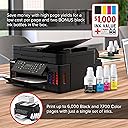
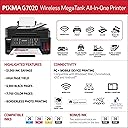
The Canon PIXMA G7020 Wireless MegaTank All-in-One Printer is a versatile home office powerhouse combining printing, copying, scanning, and faxing with a high-capacity refillable ink system. It delivers up to 6,000 black & white and 7,700 color pages per ink set, supports wireless and Ethernet connectivity, features auto 2-sided printing and a 350-sheet paper capacity, and integrates seamlessly with mobile devices and Alexa for effortless productivity.

| ASIN | B081TZ38X2 |
| Additional Printer Functions | All In One |
| B&W Pages per Minute | 13 ppm |
| Best Sellers Rank | #51,409 in Office Products ( See Top 100 in Office Products ) #55 in Ink Tank Printers |
| Brand | Canon |
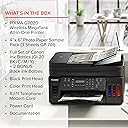
| Built-In Media | PIXMA G7020 Wireless MegaTank All-In-One Printer, 4” x 6” Photo Paper Sample Pack (3 Sheets GP-701), Setup CD, Manual, and Other Documentation, Set of Ink Bottles (PGBK, C, M, Y) + 2 Bonus Black (PGBK) Ink Bottles, Black Print Head, Color Print Head RJ-11, Telephone / Modem Cord Power Cord |
| Color | Black |
| Color Depth | 24 bits_per_pixel |
| Color Pages per Minute | 6.8 ppm |
| Compatible Devices | Printer |
| Connectivity Technology | wired, wireless |
| Control Method | App |
| Controller Type | iOS |
| Customer Reviews | 3.8 out of 5 stars 4,066 Reviews |
| Dual-sided printing | Yes |
| Duplex | Automatic |
| EU Spare Part Availability Duration | 1 Years |
| Hardware Interface | Ethernet |
| Ink Color | Multiple |
| Item Dimensions D x W x H | 14.6"D x 15.9"W x 9.3"H |
| Item Type Name | Inkjet Printer |
| Item Weight | 17.8 Pounds |
| Manufacturer | Canon USA |
| Maximum Copy Resolution Black and White | 4800 x 1200 dpi |
| Maximum Copy Resolution Color | 4800 x 1200 dpi |
| Maximum Copy Speed Black and White | 13 ppm |
| Maximum Media Size | 8.5 x 14 inch |
| Maximum Print Resolution Black and White | 4800 x 1200 dpi |
| Maximum Sheet Capacity | 350 |
| Maximum print Resolution Color | 4800 x 1200 dpi |
| Model Name | Canon PIXMA G7020 Wireless All-In-One Supertank Printer, Copier, Scan and F |
| Model Number | 3114C002 |
| Model Series | G7000 |
| Number of Ethernet Ports | 1 |
| Number of Trays | 2 |
| Other Special Features of the Product | refill ink,wireless |
| Paper Size | 3.5” x 3.5” (Square), 4” x 4” (Square), 4” x 6”, 5” x 5” (Square), 5” x 7”, 7” x 10”, 8” x 10”, Letter (8.5” x 11”), Legal (8.5” x 14”), U.S. #10 Envelopes |
| Power Consumption | 15 Watts |
| Print media | Paper (plain) |
| Printer Connectivity Type | wired, wireless |
| Printer Output Type | Color |
| Printer Type | Inkjet |
| Printing Technology | Inkjet |
| Resolution | 600 x 600 |
| Scanner Type | document |
| Special Feature | refill ink,wireless |
| Specific Uses For Product | home office |
| Total Usb Ports | 1 |
| UPC | 013803323078 |
| Unit Count | 1.0 Count |
| Warranty Description | 1 year limited warranty |
| Warranty Type | Full Warranty |
| Wattage | 15 watts |
W**0
Great Printer-Never Going Back to Cartridges Again-Fast, Super Cheap w/ Ink (refills too)- Love It
So after having Canon printers from way back in 2003 for a few years and getting excellent results and pictures (using the Canon high gloss photo paper back then) i switched to Epson when it died a few years ago. The Epson WF 4730 and most recently when that died the WF4740 (which also just died) I decided to go back to Canon again. I REALLY like the Megatank system. This printer has a pretty small footprint too as far as it's size compared to the Epson we just replaced. It seems like it will be a lot more efficient on ink and the replacement bottles are really reasonable (on Amazon colors are only $11/each and slightly more for the black ink which is a larger bottle). The text prints fast and the colors are spot on. Haven't tried pictures yet but will update my review when I do try printing them. The only gripe I have with this printer are a couple of things. First, the LCD screen is small and doesn't light up making it basically useless. But, I have learned after having a few printers over the years I never use the bloatware by the printer company anymore. I use the print application on my Imac or Windows computer. Much faster to access and works better with less headaches. And, second, the operating panel which folds out HAS to be open when printing. This is good and bad at the same time. Annoying if you are in another room and want to print and forget to fold out the panel first (panel can be left forward position to print always or just pop it out when you want to print something. The good thing about the panel having to be open is if I leave the printer cover on the printer and someone wants to print from another room (and they haven't opened the control panel first) the printer won't print and jam up papers because the printer cover is on. Scanning so far works great on this All In One. Haven't tried faxing yet and basically....who needs to fax anymore anyway. I scan and email any document. I can tell you even though Epson has their own tank version of printers (Ecotank) I am done with Epson for awhile. Best thing about Epson was the speed of print....that was it as far as superiority. The Canon so far has been a great machine. By the way, using the computer to print rather than the bloatware supplied by either Canon or Epson is not only fast to use but a lot easier when setting the printer up. So, after only owning this printer for less than 2 weeks (but we have used it quite a bit as my wife and I are both working at home during the Coronavirus quarantine) I can say that I would highly recommend this AIO to anyone looking for a great, fast and do all printer that is efficient on ink as well. I used to HATE running out and having to run to Office Depot or ordering online for ink only to have to spend about $38 for a small color ink cartridge for the Epson. The whole kit of 3 colors with black was about $125...crazy expensive. This computer comes with 3 colored ink bottles (enough to fill each of the 3 colors once) and 3 slightly larger black bottles (one fills it up and 2 extra bottles are included). I read all the reviews on Consumer Reports online as I subscribe and a lot of them pointed to the lower priced models by Brother or HP. The problem with the Brother printer they recommend (while easy on using the ink) was that the reviews stated that color printed papers came out very dull and light on color. Thus the "efficiency" of using ink on a Brother. Not like that with this Canon at all. Colors are superb on regular bright white paper. You definitely get what you pay for here. A top of the line refillable tank AIO printer that does everything very well....including saving money on ink (and the convenience of storing extra bottles to refill when needed). Spend a little more now on a great Canon G7020 but save in the long run. Hope this helps anyone who is on the fence about which printer to buy. I know even with having the Consumer Reports information online to view I spent a few hours doing research on the all around best printer. Oh, and also the print heads (2...one for colors and one for B&W) pop in easy when setting up and that means replacing if ever needed should be easy. Hopefully I won't have to for a very long time though. Just buy this printer.....I can't imagine you'll regret it. I also purchased a NON Canon product that I would recommend as well. The semi-clear printer cover by Comp Bind is great. Made for this printer it keeps dust and anything else out of the printer when not in use. I truly believe using a cover extends the life of your printer too.
A**E
Another Insult to the Consumer
The conclusion here is another depressing example of a corporation so out of touch with its users, and cares so little, it becomes a disgusting commentary on how their laziness adversely impacts the people who buy their goods. HUGE TYPE HERE: DO NOT BUY! But what are you going to do? All of the war stories here are correct. But why are there so many different ones? These inkjet printers use technology that's 35 years old! These jet printers have all been a pain in the butt the whole time. I installed enough of them. The entire system is nothing but layers and layers of crap. The Canon printer setup utility freezes my computer EVERY TIME. Everything is brand new. Setup will be misery. Calling Canon for assistance will be misery. The "manual" is misery. Different instructions online from the manual from the phone techie will provide you more misery. This "display" went out on toasters in 1998. But when you're in it, what do you do? Press "OK" to proceed? Or press RIGHT ARROW to proceed? Each Canon technician has their own style. Enter the New WiFi Password, enter it on the Princess Phone keypad. Need a "v?" Press "8" three times! Like the toy phone you pull on a string. Who ON EARTH would know that? Canon doesn't. The manual is less than useless. EVERY time I have had to fix settings, it somehow starts working; I'm not sure how. Judging from the myriad of problems others report, this is chewing gum, rubber bands and spit. It''s amazing it works at all. But good luck. Epson and HP are exactly the same. There are NO printers for the home that are easy. Amazon ought to provide either Zero stars or a simple "negative" rating. Although It doesn't appear Canon or the rest will ever care. I don't know what else to tell you. Welcome to the world of home/small business printers, where technology never changes. I've installed dozens of these, along with Epson and HP, and the tech hasn't changed since the 90s. This IS a cartridge inkjet printer. The only difference is that the ink, lots of it, is stored onboard and fed to the standard cartridges. When you see it, you wonder how much ink was really in those little cartridges, especially color. Well, it was the most expensive commodity on earth. I won't talk about laser printers, but they cost like a Bentley to maintain. But how can printer companies continue building these without developing new technology? The given: It's all cheap plastic with the prime point of contact—the paper tray—cheapest of all. And be careful. Load new, clean paper or it will jam. Mine did on the 10th sheet. And don't overload. I open the box, out drops a CD(!) for Windows and a familiar owners manual, emphasis on Manual. Then the abyss. Three hours later, drop a dime to Canon. It was the final piece of my new upgrades and all the fun and anticipation of setting up this printer was stolen from my grasp by the space takers at Canon. How much money does Canon pay people to walk me through setup when it should be like falling off your bike? These things couldn't shake hands with a network if Thing was inside. And it's the same old 35-year-old software. It ruined my day, although it was reminiscent of all the others. My old HP 5680 is dead after not many sheets. Planned. The guy at Canon laughed at me when I asked him how many schmoes like me he has to talk to because their software and instructions are from Al Gore's inventin' days. He ran me through a process I SWEAR I had covered before. It worked! Ran some test sheets, printed a cat picture. Next day, Saratoga. Fire up Canon and a big bright yellow hazard triangle lights up: Construction Ahead. Could NOT figure out what it meant. Pressed it. Resume. Sheet after that: JAM! Use virgin paper. I THINK that's what that meant. The color photo print was nothing spectacular and certainly not improved from my seven-year-old dead HP. You think about it, HPEpsCan uses such old technology, supply chain intact, mindlessly pushing this old technology out the door, along with software nothing more than stacks and stack of code—or not—designed for 2400baud or something. At ever-rising prices. I will faithfully maintain this unit (instructions lax there too), I'm guessing new cartridges (See how they did that?) hopefully only with every fillup. There IS a "maintenance door" on the back, which I will have to SOMEHOW learn. (P.S. Box opening and "setup" videographers: CUT! You're no help when you don't show it.) I did open it to fix the paper jam, on a hunch. I will never forgive Canon for taking away my pleasure in setting up this printer. I still shutter at the thought of a grandma out there never getting it to work. The two stars is for that and the future that lies ahead, obsolescence-wise. I've been in this movie before. Will update. AND! Amazon has to stop playing with its delivery notifications. "DELIVERED" when it isn't. I was here, waiting. Email. Delivered! NOPE. NOW, all delivery bets and information are off. We have thieves around here. I talked to the driver as she delivered. That thing was marked delivered before she even got here. Amazon, you're nothing but a guy on a pony if you keep this up. UPDATE072725 Saratoga. I needed One page. Kept getting "Needs Paper" or something like that in my Mac printer utility log. Burped the paper tray. Unplug reset. Stumbled upon what the Canon printer saw on my system, and it was a series two generations old. Searched for this problem and deduced: Go to Canon for downloads. But wait. When I installed, it "looked for" the latest software. Bottom Line: It's "Installation Lite." HOW (your words here) is THAT? As I said, ancient software. THEN. Look in the Canon Downloads: A photoprint editor whatever that is, speed dial fax utility and wi-fi connection assistant. Installation Lite doesn't mention these. As for online "contributors," I won't write code. Download these. Printer OFF, run each installer (I'm Mac). Printer ON, run Canon 'Setup." Mine went smoothly. It even printed a test page that Lite did not!
J**N
A very efficient printer for large workloads
My wife and I recently began homeschooling our kids. We've been leaning on our local library's low-fee printing service for any of our printing needs, but with a majority of our kids' curriculum being based on printable materials, we quickly realized that we were going to need to invest in our own printer. I've had inkjet printers from other brands over the years, but they all seemed to dry up prematurely and not print well if I went the route of refilling the cartridges if I went the drill-and-fill route. I've had very good experience with Canon's other equipment for well over ten years, so I decided to give the G7020 a shot. Right out of the box, I was impressed with the overall build quality for a $200-250 printer. No, it's not a Corporate-grade built-like-a-tank machine like you're going to find in a lot of offices, but those printers cost orders of magnitude more, so I wasn't expecting this thing to feel like it was built out of metal. The ink tanks are huge, and I have no doubts we're going to get a lot of mileage out of them before having to refill, but it's super helpful that Canon included three total bottles of black ink, since a majority of what we'll be printing will involve black text. It remains to be seen whether the color will also last a while, but based on initial experience, I think this printer will go the distance. Setup was a bit tedious, but as long as you follow the instructions, you won't have any trouble. This is a wireless printer, not a wired one, so setting it up pretty much by default takes a little more time than just plugging a cable in and letting the computer detect the printer. Thankfully, once we got the printer online, we were easily able to get our other devices (two phones and a laptop) quickly connected, and all printed documents with no issues. Print quality is "very good" at the default settings, if maybe a little less vivid when compared to what we printed from our library's laser printer - but that's likely down to the difference in how a laser printer lays toner down on top of the paper instead of having ink absorbed into the paper with an inkjet, and the print quality can be adjusted to a higher quality from the default settings, so it's a non-issue. Literally the only "con" is that I did not realize there was a version of this printer available that omits the fax connection, since there is little to no chance we'll ever use the fax functionality and could have saved $20-25 by buying the G6020. All good. My in-laws went for that printer after we bought ours and have had no trouble with theirs (including being in their 60s and still being able to set up the printer themselves - which says a lot about these devices' ease of use). That said, we're only a few weeks in with this printer, but so far impressions are very good. I'll update this review if we end up having less than a five-star experience down the road, but at the moment, I'm very glad that this is the printer we picked. If you're in the market for an inkjet printer with refillable tanks and are willing to spend a little more on it vs. a chintzy $50-100 that's going to give you what you pay for it, you owe it to yourself to check out this printer (or the G6020 if you don't need fax functionality).
J**E
Print quality is great-design has some annoying quirks
This is a good printer mostly. I love that it uses ink wells and it does not seem to consume much ink when printing. I think the colors print in nice vivid colors and the lines on graphics seem crisp. I am thrilled with how well it prints and I would recommend the printer on the ink savings alone. Now for the issues....I cannot believe that Canon would sell a product without a backlight on the display in this day and age. It is very hard to read the screen in low light conditions. I also have found this machine can be quirky. Sometimes it gets stuck in a setting for no reason and despite seeming to correct the problem, it persists in giving an error message. For example, the machine will not proceed with printing if the message display board is folded in flush against the machine (I'm not sure why they designed it to tilt if it has to be in a certain position in order to function). It has thrown an error message for that reason when it is not folded in. It also is finnicky if you hit print on your computer and then need to add label paper to the tray. It gets stuck in an error state. I have to cancel the print job on the computer (and sometimes turn off the printer) and then add label paper, hit OK 3 times to accept the setting (that I did not change) on the screen and THEN hit print on my computer. Despite these quirks I like the printer and will continue to use it until it no longer fits my needs.
M**N
Great printer if you can get past the stupid web based wifi connection and the cheap lcd screen
10/2/24 Purchased this tank based printer to replace a 2019 "Brother proprietary cartridge scam" printer that was out of ink everytime I wanted to use it... putting this thing together and filling ink is super easy, The only problem I ran into was connecting to wifi using their stupid web based system, (whomever thought this was a good idea should be fired, because it has NEVER in the history of printers worked as it should from any manufacturer)... After waiting for about 10-15 minutes of nothing happening, I just restarted it and entered the wifi settings and password manually (like it should be) and downloaded the drivers/software from the website (again like it should be) in less than 5 minutes and it works great just like a printer should... The only issue other than the silly eb based connection I can see with this printer is the dark digital LCD (like a cheap calculator) that they should add a backlight to, but other than that really minor thing, it is such a huge improvement over the brother in regards to speed, quality and price of ink per page...Will update this if I run into any further issues...
L**K
Great Printer!
After decades of buying only HP printers, I got frustrated. My HP All-in-one wouldn't work with non-HP cartridges and wouldn't work when I filled the old HP cartridges. The replacement cartridge from HP were almost half the original printer cost. So, I thought I'd give Canon a try and so far I've been very pleased. The printer was easy to set up. I connected it to my network with an ethernet cable so I didn't have to deal with Wi-Fi password. One of my two small complaints about the printer is that the screen is a small LCD display that isn't backlit; kind of like the HP LaserJet control panel. I have a reading light on my desk and I have to point it at the panel to read it. Having said that, once it's set up, there's not much need to see it. My other complaint is the appearance of the printer control software. The HP software has large lettering and icons in the selection process. The Canon software is strictly small text. I don't see well, so this effects me more than most. But the software functions fine and you can accomplish all of the necessary printing and scanning tasks. I'm a little disappointed that I can't FAX using my cell phone. We abandoned our land line long ago. But I don't know of any printer software that uses cell phones for FAX, so it's a mild disappointment. I loaded printer software for my wife's I-pad that worked well. Never had much luck with remote printing for the HP. Was able to scan a document to her I-pad, mark it up with an Apple pencil, and print it to the G7020. This printer comes with a large ink supply to fill the tanks, as well as two additional bottles of black ink. That's enough black for like 20,000 pages. I'm retired and don't print a lot so that's probably a lifetime supply for me. And even if I do run out, replacement ink is about $30. I've only had the printer a week, so I can't speak to it's durability, but the construction seems similar to HP. Canon actually manufactures a number of the HP print engines, so I'm not expecting any problems there. Bottom line, this is a great all-in-one and I'm really happy with my purchase.
W**W
DO NOT BUY - Reviews are WRONG
7 months in: DO NOT BUY - Terrible printer. This printer feels like a design from last century and if this old technology would just work but it doesn’t and fails on many levels. It will do nothing but add frustration to your life. We bought this printer based on the good reviews; they have to be wrong based on our 7 months with this printer. 1) Screen on printer is small, very hard to see. (Our prior HP printer in same price point had a color touch screen but died after 8 years of great service. Wish I had bought another HP - lesson learned here.) 2) Setting the Wi-fi name and password is archaic; I actually had to write my own procedure for doing this since entering characters on the screen is not straightforward… sometimes the cursor will advance on its own and sometimes it doesn’t and if you’re just entering the letters correctly that’s not enough. You must also watch the screen for when it stops indexing so you don’t start overwriting characters. On ALL other devices today, you simply choose your wi-fi from a list and enter a password. That’s not the way this one works; again, think how it was done 15 years ago. 3) Firmware updates - Printer will not turn itself on and some settings cease to work until you are forced to immediately do the update - Canon thinks they’re the boss of the customer. I had to google and write my own procedure for this as well. The manual is very weak and poorly done. It comes with a windows CD and some info could be on there, but we rarely use a Windows machine anymore. More old tech or one-sided thinking. 4) Increasing darkness on a copy is a simple one-button task on most other printers for the past 2-3 decades; here you must drill into numerous screens to perform this simple task. If you have a good original, this would not be needed. But sometimes, the original (e.g. cash register receipts) are light and need to be darkened and again this task is not quick and easy as other printers. 5) Communication issues constantly occur. It goes offline and we reboot it often. My wife and I take turns dealing with these issues. 6) Print job(s) do not print, giving an error message due to "encrypted job." We are not doing anything but standard home printing. I printed 5 different items from my tablet, two don't print so I think I just didn't hit the button on those two. Reprinting those two works normally. Next day, my wife is printing and something hangs up, so she goes into the print queue to print all jobs including (unbeknownst to her) my two jobs from yesterday. Mine hung up due to encrypted job, but the others worked and the two that hung up worked normally for me. This repeatedly wastes out time, ink, and paper. Canon, why is this so hard for you and not for our old HP and others before that?!! 7) Canon possibly doesn’t know what a Chromebook is, so printing is most difficult or non-existent making us switch to another device (phone or tablet) just to print a document. We worked on this issue for quite a while today and THIS is the issue that prompted me to finally write this review to warn others to avoid this Canon product. 8) Some web documents are pdf and this Canon printer thinks it’s a photo and says to “load paper in rear tray.” It does this at other times also. The rear tray is for photos and we don't print photos. Every time I’ve tried to use the rear tray, the paper skews to one side and makes a misaligned print or jams. We do not like sloppy, so then we try to change to front tray and this is usually impossible. It won’t clear the repeated error message, so I have to reboot the printer to clear the error message. I've never had this issue on any other printer. 9) Rebooting printer is very slow; you must hold the on/off button for a few seconds (that’s okay except that it won’t beep or signal to tell you how long is enough as other devices do), then it takes a really long time to shut down. I had a Canon home printer about 25 years ago that made a lot of alignment noises and took lots of time to boot up before it was ready to print. Canon has kept that feature on this old tech unit, so more waiting while it boots. (Multiple HP home printers and those at work since 1995 have never had to do this; they are prompt and ready quickly such that it’s unobtrusive. Again, my mistake for buying anything Canon since this product destroys their reputation with me for any of their offerings; Canon should be embarrassed and ashamed to put this unit on the market.) 10) Double-sided printing: It pauses quite a bit of time between printing the first side before pulling the page back in to print on the back side. My other home printers were almost instantaneous, only pausing a fraction of a second - worse than printers decades ago. I honestly don’t understand Canon; they should not be in this business if this is how they think it should work. 11) Some Good: Unlike ink cartridges that are expensive used in many other printers, this printer comes with abundant ink and has ink reservoirs; printing seems to be more efficient and economical. This feature swayed us into the purchase. However, time is money and frustration is priceless for what other printers do seamlessly and with ease mean this is not the printer I want anywhere near me. Since it’s too late to return (I thought it would get better after we learned its nuances, but it doesn’t get better), one day this printer will get dropped on a hard surface to destroy it and it will not be in our home for years like the HP was. That will be a good day.
M**L
Great for lots of dirt cheap printing
#1 I've read some reviews complaining about wifi connectivity issues. This doesn't bother me because mine is hooked up via usb directly to my PC. Disregard any reviews claiming you can't. #2 I bought this 3 years ago because I do a lot of printing and I didn't want to spend $50-75 every time I need ink. The printer count says I've printed 42,000+ pages. The paper costs more than the ink. You can find original Canon ink dirt cheap. You might spend a penny a page for color. Maybe. #3 Occasionally it prints a bit streaky. Running the deep cleaning cycle usually takes care of that. Once I had to run an ink flush to clear a cartridge, but that was after many thousands of pages. Even if one of the two print heads becomes permanently clogged, they can be replaced for a little more than the cost of a regular printer cartridge. Be sure to find the printer assistant tool that comes with the software, it's much easier to use than the tiny unlit display screen. #4 Double sided printing is slow. If you're printing many duplicate pages it's easier to print all one side then reinsert the pages to print the other side. For really large volumes the rear tray comes in handy so that you don't have to continuously pull out and refill the lower paper tray. You just need to remember to switch from the bottom to the rear feed in the printer settings. #5 The lid paper feed scanner works okay. The pages don't stick together in the paper feed. It does scan the image slightly crooked. If you're not looking for a perfect image it's okay for a quick scan job of multiple pages. #6 Buy a dust cover. Printers can run many happy years without dust, lint and cat hair. https://www.amazon.com/gp/product/B083S4WKRR #7 Overall, this has been great for my printing needs.
Trustpilot
1 month ago
1 month ago