Buy anything from 5,000+ international stores. One checkout price. No surprise fees. Join 2M+ shoppers on Desertcart.
Desertcart purchases this item on your behalf and handles shipping, customs, and support to Thailand.
🚀 Elevate your home network to WiFi 7 speed and coverage — because buffering is so last decade!
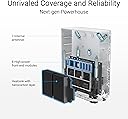
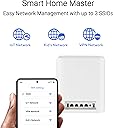
The ASUS ZenWiFi BT8 is a cutting-edge WiFi 7 mesh system delivering tri-band speeds up to 14 Gbps and coverage up to 5900 m². Featuring Smart AiMesh technology, dual 2.5G Ethernet ports, and built-in 4G/5G tethering, it’s designed for seamless, secure, and expansive home networking with advanced parental controls and VPN support. Ideal for professionals craving ultra-fast, reliable connectivity across multiple devices.


| ASIN | B0DHW9Y1GQ |
| Antenna Location | Business, Gaming, Home |
| Antenna Type | Internal |
| Box Contents | BT8 2-Pack Router, Power Supply, Power adapter, Power supply., Quick start guide, Quick start guide (may not English language not guaranteed)., Quick start guide (possibly English language not guaranteed)., RJ45 cable, Warranty card |
| Brand | ASUS |
| Brand Name | ASUS |
| Colour | White/Opulent Garden |
| Compatible Devices | Personal Computer, Smart Television, Smart Thermostat, Smartphone, Tablet |
| Compatible devices | Personal Computer, Smart Television, Smart Thermostat, Smartphone, Tablet |
| Connectivity Protocol | Wi-Fi |
| Connectivity Range | 2950 Square Feet |
| Connectivity Technology | Power adapter, RJ45 cable, Wi-Fi |
| Control Method | App |
| Controller Type | App Control |
| Coverage | 2950 sq. ft. |
| Customer Reviews | 3.2 out of 5 stars 20 Reviews |
| Data Transfer Rate | 14 Gigabits Per Second |
| Frequency | 6 GHz |
| Frequency Band Class | Tri-Band |
| Frequency band class | Tri-Band |
| Has Internet Connectivity | Yes |
| Has Security Updates | Yes |
| Is Modem Compatible | No |
| Item Dimensions L x W x H | 18.6L x 7.2W x 15.9H centimetres |
| Item Weight | 862 g |
| LAN Port Bandwidth | 2500 Mbps |
| Manufacturer | ASUS |
| Manufacturer Part Number | BT8 (W-2-PK) |
| Maximum Upstream Data Transfer Rate | 14 Gigabits Per Second |
| Model Name | BT8 (W-2-PK) |
| Model Number | BT8 (W-2-PK) |
| Model name | BT8 (W-2-PK) |
| Number of Antennas | 7 |
| Number of Ports | 2 |
| Operating System | ASUSWRT |
| Other Special Features of the Product | Alexa Compatible, Wirelss Router, AiMesh Node, Access Point Mode |
| Router Network Type | hybrid |
| Security Protocol | AiProtection, VPN, WPS |
| Smart Home Compatibility | Smart Home Compatible |
| Special feature | Alexa Compatible, Wirelss Router, AiMesh Node, Access Point Mode |
| UPC | 197105532045 |
| Unit Count | 2.0 count |
| Wi-Fi Generation | WiFi 7 |
| Wireless Compability | 802.11.be, 802.11ac, 802.11ax, 802.11g, 802.11n |
| Wireless communication standard | 802.11.be, 802.11ac, 802.11ax, 802.11g, 802.11n |
S**E
Répond a mes besoins
Très bon produit ce n'est pas mes premiers que j'achète pour avoir une meilleure qualité de conection
I**W
Good specs and features but terribly slow
Performance looks great on paper but that is about it. It is often too slow to be usable. When I first set this up, and intermittently, I get decent speeds. My ISP is 1Gbp and I'll be getting up to 800-900Mbps using speedtest.net over WiFi. However, often it gets unbearably slow and not even restarting will fix the issue. So slow that I can't even watch a Netflix show without it having to stop to buffer periodically. When I test this with a WIRED connection (you read that correctly, nothing over the air), I am getting consistently around 8Mbps. The performance is 100 times slower than my 10 year old WiFi 5 router that I have switched back to. There are a lot of negative reviews (which I should have listened to). I wonder if the positive reflect long term use? If you are just doing some light web surfing you may not notice, but you can do that with a much cheaper router. I had the same issues with the ZenWiFi BD4 and "upgraded" to the BT8 thinking it was because the BD4 was just underpowered. This is almost certainly a firmware problem. I'm using the latest BT8_300610258273. Forums and Asus support itself recommends doing a factory reset after updating (which I've done) but this is extremely tedious, and it hasn't fixed the slow speed issue. Hopefully it will be fixed at some point but it has almost been a year since release and it's clearly still in Beta. Support: Asus support has been terrible. One day I got kicked off five times because of a problem on their end and had to start the entire process over again with a different agent. I may have gotten unlucky but I've read elsewhere people who have had the same problem.
M**R
Press reset button on used unit
It works great and was not too difficult to setup. However, I bought the “used like new” and it did not behave as described in the setup instructions/app. My daughter found and pressed the reset button on the bottom of both units then the setup was straight forward. Of course there was no mention of that in the instructions for new units.
Y**T
Very fast in wifi 6 mode. Slower than my 5 years old router in Wifi 7 mode
Very fast in single unit mode. Just soso in aiMesh mode with Wifi 7 MLO. However, regardless mesh mode or single unit, its Wifi 6 speed is super fast. Even 2X faster than Wifi 7 MLO which makes me think its Wifi 7 firmware is still not optimized. One thing i dont like is that the aiMesh node requires frequent factory reset after making simple system change like adding 6GHz band to the main network or removing 6Ghz band..etc. So far I did complete factory reset 5+ times just to recover from such system issue. Very annoying.
J**C
Good hardware, poor firmware
I have been using this router for a couple weeks and while it’s a decent router, I have not successfully used it in the Router mode…let me explain. I have the 2-pack. I have a gigabit fiber ISP. My previous router is an Asus GT-AX600. On wired clients I was getting my full gigabit download & upload (well 940+ mbps, so very acceptable) and maxing out around 420mbps on WiFi clients. Once I setup this BT8 system, no wired client would get the full gigabit. Nothing changed besides the router (GT-AX6000 to the BT8). I have the most current firmware, I originally left all the settings at default and wired clients just couldn’t get more than 100mbps while wireless clients were getting 30-50mbps. I had not reset my old router (GT-AX6000), so I plugged it back in to make sure something wasn’t happening with my ISP. Sure enough all performance returned to what I would expect. I then reconnected the BT8 and performance dropped back to the levels I described above. I found reports of this issue online, but the same reports also stated these issues didn’t happen if the BT8 was setup as an Access Point rather than a Router. So…I reset the BT8 system to factory settings, plugged in my GT-AX6000 to use as the Router (I disabled the WiFi radios) and then proceeded to setup the BT8 as an Access Point instead. Sure enough performance of wired clients returned to normal, and my WiFi clients are getting 700+ mbps download & upload. This is the best I’ve ever had over WiFi. All settings left at defaults. My conclusion is that this routers hardware is good, but something is wrong with the firmware. The performance in router mode is beyond poor but performance is excellent in Access Point mode. I have both units connected (wired backhaul) and get fantastic signal and speed throughout my entire 3000 sq ft home and yard. I’m giving 3 stars because the firmware needs work, but I will update my review as things change. As for now, I will keep the system in AP mode and benefit from its superior speeds compared to the GT-AX6000 I was using previously. Speed test photo is from an iPhone 16 Pro Max on WiFi 15ft from the router, no obstructions. Also pictured is the GUI showing AP mode and firmware version.
Trustpilot
1 month ago
4 days ago