Buy anything from 5,000+ international stores. One checkout price. No surprise fees. Join 2M+ shoppers on Desertcart.
Desertcart purchases this item on your behalf and handles shipping, customs, and support to Thailand.
🚀 Elevate your home network to WiFi 7 speed and coverage mastery!
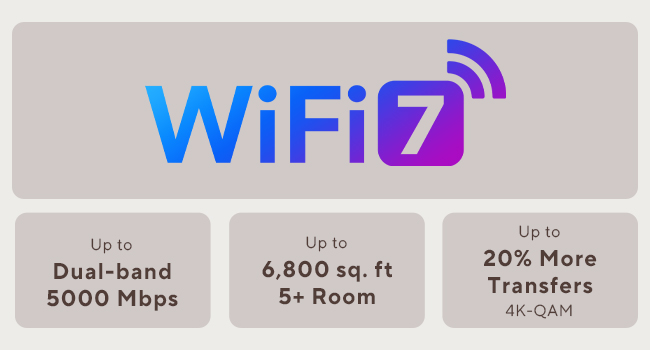
The ASUS ZenWiFi BD5 is a premium WiFi 7 mesh system delivering up to 5000 Mbps dual-band speeds and expansive 6800 sq.ft coverage with a 3-pack setup. Featuring dual 2.5G Ethernet ports, four internal antennas, and a quad-core 1.5 GHz CPU, it ensures robust, seamless connectivity. Enhanced with commercial-grade AiProtection Pro security, parental controls, and Smart Home Master SSIDs, it’s designed for the modern smart home professional seeking reliable, scalable, and secure WiFi.


| ASIN | B0DHW9M7CB |
| Antenna Location | Business, Gaming, Home Use |
| Antenna Type | Internal |
| Box Contents | BD5 3-Pack Router, Power Supply, Power adapter, Power supply., Quick Start Guide, Quick start guide, Quick start guide (may not English language not guaranteed)., Quick start guide (possibly English language not guaranteed)., RJ45 cable, Warranty card |
| Brand | ASUS |
| Brand Name | ASUS |
| Colour | White/Opulent Garden |
| Compatible Devices | Smartphone, Tablet, Personal computer |
| Compatible devices | Smartphone, Tablet, Personal computer |
| Connectivity Protocol | Wi-Fi, Ethernet |
| Connectivity Range | 6800 Square Feet |
| Connectivity Technology | Wi-Fi (802.11ax, 802.11ac, 802.11n, 802.11be, 802.11g), Ethernet |
| Control Method | Touch |
| Controller Type | App Control |
| Coverage | Whole house |
| Customer Reviews | 3.3 out of 5 stars 58 Reviews |
| Data Transfer Rate | 2882 Megabits Per Second |
| Frequency | 5 GHz |
| Frequency Band Class | Dual-Band |
| Frequency band class | Dual-Band |
| Has Internet Connectivity | Yes |
| Has Security Updates | No |
| Is Modem Compatible | No |
| Item Dimensions L x W x H | 14L x 7.1W x 14H centimetres |
| Item Weight | 544 g |
| LAN Port Bandwidth | 2500 Mbps |
| Manufacturer | ASUS |
| Manufacturer Part Number | BD5 (W-3-PK) |
| Maximum Upstream Data Transfer Rate | 2882 Megabits Per Second |
| Model Name | BD5 (W-3-PK) |
| Model Number | BD5 (W-3-PK) |
| Model name | BD5 (W-3-PK) |
| Number of Antennas | 4 |
| Number of Ports | 2 |
| Operating System | ASUSWRT |
| Other Special Features of the Product | AiProtection, VPN, WPS Security, Alexa Compatible, Mesh fabric for the whole house, Network standard: WiFi 4 (802.11n), WiFi 5 (802.11ac), WiFi 6 (802.11ax), WiFi 7 (802.11be), IEEE 802.11a, IEEE 802.11b, IEEE 802.11g, IPv4, IPv6, Wirelss Router, AiMesh Node, Access Point Mode |
| Router Network Type | mesh |
| Security Protocol | wpa2-psk, wpa3, wpa2 or wpa3 |
| Smart Home Compatibility | Smart Home Compatible |
| Special feature | AiProtection, VPN, WPS Security, Alexa Compatible, Mesh fabric for the whole house, Network standard: WiFi 4 (802.11n), WiFi 5 (802.11ac), WiFi 6 (802.11ax), WiFi 7 (802.11be), IEEE 802.11a, IEEE 802.11b, IEEE 802.11g, IPv4, IPv6, Wirelss Router, AiMesh Node, Access Point Mode Special feature AiProtection, VPN, WPS Security, Alexa Compatible, Mesh fabric for the whole house, Network standard: WiFi 4 (802.11n), WiFi 5 (802.11ac), WiFi 6 (802.11ax), WiFi 7 (802.11be), IEEE 802.11a, IEEE 802.11b, IEEE 802.11g, IPv4, IPv6, Wirelss Router, AiMesh Node, Access Point Mode See more |
| UPC | 197105643826 197105627819 |
| Unit Count | 3.0 count |
| Wi-Fi Generation | WiFi 7 |
| Wireless Compability | 802.11.be, 802.11ac, 802.11ax, 802.11g, 802.11n |
| Wireless communication standard | 802.11.be, 802.11ac, 802.11ax, 802.11g, 802.11n |
J**N
WiFi muy lento, con conexión inestable
Pésima experiencia con Asus ZenWiFi BD5. Velocidades WiFi muy bajas (peor que versiones anteriores), inestabilidad, problemas con mesh y puertos. Decepcionante tras años con Asus.
J**T
Constant disconnections, compatibility issues, 3-4 daily reboots required to make this system usable
Terrible product overall. These were easy to setup and the WiFi coverage was sufficient but that is where my positive experience stopped. Speed was extremely variable compared to my aging Orbi system that I was trying to replace. After a reboot speed was great, then after 10-15 minutes it would slow tremendously. Nodes were constantly disconnecting/going offline. The whole system needed to be rebooted 3-4 times a day to remain usable. I’m very disappointed in the functionality and performance of Asus mesh networks after trying both this system and a higher end version. Not to mention the ongoing compatability issues with many of my products. I returned the system and for now I’m sticking with my much older Orbi system as it has bullet proof reliability, good speed, and zero compatibility issues. Hopefully asus can work out their issues in future versions since on paper this product should have been awesome.
S**I
Don't try to play a game on it.
Decent speed to the chokepoint, but nothing ever works. Every time there's a reboot, whether scheduled or not, I have to reboot the router to connect. So lovely waking up to no internet. Kids Xbox stuttered and had HORRIBLE latency. Trying to figure out what the node is that's connected is a nightmare. Everything is named, but it shows some off named MAC address, so setting up kids profiles will take forever. Default DNS or google, didn't matter. Cannot connect to server, like adguard was on, but wasn't.
D**D
Underrated, Good Performer when On Sale, Web Config! 2gbit/s NAT capable
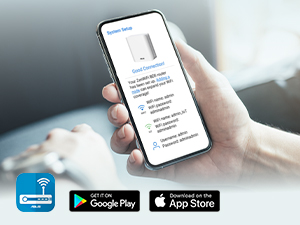
I am giving this mesh router setup five stars because the interface is great for power users, the setup is very simple, and Asus generally makes good home network gear. This device has been far more stable than what I've seen from the reviews - maybe a new revision, or the firmware bugs are fixed? For what it's worth, my setup has all APs and the router connected over the wired backhaul. This is the best way to connect them - otherwise, you are likely to get far lower throughput. HUUGE PLUS: You DON'T need an app, and an app is never required to set up these access points and router! It's suggested, but there is no need at all. The web configurator does it all. On the latest firmware as of today, I haven't had any issues really, apart from needing to set the default gateway on DHCP. The reason for this is because I had some 6ghz-only access points set up, but they kept taking over because it wasn't set. I can saturate my 2 gigabit/s internet connection over Ethernet, and over WiFi I get about 1050 to 1300mbps within about 20ft on the access points over 5ghz on a 2x2 client (S25 Ultra). So, yes, it works fine. I did buy it during the sale for a returned unit that wasn't used for half the price, so for THAT price, it is a fantastic deal. When on sale for $250 or less, it's also quite decent. The included picture is for the speed over Ethernet - the device is capable of NAT (network address translation) at the speed of a 2gb Fiber connection at the least. No one seems to ever include this in reviews...
C**2
Seamless Setup. Mostly set it and forget it.
This set of 3 was delivered to me at the beginning of February 2026. I installed them the following weekend. Fairly seamless setup process. The first one gets connected to your modem/ONT right away. Each of the satellite nodes must be next to the primary node during initial setup. They connect wirelessly. After each one is set up, you can move it to where ever you need it, and use a wired backhaul if you have one. These things have worked like a charm. I was so pleased, that I bought 2 more to go in my other residence. The BD5’s only have two 2.5G RJ45 jacks on the back. So you’re going to need to add a switch to your setup if you don’t already have one.
Trustpilot
3 weeks ago
4 days ago