Buy anything from 5,000+ international stores. One checkout price. No surprise fees. Join 2M+ shoppers on Desertcart.
Desertcart purchases this item on your behalf and handles shipping, customs, and support to Thailand.
🚀 Elevate your home network to warp speed and total control!
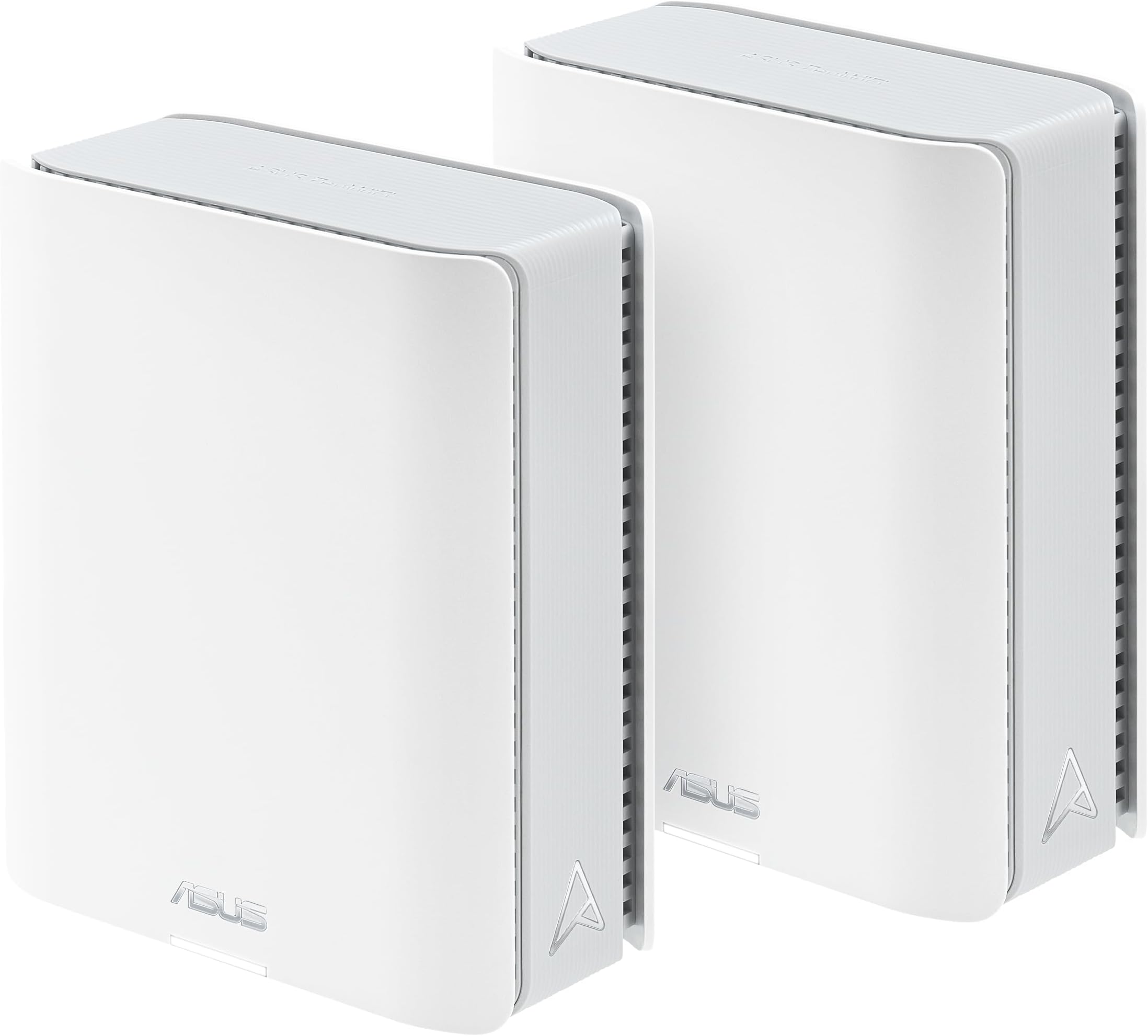
The ASUS ZenWiFi BT6 Tri-Band WiFi 7 Mesh system delivers cutting-edge 9.4 Gbps speeds and AI-powered Smart AiMesh coverage up to 5800 sq.ft. Designed for seamless whole-home connectivity, it features seven internal antennas, a 2.5G WAN port, and advanced security with AiProtection Pro and VPN support. Ideal for smart homes and professionals seeking reliable, high-performance WiFi with easy device management and parental controls.


| ASIN | B0DHWBW4MZ |
| Antenna Location | Business, Gaming, Home |
| Antenna Type | Internal |
| Best Sellers Rank | 242,182 in Computers & Accessories ( See Top 100 in Computers & Accessories ) 1,846 in Routers |
| Box Contents | BT6 (W-2-PK), Power Adapter, Quick start guide, RJ45 cable, Warranty card |
| Brand | ASUS |
| Brand Name | ASUS |
| Colour | WHITE |
| Compatible Devices | Personal Computer |
| Compatible devices | Personal Computer |
| Connectivity Protocol | Wi-Fi |
| Connectivity Technology | Bluetooth, Wi-Fi |
| Control Method | Touch |
| Controller Type | App Control |
| Coverage | 5.8 m². (2 pieces) |
| Customer Reviews | 4.1 out of 5 stars 62 Reviews |
| Data Transfer Rate | 8643 Megabits Per Second |
| Frequency | 60 Hz |
| Frequency Band Class | Tri-Band |
| Frequency band class | Tri-Band |
| Has Internet Connectivity | Yes |
| Has Security Updates | Yes |
| Is Modem Compatible | No |
| Item Dimensions L x W x H | 18.6L x 7.2W x 15.9H centimetres |
| Item Weight | 1.88 Pounds |
| LAN Port Bandwidth | 2500 Mbps |
| Manufacturer | ASUS |
| Manufacturer Part Number | BT6 (W-2-PK) |
| Maximum Upstream Data Transfer Rate | 4700 Megabits Per Second |
| Model Name | BT6 (W-2-PK) |
| Model Number | BT6 (W-2-PK) |
| Model name | BT6 (W-2-PK) |
| Number of Antennas | 7 |
| Number of Ports | 1 |
| Operating System | ASUSWRT |
| Other Special Features of the Product | 2 PACKS, Alexa Compatible, Guest Mode, VPN Security |
| Router Firewall Security Level | Maximum |
| Router Network Type | hybrid |
| Security Protocol | WPA/WPA2/WPA3-Personal, WPA/WPA2-Enterprise |
| Special feature | 2 PACKS, Alexa Compatible, Guest Mode , VPN Security |
| UPC | 197105537958 |
| Unit Count | 2.0 count |
| Wi-Fi Generation | WiFi 7 |
| Wireless Compability | 802.11.be, 802.11ac, 802.11ax, 802.11n |
| Wireless communication standard | 802.11.be, 802.11ac, 802.11ax, 802.11n |
D**.
Highly recommended
EASY SETUP BLAZING FAST 5 STARS ASUS ROUTERS ARE THE BEST
V**T
Do not buy anything Asus
Not working, support not helping, worst company ever.
E**S
First negative review (and experience) of an ASUS product ever
I've been using ASUS products for a decade at least. Wifi and bluetooth dongles, motherboards, notebooks and routers. Never had any issue until now. Since I've found the Zen Wifi routers, I've never used anything else. Have pairs of XT8/XT9 routers at multiple locations and I've never had any issues. On the contrary. Lots of features, stable and fast connections. Until one of my XT8 died. Instead of simply buying a replacement, I've decided to spend some more and buy a Wifi7 pair. After some research, I've chosen the BT6. And faced nothing but trouble since then. The list of issues is so long that I don't think I'd have enough room here to describe them all here. Let's mention a few: - Horrible navigation experience: have to refresh pages to properly load them. I've disable all security features, forced DNS servers and still facing this issue. Happens to wireless and wired devices connected to a mesh node. Same ISP modems, only thing changed was the BT6 pair. Never had any issues with the XT8 routers - Devices loosing internet access: from time to time a device would show "connected without internet". Some older devices are not compatible with wifi7, that's widely known. The problem is even wifi7 certified devices would show this symptom - The "Smart Connect" issue: devices moving from one node to another sometimes stop communicating. Known to happen on some ASUS routers apparently. But this model has no "disable smart connect". The only workaround to minimize this and the "connected without internet" issue so far was to disable wifi7 and create multiple wifi networks with different frequencies (2.4Ghz , 5Ghz and/or 6Ghz). Which basically defeats the reason for a wifi7 router... - This would actually be funny if it wasn't frustrating: discord sometime throws an error. After researching about it, Discord proposed solution was... "Replace your router" - The BT6 main router was configured for Dual Wan, initially using load balance. As the device comes with AiProtection disabled, and I had it enabled on old routers, at some point I've decided to turn it on. As AiProtection does not work with Load Balance, it throws a message saying it will change Dual WAN to failover mode. Fine, let's do it. Once the router rebooted, the secondary WAN port would not show "Failover" as expected, but "cable disconnected" instead even though no one touched the router. Move the cable to a different port, let's say LAN2, and it shows the cable is connected. Reconfigure Dual WAN to use LAN2 as the secondary, reboot it and it will then show LAN2 as "cable disconnected". Only way to "fix" this was disabling AiProtection, disable Dual WAN, reboot one more time, and reconfigure Dual WAN again (which then works again as expected on both Failover and Load Balance modes) - The boot time for the BT6 mesh node is ridiculous high. It sometimes takes 5-7 minutes to have internet access. And on some occasions the router rebooted twice (blue led, white led, a few seconds, blue led again, white led to finally get online) - And the list goes on... Needless to say, firmware is up-to-date (checked again while writing this) and removing and re-adding the mesh node won't help. Nor resetting it. Or resetting the whole system to factory and re-configure it from scratch. Same issues. As the mesh node takes a long time to boot, testing and troubleshooting this has taken hours and hours. Setting up a XT8/XT9 pair wouldn't take more than 10 minutes. My last hope is to replace the BT6 mesh node with the remaining XT8 node and see what happens. It will disable the 6 Ghz frequency but at this point I don't care anymore. I'd use just the remaining XT8 unit if I could but unfortunately signal gets too weak in some areas. Maybe using the XT8 as main router and one the BT6 as a mesh node, I don't know.... ASUS should either fix its firmware ASAP or remove it from the product line. But this particular model does not deserve to carry the ASUS brand. At least I'll be able to relocate one of the XT9 routers in a few months and get rid of these horrible BT6 routers. *** UPDATE 10/12/25: a few days ago ASUS released a new firmware. The Release Notes "highly recommend" a factory reset. Did a backup, the factory reset, restored the backup and the routers simply went crazy... No device would navigate even though both ISPs were connected. A new reset, manually configured everything one more time and got nothing but the initial symptoms. I then disabled Wifi7 and separated frequencies again as it would minimize those issues. For the first time since the routers were first installed I was able to get stable connections and navigation for a couple of days.
J**F
Easy To Setup Mesh System From a Trusted Brand
Installation was relatively seamless after initial link. Great coverage over 2 levels of my home and great signal coverage to a detached garage. The app has in depth adjustment and settings that should satisfy flexibility. Out of the box settings are adequate for quick use and included Internet speed testing. I'm not sure that the average building size for coverage is possible but in my home it's excellent even though my home is not that large. No dead spots on main floor, basement and garage. Software is updated automatically and on demand. Very satisfied!
L**N
Works great, but not for non-technical people
Works great in AP mode, but had an issue in Router mode. Initially, I plugged it into my Xfinity X1 modem which was in “bridge mode” (which connects the Asus directly to the internet). Every 8 hours or so it would lose its ability to route traffic to the internet (seemed to be a DHCP problem but never fully debugged), which could only be fixed by rebooting or physically unplugging the X1 from the ethernet port and plugging it back in. I finally fixed (worked around) the problem by switching the X1 into regular router mode, which causes the Asus to default to AP mode with a private/unroutable WAN IP. This works fine, except I have to setup port forwarding for any internet-facing features of the Asus such as OpenVPN and Wireguard servers. But, since I made this change, it’s been running pretty well, only becoming unroutable every few days. I fixed (worked around) this by enabling the “reboot scheduler” function to reboot the Asus every night. Seems to be working great since then and provides strong, fast internet all through the house. So, overall I’d say this is a great Wifi 7 mesh system for nerds who want the blazing speeds and can work through issues, and for kicks need the flexibility of an OpenWRT based system. NOT FOR NON-TECHNICAL PEOPLE!
Trustpilot
2 months ago
1 month ago