

Buy anything from 5,000+ international stores. One checkout price. No surprise fees. Join 2M+ shoppers on Desertcart.
Desertcart purchases this item on your behalf and handles shipping, customs, and support to Thailand.
🚀 Elevate your workspace with power, speed, and stunning visuals!
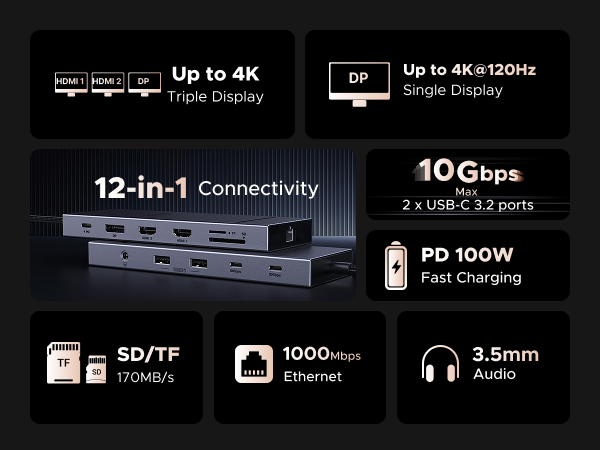
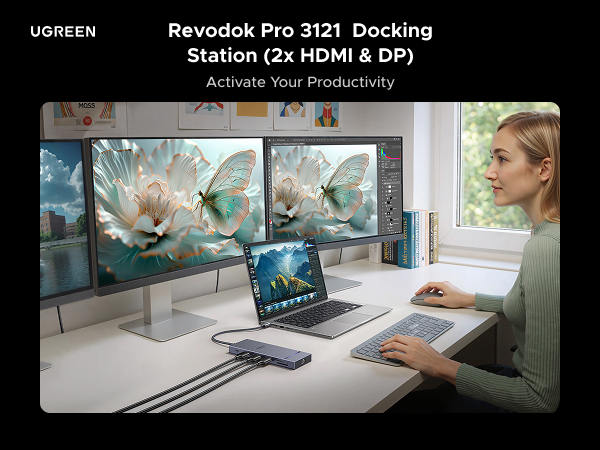
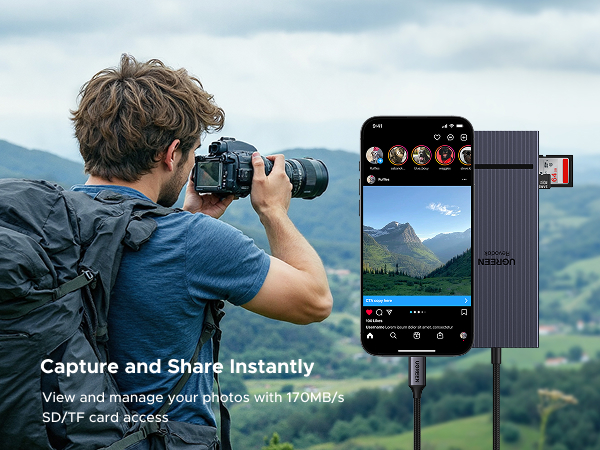
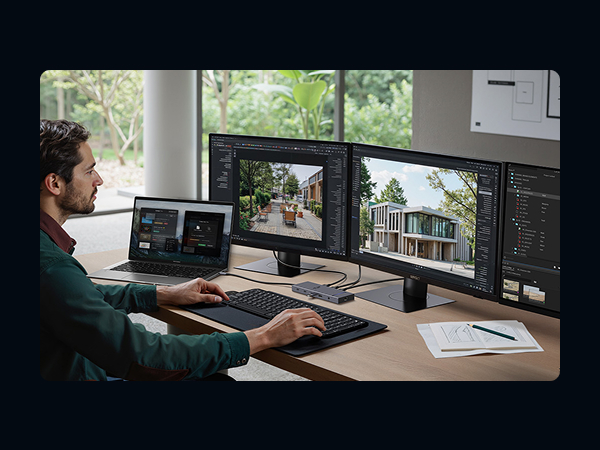
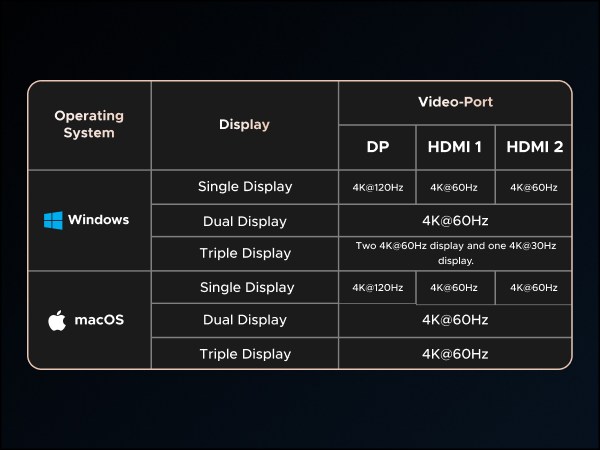
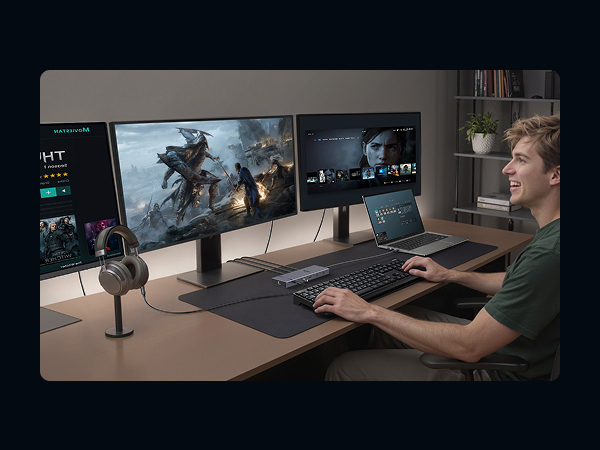
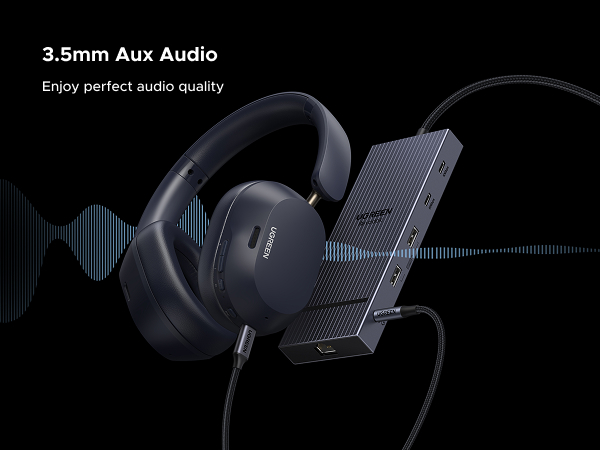
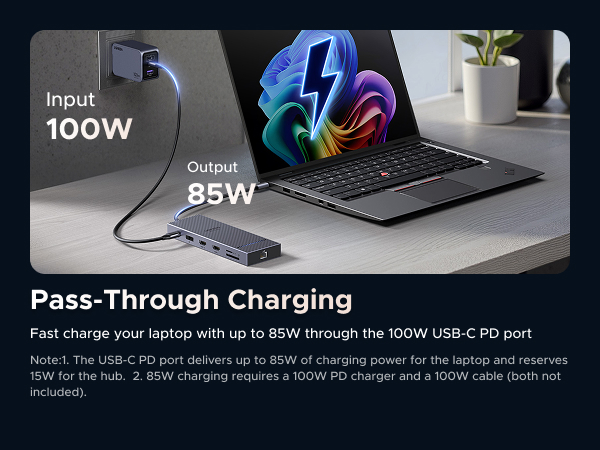
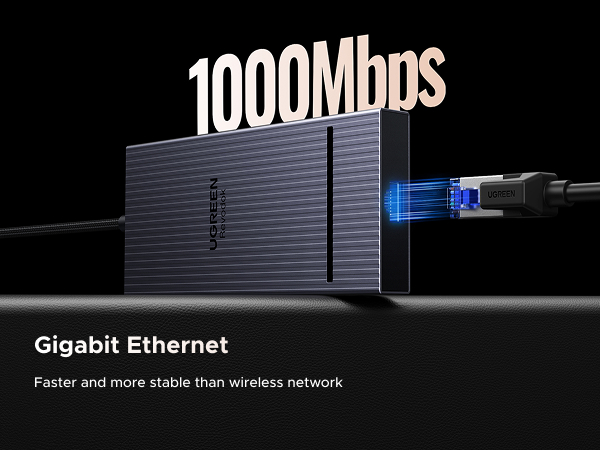
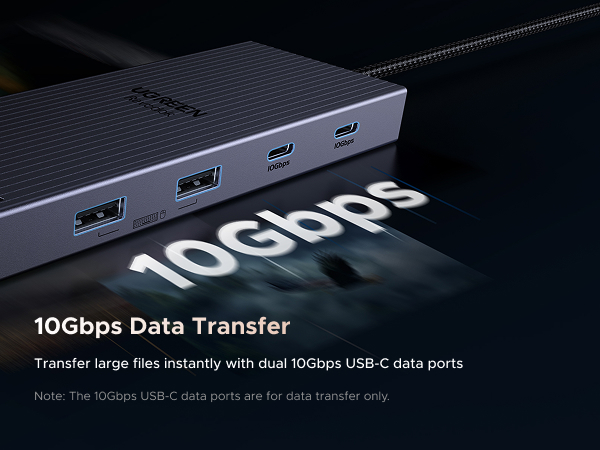
The UGREEN 12-in-1 Triple 4K Docking Station is a powerhouse USB-C hub designed for professionals seeking ultimate connectivity. Featuring dual HDMI and DisplayPort outputs for triple 4K displays, ultra-fast 10Gbps USB-C data transfer, and 100W power delivery, it supports seamless multi-device setups. With 12 ports including Ethernet, SD/TF card reader, and audio jack, it’s tailored for Dell, HP, Lenovo laptops and more, delivering a streamlined, high-performance workstation solution.






| ASIN | B0DRP1F6R7 |
| Best Sellers Rank | #6,663 in Electronics ( See Top 100 in Electronics ) #100 in Laptop Docking Stations |
| Brand | UGREEN |
| Color | grey |
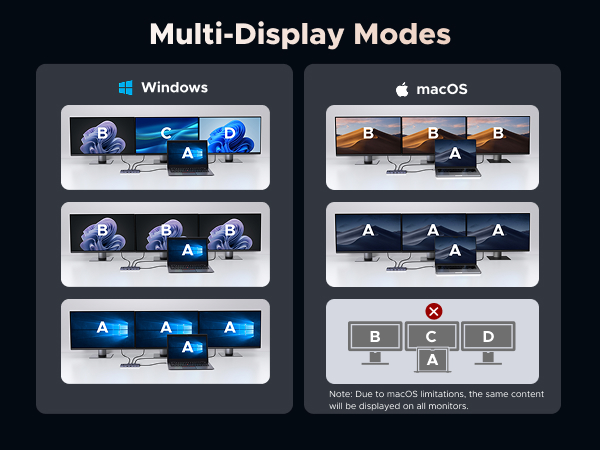
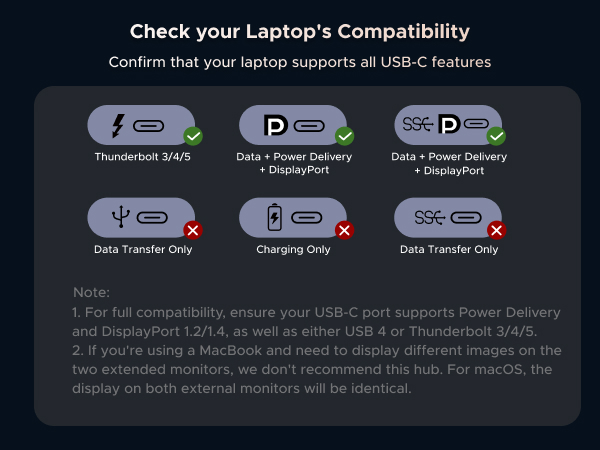
| Compatible Devices | Full Functional USB C Lenovo/HP/Dell laptops,Macbook(For macOS, the displays on the both external monitors are identical) Compatible Devices Full Functional USB C Lenovo/HP/Dell laptops,Macbook(For macOS, the displays on the both external monitors are identical) See more |
| Customer Reviews | 4.2 out of 5 stars 778 Reviews |
| Hardware Interface | 3.5mm Audio, DisplayPort , Ethernet, HDMI , MicroSD, USB, USB Type C |
| Item Weight | 0.22 Kilograms |
| Manufacturer | Ugreen Group Limited |
| Mfr Part Number | 55767 |
| Model Number | 55767 |
| Number of Ports | 12 |
| Smart Home Compatibility | Not Smart Home Compatible |
| Total Number of HDMI Ports | 2 |
| Total USB Ports | 4 |
| Total Usb Ports | 4 |
| Unit Count | 1.0 Count |
| Warranty Description | 2 year |
| Wattage | 100.0 |
E**H
Works Properly With No Issues
This docking station is very easy to use and includes 12 ports for various uses. I've not had any issues with it and it functions as it should. I keep it plugged it 24 hours per day to my computer and other various devises. It fully charges my devises, and has never failed me. I would repurchase this item, as it's a great value and takes little space on my desk!
B**W
Works immediately, no problems so far.
This is a great USB-C docking station. I am using the Display Port output in conjunction with the HDMI output, ethernet, 2 USB-A and a USB-C. The hub was immediately recognized and worked. The power manager in my Dell laptop indicates that it provides 80W when my 100W adapter is plugged into it. After several days of use, I have had absolutely no problems with it. This is my fourth UGREEN hub purchased within the last month, and am now sticking to this brand for peripheral extension at various desk workspaces I use.
V**R
Great docking station for my MacBook Air and 2nd monitor
Works great, slim and small but powerful
C**D
Quality control issues.
Unit was only used a handful of times with my MacBook Pro, probably less than 20 times. Went to use it a couple of days ago and it no longer functions. Charge ports work fine but main connector no longer works. Tested with 3 different power supplies to no avail. Purchased September 2025, worked approximately 7 months with minimal plug-in cycles. Worked fantastic when it did work but for the price I expected it to function for at least a few years. I’ve purchased several other ugreen products and I’ve had no issues with those but unfortunately this was a miss.
S**C
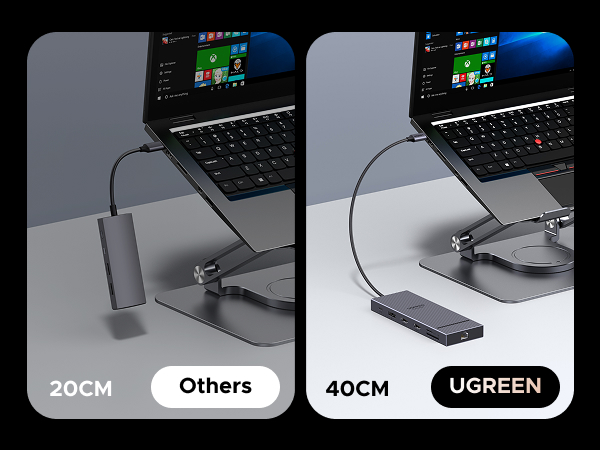
Works great, but short cord
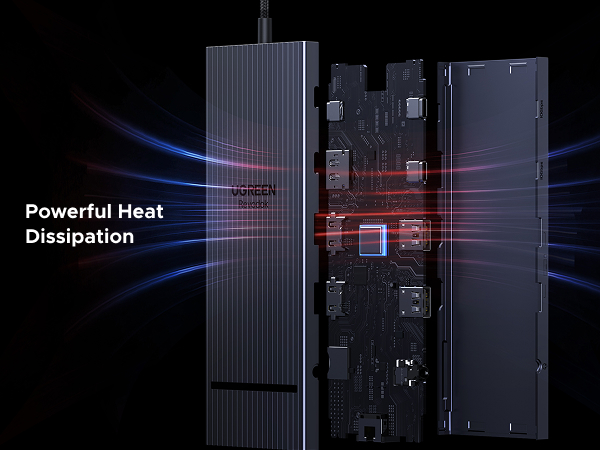
This works great. I only gave it 4 stars because the main cord connecting to my laptop is pretty short. My primary reason to get this docking station was to connect my monitor to my laptop when at home. Because the cord to the laptop is short, it requires some tetris-ing to get all the other cords connected and have the docking station within easy reach to install a flash drive. I am not planning on travelling with it, so cannot speak to weight. It has stayed cool in use so far.
P**S
Works well and has really good port layout
Works well with my Dell XPS laptop, and has just the right number of ports. A minor thing that I really appreciate: The ports that I rarely need access to (2 HDMI, SD Drive, etc.) are on one side, and the ports I want ready access to (headphone jack, both types of USB) are on the other side. As it lies on my desk, I have the side I need to access facing towards me.
J**E
Works great now that I fixed a problem it had using two identical DVI monitors
I dual-boot Windows 11 and Fedora Workstation 42 on my laptop, and this works just fine with both without having to manually install any drivers or software in either OS. Initially I ran into an issue with two identical older monitors (DVI-only) connected through DVI-to-HDMI cables. When I plugged in the dock, both screens would display my desktop for a few seconds, then go black. They weren’t entering sleep mode, and the OS still detected them, but nothing was shown. This happened in both Windows and Linux, so it wasn’t a driver problem. Switching one monitor to a DVI-to-DisplayPort cable didn’t help. The problem turned out to be that some docks can’t handle multiple DVI monitors sending identical EDID data at the same time. The fix was to use an active DVI-to-DisplayPort adapter for one monitor. Unlike a simple conversion cable, the active adapter regenerates the EDID signal, making it different from the other monitor’s and preventing the conflict. Overall I'm please with the functionality of this dock, especially since it cost less than many others I considered.
N**N
The Ultimate All-in-One Hub!
The UGREEN 12-in-1 USB-C hub is a total game-changer for my setup. It has everything I need in one sleek device — HDMI, DisplayPort, multiple USB-A and USB-C ports, Ethernet, SD and microSD card slots, and more. The video output is crystal clear, whether I’m using HDMI or DisplayPort, and I can easily run dual monitors without any lag. File transfers are lightning fast, and the Ethernet connection is rock-solid for stable internet. The build quality is premium, with a sturdy aluminum shell that stays cool even during heavy use. It’s compact enough to throw in my laptop bag, making it perfect for work, travel, or a home office. If you need one hub to do it all, this is it.
D**A
Best Hub
The best but a bit pricey. I was looking for a hub which can support 2 usb c types one for charger input and other for c type earphones or pendrive. Searched everywhere and found this suggested by chatgpt and this is the best product. Metal body, faster speeds, flawless connectivity
L**D
HUB Complet et de construction Robuste
Excellent HUB très complet - en métal, parait très robuste : je ne l'utilise que depuis 2 semaines, on verra dans le temps. il est "grand" et "lourd" mais parfait pour une utilisation en poste fixe. Dans le cas d'une utilisation plus nomade, je pense que j'aurais choisi un modèle plus léger, mais moins complet.
G**2
This is a Premium Quality Docking Station
Great docking station. Cheaper ones mainly seem to have just USB-C PD for additional power and no extra USB-C ports. This one has two extra which is great as more and more peripherals have USB-C ports and cables. This works well. It's a bit bigger than some docking stations and it's well made. I've never had a problem with any UGREEN products and I can recommend this one.
S**S
Very handy
Very compact docking station and good choice for work from home
B**N
Quality HUB. Works great but only if your laptop supports it.
⭐ Works and seems to have good build quality. Same as any other HUBs ,cable is a little bit short. It is also little bit more expensive but has more features. So it is more future-proof but it may be an overkill for some. 👍 Great option for you laptop if you have 4 external monitors and/or you need a display port which is not readily available in most of the budget HUBs and/or you need more ports for connectivities. I say 4 monitors because you can still use the built-in hdmi port so you can get by with less expensive HUBs that offer 2 ports for displays. 🛑 Your laptop may not even support more than 3 displays at once including the laptop screen. My work laptop only supports 3 displays including its screen. So, for two external monitors, a cheaper HUB with a single hdmi port would have been enough. HUB with two ports if I close the laptop screen. My personal laptop supports all 3 external monitors connected via HUB plus it's own display so in total 4 screens. Maybe even 5 if I use the laptop's hdmi port. For the work laptop, I may have returned it and bought a cheaper alternative to save cost. But I kept it for the connectivities and future proofing. Besides, it makes it so easy to use a single usb-c cable to connect/disconnect everything at work (two monitors + 4 usb device). 🛑 Check that your laptop usb-c port has a thunderbolt ⚡ sign, supports charging and connectivities. 🛑 You need a 100 W usb-c charger which adds to the cost by a lot. Hopefully your laptop already came with one 🤞
Trustpilot
2 days ago
2 weeks ago