🔥 Power Meets Precision — Own the Future of Gaming & Creation
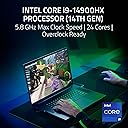
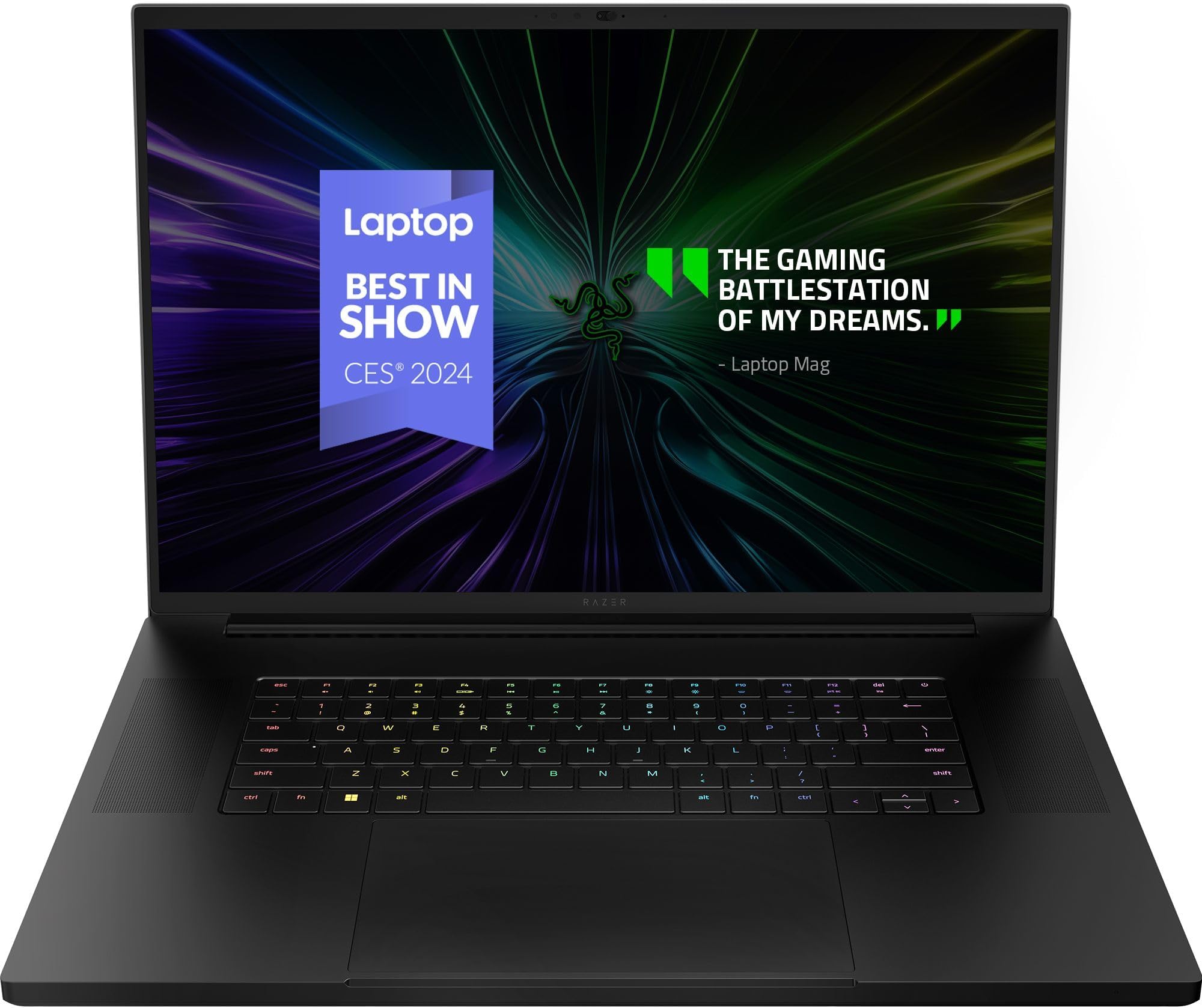
The Razer Blade 18 is a powerhouse gaming laptop featuring an 18-inch QHD+ 300Hz Mini LED display with 1000 nits brightness and 100% DCI-P3 color accuracy. It’s driven by the latest Intel Core i9-14900HX 14th Gen processor and NVIDIA GeForce RTX 4090 GPU, delivering desktop-grade performance in a portable form. Equipped with 32GB DDR5 RAM, 2TB SSD, advanced vapor chamber cooling, and Thunderbolt 5 connectivity, it’s designed for professionals and gamers who demand cutting-edge speed, visuals, and future-ready expandability.


| Brand | Razer |
| Product Dimensions | 27.53 x 39.9 x 2.21 cm; 5.24 kg |
| Batteries | 1 Lithium Ion batteries required. (included) |
| Item model number | RZ09-05092EK4-R3U1 |
| Manufacturer | Razer |
| Series | Razer Blade 18 |
| Color | Black |
| Form Factor | Clamshell |
| Standing screen display size | 18 Inches |
| Screen Resolution | 2560 x 1440 pixels |
| Processor Brand | Intel |
| Processor Type | Intel Core i9 |
| Processor Speed | 2.4 GHz |
| Processor Count | 1 |
| RAM Size | 32 GB |
| Memory Technology | DDR5 |
| Computer Memory Type | DDR5 SDRAM |
| Maximum Memory Supported | 96 GB |
| Memory Clock Speed | 5200 MHz |
| Hard Drive Size | 2 TB |
| Hard Disk Description | SSD |
| Hard Drive Interface | Solid State |
| Audio Details | 3 smart amplifers, 3.5mm headphone/microphone combo port, 6 speaker array (tweeters x2, sub x4), Built-in array microphone |
| Speaker Description | 6 speaker array (tweeters x2, sub x4) |
| Graphics Coprocessor | NVIDIA GeForce RTX 4090 |
| Graphics Chipset Brand | NVIDIA |
| Graphics Card Description | Dedicated |
| Graphics RAM Type | GDDR6 |
| Graphics Card Ram Size | 24 GB |
| Graphics Card Interface | Integrated |
| Connectivity Type | Wi-Fi 7, IEEE 802.11a/b/d/e/g/h/i/k/n/r/u/v/w/ac/ax/be, Intel BE200 |
| Wireless Type | 802.11a/b/g/n/ac, Bluetooth |
| Number of USB 3.0 Ports | 3 |
| Number of HDMI Ports | 1 |
| Voltage | 230 Volts |
| Operating System | Windows 11 Home |
| Are Batteries Included | Yes |
| Lithium Battery Energy Content | 91.7 Watt Hours |
| Lithium Battery Packaging | Batteries contained in equipment |
| Number Of Lithium Ion Cells | 4 |
| Item Weight | 5.24 Kilograms |
A**R
Simply perfection, I had to buy a used like new one here, because the Razer website was just not letting me checkout, I would never buy a used like new on a product like this, but thankfully it was literally brand new looking, and it performs flawlessly
S**D
I got this Blade 18 recently. I bought it after doing a lot of search. The performance is on par with other top 2024 gaming laptops. But the build quality is another level. It is like a larger MacBook. Also, noise level is very important for me and it is almost silent at low workloads. The monitor is THE BEST monitor I've seen on any laptop. I don't even understand the 1 star review that says "Make a limited edition white with candy red and gold streaks". Why people write random reviews? Anyways, you will not regret getting this (expensive) beast.
C**E
You know, when you spend almost 5 grand on a laptop, you'd expect it to last for a while. My old 'gaming' laptop, that I wind up using for business, has an RTX 2060. It's been a great laptop, but the 14" screen is too small for my old eyes. I opted to replace it with this Razer Blade (2024) model as Razer Blade has the reputation for being the best. I want my new laptop to last a good 7-9 years. I got the laptop, booted it, performed the MS updates. I rebooted again, I got blue screens saying that the hard drive was inaccessible. I didn't have the time to mess with the laptop for another day. When I went to boot it, I got a blue screen and a red light on the front of the laptop. I figured that if it was just a bad hard-drive, no biggie as I had planned to either replace the 2TB NVMe that it came with, with a 4TB NVMe (or just add the second drive as this computer can supposedly accept two NVMe drives. Before opening the system, I decided to attempt to recover the OS. It didn't work locally -- couldn't access the drive. I researched recovering the OS on the razer blade website. It was rather cumbersome, but I managed to figure out how to download the image. I attempted to load it, which of course failed. I figured that maybe their image had issues and since I wanted Windows 11 Pro instead of home, I went to Microsoft's website and spent $200 on a Windows 11 Pro license. Couldn't load the image from MS. I had the red light on the front of the laptop. About 3 minutes later, the laptop powered off. With the battery being fully charged and the laptop power supply plugged in, I knew the laptop hadn't powered off due to a dead battery. I tried pressing the power button a few times but the system would not power on. This is my first foray into the world of Razer Blade. It will be my last. I returned the laptop as I didn't want to take a chance (and wait) on 'warranty' work. You blew it, Razer Blade. Crappy reliability and a cumbersome recovery process. I have already purchased a 27" monitor to use with my old laptop and a new wireless keyboard and mouse. Now I can see it and I'll save the 5 grand that I now have invested in it. Your mileage may vary, but I think I'll still with the ASUS ROG. I've never had a problem with their systems, pre-made or built myself.
B**.
Runs great. Took a little tweaking to get it to work with the USB thunderbolt hub and to get it to charge properly. Had to turn off the USB charging in the bios. Steady frames and temps in multiple games on ultra.
H**R
Very nice the monster
Trustpilot
2 months ago
2 months ago