We remain fully operational. Our teams are working around the clock to ensure your deliveries continue safely.

DOWNLOAD THE APP


Copyright © 2025 Desertcart Holdings Limited
DOWNLOAD THE APP
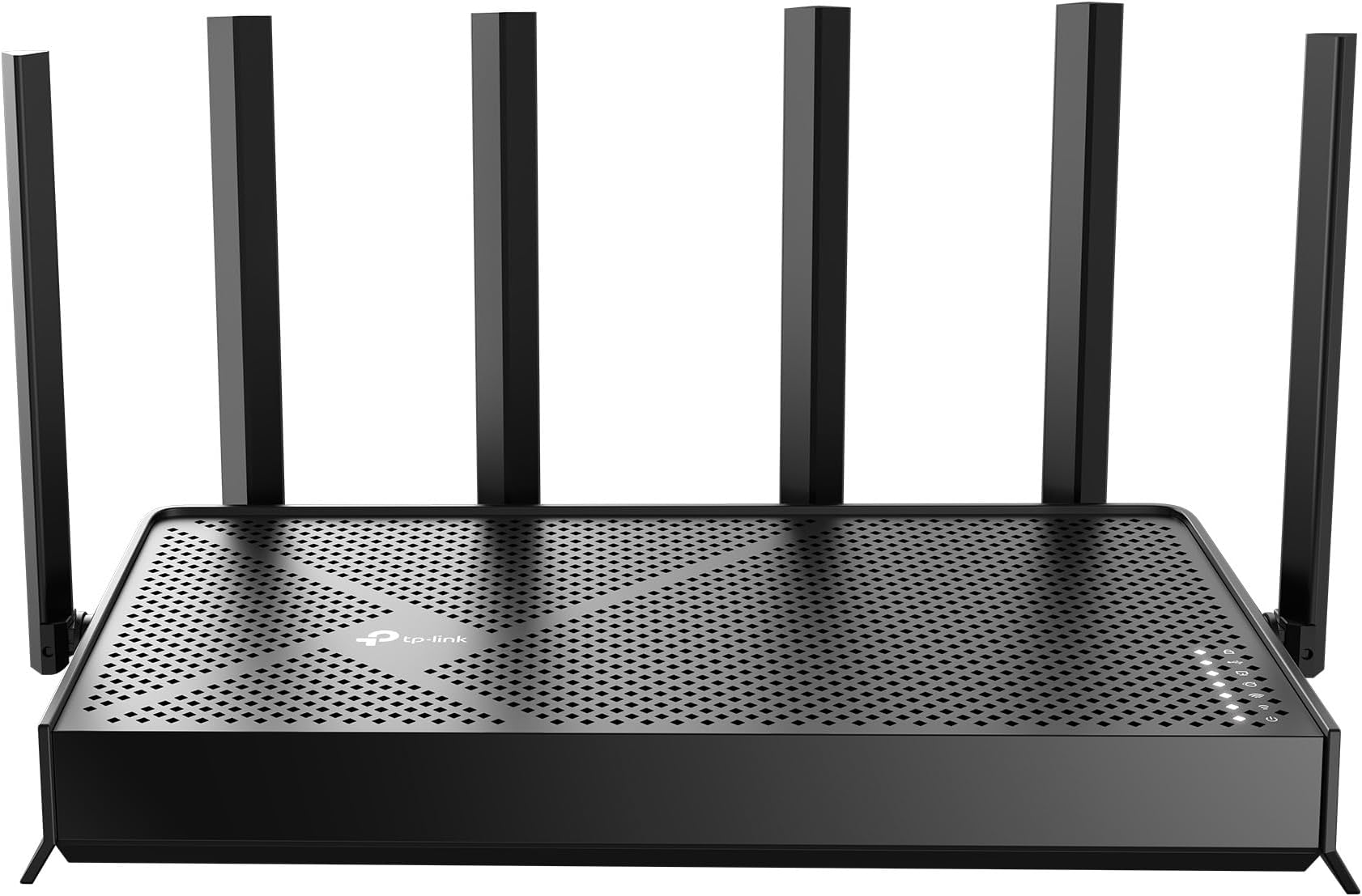

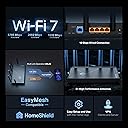

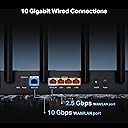
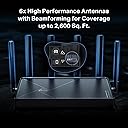

🚀 Elevate your home network to WiFi 7 — speed, security, and coverage that keeps you ahead!
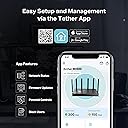
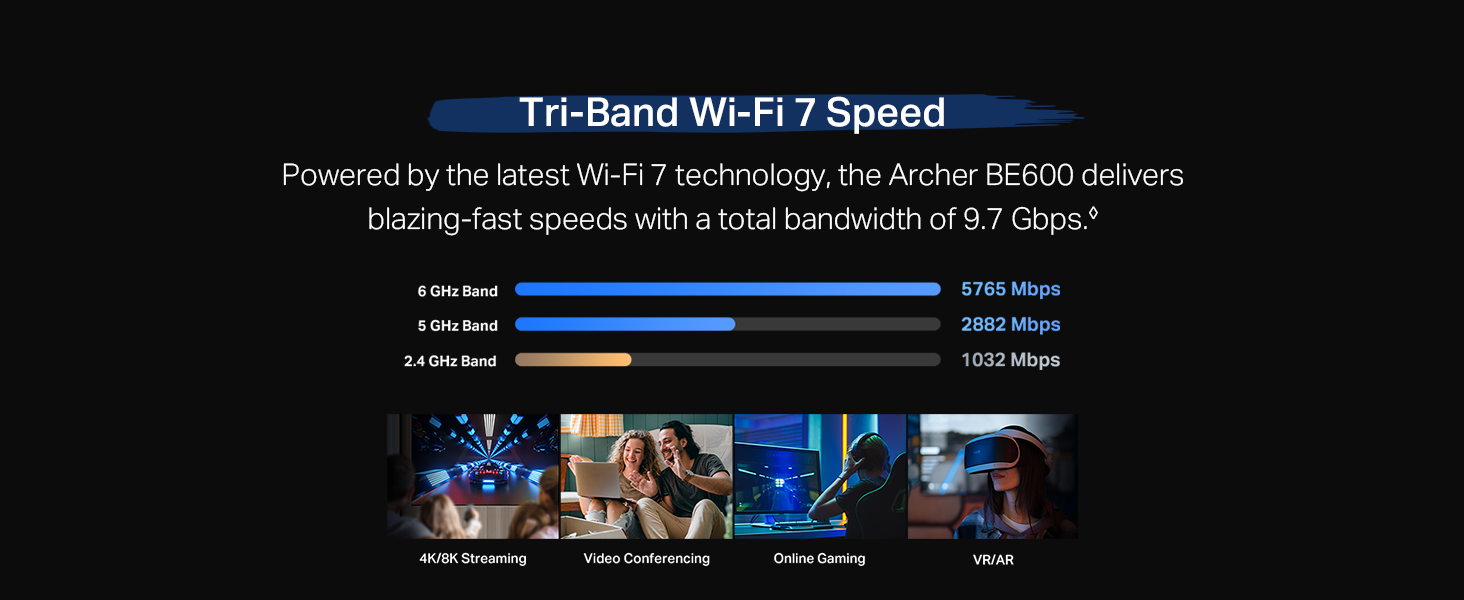
The TP-Link Archer BE600 is a cutting-edge Tri-Band WiFi 7 router delivering up to 9.7 Gbps total bandwidth across 6 GHz, 5 GHz, and 2.4 GHz bands. Designed for large homes, it covers up to 2,600 sq. ft. and supports 120 devices simultaneously. Equipped with a 10 Gbps WAN/LAN port and multiple 2.5 Gbps ports, it ensures ultra-fast wired and wireless connectivity. Advanced security features include TP-Link HomeShield, VPN client/server support, and WPA3 encryption. Easy to set up and manage via the Tether app, it’s ideal for professionals demanding seamless 4K/8K streaming, gaming, and smart home integration.



| ASIN | B0F76PQ2T8 |
| Antenna Location | Gaming, Home |
| Antenna Type | Internal |
| Best Sellers Rank | 152,022 in Computers & Accessories ( See Top 100 in Computers & Accessories ) 1,145 in Routers |
| Box Contents | 1 x Power Adapter, 1 x Quick Installation Guide, 1 x RJ45 Ethernet Cable, 1 x Wi-Fi 7 Router Archer BE600 |
| Brand Name | TP-Link |
| Colour | Black |
| Compatible Devices | Gaming Console, Personal Computer, Smart Television, Smartphone, Tablet |
| Connectivity Protocol | Wi-Fi, Ethernet, USB |
| Connectivity Range | 2600 Square Feet |
| Connectivity Technology | Ethernet, USB, Wi-Fi |
| Control Method | App |
| Controller Type | App Control |
| Coverage | 2600sqft |
| Customer Reviews | 4.2 4.2 out of 5 stars (298) |
| Data Transfer Rate | 9.7 Gigabits Per Second |
| Frequency | 6 GHz |
| Frequency Band Class | Tri-Band |
| Has Internet Connectivity | Yes |
| Has Security Updates | Yes |
| Is Modem Compatible | Yes |
| Item Weight | 1.7 Pounds |
| LAN Port Bandwidth | 10G/2.5G |
| Manufacturer | TP-Link |
| Manufacturer Part Number | Archer BE600 |
| Maximum Upstream Data Transfer Rate | 10000 Megabits Per Second |
| Model Name | Archer BE600 |
| Model Number | Archer BE600 |
| Number of Antennas | 6 |
| Number of Ports | 5 |
| Operating System | Windows |
| Other Special Features of the Product | Access Point Mode, Alexa Compatible, Parental Control, Private IOT Network, Support New 320Mhz channel in the 6Ghz |
| Router Firewall Security Level | True |
| Router Network Type | tri_band |
| Security Protocol | WPA3 |
| UPC | 840460603188 |
| Wi-Fi Generation | Wi-Fi 7 |
| Wireless Compability | 802.11.be, 802.11ac, 802.11ax, 802.11g, 802.11n |
T**S
Great wifi7 router at a great price - note US plug
Good signal with optional IoT network, well made, good value. Easy to use. Integrates with TPlink app which works well. Highly recommended for WiFi 7 on a budget. Note comes with US plug, so needs a UK plug separately
M**B
It is good quality, and wifi 6 can reach as far as 25 meters inside concrete building. drawbacks for me, i have to control it through a third party, and multiple of subscription options. It realy did not feel private at all.
M**T
Background: I have AT&T 1Gb/1Gb fiber to the house, and have been using their BGW320-500 gateway since getting the fiber service a couple of years ago (required even if you use your own equipment). The BGW320-500 is actually a decent device, especially being an ISP provided device, but very limited on the configuration options and also won't allow you to change the DNS from their DHCP server unless you stand your own up and turn theirs off (I use NextDNS so this was not going to work using their onboard DHCP, and I would really like to see routers start offering more advanced DNS options like setting up DNS over TLS/HTTPS), this also eliminates the ability to setup a guest network. Finally I decided to get something I had more control over and had more options and better range. I was on the fence on what to buy for a while, I have used a lot of ASUS stuff in the past and was happy with it (the AX92U was pretty good for what it was when I had it), but the ASUS equivalent to this one had a significant amount of bad reviews and was a monstrosity and seemed more designed to be wall mounted which did not work for where it needed to go, not sure what ASUS was thinking. I also was really leaning toward the GL.inet Flint 3, I really liked that it came with a version of OpenWRT on it and had tons of cool options, but felt like it was lacking in some areas and was concerned about range since we have a 2000 sq ft. house, and its specs were a bit lower than the ASUS and this one. I ended up, obviously, picking this up. I have some experience with TP-Link stuff and their stuff does tend to be decent. So, the range on this one is very good, I could see it providing the coverage it claims (but YMMV depending on your environment and home layout). I used WiFi analyzer to do a before and after in some areas of the house that have tended to be areas I frequent and/or areas that both the AX92U and the BGW320 tended to be getting to the edge of their range. The difference is significant, some areas are a difference of 10+dB in signal strength even on the 5G band and the signal at the far end of the house is much better even through a couple of thick plaster walls (old house). I have good 5G signal out to the street in front of the house which is through walls and probably at least 50 ft from it when I previously would have barely 1 bar on my phone at that same spot. Performance is good, passthrough mode on the BGW was easy to setup and I have no loss through it, full speeds up/down still. Everything that is wired in the house I setup for 2.5Gb (another reason I also went with this one is the 2.5Gb ports and the 10Gb WAN port). I only have one device so far that is my work laptop that is WiFi 6E and it does connect to the 6Ghz band, however, unsurprisingly, the range on the 6Ghz band is not impressive, might be able to use it within 20 ft. It tends to still favor the 5Ghz band (first time in years that I've also combined the 2.4/5/6 bands on my WiFi after previously separating them to their own SSIDs to keep devices from making stupid decisions, this seems to handle the combined SSID just fine and I have "Smart Connect" enabled currently). I can usually nearly get my full fiber speeds over the WiFi on the laptops within a reasonable amount of distance from it. I have a iPhone 17 Pro in the works that can utilize WiFi 7 so I'll try that with it once I have it, I have tinkered around with WiFi 7 before with a couple of TP-Link APs at work and, yes, the range is definitely not great on the higher bands, but the speed is there, when I was tinkering with it the file transfer speeds from a network share out performed a 1Gb wired connection, actually pretty impressive for WiFi. I like that I once again have a guest network and I even printed out the QR code and mounted it and just point to it now if any of our guests want to use our WiFi. The IoT SSID is also a very nice feature, we have a handful of smart switches and plugs that are aging and don't seem to be receiving updates anymore and was a growing security concern, reaching my first criticism, the IoT network does not isolate the devices by default, there is another option for "device isolation" that you must enable and manually add the devices that you only want to have internet access and not local access. The isolation feature is also at the same time pretty cool, it will let you isolate any device you want that is connected to it, even wired devices like an older camera system that is wired only. The guest network is by default isolated unless you checkbox in the config to allow local network access, as would be expected. So, did it "wow" me? Not really, but I do think it is a good router so far and seems to probably be one of the better ones currently offered, and some of the options and specs of it are pretty good, it did address the limitations that were starting to bug me with the BGW gateway. I'm not thrilled that some of the extra security features are pay walled at this price point when others tend to have all the extra security features included. I'm also not thrilled that you cannot select a single channel width like most others allow, but as long as it is set to include the higher channel widths it seems to stick to those so far if you aren't in a heavily saturated area (we aren't), not really end of the world, but I do like to be able to change something if something starts to make bad decisions. It is so far passing what I have heard called the "scream test", no one in the house so far is complaining about connection drops, buffering, or lagging games (even the kid in the farthest bedroom which he was at times). We'll see if that keeps holding up. I'm still inside the return window.
G**T
Yay. I love my new router. I have a lot of smarthome devices, and I host a home web/game server for work. I was very afraid that my port forwarding/dynamic DNS and smarthome would be a pain to migrate to a new router. I was wrong. I used the same network name and password as my old router, and all of my devices reconnected fine (except one chinese security camera which i fixed after). The range is as decent as my old Netgear Nighthawk R7000. The lower frequencies (2.4ghz) have higher range and are better for that. But for processing power of a router, this is it baby. This thing increased my network speed by ~100mbps down and also decreased my latency, pretty impressive. This thing will easily be able to handle all of my smart home devices, server needs and gaming/streaming needs. I think it was a worthy upgrade from my 13yr old router. Quick setup tip: make sure to power down your modem and router first, because your modem is expecting the previous routers MAC address, so you might have to call your ISP and have them send a reboot signal from their end to get your modem to accept the new router MAC address. Other than that, setup was a breeze. Dynamic DNS works well, port forwarding was easy, and there are SO many features I haven't even looked into yet. I also have a TP-LINK network switch, and the router and switch are playing nicely together. All and all, I had netgear routers for like 20 years and they were great, i'm pleased to say that TP-LINK is also great, time will tell though.
N**F
So far after a couple weeks of use it has been fantastic. The tp link app is easy to set up and makes configuring the router a breeze! For more customization, go to the router configuration page on your browser and tweak some extra settings. Having the ability to separate devices, isolate them, and keep them from accessing other network devices is an amazing feature for certain smart devices that you dont want to communicate to other devices or the internet. You also have the ability to hide your networks and create guest networks. Utilize this! Overall coming from Xfinity gateways, this is a HUGE step up in home network performance. Tip: You can connect an external drive to the usb port on the router and have an easy setup network storage device!
D**E
Amazon has this flagged as a frequently returned item, and now I can see why. It was running decent at first after some troubles trying to connect to some devices. Once I got everything connected, all seemed good. As time went on, devices would sometimes work, sometimes not. All the lights are lit up, so that seemed positive. I go into the app and the router isn't there. I reboot everything and now the router shows up. Hmmm. Randomly my phone wouldn't works, and even worse, my TV would lose connection. I reboot, the TV works again. I tried factory resetting and everything works good for a bit then things stop connecting. I just tried to watch an hour long netflix show and had to reboot the router 3 times to finish it. Seems to be getting worse as time goes on. Sooooo disappointed. I wish I saved all the packaging cause I would have sent this back long ago. Time to order something different and send this one to the trash.
Trustpilot
2 weeks ago
5 days ago