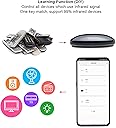
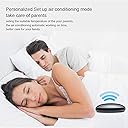
📱 One remote to rule them all — smart control, smarter living!
The FRANKEVER Smart IR Remote Control is a compact, Wi-Fi-enabled universal remote supporting over 80,000 infrared devices including TVs, air conditioners, and more. Compatible with Alexa, Google Assistant, and Siri, it offers voice control and remote access via the Smart Life app. Designed for easy setup and customizable smart home automation, it’s the ultimate all-in-one IR blaster for a seamless connected lifestyle.


| ASIN | B07ZP5NQWF |
| Battery Types | Lithium |
| Brand | FRANKEVER |
| Brand Name | FRANKEVER |
| Button Quantity | 20 |
| Colour | R4(IR) |
| Compatible Devices | Home Theatre |
| Compatible devices | Home Theatre |
| Connectivity technology | Infrared |
| Controller Type | Button Control \u05d1\u05d0\u05e0\u05d2\u05dc\u05d9\u05ea |
| Customer Reviews | 4.0 out of 5 stars 764 Reviews |
| Item Weight | 50 Grams |
| Manufacturer | FRANKEVER |
| Manufacturer Part Number | FK-UFO-R4 |
| Max number of supported devices | 1 |
| Maximum Number of Supported Devices | 1 |
| Maximum Range | 10 Metres |
| Model Name | FK-UFO-R4 |
| Model Number | FK-UFO-R4 |
| Network Connectivity Technology | Infrared |
| Number of Batteries | 2 AA batteries required. |
| Product Features | IR, Universal |
| Special feature | IR , Universal |
H**D
Very good
Very good
B**N
Outstanding and delivers smart home control as advertised!
I got my IR-only devices working with google home voice commands. I had to do a lot of not-quite-intuitive things to get everything to work: 1) My manufacturer was not in the very limited list so i had to map each button purely manually. But the buttons registered fast! 2)on linking to google home the devices show up but arent quite functional as on/off options. This actually makes sense as the devices dont have a on/off status to report. A dead-end!! 3)you need to set up- "Scene automation" in this device's app as prep for- 4) inside google home you'll need to set up Routines there that call the scenes you made in the app. But this is all clever and necessary to ger a simple IR devices to work.
A**X
“Alexa, turn on the Projector”
** Instructions for adding any button to an Alexa routine at the bottom of my review ** PROS - able to be added to Alexa routines - small and sleek - able to control devices spread all over the room - uses standard usb-c (cable included) - my devices were already in the database - can add buttons not in the database CONS - none, but it would be nice to add the device straight to the Alexa app, and control all functions straight from the routines menu, but I don’t think any IR device can do this yet. OVERVIEW WOW, this device is awesome, especially when you consider the price. I was surprised by how small the device is (I attached a size comparison with a pen). Setup was pretty easy, I just followed the instructions in the manual, and then connected the smart life skill to use the device with Alexa. MY USE CASE I have this controlling 3 devices: projector, TV, and soundbar. My goal in getting this was to easily transition between using my PS4 while sitting at my desk on my TV, to laying in bed on my projector, and vice versa. This worked out perfectly by using an Alexa routine (see attached video). I was a little worried that a device like this would only emit IR in one direction, similar to a remote, however, it was able to reach 3 devices on separate sides of the room. Amazing! I even pushed it behind my TV and it still works. INSTRUCTIONS TO ADD ANY BUTTON TO AN ALEXA ROUTINE I highly recommend you screenshot this section for later if you intend on using Alexa routines with this product. 1. Setup the device as shown in the manual 2. Add your device to the smart life app, most devices are already in their database, if it isn’t, choose the most similar device. 3. Once the device is added, open the remote for it. If there’s a button that you want that’s not included with the default remote, add a custom button. This will have you point your remote towards the device and hold the button to add, works perfectly. 4. Once all the buttons that you want are on the remote in the smart life app, then go to the smart tab in the smart life app and click on the tap-to-run menu. Here you’ll have to create a tap-to-run task for each function that you would like Alexa to receive. 5. Once you have all the tap-to-run tasks working within the smart life app, go to the Alexa app, and search for the smart life skill and connect it to your account. 6. In the Alexa app, go to the devices tab, click the “+” in the upper right hand corner, tap add device, then scroll to the bottom and tap other. This will pull in all the tap-to-run tasks into Alexa. Alexa will recognize them as scenes, therefore, you will find them in the scenes menu. 7. Now you’re ready to create your Alexa routine like normal and just add the appropriate scene to your routine. ** if you found this helpful please let me know by clicking ‘helpful’ **
V**N
Cloud dependant, and you need his propietary app to use the device
The device cradle/wall mount support shown in the picture is not included with the purchase, i bought this item two times and both came without the craddle/wall mount. Another issue is that the device requires a connection to the Tuya Cloud and it is not possible to integrate with Homeassistant to have less dependency on the cloud for this device.(It is detected but it shows as not supported. This may o may not change in the future) The only possible way to use the device is then, the propietary "Smart Life" or "Tuya Smart" application. If you already have other Tuya devices you may already have this application.
J**Z
Works as intended...
This works as intended, we have a smart ac in living room and can control via app, wanted the same for bedroom without having to fork out another $500 for new ac. This basically turned our old outdated air conditioner into a smart ac. The temp and humidity features are a nice addition, it also controls the TV and other devices in bedroom via the app which is great. This has been a cheap and great way to add more to my home automation desires. 10/10 would buy again.
Trustpilot
1 month ago
1 day ago