We remain fully operational. Our teams are working around the clock to ensure your deliveries continue safely.

DOWNLOAD THE APP


Copyright © 2025 Desertcart Holdings Limited
DOWNLOAD THE APP


Buy anything from 5,000+ international stores. One checkout price. No surprise fees. Join 2M+ shoppers on Desertcart.
Desertcart purchases this item on your behalf and handles shipping, customs, and support to Thailand.
🚀 Power your network like a pro — speed, security, and control in one sleek router!
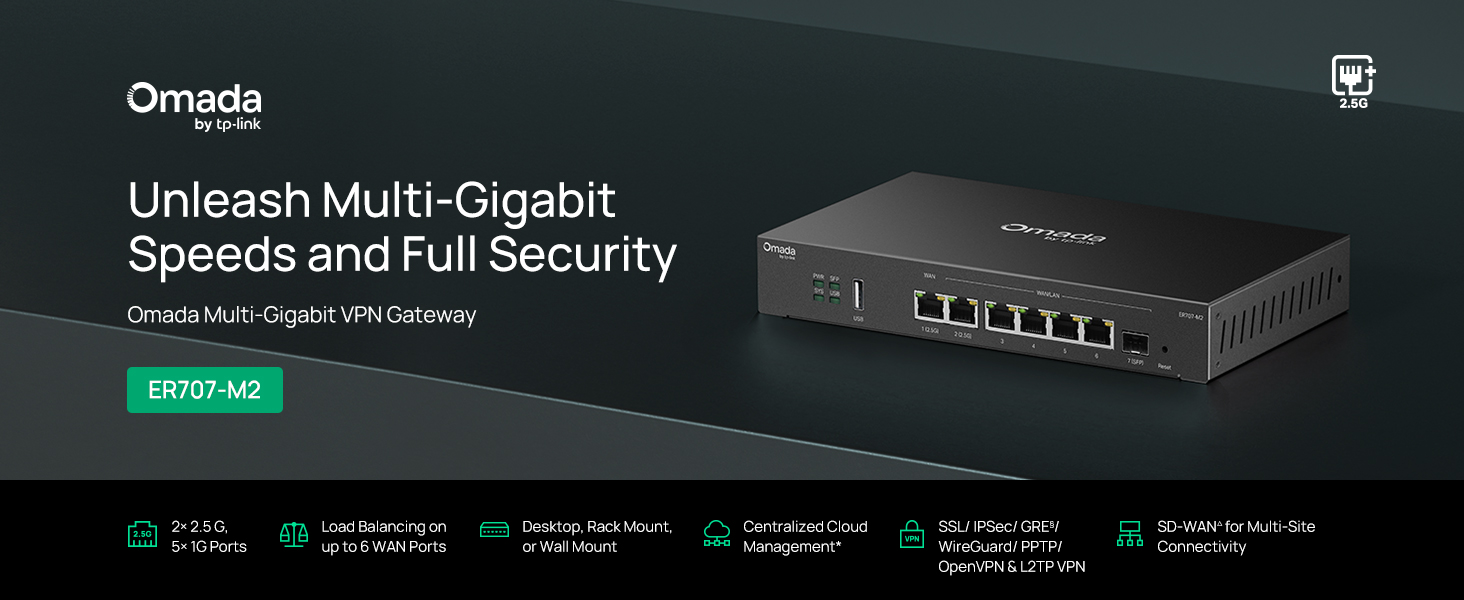
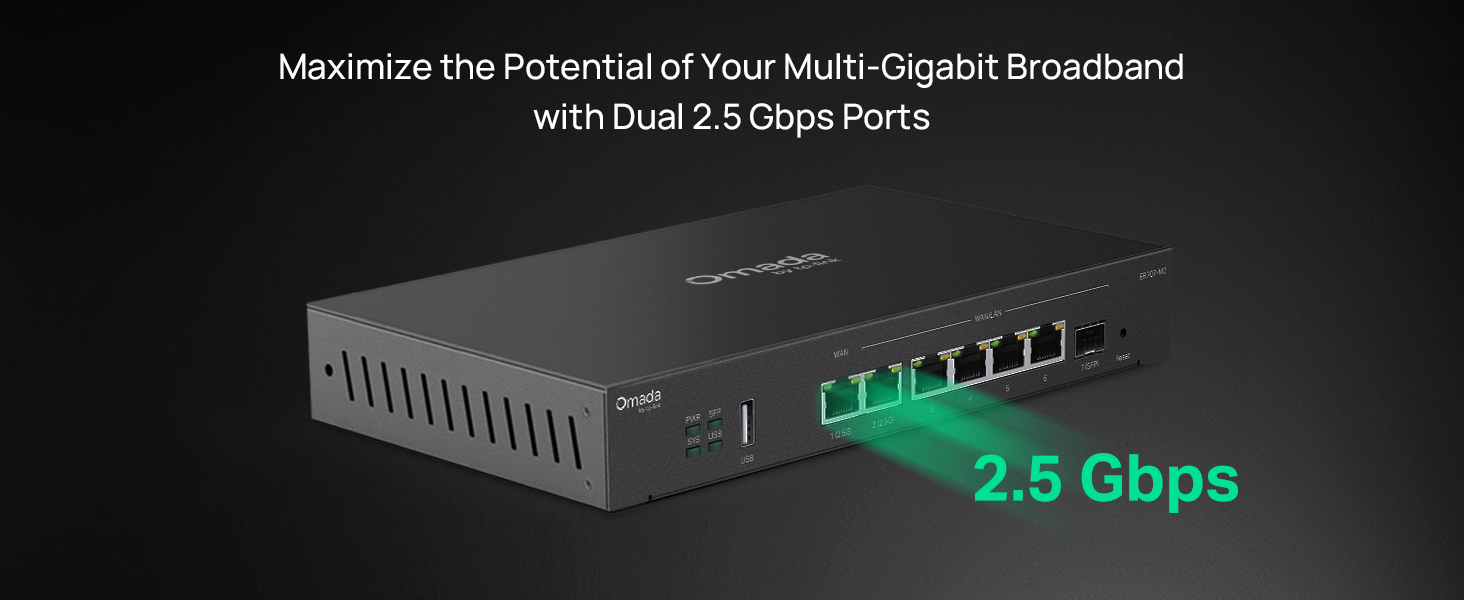
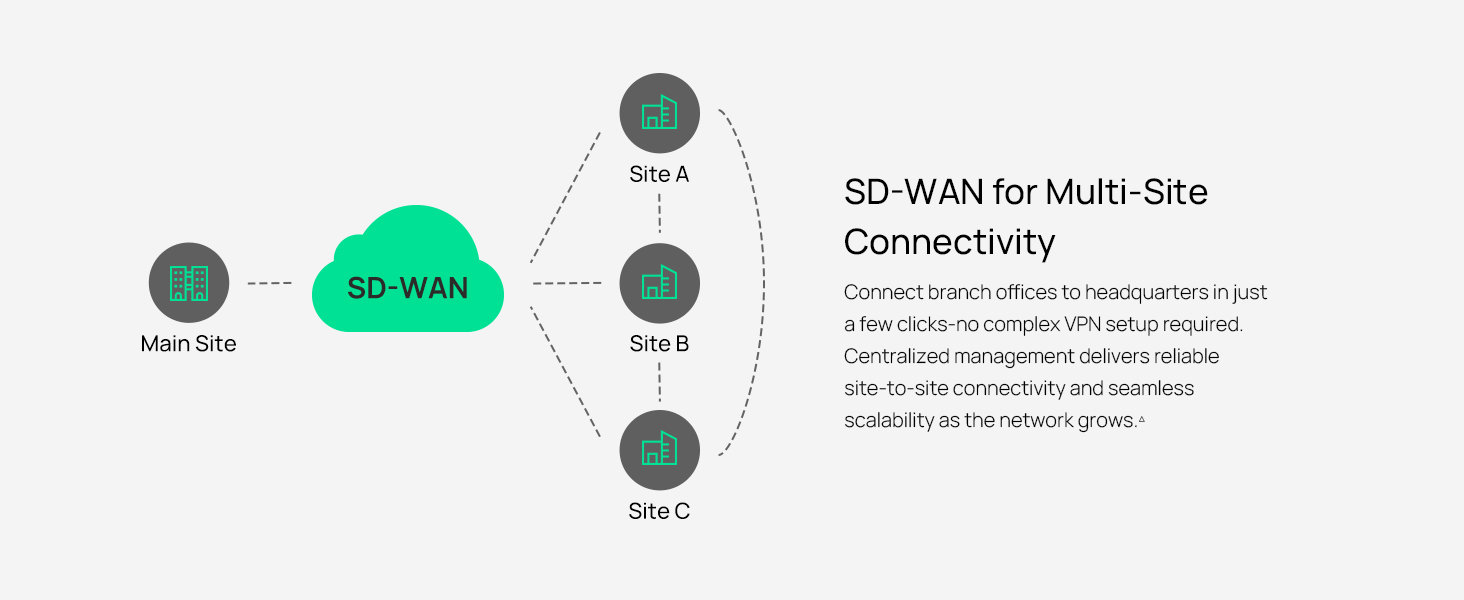
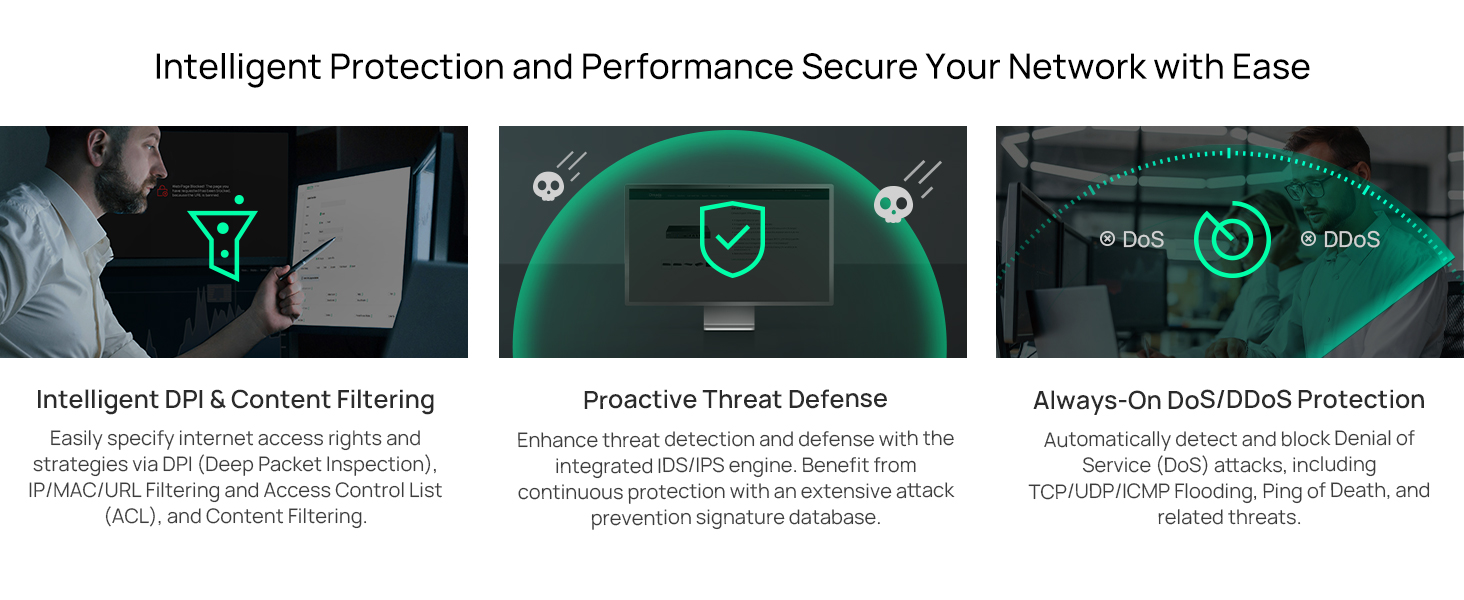
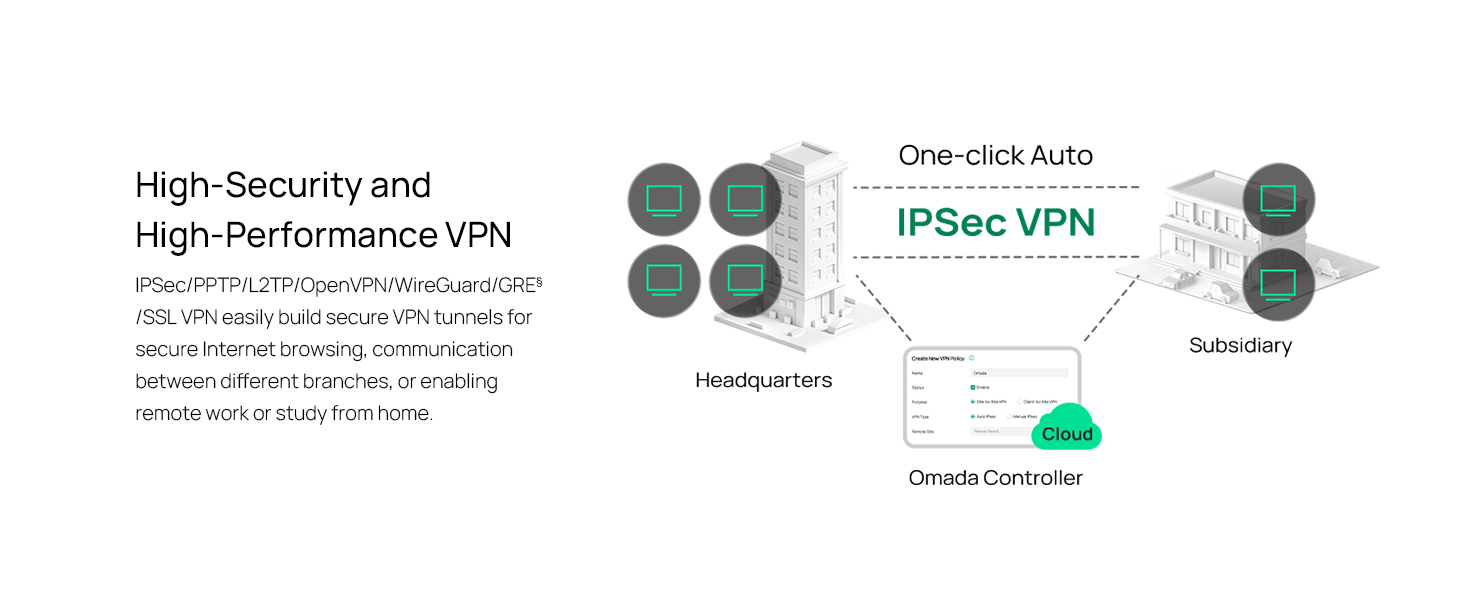
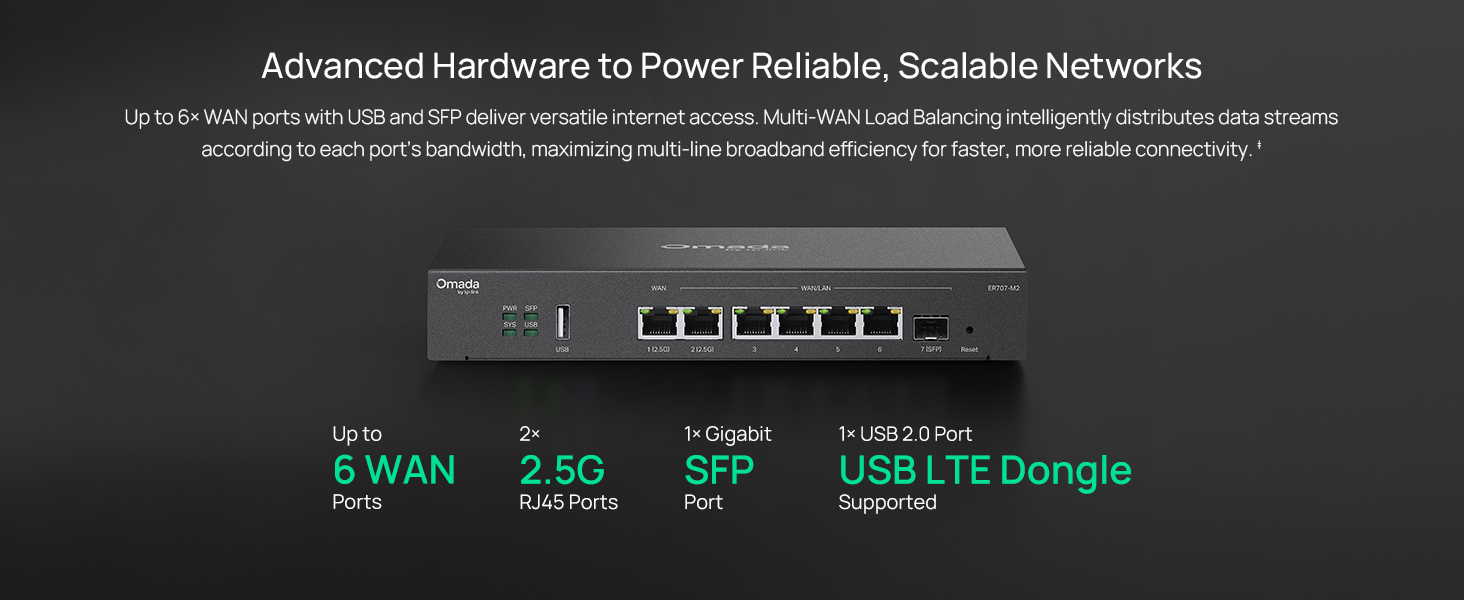
The TP-Link ER707-M2 Omada Multi-Gigabit VPN Router combines dual 2.5Gbps WAN ports, support for over 500,000 concurrent sessions, and robust VPN capabilities with cloud-based SDN management. Designed for high-capacity professional environments, it offers advanced load balancing, ISP failover, and comprehensive security protocols, all backed by a 5-year warranty and dedicated technical support.

| ASIN | B0C238XMVV |
| Antenna Location | Business |
| Antenna Type | Internal |
| Best Sellers Rank | #2,852 in Electronics ( See Top 100 in Electronics ) #26 in Computer Routers |
| Brand | TP-Link |
| Built-In Media | ER707-M2, Power Adapter, Quick Installation Guide |
| Color | Black |
| Compatible Devices | Windows |
| Connectivity Protocol | Ethernet |
| Connectivity Technology | Ethernet |
| Control Method | App |
| Controller Type | App Control |
| Customer Reviews | 4.5 4.5 out of 5 stars (270) |
| Data Transfer Rate | 2500 Megabits Per Second |
| EU Spare Part Availability Duration | 5 Years |
| Frequency | 2.5 GHz |
| Frequency Band Class | Single-Band |
| Global Trade Identification Number | 00840030705274 |
| Is Modem Compatible | No |
| Item Dimensions L x W x H | 12.9"L x 9.5"W x 3.1"H |
| Item Weight | 1.1 Kilograms |
| LAN Port Bandwidth | 10/100/1000/2500 Mbps |
| Manufacturer | TP-Link |
| Maximum Upstream Data Transfer Rate | 5000 Megabits Per Second |
| Mfr Part Number | ER707-M2 |
| Model Name | ER707-M2 |
| Model Number | ER707-M2 |
| Number of Antennas | 1 |
| Number of Ports | 6 |
| Operating System | ZyNOS |
| Other Special Features of the Product | Access Point Mode |
| Security Protocol | SSL, IPSec, GRE, SSH, IKEv1/v2, PPTP, L2TP, OpenVPN |
| UPC | 840030705274 |
| Voltage | 9 Volts |
| Warranty Description | 5 Year Manufacturer |
| Wireless Compability | 802.11ac |
J**S
Very easy to configure! Great for HA
I used this to configure ISP redundancy at my office. It works great! I was able to setup primary and backup ISPs in minutes. The failover time is less than 15 seconds. The end-users can't notice when the internet connection fails and it is switched over to the second ISP.
G**G
Great replacement for the 605
Upgraded to a 2GB fiber drop - needed some extra bandwidth from the 605, and this unit went above and beyond my expectations. Transitioning was terrible - the unit has a different default password requirement than the controller password requirement so I ended up having to change passwords on the controller and device just to get it to adopt. Once adopted it connected right up to the 2.5G without an issue and still had everything I needed. Something I wasn't expecting was rack ears, which was a very welcome addition for organizing my network rack (I hated that the 605 was just floating around in there). Overall, great upgrade for the money.
C**M
Great little router.
Great little router. Covers 1G internet without a sweat. Will update review when and if I get 2G.
D**N
Dual WAN Setup in Rural Area: Starlink + T-Mobile with ER707-M2
I live in a rural area and recently added Starlink alongside T-Mobile Home Internet. To make the most of both connections, I picked up a Dual WAN router—the ER707-M2—to combine the two ISPs and load balance traffic while I test and decide which one to stick with. The price was excellent, and so far, the router has been performing flawlessly. Setup can be as simple as plug-and-play, but if you dive into advanced features like Policy Routing and group configurations, it might be a bit complex for some users. That said, if you’re a Hulu user, brace yourself—streaming can be finicky without proper routing. Thankfully, Policy Routing can help smooth out those issues and save you a lot of frustration. Updating firmware was easy and I appreciate the auto backup option of settings to an external USB drive. Only frustration is being an Amazon Prime member and here of late, deliveries that say 2 days turns in to a week. This is happening more and more on my end.
C**Y
Works great, follow the tplink upgrade instructions if going from er605.
Works great. 2.5Gb WAN to match my Xfinity modem. Good price. I'm managing this with an oc200 and replaced a ER605 unit. No problems when following the tplink instructions for upgrading a gateway from existing omada gateway. The only thing I had trouble with, was that the 707 won't auto-negotiate 2.5gb with my cable modem. I had to manually select the speed to get connectivity.
L**Z
Excellent and Affordable Dual Wan Router
This is a great product that allowed me to connect two internet provider to my home and I can connect more if needed. I which each ports had a 2.5gb capacity
P**R
OpenVPN is effectively not working.
There is partial compatibility with OpenVPN profiles from different generations. * An OpenVPN 2.5 profile using tls-crypt-v2 is accepted by the system and may appear as active, meaning the configuration is formally loaded and a client object is created. However, no actual VPN session is established: the client does not appear in the list of active connections, no working tunnel interface is created, and no traffic is actually passed through the VPN. * An OpenVPN 2.4 profile using tls-crypt works better: a VPN session can in fact be established, the tunnel comes up, routing is applied, and the external IP may change. However, the connection remains incomplete, because not all associated traffic is handled by the tunnel consistently. In practice, this means: * main user traffic is already going through the VPN, * while some service traffic, especially DNS requests, continues to be handled by the local system according to its own networking logic and is not fully bound to the VPN tunnel. So the issue can be summarized as follows: * An OpenVPN 2.5 profile is formally activated but does not create a real connection: no active session appears and no tunnel is established. * An OpenVPN 2.4 profile does create a connection, but it remains only partially functional, because the VPN is not used consistently for all traffic. In other words, the problem is one of different levels of compatibility between OpenVPN profile generations: * the newer profile is only nominally active and does not form a working session; * the older profile does form a working tunnel, but does not provide full migration of all network functions into the VPN. P.S. Omada needs to fix this shortcoming urgently; after all, it works correctly on UniFi—and the cost of the configuration is, arguably, about the same.
S**A
balanceador de carga entre 2 ou mais links de Internet e pode utilizar 2 ou mais como redundância. links até 2.5 Gbps
A**R
If you’re looking to upgrade your home or small office network to a more robust customizable network the Tp-Link ER707 m2 paired with the Omada controller, access points and switches is the way to go. Right out of the box swapping it in for my old ER605 V1 gateway was straightforward and the multi-gig 2.5 Gbps ports give your network the future proofing it needs to survive the ever-changing landscape on networking. Paired with the Omada controller, the whole ecosystem really shines as the centralized dashboard, remote access, and monitoring tools that gives you visibility into devices, traffic, and usage without drowning you in complexity. One of the standout features for me is the VPN flexibility. The ER707-M2 supports IPSec, OpenVPN, L2TP, PPTP, and, best of all, WireGuard, which has quickly become my go-to for secure and efficient client to server connections. Add in VLANs, ACLs, and advanced monitoring, and you have all the tools to build a robust, segmented, and flexible home network to isolate IoT devices, hosting a media server, or just keeping the kids’ devices in check. There is also the USB port that allows you to plug in a cellular/LTE USB modem that gives you a backup internet connection if your main WAN goes down or just use it use it for USB storage or file sharing. Overall, the ER707-M2 is a versatile well-rounded gateway that is flexible, fast, and packed with advanced security and traffic control, enterprise grade tools, all at a price that doesn’t require raiding the retirement fund. If you want an upgrade that still suits the home network needs that powerful yet approachable, with WireGuard VPN, VLAN control, with Omada’s centralized management to tie it all together, this router is hard to beat.
P**E
Awesome router. Has increase performance of My fibre broadband significantly. Easy to install the Omada apps works well
J**J
Currently at 90 days of uptime without a single issue. Omada controller is very simple to setup and has an immense amount of configuration options. This router is able to get the full 2500 Mbps transfer rate with fiber WAN.
J**W
Ordered from amazon.co.uk but was delivered from USA with a US power adaptor. Pretty basic error by amazon. Router added to Omada and is performing exactly as expected.
Trustpilot
1 month ago
3 weeks ago