Desertcart purchases this item on your behalf and handles shipping, customs, and support to Thailand.
๐จ Elevate Your Artistry with the Ultimate 4K Creative Powerhouse
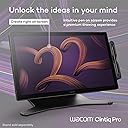
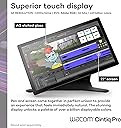
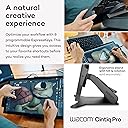
The Wacom Cintiq Pro 22 is a professional-grade drawing tablet featuring a 21.5-inch Ultra HD 4K touchscreen with Pantone validation, 8192 levels of pen pressure sensitivity, and a 120Hz refresh rate for near-zero latency. Compatible with Windows, macOS, and Linux, it offers 10-point multi-touch support, 8 customizable ExpressKeys, and an ergonomic adjustable stand, making it the go-to tool for graphic designers, illustrators, and digital artists seeking precision and vibrant color accuracy.


| ASIN | B0BQ7MQ68J |
| Active Surface Area | 240.625 square inches |
| Box Contents | Digital Pen, HDMI Cable, Pen Holder, Power Cord, USB Cable |
| Brand | Wacom |
| Brand Name | Wacom |
| Colour | Black |
| Compatible Devices | Laptop, Desktop |
| Connectivity technology | USB |
| Customer Reviews | 4.0 out of 5 stars 15 Reviews |
| Display Type | LCD |
| Item Dimensions L x W | 51.6L x 31.2W centimetres |
| Item Weight | 11 Pounds |
| Manufacturer | Wacom |
| Manufacturer Part Number | DTH227K0A |
| Model Name | Wacom Cintiq Pro 22 |
| Model Number | DTH227K0A |
| Model name | Wacom Cintiq Pro 22 |
| Native Resolution | 3840x2160 |
| Network Connectivity Technology | USB |
| Number of Items | 1 |
| Number of Packs | 1 |
| Operating System | Windows, macOS, Linux |
| Operating system | Windows, macOS, Linux |
| Pressure Sensitivity | 8192 Levels |
| Pressure sensitivity | 8192 Levels |
| Product Features | 10-point multi-touch |
| Screen Size | 21.5 Inches |
| Special feature | 10-point multi-touch |
| Specific Uses For Product | 3D Modelling, Animation, Designing |
| Target Audience | Student, Teacher |
| UPC | 753218984258 |
| Unit Count | 1.0 count |
W**Z
Best in class
I have had this monitor for 3 months now. Before I got this, I had tried Huion and Xencelabs displays. Build Quality The build quality is excellent. The materials and fit and finish on my unit are top notch. The glass feels great underhand. Screen Out of the box color reproduction is within a few percent of what was advertised based on my test with an xrite color calibration sensor. There is a very slight backlight bleed on the right edge of the screen but this is only noticeable against a black background and will be covered up by the UI of any drawing program. The screen is very crisp despite the good anti-glare coating on it. Compared to other 4k drawing tablets with antiglare coatings, this one blows them out of the water in terms of clarity (looking at you, xencelabs 24). There is no point in buying a 4k monitor if the anti glare coating is blurry, and with this monitor you truly do get the benefits of 4k. The touch functions fine but I don't like using touch because I will occasionally accidentally trigger it. This is a problem for me regardless of device, even on iPads, so I wouldn't knock this unit for being overly sensitive. It's nice to have a physical switch to quickly disable touch on the back of the unit so I can use touch on occasion if I want to. The 120 hz is very nice but it is the sort of luxury you take for granted until you have to use a 60 hz screen again. The screen is plenty bright for me at default settings, but there are a multitude of different settings you can adjust for colorspaces, etc. I just leave it on default settings sRGB. Drawing Experience The pen is excellent. It is extremely accurate and all pressure levels are usable. I do not see any line wobble in an unstabilized pen on this display. Other Notes I don't use the trigger buttons but they are there if you want them and the buttons feel quality to press. I currently have the unit on the official Wacom stand for it and I think it is also excellent, very solid and easy to adjust. My particular unit has zero fan noise. The pen holder that comes with the unit sucks. Sorry Wacom, but this pen holder is practically designed to drop your pen at the slightest bump regardless of where you screw it in to the tablet. Just something to be aware of, you might want to store the pen somewhere else. The only true downside is this tablet is $3k and the stand is $500. This is certainly overpriced, but I believe the product is best in class for a 22" tablet. Time will tell what the lifetime of the product is but I expect it will last a long time, especially since the display does not use OLED technology.
A**R
Clunky
The interface software is terrible. Clunky, buggy. and non-intuitive.
K**M
Touch problem, broken pen.
It has some weird touch problem that often would limit my touch to a small area of monitor, which would reset after another action (drawing with pen/clicking with mouse). This is a "small" problem I could get used to, but the pen side button broken off so easily. Turned out they are only held by a tiny bit of plastic on the button plate.
D**L
Good ๐
Wow, pricey, but it is the best drawing tablet out there.
A**R
No stand included. Cannot be used without a stand.
Setup instructions indicate Cintiq pro 22 cannot be used without a stand and does not come with a stand. Amazon description indicates it comes with an "Easy Stand" however, there was none in the box. Wacom stand is additional $500+. I would write a review about the functionality, but I am advised by Wacom not to use it until I give them an addional $500+ which I do not have. There are better rated stands available for less, however, be aware that you cannot use this tablet as shipped.
Trustpilot
3 weeks ago
5 days ago