



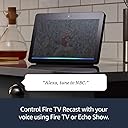

Fire TV Recast, over-the-air DVR, 1 TB, 150 hours, DVR for cord cutters
Product ID: 79785548
🎤4 Tuners
📺1 TB Storage
⏱️150 Hours Recording
📡 Cut the Cord, Not the Fun! 🎉
The Fire TV Recast is a powerful over-the-air DVR with 1 TB of storage, allowing you to record up to 150 hours of HD programming. With the ability to record 4 shows at once and stream content on various devices, it’s the ultimate solution for cord-cutters seeking flexibility and convenience in their viewing experience.
| Size | 7.1” x 7.1” x 2.9” (180 mm x 180 mm x 73 mm) |
| Weight | 2.4 lbs (1066 g) |
| Processor | Dual Core |
| ATSC Tuners | 4 Tuners |
| Transcoders (for playback) | 2 |
| Storage | 1 TB up to 150 hours of HDTV |
| Memory | 2 GB |
| Wi-Fi Connectivity | 2.4 G Wi-Fi 2x2 Wi-Fi b/g/n and 5 G Wi-Fi 2x2 Wi-Fi a/n/ac |
| Voice support | Fire TV Recast can be controlled using voice through supported Alexa endpoints like Echo Show, and the Alexa Voice Remote on Fire TV devices and Fire TV Edition televisions. |
| Ports | 1 x Type A USB 3.0 (storage supported on compatible external hard drives only), TV Antenna Input, Gigabit Ethernet, Power |
| System requirements | Fire TV streaming media player, Fire TV Edition television, or Echo Show, and compatible mobile device. |
| Output resolution supported | Up to 1440x720p |
| Setup requirements | Fire TV mobile app (available on Amazon Appstore, Google Play Store, or iOS Appstore) on a Fire tablet (5th Gen or newer), an iOS device running iOS10 or higher, or an Android device running Android 5.0 or higher |
| Required for playback | Any one of the following: Fire TV, Fire TV Edition television, Echo Show, Fire tablet (5th Gen or newer), an iOS device running iOS10 or higher, an Android device running Android 5.0 or higher |
| Warranty and service | 1-Year Limited Warranty and service included. Optional 2-Year and 3-Year Extended Warranty available for U.S. customers sold separately. Use of Fire TV is subject to the terms found here. |
| Regional support | Certain services may not be available outside the U.S. |
| Accessibility features | VoiceView screen reader enables access to the vast majority of Fire TV Recast features for users who are blind or visually impaired. Watch videos and TV shows with closed captioning displayed. Captions are not available for all content. Learn more here. |
| Included in the box | Fire TV Recast, 50W Power Supply, Quick Start Guide |
A**R
Take negative reviews with a grain of salt
I pre ordered this a couple weeks before the release and it arrived the day of the release. Points there for reliable shipment, for the option to make payments, and for crediting early buyers when they put it on sale. Having read through the other reviews allow me to clarify a few things that other reviewers are having issues with. First off this is really a top notch product that works well right out of the box. In sure there is a built in preamp for the tuners and it's obviously of extremely high quality. I'm picking up all of the channels that my old hdhomerun could get plus wpxi out of Pittsburg, which is over 70 miles away. Mote importantly to me, many of the channels I am getting are just plain more reliable with this box than any other setup that I've tried. Streaming is extremely reliable and I've had zero buffering even when both kids are home and making heavy use of the network. Let's talk interface for a minute. One reviewer mentioned that adding a channel to favorites did nothing except add a star next to it. This is not true. Any channels that you have favorited show up in their own section at the top of the channel guide. I'm currently using this to filter things out a bit as I have multiple options for CBS, NBC, ABC etc and added the one with the most reliable signal for each network to my favorites. A couple other reviewers said that when you set a timer to record a series it will record all of the old episodes and doesn't have an option to record only the new episodes. This is also not exactly true, although the interface could use a little work here. When you select a show to record it will pop up a dialog asking if you want to record this episode or the entire series. It's true that it will by default record all episodes including any old ones in syndication. However, if you click the hamburger button again it pulls up the recording options screen where you can set it to record only new episodes, along with other options such a setting a buffer time before and after the recording in case the program begins early or ends late. This screen can also be found in the dvr tan under recording options. What I would like to see, however, is a way to set the options I mentioned above globally. If that functionality is there I haven't found it yet. Instead I have had to go in and set options for every series I set to record, which is a little annoying. Many people have mentioned that they are disappointed that playback is limited to 720p. I'm a little bit disappointed on this point as well, especially since there it's literally nothing in the product description mentioning this limitation. I considered taking off a star just for this. However, I'm convinced that this was a conscious design choiceby Amazon. They advertise that this box has the most reliable streaming over Wi-Fi of any OTA dvr and I'm convinced that this claim is entirely valid. My old setup used an hdhomerun tuner connected in the attic via a powerline adaptor, mythtv on my computer and kodi as a front-end. It was notoriously unreliable and not very easy to use by my girlfriend or the kids. 1080p channels would quickly saturate the network and as soon as a second recording tried to start it would fail. Playback of recordings involved buffering from time to time as well. In comparison this box has been 100% reliable in both recording and playback so far. So I understand the design choices Amazon made and tend to agree with them. Also, the picture quality is really very, very good and if I hadn't read about the resolution limit I wouldn't have known to look for it. Continuing with the interface now. This is really very well integrated with the fire tv interface. I like that there isn't a separate apo to open. I have Pluto TV and a few of those channels now show up with my OTA channels now, too (pretty much all of the news channels). I would love it if the rest would be available here as well. My understanding is that PS Vue integrates here as well which I'm sure it's nice forthose using that service. Myself, I'm using Philo and still have to open the Philo app to access my cable channels. I'm hoping that they will get on the bandwagon here. I actually switched from Android TV to the fire sticks because of Philo, and was hesitant to do so because Android's live channels app was at that time something that I loved but that Amazon had no answer for. Well, if they can get a few more of the streaming services to integrate here it will be what the Live Channels app on Android TV promised but never delivered. So to make a long story short, while the recast is perfectly functional right out of the box I have a lot of hope that the changes Amazon made to accommodate it can open up an even more seamless experience in the future. I think that a lot of the other reviewers were being unfair to this box. It's actually quite excellent and I've never seen a better rollout of a completely new electronics platform. The negatives that several people mentioned are in some cases things they could have solved by clicking around with their remote for a few seconds more. Amazon could polish the interface a little more, and I'm sure they will, but it's already usable now if you spend a minute to figure things out. In short I highly recommend the Recast. It solved all of the problems I had with ota tv in our house. Edit: a recent update added some functionality that I had been missing. When you choose to record a series it now asks if you want to record on that specific channel or on any available channel. This is important and I wish that it had been integrated right from the beginning. To illustrate the importance of this feature, my attic mounted antenna picks up three different NBC affiliates. The strongest one is out of Youngstown, while I also pick up a weaker signal from Cleveland (the antenna is pointed at Youngstown) and a third, very unreliable channel out of Steubenville. I've had plump out a very small number of recordings ever fail, but when they did it was because the box tried to record one odd the weaker stations. This new setting prevents that happening. My only wish now is that the new setting would integrate with the recording options menu. As of right now it is only available in a pop up right after you select a series to record. As such I went in and deleted all of my scheduled recordings and then re-entered them to make sure that the box knows my preference for which station to use, which was a fairly tedious process.
S**K
First impression review - Updated, Second impression... - Updated, Third impression...
First: I am always impressed with Amazon's product packaging. They make the most beautiful boxes. This product shipped via UPS and was delivered when promised and in good condition. Second, setup: in my case probably most especially, it was too easy. I had a brief dalliance with a simple.tv OTR recording device that did not end well, so I already had a power outlet and antennas (two, with a coupler) in place; installing this device was a simple swap out of the base unit and power supply. I had planned to do a wired ethernet connection from this unit to my router in hopes that it might head off any potential performance obstacles but realized that I had no ports open, so wireless it would be Third, soft setup: I installed the Fire TV app on my Fire Tablet and practically followed my nose. Just a touch of silliness, but no show-stopping surprises. Actually, there was a rather nice surprise: I found all of my local major network channels (and I'll count PBS as one for purposes of this review) and a number of other channels that I had no idea would be available over-the-air, for a total of 30. I never saw most of those channels with the simple.tv unit. Fourth, live tv: I'll be honest, I very seldom watch live tv. On mornings when it snows to check traffic and road conditions, honestly, that pretty much all. But I checked the local major network channels and was again happily surprised by the quality of the visual streams I was seeing. To be clear, if the review were to end here, it would be six out of five stars. Fifth: recording a show. I went all through my Fire TV app to find how to schedule a recording. No dice. You cannot schedule a recording with the Fire TV app. Dear Amazon, this is a gaping oversight and seriously needs to be a priority. I do not schedule tv shows in a vacuum; with my existing cable dvr, when I am scheduling shows, it is invariably while I am also watching tv shows. To be forced to do one *or* the other at a time is a not-minor ding. This was however easy enough to look up and Amazon's Recast TV Q&A page is quite inclusive. First, I used the tv listings on my Fire TV to schedule a 5 pm local newscast. (It was 4:45 at the time.) Then I resumed watching a show on the CBS All-Access app on my Fire TV. As an aside, it should be perfectly obvious at this point that I live comfortably in an all-Amazon universe. (I do have and happily use many Apple devices including the MacBook Pro that I am using to write this review and an Apple TV, and I do have and use a Roku. I like them all a lot but prefer Amazon and the Fire TV world for entertainment purposes.) I'm comfortable with that. The hits always outweigh the misses. (Glad I never bought the Fire Phone.) So I went into this purchase with high hopes and I am grading this product on that scale. I also asked Alexa (my living room Echo Show) to record "Live with Kelly and Ryan." That just worked. (I had already changed the default settings for the Recast to record only new shows, and that was a little-bit klunky...) I was able to view my new, upcoming recordings and series on my Fire TV (again though, not while I was watching something else...). Sixth, playback: The quality of the stream was good. The sound was not pumping through all of my speakers, but I cannot yet confirm that that was because of the Recast or because it was the evening news; I'm inclined to think the latter. I'll update as this becomes more clear. That said, the vanilla stereo I got was very good for, again, the evening news. Navigating was the next test, and there again was a bit of a letdown. The fast-forward button on the Amazon Fire TV remote while playing back a recorded Recast video skips ahead 30 seconds. This will take some practice on my part to get used to. I prefer how my cable-company-supplied dvr works: I click fast forward and I see the stream zoom forward really fast until I see my show come back from commercials and click play... Dear Amazon again, if you can make *that* happen, you can kill cable tv. Just sayin'. If you can do *that*, you can own the world. I know you'll catch up on the resolutions and sound mixers and stuff, but if you can do *this thing*, you win. Forever and ever. I know this is a big, fat ask... I know what makes this difficult, but this is the holy grail... Final First Impression Score: Four Stars. So far, I'm pleased. Quite pleased. Happy, even. Am I delighted and subscribing to a sling-or-fubo-like internet tv service and phoning my cable company to strip my service with them down to Internet-only? Not quite there yet... But so close, but not... ***Update*** The playback scenario has much improved. On the advice of a commenter, I found that holding the fast-forward button shows the playback progressing forward in a smallish window along the progress bar at the bottom of the screen. As I mentioned, it's smallish, so I'm not overjoyed, but I am certainly more comfortable navigating through commercials this way. It's a little early to call on the whole sound system thing based upon what I've been watching so far, but the sound is good enough that I feel comfortable moving more of my scheduled recordings from the cable dvr to the Recast. I'll update further when I watch a recording of something with a little more audio heft... PS, Dear Amazon, the whole setting-up recordings thing is still an important issue... ***Next Update*** Okay, I am now comfortable with the sound. It turns out that HD broadcasts have the whole multi-channel audio thing figured out and it works. That the plus. Now the minus. I was listening to NPR this morning and they were touting a documentary that is scheduled to air tomorrow night on a local PBS channel that I am very interested in watching. (To anyone who might have read that sentence and found me particularly... something... I understand. And I do apologize.) For the record, it is a documentary about the southern city that I willingly chose as a home and how it has grown over many decades, truly heartstring stuff. I set out to record this show on my Recast and ran into a few really annoying things. Things that pile on to the already annoying things about setting up Recast recordings. Okay, I already knew the title of the show I wished to find. Only, there's a problem, there is no search-for-program option. Clearly, there never has been. So I scan my channels and scroll to the time-slot that I know the program is scheduled to air. I scroll down through all of my local channels looking for the show. Repeatedly. Nothing. I accept the possibility that I might not have that (very local) channel available. I rescan for channels. I find I have two more channels than I did before. Lather, rinse, repeat, I still can't find that show. I look closer at what I'm seeing. The channels that I can identify as local PBS channels are only by the *incredibly tiny* icons on the channel listings. No call letters, just itty-bitty, puny icons. Looking at other channels, I see the same thing. And the broader texts on the screen showing me show information offer no clues as to their source, e.g., the actual channel name or call letters. Dear Amazon once more, you have a device that can topple the cable companies on your hands, but glaring flaws stand in your way. You *have* to improve your recording setup routines and a few user-experience gaffs. I don't want to guess what channel I am looking at by microscopic icons. Show me, with crystal clarity, that I am looking at WTVI (for example). (Yes, for me, that local channel with that show, in this case.) And you *must* allow for *many* recording setup options in your FireTV app. Period. I heard about this impending show during my commute to work in the morning. What a treat it would have been if I could have logged in to my Amazon account and set up that recording straightaway, by searching for the program name, right there in my browser. Or on my fire tablet. Or, practically anything other than being forced to wait until I got home, forced to use my FireTV exclusively and even then failing miserably to accomplish my wishes. PS, I was able to search for the program, by name, on my cable box and schedule it to record. *That* process was a bit painful, but it was utterly successful. ***Yet Another Update*** Trust has been established. This is the one that makes me dearly wish there was a possible half-star rating increment. I canceled the scheduled recordings of several of my cable dvr programs that I can now record over the air with the recast. I have viewed enough recordings on the recast to know that it is at least as reliable as my cable box. I am happy with that. Again, this would be a four-and-a-half star review if that were possible. The final half star comes with my usual, repeated gripe. This device has been out for a while now. I'm certain that there are many talented programmers employed by Amazon who are responsible for creating and maintaining it's various software. The gaping hole remains: Users need alternative methods, aside from the recast itself, to schedule programming. I don't care what form that would take -- the Alexa app, the Fire TV app, a specialized website, smoke signals, whatever -- I just know that this product needs this. Scheduling program recordings for the Recast is still its last and most glaring weakness. I can tolerate the puny scrolling fast-forward preview screenlet. But if I want to record a show or series, I want to be able to do that at any time from anywhere and this is non-negotiable. I promise, Dear Amazon, this is what you are missing and this is what will allow you to take over the OTA HD DVR recording world. That redundant rant aside, I do still love this product. If you have read this far, first, I'm sorry, and second, if you understand and can live with the desperately missing functionality that I have been screaming about, buy this.
G**G
Great OTA DVR Solution.
Ok, so I spent ages trying to decide what was going to replace my OTA Tivo for my household DVR needs. Tivo is certainly one of the better solutions but I owned all my Tivo equipment outright and was still paying $15 a month to record free TV! I narrowed my selections down to either the Tablo or the recast. I tried the Tablo first because it was less expensive and also allowed more than 2 simultaneous streams. I won't say the Tablo was bad but I personally didn't care for it. The user interface looked dated, it was very slow to respond and changing channels was almost painfully slow. So, ordered the Recast and have to say so far, it seems to be very good at what it does. There are a lot of comments about the video stream only being 720p but honestly, the difference between the recast stream and the uncompressed feed from my TV antenna isn't a deal killer for me. 99% of everything we watch is from Amazon Video, Netflix etc., all of which are HD or UHD. I rarely watch local TV, just wanted the ability to record the odd program or pause/rewind live TV. There are some shows on local TV I like but can't stand sitting through commercials, so the ability to record them, then watch later and FF through the TV Ads is all I need. Those local channels not being viewable from the Recast in 1080i isn't going to keep me up at night. I was concerned that only being able to stream to two devices was going to be restrictive but it's really not. I opted for the 4 tuner model so I could record 4 programs, however unlikely, watch one, record three, watch two record two etc. etc. Only my wife and I in the house so I just don't see the 2 stream limitation being an issue. Now, if all our kids were still at home, I could that being a problem. One of the things I really like about the Recast is the way it handles the TV guide and incorporates channels from other services such as Philo and Pluto into one guide so you don't have to switch between apps. It would be awesome if it could record those channels but I get it...it's an OTA DVR, it's not designed for that, plus Philo has it's own DVR service included. Setup was a breeze, I have one wired Fire TV and one wireless and picture quality, speed of recordings loading etc. is almost identical on both. Don't go by the negative comments and let them sway your decision not to try Recast, figure out what your DVR needs are before hand so you're expectations will be met and you won't be disappointed or frustrated. One feature that would be nice if future software updates could accommodate...remote recording scheduling. You can view live and recorded video remotely via the Fire TV app and you can start the recording of a live program but no option to schedule a future recording other than from the Fire TV devices on your home Network. Again, not a deal killer for me but would be nice to have. I'll probably update this review after I've lived with the Recast for a while but so far it's a winner for me!
R**.
11-12-2020---2 stars/ 12-17-20 down to 1 star/ 12-18-20 Software Update wish I could make it zero
Since most of my OTA viewing is on the sub channels that mostly broadcast in 4:3 aspect ratio. I am very disappointed that the Fire TV line does not allow for the native aspect ratio to come through. This is not an insignificant issue to a lover of the old TV shows. It causes the video to stretch to fit the screen and distort the image. This is the only product line like this I have ever heard of that does not let you get the native aspect ratio. I have many shows that I am going to have to continue to record and watch on the tuners of my PC instead of the new FireTV Recast and Fire sticks I just purchased. The main purpose of the purchases was to save the PC from over work to just record TV. I never even thought to check on this issue before purchase since only an uneducated designer would even think to hamper a system in this matter. It makes me rethink all of the other Amazon Echo products I have on hand. Some of them still in the return window. I am going to give it two weeks in the hopes that somewhere I can find a solution, if not I will have to return it all. Update-12/17/2020-01- Changed from two stars to one. Well I should have returned it but since it has spent this much time connected to my home I would just prefer to toss it in the trash after taking it apart to destroy any thing that holds memory. I had learned to live with the aspect ratio issue (for those that don't know: Aspect ratio is basically the shape of the screen 4:3 is the old original almost square style 16:9 is the newer HD rectangle style. Sub-channels are the ones that go along with the regular one. Like main channel is 5.1 then you have 5.2, 5.3, 5.4) As an aside my tuners in the computer will record all four of those and consider it one tuner, then it would do the same for up to three other channels. I had tested them and was able to record 17 programs at once with just the four tuners. But I just didn't like leaving the PC run 24/7. Anyway the Recast is performing well as far as signal and reliability of recordings. However the software has even more issues than I originally realized. I recently noticed that if you already have a show set to record all episodes on a particular station New and/or Reruns or even just have it set to record all new shows on any channel you cannot individually record a rerun unless you are watching it at the time. Say you are watching an episode of Chicago PD from two seasons ago on any channel and you remember you had seen part of this and wanted to record it and you know it is a two part episode, you can use the options to record this one but you cannot record the next one unless you cancel the recording of the whole series or sit and wait for the next episode to come on and record it, then go off and do what ever it was you wanted to do. This is just another ridiculous software issue. Really who in the world do they have working on this stuff? There are other little issues not worth mentioning but this really shows of a lack of understanding of how real people watch television and how they use recording devices. Update-12-18-2020: Wish I could go to ZERO stars. Latest software update to Fire Stick Software changes the controls for Live TV which was a big mistake. With all the changes it is a whole new learning curve to control Live TV. They changed the FireTV software without regard to the Live TV watchers. The live TV viewing experience has been mad just a little more difficult by them taking away the ability to quickly switch between the last two stations you were watching. Instead of being able to toggle between live broadcasts by just a single downward and then to the right or left with the select button on the remote, you now have to scroll thru all the channels or bring up the guide and scroll to the station you want. Which could take awhile when you have 60 channels to scroll through. Just how clueless do they want to appear to be? I can now for certain say to cord cutters everywhere that still want DVR control over live tv to look elsewhere for their whole line of equipment. Not sure where yet but it may be a hybrid system of another product line from another major stream playing company with DVR hardware from maybe channel master or tablo or tivo I am just not sure yet. I may be better off just getting the smallest cheapest PC I can find and using that with the tuners I have. Something that doesn't matter if it needs to be replaced. Update 12/18/2020-02- There is so much wrong now that I have to keep coming back to add more as I get the time. Before the update you were able to know how far you are into a show with just a touch of the outer sect ring. Now the only way to know is to fast forward or rewind and check out the numbers in the little fast forward window but if you don't need to fast forward then you have to wait for the next commercial. Also the main page headings used to have a separate section for the DVR. Now the Live Programs have their own Menu spot and the recordings are under the Library. Problem is the old setup let you move easily to the next program if you had to delete more than one. Now when you delete one show you need to wait for the whole page to refresh and move around on the Library page to force it to reset to show your list of recordings again. Since the Library also contains anything you may have purchased from amazon and the Watchlist from other shows you may have been streaming. Also you can tell they did not really put much thought into the whole thing since the menus for everything they changed has a plain Black and White color scheme and the old untouched menu areas still have the yellow highlighted spots so it is easier to tell what's going on in the older areas. I have to stop for now but believe me there is more.
R**2
Does exactly what I expected it to.
As many others have noted it could stand a few improvements, especially with the software. The app for example needs to be more robust. And hopefully we will see these improvements in future updates. I read quite a lot of the questions and reviews before ordering so I was aware of its limitations and shortcomings before setting it up and therefore was not disappointed as others have been. My husband had been wanting to “cut the cable TV” for some time now. By cutting the cable TV and returning the rented equipment to the cable company our bill dropped by $108.00 a month! One of the items I was renting was a DVR for $32 per month. In the month since giving up my DVR I have missed it. Yes, you can with the proper app view these shows on Fire TV from various sources but you sometimes have to wait at least a day or sometimes more for them to be available. And clicking your way through menus to get to them was also a hassle. I also found out rather quickly that TV over the Internet had some other issues such as buffering and sometime a channel being “down for maintenance”, whatever that means. I noticed that it happened frequently on my local TV channels. Very annoying if you wanted to watch your local morning news program and it wasn’t available. So my temporary solution was to put an indoor antenna on two of our TV’s. Now when a local channel was unavailable I could switch to the antenna and pull it in. But…this indoor antenna was difficult to position so that it would bring in all of the local stations I wanted and I needed one on each TV. Not to mention unsightly. The kitchen TV could pull in them all but the TV in the office was missing NBC, which is a must for me. So a better antenna solution was needed. My husband and I decided to put an antenna on the roof but the problem was it was January in Ohio with snow, ice, and cold temperatures. The roof antenna would have to wait until spring. Then I suggested that we try it in the attic. That worked. We can now get all of our local channels on every TV in the house. And by the way, we reused all of the coax cable the cable company had run to the various TV’s just unplugging them from their splitter and putting them on our own splitter from the antenna. The only coax cable we had to run was from the attic to the basement and we already had a pipe to send it through from another installation. Now enter the new Fire TV Recast. This did a couple of things for us. First we could watch over-the-air TV on any TV in the house without a cable if we wanted to and also control/watch the DVR from anywhere in the house. We have 5 TV’s with Fire Sticks on each one. Second this enabled us to use just one remote instead of two (we have the new 4K Fire Sticks) and third we do not have to switch the input between antenna and HDMI. That is very nice. And now I have a DVR again that functions very much like the one I turned back in! It only records from the antenna but I quickly realized that 95 percent of what I was recording was available by antenna! Perfect. Setup was as easy as everyone has said. I did spend two hours initially but it was totally because I was trying different locations with the indoor antenna. Once my husband had the attic antenna attached it was quick and easy. There are shortcomings as others have noted and definitely improvements can certainly be made. The app for your phone or tablet needs to be much better. You should be able to do everything on your phone or tablet that you can do on the Fire TV Stick such as scheduling a recording in advance from your phone and not just from what is playing now. I’d also like to see the local channel number on the guide in addition to what is there now. It would also be nice to be able to manage the order of the channels as they appear in your guide. You can do this somewhat by putting your preferred channels in your Favorites. That way they at least show up at the top of the list, but I would like to go a step further and be able to reorder them as I would like putting my most watched channel at the top, etc. On the plus side I love being able to use Alexa for various commands. With voice commands you don’t have to wade through so many menus. Recast is integrated seamlessly with the Fire TV. It is just like it had been there all along. Overall I am pleased with the Recast. I wasn’t disappointed because I knew what to expect. It is definitely for a niche market. It’s not for everyone. You have to have an antenna and be able to receive over-the-air broadcasts. You also need to be invested in Fire TV and will need a Fire device on each TV you want to use with the Recast.
K**E
Initially Not Bad, Until...
*Edit to A Once Short Novel. After purchasing an antenna, to verify Over The Air broadcast TV signals were available, we bought a 1 TB Recast device. The first 5 months or so, it worked as advertised. Even the Fire TV App. (required) even made connecting the Recast fairly easy. Despite the Recast not having any written instructions, aside from connecting it to the Antenna: Fire TV Stick; and household power, the set-up was easy. The Fire TV App. is REQUIRED for set-up of the Recast. The App. is also supposed to aid in controlling your Fire TV devices. The Alexa voice recognition, works well enough in setting-up future recordings of individual programs or series. The Fire TV App, couldn't seem to stay connected to my Fire TV Sticks. It simply lost connection, with no warning. It could be reconnected, but it often only reconnected for just a few moments, before again disconnecting. The issues we began having with the Recast started a few months back. At first small barely noticeable issues, such as showing the Bell Symbol, that is visible next to the Settings option on the main page, Going to the notice, showed that the Recast device has lost its connection. And initially, didn't seem to make any difference, as both Live TV viewing & our Recorded programs were still accessible & still being recorded. But eventually, when trying to view Live TV, we began having major issues. All, not just some, of the Over The Air broadcast channels, started having Pixel Issues; Buffering Lag: Freezing: & view/voice synchronization issues. These issues weren't with just the channels having weaker signals, but all channels. I first thought it may be a problem with the antenna, since we could still view our recorded DVR Recast programs. But, the antenna worked fine, when not connected to the Recast. Next, we tried performing a restart of the Recast, using our Fire TV Stick. (Settings:/Live TV:/Live TV Sources:/Fire TV Recast:/Restart). But, this only resulted in loosing all contact with the Recast, and an alert, triangle with a (!) In the center, showing just right of where it says Network. Here is where we received an alert notice, to use the Fire TV App, in order to try and re-establish contact with our Recast device. After several failed attempts to reconnect with the App, I reached out to Amazon for some service assistance. In my request I chose the, (be contacted by phone option). And to Amazons credit, I got a call within minutes. After explaining my problem in detail, the tech then walked me through some of the same things I had already tried, on TWO of our different Fire TV Stick devices. This included allowing the tech to remotely access our equipment. After several failed tries of reconnecting with two of our Fire TV Sticks, the tech had me confirm that we were using the same network on both the recast and the Fire TV Sticks. I was able to confirm this using an App. I had previously loaded, from our (ISP) Internet Service Provider (AT&T U-verse). And after confirming we were using the same Network on all of our equipment, the tech suggested that although our (ISP) Network was the same, there are both 2.4 GHz and 5.0 GHz band options, within the same Network. I later found out is basically like having TWO DIFFERENT NETWORKS, and that wasn't just possibly why the connection couldn't be made, it was the exact reason The Recast & Fire TV Stick couldn't stay connected. The selection of which band, 2.4 GHz and 5.0 GHz, to use, isn't an option, using the default settings on the combination Arris BGW210-700 Modem/Router, that AT&T U-verse provides. You can convince/get them to separate the two bands, and split the signal, if you are lucky enough to connect with someone on the phone that actually knows what they are doing. BUT, doing this can weaken the signal strength, along with other possible problems. *Note: The Recast Ad, HERE, where the Recast is sold, only states that Recast devices must be used on the same WiFi Network as your Fire devices, with no mention of WiFi Networks that provide 2.4 GHz and 5.0 GHz band options being any problem. A well informed AT&T U-verse tech, that came out, informed me that even though the 2.4 GHz & 5.0 GHz bands are on the same Network, they essentially like have two separate networks. So, before buying one, make sure you have the ability to connect to the 2.4 GHz or 5.0 GHz bands, with ALL of your Amazon devices. Not doing so, will result in the above problems we experienced. Final thoughts: If you have a few broadcast programs that you want to record, or, not every TV you have is close to a window, so it can use it's own dedicated antenna, A Recast may be an option to consider. I'd first suggest buying a single antenna, flat and amplified, are available here for under $30.00 U.S., to see what broadcast channels are available. Or, see if any of the Apps. Available on Prime TV offer free delayed rebroadcasts, of your favorite network affiliated programs. Also, make sure your (ISP) Internet Service Provider, offers equipment with the ability to select which of the two bands 2.4 GHz or 5.0 GHz, you can connect with. AT&T U-verse uses a combination Modem/Router, that makes this more difficult to accomplish. It is possible, but much more difficult. Using a separate router, that allows you to designate, which device connects to which band, within your network, works much better. I discovered that someone at Amazon does look over these reviews, and sometimes even on the same day that they are made. One such individual, reached out to me and offered to provide a replacement Recast device. And one of their technical support people, even gave me a follow-up call the next day, to confirm my problem was solved.
M**S
Overall Great Value - Works as described - Needs a Few Improvements
This device is a perfect companion product if you use a Fire TV Edition, Fire TV sticks, or other Amazon Fire TV family products. I just installed the 4 tuner/1TB version. We have 2 Fire TV Editions, and Fire Sticks on 3 other Smart TVs (not Fire TV Editions). Months ago we dumped our cable and went to over the air reception for ABC, CBS, FOX, NBC, PBS, and a few other OTA channels. We use DirectTV NOW for streaming other programming including HBO and SHOWTIME, and also stream NETFLIX and Amazon PRIME Video services. DirectTV NOW has a free DVR web feature for recording any streaming programming, but they don't offer ABC, CBS, FOX, NBC, or PBS programming in our area (even though it was initially listed as being included). Thus, we had no way to time shift/record any network programs. The Fire TV Recast perfectly addressed this need without a monthly subscription. It was exceedingly easy to install and setup. I just installed a splitter at one of our TVs and ran an antenna lead into the Recast. We have an outdoor antenna setup that is now giving us excellent free HD/4K OTA TV reception. I also had an Ethernet Router at that location and just plugged the Recast into our home network directly via Ethernet (it could also connect to the home WiFi there as well). I added it as a device to the Fire TV app on my phone and that took care of setting it up. A "DVR" menu now appears on the Fire TV HOME screen on each of the Fire Edition TVs, and on the other TVs, when the Fire TV stick input is selected, as well as on the phone's app screen. From any device, you can command a channel scan, and enable or disable any channels, and select FAVORITES. When you go to the ON NOW menu, it gives you two lists of channels, those coming directly from your antenna, and another list of those on the Recast. Thus, you could enable more or less channels from either source as you wish (we had 35 channels available over the air, but many were not of interest). The Recast and the Antenna Channel guides allow you to pick what shows to record individually, or as an entire series (more on this later). You can also select language or closed caption options. You can control the Recast from ANY of your Amazon remotes (Fire TV or Firestick), and also with your voice through the remote or via a connected Echo device. But, you'll need to learn and practice how to do specific repeated tasks with your voice. All good so far.... I've only used it a few days now, but it does record as expected, but I know there are some limitations on how to do 4 shows at once, but haven't checked that out yet. While I haven't used this feature yet, it is also a nice addition, and that it the ability to remotely watch live or recorded OTA content on a compatible phone or tablet via the Fire TV app anywhere you have an internet connection. You can also use your mobile device to remotely control setting up recordings. All excellent features. Now for the improvements. First, the tuner output from the Recast is only 720p. Its very good, but not as good as 1080p or 4K. For some images it is very acceptable, but for others you do notice the resolution difference from HD or 4K. But, its very watchable and better than missing the show! I would definitely be interested in a 1080p or better yet a 4K upgrade at some point, and encourage Amazon to offer it. Its operational menus are not intuitive, clear, and hard to find. For example, deleting a recording, or a series of recordings takes multiple menu steps (at least 3). Its best to use the Option key with the 3 lines on it to find the DELETE menu which isn't on the top level menu (it should be). Also, I found I accidentally recorded one program with Spanish audio by accident, and another with no audio. Care must be taken when setting up a recording. You can vary the start/stop times manually once you find that menu (good for sporting events that might run long). I also seem to have problems finding all the recordings I've made. You can get to recordings via various menu choices, but when I select Scheduled Recordings, it doesn't always show what's already recorded, and what's upcoming. A series recording shows a line of screen shot icons, but doesn't indicate which icon is a specific episode or date? A red dot is added to the show description on the GUIDE to indicate it is selected to record. Improvements to the operational GUI (Graphic User Interface) are certainly needed. Overall, its a great value product for what it does at a very reasonable price. I like that no subscription is necessary. I like how easy it setup and how compatible it is with other Amazon Fire Family products. I like the ability to setup and watch live or recorded TV remotely. I just wish it had higher resolution recording and output, and better menu's. And, if you're a Fire TV user with Over The Air channels, you NEED this!
D**.
First Impressions - Update 10/24/19
After debating for awhile, I finally made the decision to get rid of cable, but, let's face it, there are some networks shows I really like and I can't watch them all live. So with some research, I decided the Recast would be the best option for me. I have only had it for a three days, but here are my thoughts so far. Pros: Overall very easy set-up with the app and my Fire TV. It's easy to find on the Fire TV and the picture is excellent. Using the antenna straight with my TV, I have sound issues, but that is resolved with the Recast. You can fast forward through commercials, which is nice. The light on the Recast is white when there's no activity, green when it is being used and red when it's recording. The Recast it's self if a nice size. Recording shows so far has worked well. There were a couple of times the screen when black during playback due to reception, but I went out and then resumed and it started back up with no problem. Cons: I already had an antenna on two TVs, and know I don't live in the best area for reception (high with lots of trees around), but once connect to the Recast, I found that I couldn't get receptions in areas I was able before when connecting straight to the TV. It took awhile to find the right place. However, now that I found it, it is working well. Without going into the guide, it's pretty hard to know what station is what because they use the local call signs and I'm getting some out of area ones, so I'm not sure what network they are. But if you go into the guide, it helps. This isn't really something I would use, so it's not a big deal for me, but the app is terrible if you aren't at home. The first day I got to work and tested it and it worked fine. Yesterday I tried again and got an error message. When I got home I had to reconnect it to my Fire TV and it started working. This morning before I left my home, the app was working for streaming live. Now at work again, I get a message to connect to my Fire TV. Even if I wanted to, you have to be at home to do it. For me, I don't stream when I'm not home so it's not a deal breaker, but it would be nice to have the option since it is one of the things Amazon advertises as a feature. Overall, I am pleased with the Recast and recommend it if you are a Fire TV user and would like to be able to record using an antenna. Sure, there's room for improvement and it's not perfect, but for me the Recast is a great solution for not missing my favorite network shows and finally ditching cable. Just remember, a smart TV with Amazon video doesn't work with the Recast, you must have Fire TV for every television. UPDATE I started having an issue with my Recast where I could not delete recordings. I had no idea what was going on. Also, my app had a message that it was not connected to the Recast. I used my app to connect customer service. I do not recommend using this form of contact. I tried what the message said, but it didn't work. By chance, I happened to notice in another section on my Fire TV it said that my Recast and Fire TV were not on the same network. Totally confused, I sent an e-mail back and got a totally worthless response. I then used the app to have customer service and spoke to someone. It turned out, that my Fire TV needed to be updated (even though it had allegedly just check for an update). Once that was done, I was able to delete shows and my app even started working again. I've seen some comments in other reviews about customer service not being good, but just wanted to comment that my experience was good. I'm still happy with the device and don't miss my cable!
Trustpilot
1 day ago
3 weeks ago