Description
- 30x Optical Zoom Security Camera: With 30x optical zoom and autofocus lens, you can clearly see distant details without losing image quality. This PTZ camera outdoor is equipped with super ir lights that can achieve a night vision distance of up to 1,000 feet, providing clearer color reproduction and starlight-level night vision effects.
- True 4K Ultra HD & Color Night Vision: The 4K security camera is equipped with 1/2.8-inch IMX415 CMOS sensor and wide-angle lens, providing you with stunning 4K Ultra HD images. The optical zoom security camera supports color/intelligent/infrared night vision, providing clear color images even in complete darkness.
- Auto Cruise & Human Tracking: You can set multiple preset positions in CamHipro APP and let the 4K PTZ camera automatically cruise between them. When the 4K wifi camera detects that someone enters the video area, the camera will automatically track the target until it loses the target, and then the 4k outdoor security camera will automatically return to the preset position to achieve all-round monitoring.
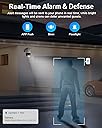
- Smart Person/Vehicle Detection & Real-Time Alarm: This PTZ wifi camera can intelligently identify people and vehicles and send you real-time and accurate alerts. No need to worry about animals, insects, fallen leaves, etc. triggering alarms, allowing you to focus on the real threats. You can also customize detection areas, sensitivities and schedules, greatly reducing false alarms.
- 24/7 Continuous Recording & IP66 Waterproof: After installing a Micro SD card (up to 128GB), the wifi camera can maintain 24/7 continuous recording, and you don’t need to pay additional cloud storage fees (SD card is not included with this camera). The ptz camera housing features a rugged aluminum casing and IP66 waterproof design, allowing it to work well even in extreme weather.
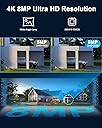
4K 8MP 30X Optical Zoom PTZ WiFi Security Camera Outdoor It's an ideal choice for those who demand the best in security and surveillance, ensuring that you can monitor your surroundings with clarity and confidence.4K 8MP Ultra HDYou can record in 4K (3840 x 2160) resolution to see all the crisp details. Reliable camhipro app that allows you to view videos anytime, anywhere.Color Night VisionThe night vision distance is up to 100 ft, giving you a clear image even in the dark.355° Pan &90°Tilt _- Cover Every Corner 360°all-round monitoring, one ptz security camera replace several fix lens 4k wifi security camera outdoor.2.4/5 GHz Dual-Band WiFiSupports 2.4Ghz and 5GHz dual band Wi-Fi, which provides stronger signals and faster transmission.Auto-Cruise & Human TrackingThe 4k ptz camera outdoor can cruise and track human at any position you preset.Identify Real ThreatsBuilt-in AI sensor, support human/vehicle detection, optional detection area.Warn off the IntruderFloodlights and sirens are activated as soon as the ptz camera outdoor wifi detect suspicious motion.Focus on What Really MattersYou can draw the area you want to detect in the app and receive alerts only for important areas.Quick View of Important MomentsFind or download important moments is made easier with smart filters and timelines.Professional Security Surveillance24/7 continuous uninterrupted video recording, to protect the safety of your family and property.Real-Time ConversationReal-time speak with anybody in view of the 4k 8mp security camera, a helloto friends or warn intruders.Multi-Users ViewingYou can view up to 4 surveillance screens at the same time and share the wifi outdoor security camera with your family.IP66 WaterproofThe wireless ptz outdoor camera can work perfectly in severe weather such as heavy rainstorm and sun exposure.
Review: Avoir plus d'information pour la procédure d'activation. - Difficile à activer.
Review: Camera is High Quality With Most Of The Bells And Whistles - Lets be honest. The real reason this camera is this expensive is because of the 30x zoom, the long distance night vision, and the human tracking capabilities. All three of which this camera excels at. The night vision has three setting options: 1)"COMMON VISION". This is the typical color during the day and black and white IR night vision that is found in most security cameras. With the exception being that when you are zoomed 30x the area is lit up nicely from pretty far away. It has the option for the IR LEDs to be "ON", "OFF", or "AUTO". In my case "AUTO" seems to do well at changing from color during the day into black and white night vision at night time by it's own sensor. 2) "COLO NIGHT VISION" I believe is just missing the "R" so it's "COLOR NIGHT VISION". Which honestly is kind of funny to me because I have been using security cameras for a while now and the "high end" versions really do have "COLOR NIGHT VISION" with clear pictures in color at night without the use of LEDs. But this camera doesn't have that. Technically I can see them getting away with calling it that. Because you can see in "color" at "night" but this is achieved by using a very bright white SPOT LIGHT. I think it would be more accurate to call this "SPOT LIGHT VISION" instead of "Color Night Vision" I don't think I would leave this setting on all night, (if you do use it at all) because I could see it getting very hot if you use this light for too long. If you are trying to be discrete about tracking at night time this setting will not work for you. It will look like the spot lights outside of the Academy Awards or something. 3) "INTELLIGENT NIGHT" This setting is supposed to automatically switch between "Color Night Vision" and "Common Vision" based on what I'm not really sure. It seemed to be a bit buggy when I was testing it. I would not be tracking any movement but the camera would randomly switch modes even though I could see nothing in the view that could have caused it to switch. Also there is a couple of seconds where the picture is unviewable as the camera is switching from one mode to the other. So that is annoying. Especially when I could not see why it was changing to begin with. I find that using the "common" mode worked best for me. I've used lots of PTZ cameras before and many of the expensive ANALOG models use controllers to do the steering of the camera. There is a joy stick and it's just like playing a video game. The way those hardware controllers are set up you can use one controller to control over 200 cameras. Which is great. But if you have a lot of cameras on one controller you have to have a cheat sheet nearby so you can remember which number is assigned to which camera. I never liked that. It also has presets that you can program by using the "GOTO" "SET" and "DEL" buttons. This camera I believe could work with those type of joy stick hardware controllers, but it's not required, because the software they provide has a digital "Controller" as part of the software that does all of the moving of the camera and zooming in. The thing I am not fond of is that there are some settings that you need to be able to access for the camera that can only be accessed by using special "PRESET" "CALL" "CODES". For example: Setting the camera to start auto tracking when a human is detected in the camera. It's not on by default. And you have to use one of the preset codes in order to turn it on. It would be ok if the software would allow you to change the name of the preset numbers to easily identify which preset did what. But it doesn't look like you can do that. It's just labeled "Preset001", "Preset002" etc. So you have to remember which code does what. I wish there was just a toggle switch in the settings where I could turn these features on or off without having to use the call buttons. There are some settings you do have to toggle on in order for the camera to start tracking humans or vehicles. But even after toggling them on you still have to activate it using the code in the presets. So keep a cheat sheet nearby with all the codes that are preset into the software or if you are like me you will never remember that preset467 is what you want to make the camera do the hula dance. (I got Jokes) HUMAN TRACKING works incredibly well. I am actually quite impressed. There must have been a jump in the tech for this because in some of my previous PTZs that had auto tracking it could not keep up with people slowly walking. And the tracking was only panning left and right but not in and out or up and down. But amazingly this camera can not only follow people who are in the target area. But it also zooms in on them to give you a better view of what they are doing. It can zoom in and out perfectly so that I can see the maximum view of the person in the shot. It does well when a person walks behind a tree the camera instantly picks them back up on the other side of the tree. It continues to track them until they are out of the view of the camera then it waits a few seconds and returns back to it's start position. Once or twice it got a little confused and thought the fire hydrant was a person but when it didn't move at all the camera quickly re-found the correct target and went on tracking correctly. VEHICLE TRACKING- So I expect in certain situations this feature might be very helpful to some people who need to track vehicle movement. When I tried out this setting the camera immediately put a dot on each of the cars that were parked in my driveway. But it stayed locked on those parked cars. So for my use i don't see myself using this feature. 30X ZOOM For most home security users this 30X zoom will be more than they will ever need for their purposes. For parking lot security or wide open spaces like a ranch or something the 30x Optical Zoom is great. But that is where it ends. You will only get the 30X Optical magnification as far as I can tell. I was under the impression that this camera could be used with Alexa. I haven't looked for a skill yet to enable me just asking Alexa to "show me the front door cam" or something like that. What I did confirm is that it is compliant with most "Browsers" so I can see and also use the camera controls on the webpage if I punch in the correct IP address for the camera and then enter my credentials. This includes "Chrome", "Firefox", "Brave", "Safari" and to a certain degree "desertcart Silk". Using my "Echo Show" with the silk browser allowed me to view the control page and the settings for the camera. And once I lowered the resolution to the lowest possible setting the picture showed up on the Echo Show. I was unable to get the camera controls to work using the desertcart device. But if you already have it set to automatically track people it will show you the camera view on the screen. I haven't tried my Fire TV yet. But hopefully it works with that as well. ONVIF also works great with my DVR. Once I had the correct IP address I was able to easily connect it for recording to the dvr. Most of the viewing I do is on my computer using the software they provide. I wish I could use my mouse on the picture to click and drag the PTZ function of the camera. And using the mouse wheel to zoom in and out would also be a big help. All in all this is a great camera. This is one of the best cameras I have purchased on desertcart. Obviously I will never find a camera that has EVERYTHING I WANT but this camera has more than any of the othersI have tried. Thank you. UPDATE: It's been about two and a half years since I got this camera. I have to say I did purchase a couple of different cameras between then and now and I'm sorry I did. This is hands down the best ever camera I have purchased from desertcart. It is the ONLY CAMERA that I can get to do ACTUAL TRACKING of pedestrians. AND ACTUAL ZOOM TRACKING. It is incredibly accurate. There is a fire hydrant that gets identified as a person more often than I would like but it only sits there for a few seconds and then goes back to home position. The AUTO TRACKING is so so so important. You can't always be sitting there at the controls of your PTZ controller to move the camera so that people stay in the shot. Suprisingly I have found that this is the only high end version camera without going to the next level of HIKVISION or DAHUA that does AUTO TRACKING CORRECTLY. Then believe it or not Citronics (budget camera) also does pretty well. But with limited zooming capabilities. I LOVE THIS CAMERA. I will probably purchase either this one or the same branded camera one with slightly higher zoom for my next camera. THANKS AGAIN.