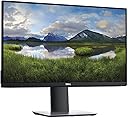
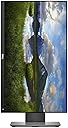
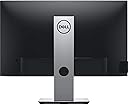
🚀 Elevate your workspace with vibrant clarity and ergonomic mastery!
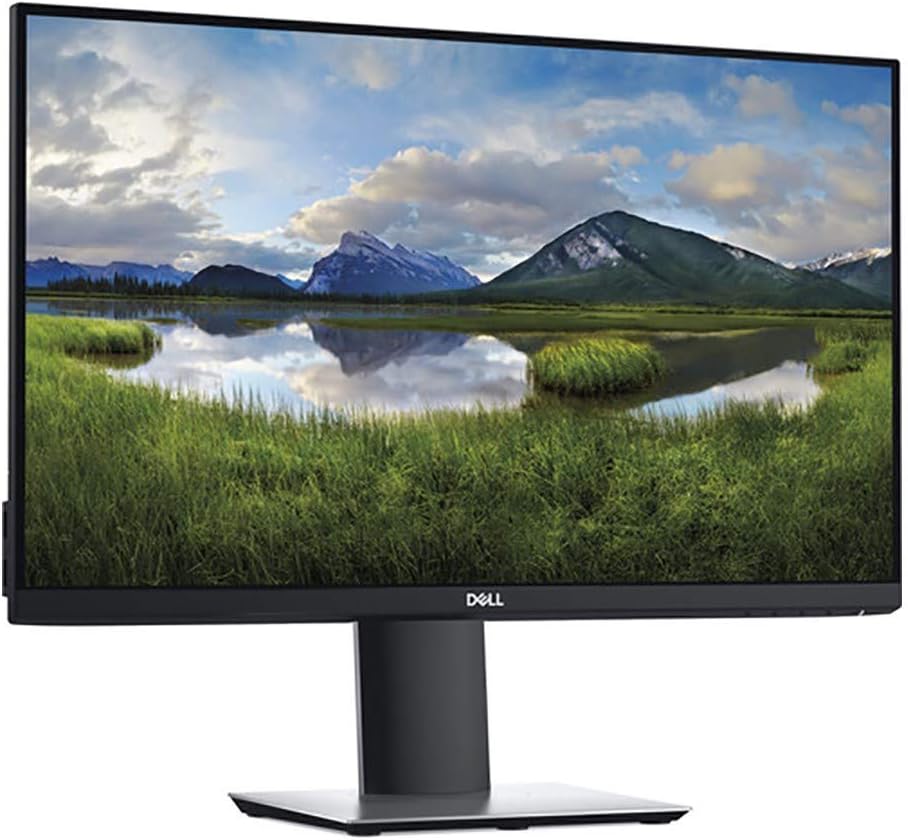
The Dell P2419H is a 24-inch Full HD (1920x1080) LED-lit monitor featuring an IPS panel for wide viewing angles and vibrant colors. It offers versatile connectivity options including HDMI, VGA, and DisplayPort, along with ergonomic adjustments like height, tilt, swivel, and pivot. With an 8 ms response time and a sturdy premium design, it delivers reliable performance ideal for professional environments at a budget-friendly price.


| ASIN | B07F8XZN69 |
| Aspect Ratio | 16:9 |
| Brand | Dell |
| Brand Name | Dell |
| Colour | Black |
| Customer Reviews | 4.5 out of 5 stars 7,277 Reviews |
| Display Technology | LED |
| Global Trade Identification Number | 00884116305569, 05397184092392 |
| Hardware Connectivity | DisplayPort, HDMI, VGA |
| Has Color Screen | Yes |
| Is Electric | Yes |
| Item Type Name | monitor |
| Item Weight | 7.19 Pounds |
| Manufacturer | dell |
| Maximum Display Resolution | 1920 x 1080 |
| Model Name | P2419H |
| Model Number | P2419H |
| Mounting Type | Wall Mount |
| Native Resolution | 1920 x 1080 |
| Network Connectivity Technology | DisplayPort, HDMI, VGA |
| Resolution | FHD 1080p |
| Response Time | 5 Milliseconds |
| Screen Finish Type | Flat |
| Screen Size | 24 Inches |
| Screen Surface Description | Flat |
| Series Number | 24 |
| Specific Uses For Product | Business |
| Total HDMI Port | 1 |
| Total USB 2.0 Ports | 2 |
| Total USB Ports | 5 |
| Total Video Out Ports | 1 |
| UPC | 884116305569 884116366201 |
| Viewing Angle | 178 Degrees |
| Voltage | 240 Volts |
K**2
Dell P2419h LED 24" Monitor
One of the best LED Monitor out there in the market Pros: 1. Arrived in very good quality packing. 2. Simple and ease of assembling the monitor and stand. Lightweight. You will get a page of detailed instructions on assembly inside. 3. One power cable, DV cable and USB upstream cable included. 4. The monitor has high grade HD Picture quality. No flickering or any disruptions. 5. The power cable can be directly attached to the back. No extra DC convertor pack required. 6. Multiple input options such as HDMI, DV and VGA 7. 4 USB downstream ports which can be used by connecting the supplied USB Upstream cable from any USB port of your laptop/computer to the upstream port on the back of the monitor. Very convinient if you need to plug in extra USB devices. 8. Nice viewing angle. Anti Glare. 9. Can use Dell Display Manager software application to adjust the settings from Windows OS. 10. Auto detection of source connected or you can select manually. Cons: 1. No VGA cable included in the package. 2. The adjustment switches are too small in the front, you barely feel it when you go over them. 3. No sound output since there is no speakers present in the monitor. 4. No 3.5 mm sound output connector at the back. If you are connecting an HDMI cable, there will be no option to play the sound carried by the HDMI cable. You have to connect a separate source from the sound source itself. I have selected a different source for audio from my laptop through 3.5 mm slot. 5. A bit higher on the cost side. While you can find competitor models at lower prices than this monitor. Overall judging by the performance and quality, it is a nice addition to your workstation.
S**I
The best quality 1080p monitor for the budget, reviewing after 1 month !
This is the best! I was pretty skeptical before buying this at the price of rs.13,900 but it is a bang for the buck! Read till the end for a helpful & important tip if you are gonna use HDMI cable for connecting this monitor Pros: The picture quality is truly awesome! The monitor stand is very sturdy and premium Their is almost all possible adjustments for the stand - tilt, height, swivel, pivot There is almost no backlight bleed More than enough brightness for clear visibility Minimum ghosting Good response time 24inch panel is more than enough for me! Budget friendly High Quality premium feel!! Truly this monitor looks and feels premium Cons: Only 60Hz refresh rate (though I am not a gamer!) GREAT TIP: If u are gonna use HDMI to connect this monitor to PC having NVIDIA GPU Go to Nvidia Control Panel software Navigate to Display>Change Resolution Then scroll down and select "Use Nvidia color settings" SET "Output color format"= RGB , "Output Dynamic Range"=Full then APPLY and you will notice a hell and heaven difference! Thank me later friend!! I'm really very very impressed with the monitor!!!
V**I
Best professional monitor with built-in USB dock
The best monitor for professionals and gamers. I am a CAD engineer and graphic artist both and this monitor is best for me. Dell's software, Dell Display Manager, makes it quite convenient to arrange different windows on the screen with various arrangement patterns available. The USB ports driven by a USB upstream cable makes this monitor a USB docking station as well. You can attach 4 USB devices to it. it makes it very convenient, you don't have to plugin/out 4devices everytime, but just one upstream cable. The adjustable VESA mounting stand with proper gromet hole for all cables is just perfect! The only thing I miss here is- this monitor must have had a 3.5mm audio output port. Built quality is really premium, heavy and sturdy. Makes it a really premium, professional equipment. Overall, It is a complete monitor with built in docking device, 4 star because if doesn't have a audio output, else its a 5 star device.
N**E
Awesome Product, Using 2 of these since 2020
One of the best products ever i have bought in my life. I have been using 2 of these for last 5 years, still going strong. Not a single issue. Whereas have used LG ultrawides for company use and have seen their panels going haywire after a year. Definitely a good buy.
P**R
Great monitor for work from home use. Sleek and professional office grade monitor.
Excellent monitor for professional use. I have connected it to my HP elitebook which has a tiny screen and man! What a difference. I literally asked myself why I didn’t purchase this monitor earlier. Colours are nice and sharp, text is sharp and viewing angles are really good. It also has tons of direction changing options. Without a second thought anyone who wants a solid built to last and sleek looking monitor can purchase this. It came really well packed too. The box comes with all the major cables except the hdmi one. You can use the existing DP cable if you have an older port on your computer. Overall great monitor for my work from home use. I use it for my kid’s school too and he is more engaged now.
A**R
Excellent monitor that justifies the price
Dell P2419H is an upgrade from P2417H. This monitor has decent Onscreen Display menu where you can control the inputs, brightness, contrast etc. I bought this monitor to use for programming primarily. After adjusting some of the brightness settings, it's perfect. I also played a couple of youtube videos and they looked great. So this could also be used occasionally to watch movies if you're interested. As other reviews mention, monitor comes with a Display cable, USB hub connector and a power cord. My laptop has a display port, so didn't have to buy vga/hdmi cables for connecting purposes. Product was delivered without any damage and arrived on time. Assembling the monitor was rather simple. It does come with a manual. But if you're a first time monitor buyer, you could look up an unboxing video on youtube and get a hang of it. The product I got was manufactured in April 2019. So I went to Dell website and initiated a warranty ownership transfer from the retailer to myself. You can verify whether it's registered on dell website with the "service tag" you receive with the product (it's stuck onto the package box). Considering other models and prices, if you're looking for a monitor to work on and occasionally use it for entertainment, this is the perfect choice. The product I received didn't have any backlight bleeding issue. The flexibility of the monitor is a great plus and makes it completely worth the price.
A**A
Worth the investment : An all rounder for multiple purpose
I am writing this review after almost 1 week of use and I would like to share the feedback based on my personal expectations and features based on price range. I was madly searching about a good monitor which was supposed to serve my purposes as below: 1- Coding 50% ( As I an a developer, I do spend a lot of time in coding ) 2- Video/Photo Editing 30% ( I do PHOTOGRAPHY sometimes and filmmaking too) 3- Casual gaming and other activities 20% ( I play games sometimes like Sniper elite 4 , far cry 3 and CS GO , which does not require massive GPU and refresh rates ) With Above requirements I was looking something like below specs to cater the all above purposes IPS screen , 60-75 ghz refresh rate , 22-24 inch display, AMD freeSync(for better sync with games), 1080p resolution(for better clarity of text while coding), Good color reproduction(srGB 90%+ / NTSC 70%+), Ports(hdmi) I did find few options like LG, ASUS, SAMSUNG but all of them had almost same specs. then I found DELL P2419H and when I compared it with all the options it stood out of all even though with slight more cost. What I liked about this? 1- DELL being a robust LCD panel manufacturer and great after sales support. 2- Dell monitors are heavily used over corporate offices for all sort of purposes hence it has got great feedbacks and improvements over the year , so it is quite stable product 3- This model has massive positive reviews in both amazon and flipkart 4- This model has unique features like Adjustable stand , tiltable and a stand that has cable management option 5- It really has true color callibaration (not too much saturated like samsung, or not less ) 6- It has 75 ghz refresh rate which is enough for my gaming purposes(not for high end games) 7- It has got nice Monitor settings and easy customized buttons for quick functions 8- Amazing brightness ( I use 20% as it has enough brightness as I work long time so I dont want to strain my eye with more brightness) But I switch to gaming,movies modes when I need to for perfect brightness setting 9- One of the best selling point of it is ports. It has 1 HDMI, 1 Display port(which nobody provides in 10-12k range), 2 usb 3,0 ports, 2 usb 2.0, 1 usb upstream port, 1 VGA. The best part is display port can be a great help for faster data display and due to its USB options u can use external mouse and key board along with pendrives or harddrives without having to be dependent with computer, as many laptops now a days have less usb ports , macs pc even do not have at all. SO it gives a great USB hub feature built in. NOTE: to make USB ports work, please use USB upstream cable provided, and insert it to one of the usb ports in computer else usb ports in monitor won't work ( commom issues by customers) CONS: 1- It does not have freesync where all of the models provide in this range. ( but this does not matter as this monitor is not meant for heavy gamers, for casual gamers as I mentioned names above , it does not require that sync as 75 is enough for that) So far I am really happy with performance and look is sexy, the borders are almosr bezelless . HIGHLY RECOMMENDED FOR: PROGRAMMERS, VIDEO EDITORS and CASUAL GAMERS! NO SCREEN BLEEDING ISSUE FOUND AND THESE NEW STOCKS ARE ALMOST COMING WITHOUT ISSUE OF SCREEN BLEEDING SO CHANCES ARE VERY VERY LESS.
T**Y
The Perfect Monitor For Work!
After 3 weeks of extensive effort I found this one to be the most appropriate Monitor for work. I am a full time developer, and I use this Monitor with my laptop. Good Things: 1. Amazing Display 2. Perfect Size 3. Minimal Bezels 4. 2 x USB 3.0 5. 2 x USB 2.0 6. 1 x Display Port 7. 1 x HDMI 8. 1 x VGA 9. 1 x USB upstream Outstanding Things: 1.Rotating Display: The display rotates on the stand, you can use it in Portrait Mode while coding or viewing logs 2. USB Hub: You can use all the USB ports on your screen as hub, you just need to plug the upstream cable from Monitor to your PC, after that all the USB ports on the monitor will work as if they were on your computer, just awesome 3. Adjustable heights: You can adjust the height by sliding the display up/down on the stand 4. Adjustable angles: You can tilt the screen forward or backward 5. You get this at around 12k 6. 5-8 ms response time Bad Things: Couldn't think of any so far, I mean the features you are getting at 12k INR for a 24Inch Full HD monitor you won't even find one product with such amazing offerings. Gaming? Games work perfectly for Beginner to Medium level players, as it is not a gaming monitor, it will be unfair to expect g-sync/free-sync and high refresh rates! Conclusion: Just go for it.... Warning: If you are planning to buy LG Ultra gear or similar gaming monitor, please beware that those are not good for purposes other than gaming. If you are hardcore gamer, LG Ultragear is THE BUDGET MONITOR, but only for gaming.
G**N
Excellent service.
Excellent service from Steve at PC Line! There was an issue with one of the screen not working correctly, and he organised a return label and shipped another one next business day. Very much appreciated. Highly recommend this supplier.
J**H
Good quality monitor so far (first impression only)
Out of the box... Contents include: • The monitor & stand parts (easy to assemble, screwdrivers weren't needed) • UK 3-pin power cable/plug (C13 IEC fitting in monitor side, cable approx 120cm long) • 1 display-port to display-port cable (170cm long end to end) • 1 USB type A (PC end) to USB 3.0 type B cable (approx same length as display port cable), • Installation and help chart (one side of A4) and safety guide Political: • Made in China Ports (same as description obviously): • Power cable connection IEC C14 • 1 DisplayPort • 1 HDMI (although HDMI can carry sound, this monitor does not have built in speakers or a headphones port) • 1 VGA • 1 USB 3.0 Type B (connects to PC for extending your USB ports only, this is not a touch screen) • 4 USB type As (for connecting more peripherals,. 2 at the back and 2 at the left side) Packaging: • Sometimes people do complain about monitors having dead pixels or backlight bleeding on arrival, so in case you're wondering, they don't use bubble wrap or polystyrene protection, instead they use cardboard folded into protective shapes, but the monitor does feel solid and good quality and as you'll see from my first impression below the monitor worked perfectly. First impressions... Very good monitor, good crisp image and backlight looks even across entire screen. The good Lord has ensured I received a unit with no dead pixels so this is a very beautiful monitor. I've rotated my monitor portrait, you can rotate it either clockwise or anticlockwise whichever is more suitable for where you want the cable and buttons to face, (rotating it may make the side USB ports impractically positioned). You have to change orientation in your PC display settings, it does not automatically match the rotation of the monitor (this is standard). The screen face has a flat design that is not inset behind a frame which makes it look a bit more modern and the screen is closer to the edge, useful if you are connecting multiple displays. Although I'm not using the USB port extension (I positioned monitor too far away and have enough on my PC) I did test it, able to connect my mouse and also charge/tether my phone through it so first impressions seems it's as good as the USB ports in the PC itself. Although the pictures don't show this, the hole in the stand is for threading your cables through, with minimal stretching when rotating the display. As well as rotating landscape/portrait (z-axis) you can also adjust the vertical height and rotate slightly up or down (around x-axis), and the stand arm rotates at the base, (around the y axis). UPDATE (after a couple of months of usage, I intend to buy another one) Still works fine after a few months of using the product, no issues. I have the monitor next to my TV which is the main screen, the colours are slightly more vibrant/bright on my TV (games and pictures look more colourful on my TV), although discerning shades of colour is better on the Dell monitor (because my TV doesn't always show distinctions between lighter/darker colours very well). I'm soon going to buy another one of this monitor to replace my TV which is now starting to show dead blotches on the screen and it's spreading, some sort of LCD leprosy.
J**O
Excelente monitor
El monitor es estéticamente muy agradable, tiene un bisel muy delgado y la calidad de imagen es excelente. La base que trae es otro punto a favor porque permite montar el monitor muy fácilmente (sin necesidad de herramientas) y deja subirlo, bajarlo y rotarlo 90°. Lo único negativo es que no incluye el cable HDMI. Viene con un cable displayport y uno USB de subida para poder utilizar los puertos USB que tiene como si fueran los de tu computadora. En general es un muy buen producto y estoy muy satisfecho con la compra.
K**U
プレゼント用
大学生の息子へのプレゼントで購入。ゲーム用やチャット用で喜ばれました。
A**O
Eccellente.
Eccellente.
Trustpilot
2 weeks ago
2 weeks ago