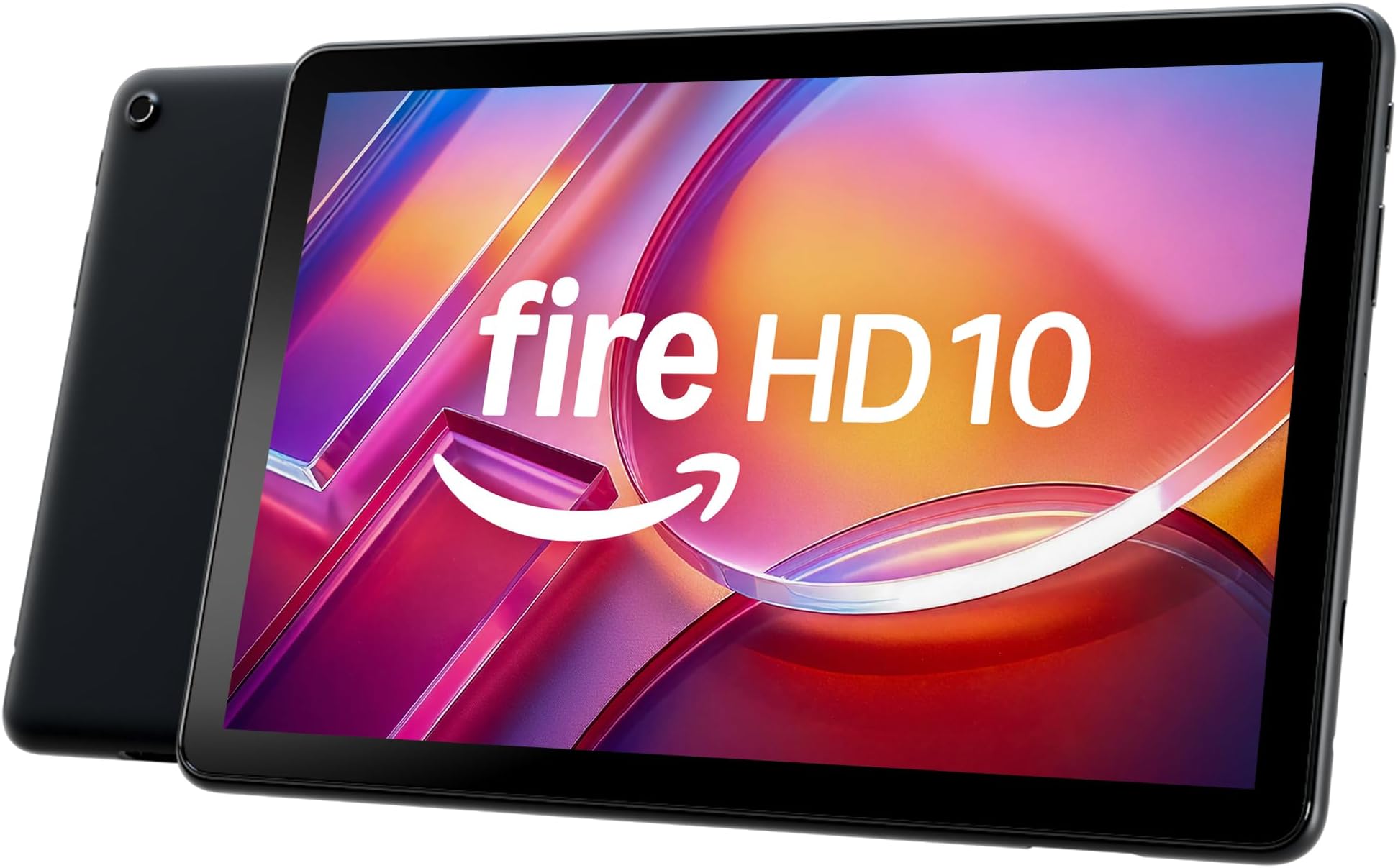
Amazon Fire HD 10 tablet, built for relaxation, 10.1" vibrant Full HD screen, octa-core processor, 4 GB RAM, 32 GB, Black
Product ID: 857060686
⚡Octa-core processor, 25% faster
📺10.1" Full HD vibrant display
🔋13-hour all-day battery life
Desertcart purchases this item on your behalf and handles shipping, customs, and support to Thailand.
🔥 Elevate your downtime with Fire HD 10 — where power meets play! 📱
The Fire HD 10 tablet features a vibrant 10.1" Full HD display, a lightning-fast octa-core processor with 4GB RAM, and a long-lasting 13-hour battery. Designed for durability and portability, it offers enhanced performance for streaming, reading, gaming, and productivity. With expandable storage, smart tools, and family-friendly controls, it’s the perfect device for professionals seeking seamless entertainment and creative flexibility on the go.
S**.
Great Fire tablet for a great price
This is our 3rd fire tablet and I got the Fire HD 10 at a wonderful price. The screen size is perfect for reading, gaming, social media and movies. Setup was snap, took me less than 5 minutes to get through wifi, email and preferences. After the update I downloaded some apps and the operating system did not lag or glitch. Swiping and touch screen sensitivity was flawless. Very suitable for kids, you can setup them an account as well with parental controls. Have Alexa, this is perfect for you. We have had them for months, they are very durable. Battery life is great and no one here has 1 complaint about the tablet. I even use mine in the garage with Bluetooth for my speakers. So many options on what these tablets can do.
W**T
Great for school, fantastic value, and a pleasant surprise with old accessories!
I picked up the newest Amazon Fire HD 10 tablet for my 11-year-old daughter, and it has been an absolute winner for us. I managed to score a solid discount by taking advantage of Amazon's Trade-In program. If you have an old or sluggish device sitting around in a drawer, I highly recommend going that route to save some extra money—it turns an already affordable tablet into an unbeatable deal. As for performance, it's a highly capable device. The 10.1-inch Full HD screen is bright and vibrant, and the octa-core processor keeps everything running smoothly without annoying lag. My daughter uses it constantly throughout the day for both her schoolwork and leisure time. Whether she's typing up assignments, streaming videos, or just browsing, it handles it all perfectly. Since we already use Kindle readers in the house, this tablet makes a fantastic companion device for managing our digital books and media in one convenient place. One thing that genuinely surprised me—and saved me even more money—was the case situation. We still had a Bluetooth keyboard case from the previous generation Fire HD 10, and I fully expected to have to buy a new one for this upgraded model. Surprisingly, the new tablet actually fits into the older case! It’s a very slightly loose fit compared to the old tablet, but it holds it well enough and functions totally fine, which completely saved us from having to invest in a brand new keyboard cover. That was a massive bonus. I’ve never looked back when buying Amazon-branded hardware, and this Fire HD 10 is no exception. It’s reliable, incredibly versatile for a middle-schooler's daily routine, and offers amazing value for the price. Highly recommended!
L**G
Amazon Fire HD 10 (13th generation) tablet
I have an 11th generation Amazon Fire HD 10 and I wanted a newer version of a tablet. Not necessarily Amazon. I did my research and didn't make a decision for a week or so. I decided to stick with the same tablet just the newest model bc I had zero issues with my older one and I had it for years. Plus, I subscribe to Kindle and I shop on Amazon often. It just made sense. I will "warn" you in case you don't read everything, you CAN'T download any app that you want on this product. The ONLY Playstore is Amazon. Nothing else. That might not be good for a lot of people. These are the apps I use and have been able to download onto this tablet: OneNote, OneDrive, Instagram, Facebook Lite, Zoom, Sirius XM, Hulu & Netflix. Of course, you can download other apps. I recommend a quick Google search to see if the apps you want can be downloaded onto this tablet. On the 11th generation I was able to download Tidal, it's a music app. It's not available on this one. Why? I have no idea. There are features that I absolutely love. It is much faster than the 11th generation and it turns on a lot quicker. You can do split-screen with 2 windows. I use that all of the time. I read my Kindle books. I want a Kindle but the screen is too small. This works great for reading. It has a dark mode setting which I use for everything & you could use when reading so it's not too bright at night. The price, for me, was a little high, that's the only reason I didn't get the Amazon Fire 11. As far as the ads go, DO NOT pay for No Ads. The ad is literally when you first turn it on or after sleep mode and you "wake" it up. It doesn't bother me at all. The weight is a little lighter than my previous one. Set-up was quick & simple. Battery lasts forever. I played music for about 4 hours and it didn't need to be recharged after. The sound quality is amazing. The picture is amazing. Crisp. Clean. Vibrant. You can tell its built with good quality products. It's not cheaply made. It would be great for kids too. They would have fun watching movies or playing games on it. Honestly, it has everything that I need. I don't do anything major on it or use it for hours a day. I might use it one hour a day or not at all for a day or 2. If you need something for work or to download any app possible this isn't the tablet for you. It's perfect for me, that's why I bought a newer version. I have zero complaints and absolutely recommend the Amazon Fire HD 10 (13th generation) tablet.
J**L
Good crippled Android tablet
It's a good product, although it's frustrating that Amazon takes an Android tablet and cripples it to make a Kindle Fire. I would love to be able to have the other apps that I have on my phone on here as well without having to do the crazy back-door methods I've seen online, but there's just a very limited number of apps ported over to Kindle's locked-down OS. That's easily my biggest gripe: knowing that it could easily have access to all the apps I normally use, but doesn't because Amazon deliberately made them inaccessible (without a lot of work). It is nice for reading my Kindle books, though, which is admittedly the point of a Kindle... It also worked well for downloading and watching a Prime movie on a flight. Of course, the lockdown forcing you to use Amazon on the Amazon tablet is part of why I got it so much cheaper than comparable uncrippled Android tablets, but still annoying knowing they had to o extra work to disable features built into the underlying Android OS. Battery life could be better, but it's not bad. It takes ALL day to recharge. My old Kindle was one of the early eInk readers, so no color, no movies, etc, but the battery would last forever. Not so here, but that's the tradeoff we make. It's a good size for reading, and could be a good size for writing and drawing if you can find some decent drawing apps in Amazon's very limited library. Amazon does put a bunch of bloatware on there, which is my 2nd gripe. The Silk browser seems to work well, and surprisingly, ran one of my engineering apps pretty well when I was at a conference recently. I do wish it had a microSD port though. That would be nice for being able to easily have photos on it. But otherwise not bad for the price.
E**N
Perfect for reading books. It has the Kendal app.
I love my Kendal Fire iPad. It is easy to read on and fits many books in the memory. It is a little heavier to use than the little Kendall book reader. But I’m used to the weight by now. I love that I can have other programs and other apps on the iPad. I can use it for many things. But the main reason I use it is for reading books and I have absolutely loved it. I even put my Bible on the iPad. It is so convenient. While I’m reading my other books, I remember to read my Bible each time. It has been a true blessing. I would buy this again.
M**H
Amazing tablet for entertainment use
I bought this tablet because I was going back and forth on. Did I really need a tablet for my cozy hobby room? Truth is yes I did. I have a great app and I also put on a Stihl classics planner and let me tell you it has been so much fun. It downloads perfectly fast for me. Some people said that it didn't download that they were having problems loading or that the picture was not as clear as they would want. Now sometimes like if I'm watching YouTube sometimes the video is a little fussy. It isn't as clear as as if you were watching on a TV, but it's pretty darn good for its size. I absolutely love the size. It's a little big and obnoxious yes to some people but for what I'm using it for there's nothing really obnoxious for me to say about it because I write on it. I read on it. I love that it has a built-in Kindle I've already put. I don't know how many books on here and I'm so excited because I was able to get a lot of the books that I have had in my list to buy as physical books. Now I have them on my Kindle and they were way less cheaper which is awesome. So I have reading material which I'm totally excited to start my reading goal for 2025. It charges super fast. Let me tell you it is super super fast what else it is sleek it is thin it. The volume was great on it. The power button works great. The only thing that I would say that isn't great about it is the advertisements when you first turn it on and use the slidescreen. I'm a little annoyed by that that you have to pay a $15 fine or fee on it. I mean we already have bought the tablet for what $119 or $130 to some of us or if some of us were really lucky during Christmas time we got it for $79 well me I paid $139 for it. I think the the advertisements should be waived if you pay the full amount. I'm just saying that I'm a little annoyed by it. Every time I turn it on. There's an advertisement that doesn't really you know concern me. I don't like that. I like to be able to turn it on and see my own home screen but I will be taking it off for sure. I will be paying the $15 sadly. But $15 I guess is not so bad. But like I said, if you're paying a hefty price for the tablet already, you should get the the advertisements waived already. Just saying that's the only thing that I would say. That is kind of annoying to me but everything else about the tablet is super fast. It's easy to connect to your internet and I haven't had any issues so far. I'm just very excited to be using my tablet and using it for whatever I need and take it wherever I need to go. So definitely would recommend but also watch out for the ads on the lock screen. So beware. This is March 29th and I still love this tablet. It has gone everywhere with me. I leave it on during the night unplugged till the early morning where it it's at 54% battery in an 8 hour sleep. Also would like to add that you can get Google Play, just google it and follow the step by step on Youtube. I was able to all my apps thst were missing on The Amazon app store. Getting the Google Play app has really made my enjoyment better with the Fire Tablet.
T**T
Very nice item for the price.
Love this IPad. It is so clear and has the brightest colors. Easy to set up.
F**C
Got 2 new 64G tablets and have used, test them fully. All you need to know...
PRICE POINT: The price point for a tablet of this caliber is very good considering it is a 64G. Comparable units are either more expensive, have less clear screens and features, or are made of cheaper materials. I recommend to make this a great product; a longer C cord and a protective Folio cover. A c cord runs about $10 and folio $15-25. 13 HR BATTERY LIFE: *FAIL* - can be solved with a new, longer C cord then it is VERY GOOD. 2 new 64g tablets were bought for my kids just 2 weeks ago so they would have the best version with the most storage space. The intended use is for entertainment and their school app. I ensure they are charged fully daily, which takes a few hours. They do about 1.5-2 hours on it before it dies from a fully drained battery. They do not watch tv or Youtube on it, just access apps like school and a few game apps. This is a problem because they were bought because it said it has a 13-hour battery life, but it doesn't so I then have to have it spend 4 hours charging again so they can do more on it. This is an annoying big problem because we have to do school work on it that takes more than 1.5-2 hours in a day to do, which means they need to stop working on what homework they are doing and wait several hours to resume using it when the battery is recharged. This doesn't do the job because of the poor battery life. In the course of a day, the tablets each get charged 8 hours and get used under 4 hours if we don't use a longer cord and keep it plugged in during use. Not a great thing if you need to use it on its own like it is intended or how the ad states you can for 13 hours. I did not care for fact I needed to get 10 ft C cords so it can stay charged while my kids used it. The cord that comes with it is small, so much so that I can't plug it into a wall and have it rest on my desk. If you need this for games in the car, I recommend getting an auto charger with a very long C cord. If you need this to be charged more than 2 hours max, then get a very long C cord. They make them in 10-foot range for like $10. IF you want to charge it then use it the next day, you need to turn it off first by powering down the unit. You cannot just turn the screen off to standby (not powering it down totally). It will drain the unit. Most tablets don't do this and actually have a longer standby battery life, which is why I mention this. If you aren't gonna use it, just power it off is the point. PARENTAL CONTROLS: *OK* I like the parental controls make it so kids cannot charge things on the tablet but even though I set it so they cannot download other game apps on it the tablet still allows them to. Why add the feature and make us go thru the process of that setup if it doesn't work? This is not a problem though because even if they download more game apps, they still can't charge any purchases. I do have to go in there every few days to ensure I remove the ones I don't want them to have. The directions how to setup the tablet for a child and block purchases, make account changes for the kids, and how to do things you want to is not clear at all. I had to watch YouTube videos because instructions in and with the tablet were nonexistent or horribly unclear. GRAPHICS AND TOUCHSCREEN: *VERY GOOD* The touchscreen is very responsive and the clarity is extremely clear for graphics. It looks sharper than my 4k ultra HD TV and my Macbook. I am very impressed with the graphics. SAFETY: The tablet is made less flexible than some, but still has a bit to it. I would not own this tablet unless it was used with a protective cover you slide it into. The one we have is very good and you can use it as a protective cover when closed or open and it props up too. I very much recommend this case for this tablet. It is made better than any other case I have tried. It fits my iPad and my daughter's 10"kindle. It is called a Fintie Folio Case for All-New Amazon Fire HD 10 and 10 Plus Tablet (13th/11th Generation, 2023/2021 Release) 10.1"
Trustpilot
2 weeks ago
5 days ago