Buy anything from 5,000+ international stores. One checkout price. No surprise fees. Join 2M+ shoppers on Desertcart.
Desertcart purchases this item on your behalf and handles shipping, customs, and support to Thailand.
🚀 Elevate your workspace with power, speed, and stunning visuals — don’t get left behind!
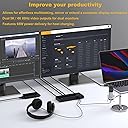
The WAVLINK Universal USB-C Laptop Docking Station is a powerhouse hub designed for professionals demanding high-resolution dual monitor support (up to 5K/4K@60Hz), 65W laptop charging, and versatile compatibility across Windows, macOS, Chrome OS, Ubuntu, and Android. Equipped with 6 USB 3.0 ports and a 1Gbps Ethernet port, it ensures fast data transfer and stable network connectivity, making it the ultimate all-in-one docking solution for multitasking millennials who refuse to compromise on performance or style.


| ASIN | B07JHZX4GH |
| Additional Features | Powered |
| Best Sellers Rank | #19,638 in Electronics ( See Top 100 in Electronics ) #292 in Laptop Docking Stations |
| Brand | WAVLINK |
| Color | Dual 4K Dock with charging |
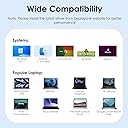
| Compatible Devices | Apple Macbook Neo/M1/M2/M3/M4/M5 and Intel Macs (with macOS 10.14 or later) /Microsoft Surface line/HP Spectre x360 series, /Dell XPS 13 & XPS 15 / Latitude, Lenovo Thinkpad T series. Latitute 7280/ Latitude 5310 2-in-1; Precision 7730/7750; Laptop 5590, HP Spectre Laptop 13-af001TU/ Spectre x360 13t/ Spectre folio/ Specter x369; Elitebook 840 G5 series/ Elitebook X2/ Elitebook x360 1030 G3/ Elitebook 745 G6/ Elitebook 830 G6/ 2018 HP Elite 800 G4; Envy Geforce mx250/ Envy x360 Laptop (15z-ds100); Z book 15u G3/ Zbook 17 G4, Lenovo Yoga 720-13IKB/ Yoga 730/ Yoga 900-13ISK/ Yoga 910/ Yoga 920/ Yoga 930/ Yoga 940-14IIL; 3rd generation Thinkpad Yoga; Yoga15 Thinkpad Ultrabook Pro; Thinkpad E590/ Thinkpad P72/ Thinkpad T470/ Thinkpad X1 Carbon; Legion Y530; Lenovo C930/ T480s/ X390/ 81N8, Microsoft Surface Book 2/ Surface Go/ Surface Laptop 3; Surface Pro 7,Huawei Macbook Mate10 or later; Google Slate (2019); Chromebook C340-15; SanDisk Cruise Glide; Razer Blade 2017 (gtx 1060); Pixel book go 2019/2020 Compatible Devices Apple Macbook Neo/M1/M2/M3/M4/M5 and Intel Macs (with macOS 10.14 or later) /Microsoft Surface line/HP Spectre x360 series, /Dell XPS 13 & XPS 15 / Latitude, Lenovo Thinkpad T series. Latitute 7280/ Latitude 5310 2-in-1; Precision 7730/7750; Laptop 5590, HP Spectre Laptop 13-af001TU/ Spectre x360 13t/ Spectre folio/ Specter x369; Elitebook 840 G5 series/ Elitebook X2/ Elitebook x360 1030 G3/ Elitebook 745 G6/ Elitebook 830 G6/ 2018 HP Elite 800 G4; Envy Geforce mx250/ Envy x360 Laptop (15z-ds100); Z book 15u G3/ Zbook 17 G4, Lenovo Yoga 720-13IKB/ Yoga 730/ Yoga 900-13ISK/ Yoga 910/ Yoga 920/ Yoga 930/ Yoga 940-14IIL; 3rd generation Thinkpad Yoga; Yoga15 Thinkpad Ultrabook Pro; Thinkpad E590/ Thinkpad P72/ Thinkpad T470/ Thinkpad X1 Carbon; Legion Y530; Lenovo C930/ T480s/ X390/ 81N8, Microsoft Surface Book 2/ Surface Go/ Surface Laptop 3; Surface Pro 7,Huawei Macbook Mate10 or later; Google Slate (2019); Chromebook C340-15; SanDisk Cruise Glide; Razer Blade 2017 (gtx 1060); Pixel book go 2019/2020 See more |
| Customer Reviews | 4.2 out of 5 stars 586 Reviews |
| Data Transfer Rate | 5 Gigabits Per Second |
| Enclosure Material | Plastic |
| Hardware Interface | USB 2.0, USB 3.0, USB Type C |
| Item Dimensions L x W x H | 8.78"L x 3.15"W x 1.02"H |
| Item Type Name | Dual 4K dock |
| Item Weight | 1.32 Grams |
| Manufacturer | WAVLINK |
| Mfr Part Number | WLAM2C-UG69PD2 |
| Minimum Required Operating System Version | Windows 7 |
| Model Number | WLAM2C-UG69PD2 |
| Number of Ports | 15 |
| Operating System | Mac OS 9, Windows 10, Windows 7 |
| Special Feature | Powered |
| Total USB Ports | 6 |
| Total Usb Ports | 6 |
J**L
Versatile Dock
I was in need a dock that I could get full use out of with both my work laptop (running Windows 10) and my personal laptop (running Ubuntu). While I will be replacing my personal laptop at some point in the next year or two, I wanted a dock that would work with it until I replace it - and that meant a dock that was backwards compatible with a USB-A. There were three items that were mission critical for me: 1. USB-C connection with charging, as my work laptop has just the one USB-C port so I needed it for both power supply and dock connection 2. Supports USB-C to USB-A connection so I could use with my personal laptop. One pleasant surprise was that the dock did come with a USB-C to USB-A cable even though the description indicates it is not included 3. Linux (specifically Ubuntu) compatibility / support. The product description is a little contradictory here but this dock does support Ubuntu. I received the dock yesterday and am very pleased to say it hit the mark on all three. I've now got a dual monitor setup which can switch back and forth between my personal and work laptops very easily - takes only a few seconds to switch the cable from one machine to the other. All that said, there was some minor configuration required for both laptops. Unlike some other reviewers, the dock did not work out of the box with my work Windows 10 laptop - displays were not detected. That was a pretty easy fix, all I had to do was download the DisplayLink drivers and then install. Note for installation, I had to do a remote session with an IT colleague since it required admin rights (which I don't have on my work domain). Once that was done, dock worked perfectly with my Windows laptop. The Ubuntu setup took a little more time. I installed the drivers prior to receiving the dock, so when I hooked it up it seemingly worked great. However, when I closed my laptop lid or disabled my laptop screen, the displays had a 2-3 second lag. It became evident after a little googling that the issue is known and fairly common. DisplayLink has a patch that fixes the issue but it did require that I update to Ubuntu 20.04 from 18.04. The fix works great in Ubuntu 20.04, however I have to log out and then log back in after running the patch for it to be effective. In addition, the patch is temporary and needs to be re-applied every time the machine is restarted - not a big deal to me but could see it frustrating others. All in all, I'm extremely happy with the dock, particularly so as I found that there were not very many options that checked all the boxes I had. Highly recommend!
D**Y
Finally, a solution
I've been trying to get a dock that works with both Mac and Windows, has power delivery over USB-C, and can output 3440 x 1440 to two monitors in extend mode, over HDMI. This sounds like simple criteria.. let me tell you, it's not. I have a macbook pro for personal use and an HP laptop for work. I have 2 LG 34GK950F monitors. Both DisplayPort inputs on those monitors are already in use with my Windows Desktop. Only HDMI is available. I have gone through at least 4 docks prior to this. If anyone else is looking for such a solution, you already know my pain. Nothing worked as advertised. And technically, neither did this one, but there was a work-around. The dock would output these resolutions perfectly when connected with Displayport. 1080p, 1440p, 4k, no problems. HDMI unfortunately had problems-- It supported 1920x1080 and 3840x2160 without an issue-- but not 3440x1440. It would display, but extremely blurry and pixelated. I didn't want to give up-- not after I finally found a dock that at the very least, could support both of my monitors in extend mode in Mac OS when all others failed. I purchased an active display port to HDMI adapter... to no success. But then I realized that although the adapter supported HDMI 2.0, it was only Displayport 1.2 compliant. I gave it one more try and purchased an active Displayport 1.4 to HDMI 2.0 adapter--- SUCCESS!! I am not subtracting a star from this review because I don't believe the manufacturer could have done anything to prevent this issue. This device uses DisplayLink's DL-6950 chipset and DisplayLink's website does not show support for 21:9 aspect ratio over HDMI. For what Wavlink had to work with, they've done an excellent job. I hope my review helps someone else who has been in my same situation. Buy this dock and buy DP 1.4 to HDMI 2.0 adapters. You'll be good to go.
C**.
Second unit was the charm
The first unit worked only sporadically. It repeatedly shut down after 10-15 minutes. There is no telephone number to call for support and an email message to support went unanswered for 4 days. Because of the many positive ratings and reviews, I finally returned the unit and ordered a new one (a direct exchange wasn’t possible). The new unit is working perfectly and satisfying all of my needs (notebook computer, dual screens, usb mouse/keyboard), and a scanner, . So far (about a week after receiving the new unit) it is everything it’d hoped for. So, if you don’t need tech support, this is the unit I’d recommend. The unit itself is 5-star; I took off 1 star for the non-responsive tech support.
S**F
Absolutely wonderful customer service. Above and beyond
I purchased this product in July of 2019 as I was planning to move from a desktop based system to a laptop based system. One thing led to another and I didn't end up doing that til the middle of Dec. Well past the point of return. When hooking this up, we discovered that the 4 ports on the front of the device did not work for data transmission. They were "powered" you could hook up and charge something but if you attached a data drive, the drive was not "sensed". We think some internal device connections were not made inside the unit. As this costs quite a bit of money, I decided to take a chance and contact the seller. No problem. I did have to send the device back ist on my own dime before they would send me another one. They reimbursed me the shipping. The next day. Even before they got the original product back. The new product works as specified. All ports are working and the dual monitor function is good too. Actually I have 3 monitors. Two large desktop monitors in addition to the Laptop. One desktop serves as my main monitor and the other as a supplementary when I need it. Both are connected in through Wavlink. Now I am all set up so that my Laptop functions as a desktop system in the office with minimal hookup. I am very happy with my product and with the seller. I would not hesitate to buy from them again. They could have just blown me off and they didn't.
J**H
Worked (sometimes) right out of the box
**Update 25 Oct 2020** This sits in a drawer of my desk now. It will never be used because it plain doesn't work. Maybe if you have two very small monitors and some chromebooks it will work but otherwise I wish I could return it. I can't even donate it because I don't want to give a possibly faulty product to someone, even for free. My work gave me a targus docking station and it works like a champ. Get one of those. **UPDATE 19 Feb 2019** I originally had this at 4 stars but have dropped it to 1 because the issue with recognizing monitors has been occurring frequently. So much so that I'm looking into returning it and getting a different product. Even right now I'm watching this thing struggle with displaying one other monitor, not even two. I could get another monitor connected by just using the already available HDMI port on the laptop. If you like to play games, absolutely do not get this! If you have to use your computer to do a presentation virtually or use in meetings, do not get this at all. As I type this I realize how little it actually helps me as I work from home. Pass on and get something else. *Original review* The product was very nicely packaged which was good to see. I'm glad I didnt need to buy my own usb-c cord. It's not very heavy so it could come across as low quality but it looks just fine. I bought this for use with my personal laptop and my work laptop when I need to work from home. I got this model because it says it charges the laptop as well so you'd, in theory, only need to plug one cord into your laptop and you're good to go. That's true if you have a standard laptop (i.e. non-gaming). My personal laptop is an Asus 17" gaming laptop. I misread the wattage limit that this device can charge so that's my fault. So it at least works for my work laptop. When everything is connected you might be worried at first. The screens will flash on/off and devices won't work right at first. Let your computer do its thing. I had to change the display settings a little but that was it. It took a little while longer to get the internet working but just be patient, a reboot may help but I didnt need to. In the whole few hours I've had this I've experienced only one issue. My screens turned off all of a sudden and then none of my monitors displayed, just the laptop screen. It briefly stopped recognizing I had monitors plugged in (hdmi). It corrected itself shortly after but I'm a little concerned it could happen again (hence the 4 stars). If after a while I see no other glitches I'll change it to 5 stars. I'd still recommend this. If you dont need the laptop charge port you could save some cash and get the next step down, theres not much difference between the two.
S**Y
Works with HP Spectre X360 13-aw0xxx
This is now my 4th Type C hub in the last two months. I've had compatibility issues with other hubs. My goal is to avoid limiting high end hardware. I have 2 4k monitors, both Dell 28". As you can see from the pictures, both monitors output in 4K at 60hz. It is also important for this hub to charge my laptop so when I need to settle in for work I can, and if I want to be mobile and take my charger with me, I don't have to worry about removing cables and chargers frequently considering I've wrapped all wires behind my desk which is quite painful. I just pop in the type C connection and I'm good to go. I'm using dual HDMI, type C to my laptop (Thunderbolt). I'm running an RJ45 cat 6 cable so I don't experience interruptions while logged into my work virtual session. This connection also helps for gaming. There is an on/off switch which is nice. Plenty of other USB 3.0 slots, type C ports, etc, but honestly don't think I'll be using them much. Some quick notes - there is a battery pack provided to push 100W to the device, as was expected. It's about the size of a laptop charger. The hub itself is about an inch tall, about 8" wide, and about 3-4" deep. The ports I'm utilizing are all backwards facing which is convenient since all of the cables can run behind my desk without being an eyesore. This is definitely not designed to be portable. If you plan to leave it in an office it's a great buy. For those of you experiencing the HP Spectre charging issues, I haven't experienced it yet with this hub. Two previous hubs would not charge my laptop though they did put out 4k resolution. Another hub provided a charge but wouldn't support dual 4k. This one seems to have resolved all limitation issues I was dealing with when it comes to lesser quality hubs. Considering this laptop is a 2020, it's nice to know I'm utilizing it's full capabilities, even if it did cost a little more. Hopefully the attached pictures provided will help anyone else who is struggling to find the ideal hub.
A**O
Quality Thunderbolt Dock for the Money!
I purchased the non-touch bar version of my MacBook Pro a couple of years back (not an overall fan of Apple's touch bar). However, this ultimately limited me to only 2 Thunderbolt ports and left me looking for some additional expansion. I'd tried a couple of different Thunderbolt "Hubs" on the market and (while effective), they were just unsightly with a lot of cables running out of them and even with one of the better ones, I eventually ran out of available ports that I was needing. So I decided to drop the money to get a true Dock. I did a lot of research for compatible docks and the biggest thing that kept turning me away was price. I don't do any real pro work on my machine, so was difficult for me to justify some of the $250-$350+ solutions. I came across this brand and after reviewing many of the specs, liked what it offered for the price. And I must say I am very satisfied with the purchase! It's provided me all of the ports I currently need with some excess remaining! I'm currently running a 34" LG Ultra-wide Monitor via DP, a 24" Dell HD Monitor in vertical set-up (*more on that later) via DVI to HDMI input, Audio out to an audio switch, Gigabit Ethernet in and several USB peripherals, all via one Thunderbolt port which also provides power to my MacBook Pro! That leaves me with an additional 2 USB 3.0 Ports and 2 USB-C Port on the front of the device and one open Thunderbolt port on my MacBook! One thing I would definitely recommend that all Mac users do (I think PC users are probably more used to doing this) is to install the provided drivers. I know many Mac users are probably used to "plug and play" in most cases, but this isn't one of them. Upon initial set-up I had problems with getting the device to recognize my monitors, but after installing the drivers from the provided CD (so yeah...had to break out an old external CD Drive) and a reboot, everything worked beautifully! *The only other small issue that I have is with running my 24" Dell in vertical mode. The refresh rate when switching desktops on that monitor is atrocious! Initially I thought this might be an issue directly related to the Dock, however, when I set the Monitor into horizontal mode, refresh rate is buttery smooth. So at this point I'm left to believe this is more of a limitation with the actual monitor than in this mode than anything dealing with the Dock. Ultimately, I couldn't really be any happier with this purchase and would HIGHLY recommend to any user looking for an affordable Thunderbolt Docking solution!
F**K
HDCP issue
The overall design should get 5 stars, but one flaw spoils it. HDCP. It blacks out many films because of this so called 'protecton' Which does not negate it in a Mac computer. Have no idea about a PC, since don't have one. Of course, it is a great hub with lots of desired features, but not Monitor support. Alas.
I**O
Works with some details
I got this device to work with a Lenovo ThinkPad Carbon X1 (Gen 7th). I was able to connect a Samsung LU28R55 (3840x2160) and a Samsung S34J55x (3440x1440), both running at 60Hz. The device did not provide power to the laptop, but that was ok because I had to connect a USBC to USB 3.0 on the computer to make it work and could just plug the regular power adapter to the laptop. This was kind of a surprise and I just happened to try and realized that it would work that way and not thru the laptops USB C port as indicated on the manuals. The video is perfect using HDMI on both monitors and the devices does the work. I also gained four USB ports and the audio IN/OUT. All consider this device solved my requirements. Oh, I also tested it on a MacBook Pro 16/2019 and it worked even better also powering the Mac as well. I'd recommend it.
I**O
Función con MacBook Air M2
Pero tuve que descargar el driver desde la página Display link pero funcionó con un monitor 8k y otro 2K aunque la resolución máxima es de 4K pero eso dice la página de promoción, así que ya lo esperaba de cualquier modo es suficiente para lo que necesito. Además los puertos usb A que están frente cargan una lámpara de escritorio los de atrás no. Incluye cable supongo que es thunderbolt para carga y datos del ordenador. Y los demás USB C puedo cargar otros dispositivos o la conexión de Usb. Está muy bien. Otros no tienen o puertos usb A o usb C este tiene ambos. Limitado pero adecuado. Tiene los dos DisplayPort y dos HDMI. Cumple bastante bien. Ahora esperemos que sea confiable y durable.
F**I
Great unit
Very good quality unit. Suit a bigger desk which I have. Absolutely great to hook up 2 monitors, printer and charges my Lenovo X1 yoga with ease. Highly recommended.
A**N
Funciona no Ubuntu 22
Funcionou corretamente no Ubuntu 22 (mesmo sem thunderbolt), mas foi necessário instalar o software da synaptics e desativar o security boot na BIOS. No Windows funcionou plug and play. ( Usei em ambos 2 monitores externos)
W**S
Stellar like its earlier brother
I had the previous version of this dock from late 2020 and it was stellar until lighting struck a tree 150 feet from the house and destroyed 4500$ of electronics including the doc. I replaced it with the Wavlink WL-UG69DK7 as it was 1/3rd the price with same feature and rez, but it was buggy, mice froze every few seconds, then the HDMIs stop putting out 10 days later. Replaced it with this unit which repeats the earlier stellar unit, has none of the problems of the WL-UG69DK7, at twice the price though, but well worth it.
Trustpilot
2 weeks ago
2 weeks ago