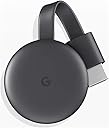
📡 Stream Smarter, Not Harder — Your TV’s New Best Friend
Google Chromecast is a compact streaming stick that plugs into your TV’s HDMI port, enabling HD streaming from over 2000 apps directly from your phone, tablet, or laptop. It supports voice control via Google Home and allows seamless screen mirroring, transforming any TV into a smart entertainment hub with effortless setup and reliable performance.


| ASIN | B07M9BKHNZ |
| Best Sellers Rank | 39,955 in Electronics & Photo ( See Top 100 in Electronics & Photo ) 383 in Streaming Clients |
| Box Contents | Power Adapter |
| Brand Name | |
| Colour | Chalk |
| Compatible Devices | Laptop, Television |
| Connector Type | HDMI |
| Controller Type | android |
| Customer Reviews | 4.6 4.6 out of 5 stars (21,590) |
| Form Factor | TV Stick |
| Global Trade Identification Number | 00842776106445 |
| Item Dimensions L x W x H | 23L x 5W x 23H millimetres |
| Item Type Name | Google Chromecast Video UK |
| Item Weight | 1.7 Ounces |
| Manufacturer | |
| Manufacturer Part Number | GA00439-GB |
| Memory Storage Capacity | 32 GB |
| Model Name | GA00439-GB |
| Model Number | GA00439-GB |
| Network Connectivity Technology | HDMI, Wi-Fi |
| Other Special Features of the Product | Chromecast |
| Resolution | 720p |
| Supported Internet Services | Google TV |
| UPC | 842776106445 |
| Video Codec | h_264 |
| Video Output Resolution | 720p ou 1080p |
D**R
It has got to be the easiest way to stream content for a few pounds.
I have 3 of these, stream to anything that has a HDMI socket (OK, it needs a wifi connection, and power, power is either from a USB socket on your device or if no USB on the device then a mains adapter (supplied) must be used. Easily connect to a PC monitor, Projector, or any tv (with HDMI inputs) . It would probably work with HDMI adaptors, but I have not got one to test. FYI. I find Chromecast faster and easier that the smart TV apps.... I recently got asked; Can you use your phones hotspot instead of wifi? A: The short answer is YES. It will be cast on any WIFI network. To cast using a mobile network you would need a third device, as the mobile being used as the hotspot would not be able to connect to the chromecast directly. Firstly you will need a good mobile data connection. Set your phone with the mobile data connection up as a hotspot. Connect the third device (another phone, tablet, laptop, pc whatever) to the hotspot network. Optional step (press and hold the button on side of the Chromecast until it resets to factory settings.) Link the third device to the Chromecast using the hotspot wifi details and google home app. Follow the setup instructions and ensure that you connect the Chromecast to the HotSpot Wifi that you created with your mobile... This does work, but do note that you must have a 3 devices, you can not stream directly from the hotspot device. Also Mobile data can be very expensive 1080HD could be >3GB per hour IMO.
M**B
Good quality
Going well after many years of service in my garage
N**B
One of the best electronics I’ve ever bought
This little device has saved me a lot of headache. I bought this Google Cast on a whim because my Mum has one, and I wanted to try it. Then my smartTV broke and stopped supporting a viable internet connection, despite connecting to the router. PAIN. The google cast made it possible for me to stream to the broken TV using my tablet/phone, over the home wifi - which has been a great stress reliever. I’m in no position to replace the TV anytime soon, so this device has become pivotal to enjoying my evenings at home! It was very easy to install and didn’t take long at all, it gets a bit hot while running, but I’ve read this is common, and so far performance is not affected. It’s compatible with every service I’ve tried so far: Netflix, Amazon, YouTube, Disney+. I’m sure there are more! I’m also a big fan of the screen saver pictures you see when the device is waiting for a cast, sometimes I leave it on just for the ambience alone! For the price, this gadget is great value for money. I’d buy it again in a heartbeat.
D**T
Great casting dongle, shame it doesn't support 24Hz refresh
I have an 7 year old Panasonic Plasma Smart TV, so it doesn't really have many of the modern apps and is also sluggish to load them natively. However, the image quality is still fantastic, so rather that buy another TV, I decided on the Chromecast as a cheap alternative. It was ideal for giving me access to the many other streaming services now available. It took me a couple of minutes to setup as I already have other Google Home devices and as a tech minded person, it was easy to add. I can now just cast straight to the TV from my Pixel, tablet or PC. I also use NAS as a media centre running Plex server and wanted to cast from that wirelessly (instead of relying on the HDMI connection which I run Kodi through). Whilst it casts Plex fine, Chromecast only supports either 50/60Hz and as most TV shows and movies are filmed at 24Hz, this can result in some juddering when panning. Kodi client has the ability to switch to native 24Hz as it's running directly via HDMI, with the TV handling the refresh rate. It's a shame Chromecast doesn't support this, hopefully a newer model or firmware can add this in the future, then it would be perfect. Still recommended though.
G**R
Adds a whole new layer of possibilities to older HDMI ready TV's and Projectors.
Simple short review: I purchased a few of these and have never once had any connectivity issues with any of them in four years. ✅ Pro's: Easy plug & play installation, easy to add to existing 'HDMI ready' older televisions and projectors. Great active backdrop running idle in photo album mode with a real time clock and weather info optionally displayed. Con's: None I can think of at the time of writing this review. Conclusion: It does exactly what it says on the listing and that's paramount in my book. ✅
R**N
A MUST HAVE for any ‘smart’ home!!
I really debated buying this when I first found it. I thought £30 was quite a lot for something so novel. Then I won an Amazon gift card at work and thought, why not? It arrived in a small box with instructions to advise on how to use it. We have ours connected only to the tv. The usb is connected to the tv and the chrome cast then takes its own port for the hdmi. The instructions were very easy to follow but you do need a smart phone for the app. We were able to find it on both Apple and Google stores. Well, it turns out we use this all the time and it’s amazing! So easy to get up and running. You can link it to more than one device and it works with our phones, laptops and with our PCs. I am so happy to finally be able to show videos or games on a computer and the TV at the same time. It’s really handy for when I’m playing games and my little one wants to watch. I’ll stream it to the TV while I play so she can sit back and watch. We’ve also used it to play music from YouTube on the big screen quickly and easily, along with watching shows we normally wouldn’t be able to watch through our smart tv. We can set up a vpn on our phone or laptop and then cast to the tv. Honestly should have bought it sooner and couldn’t recommend more! A must have for any ‘smart’ home.
M**W
Reliable
Good quality. Reliable
M**Z
Google chromecast cast to your tv
Good chromecast
A**R
Original & Made in USA Product. Very Satisfied.
This is Made in USA product and sincerely i was amazed that i received a USA product. Good quality. Works very well where i can cast YouTube from my mobile to my LED Tv. The plug of the adapter is US style. So please buy a travel adapter or plug as per UAE requirement else you cannot power onnthe product.
S**N
Kalitesiz
Orijinal değildir Çin ☹️😢☹️
N**Í
Tele Smart con ésto
Excelente
P**.
Semplicissimo
Ottimo sia come installazione sia come funzioni
L**O
Très bon produit
Très bon produit merci
Trustpilot
3 weeks ago
3 weeks ago