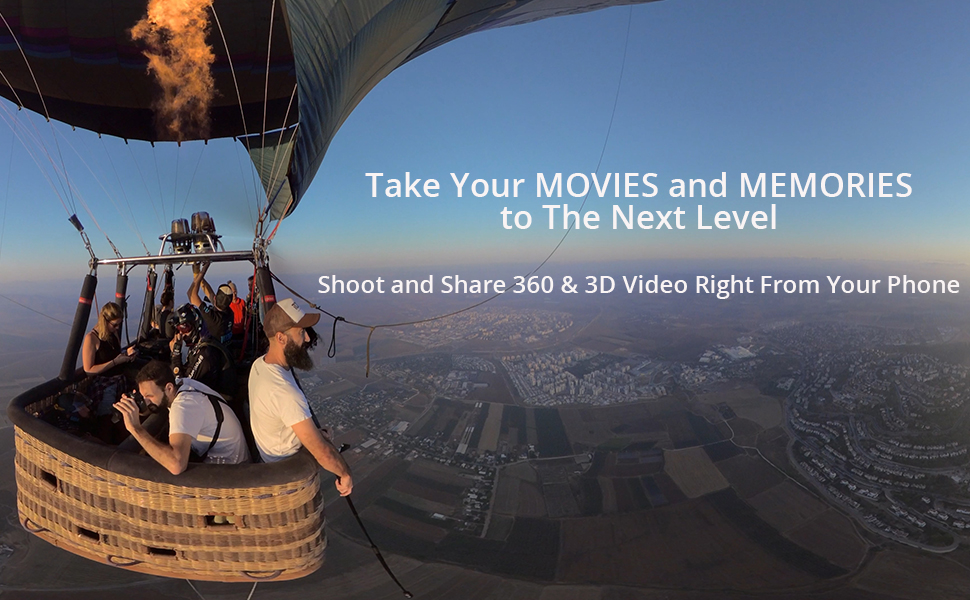
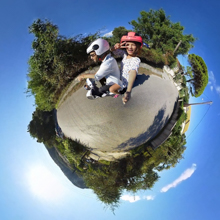
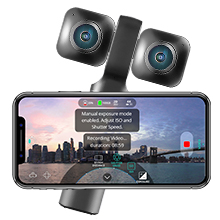
🌐 Elevate your storytelling — capture, create, and share your world in stunning VR clarity!
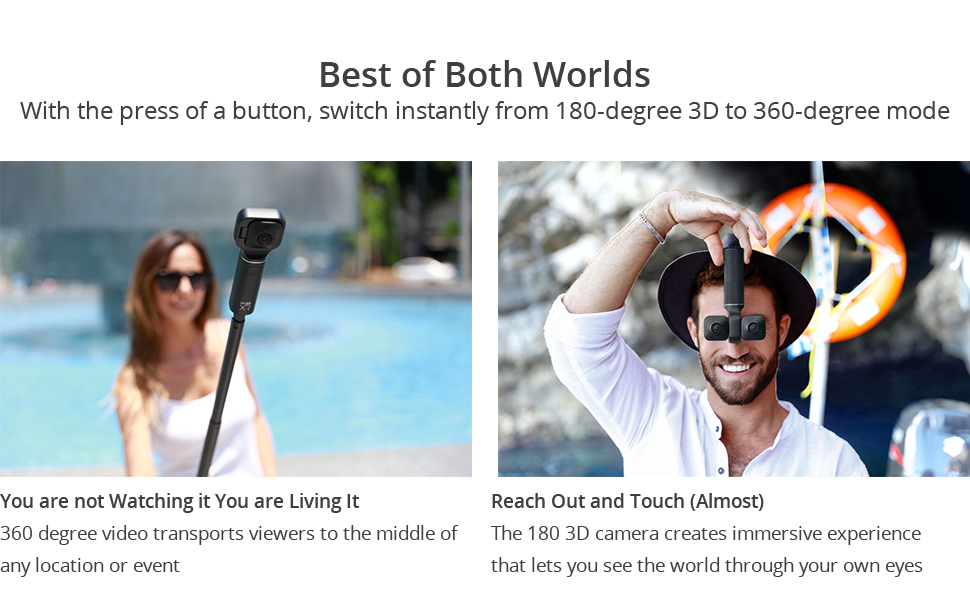
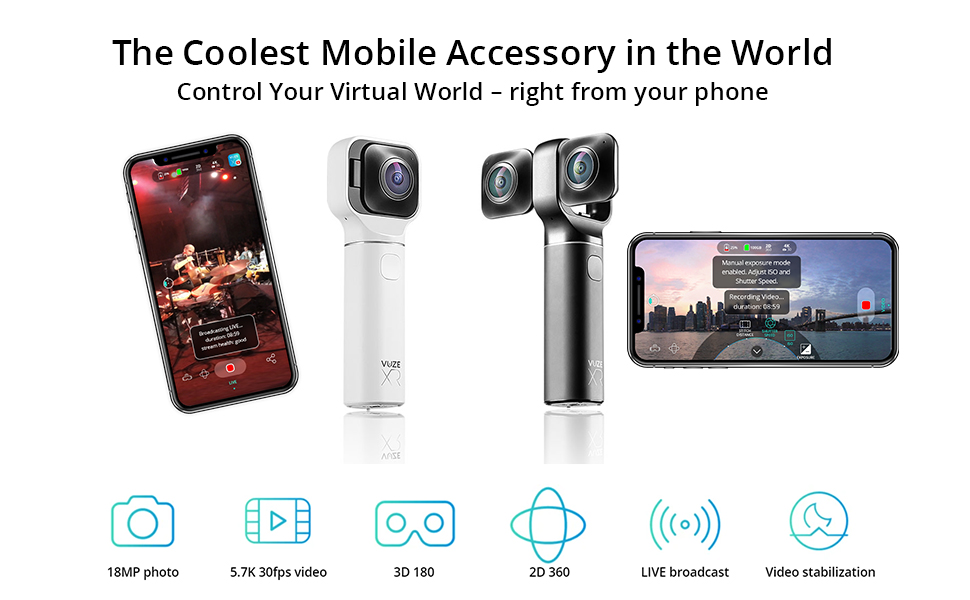
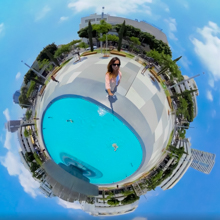
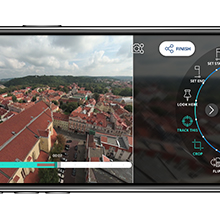
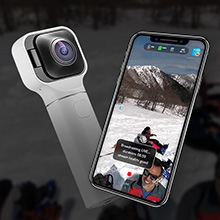
The Vuze XR 5.7K 3D VR & 360 Camera is a cutting-edge compact device designed for professionals and enthusiasts seeking versatile immersive content creation. It records ultra-high-definition 5.7K video at up to 30fps and 4K at 60fps, supports both 360° 2D and 180° 3D VR modes, and captures 18MP RAW photos for advanced editing. Controlled via a dedicated smartphone app, it offers in-app stabilization, live 4K streaming, and spatial 4-channel audio for a fully immersive experience. While it demands some technical patience for setup and post-processing, it delivers standout image quality and VR versatility at a competitive price point.


| ASIN | B07J68LR1X |
| Antenna Location | Versatile recording, family events, travel experiences, action sports, real estate videography, filmmaking, journalism |
| Are Batteries Included | Yes |
| Best Sellers Rank | #741,909 in Electronics ( See Top 100 in Electronics ) #2,543 in Sports & Action Video Cameras |
| Brand | Vuze |
| Built-In Media | Battery |
| Camcorder Type | Video Camera |
| Color | Black |
| Compatible Devices | Wi-Fi and USB-C compatible devices |
| Connectivity Technology | Wi-Fi |
| Customer Reviews | 3.8 out of 5 stars 298 Reviews |
| Display Resolution Maximum | 5.7K |
| Effective Still Resolution | 18 MP |
| Effective Video Resolution | 5700 |
| Exposure Control Type | Manual |
| Features | 3D 180deg and 2D 360deg Videos and Photos, In-App Video Stabilization, Live Broadcast in 4K 30fps with the App, Higher Quality Content Editing via Vuze XR Studio Desktop Software |
| File Format | h.264,jpg,mp4 |
| Flash Memory Bus Interface Type | UHS-III |
| Flash Memory Speed Class | C3 |
| Flash Memory Type | SD |
| Flash Memory UHS Speed Class | UHS Speed Class 3 (U3) |
| Flash Memory Video Speed Class | V60 |
| Focus Type | Auto Focus |
| Form Factor | Ultra Compact |
| Global Trade Identification Number | 00634041992767 |
| Has Image Stabilization | Yes |
| Image Aspect Ratio | 16:9 |
| Image Capture Speed | 60 fps |
| Image stabilization | Digital |
| Item Weight | 212 Grams |
| Lens Type | Zoom |
| Manufacturer | Humaneyes technologies ltd |
| Maximum Aperture | 2.4 Millimeters |
| Minimum Aperture | 2.4 Millimeters |
| Model Name | xr |
| Model Number | VUZE-XR-BLK |
| Number of Batteries | 1 Lithium Polymer batteries required. (included) |
| Number of Speakers | 1 |
| Photo Sensor Technology | CMOS |
| Sensor Type | CMOS |
| Shooting Modes | Manual Control |
| Style Name | Modern |
| Supported Audio Format | AAC |
| Supported Image Format | JPEG |
| UPC | 634041992767 |
| Upper Temperature Rating | 104 Degrees Fahrenheit |
| Video Capture Format | MP4 |
| Video Capture Resolution | 5.7K |
| Video Resolution | 5.7K |
| Viewing Angle | 210 Degrees |
| Water Resistance Level | Not Water Resistant |
| White Balance Settings | Color Temperature |
| Wireless Compability | Bluetooth |
| Zoom | [UNDETERMINED] |
T**T
Best Mobile Phone Accessory Hands Down
360 cameras can produce some really creative and beautiful shots, the problem for me is that the resolution hasn't been high enough nor easy enough to use until now. I saw the XR online back in September and got really excited by the fact that 5.7K looks great but it also does 3D video, which turns out works great with my Oculus Go. Two cameras in one is a great concept and I can fit it in my pocket. First day I got it I took the dog for a walk and shot some 360 photos and videos then tried out the VR180, really happy about the results. The fact that I only need my mobile phone is amazing to me. I do have a VR laptop for gaming, but it isn't needed to do edits and sharing. The shots you take with the XR can't be done from a mobile phone camera,. This is why I called it the ultimate mobile phone accessory since it gives me 2 more shooting modes, 4 all together with the mobile camera and selfie camera. I watched some tutorial videos from Ben Claremont and Creatorup for some creative tips, which I highly recommend. Only downside is the selfie stick I have (a $5 cheapo one) isn't strong enough when fully extended so I ordered a new stronger one. I would like to see an adjustable shutter and self timer for photo mode, it seems a bit long to me but it has helped to get things in position when using a selfie stick, just depends on your shooting mode if it bothers you or not. Great buy, definitely worth it and would recommend to anyone interested in creative video and photo creation! Hope this helped.
A**R
Versatile, adequate VR Camera
I love immersive Virtual Reality (VR), and always wondered how the various travel and nature videos for VR are made. A medium-priced answer is this camera (the VUZE XR). I find it is a lot of fun to take it on trips, to be able to "relive" being at special locations. I also use it to record immersive videos of my grand kids. Two weeks ago, we made a puppet show with stuffed animals, and it is priceless! My grandson, nearly 12, said it was "weird" to look himself in the eyes in VR. I wonder what they are going to think of it when they grow up?! What I like: - It is relatively easy to use (once you get past the really terrible documentation - more about that below)! - It shoots both video and still pictures - It shoots in either 360-degree ("2D") or 180-degree ("3D") modes: In 360-deg mode, when you play back with a VR headset, you can look around freely in every direction, but both eyes get the same image (thus only 2D). In 180-deg mode, the camera shoots only what's in front of it, a hemisphere; but it records it as two separate images, one for each eye (thus true 3D, which can be even more impressive!) All modes are fully immersive, which means that when you view them with a headset (I use Oculus Quest), it seems as though you are actually present at the place where the images were taken. - It has 4-channels of sound, so the immersive video you record will also have immersive audio. Sounds, such as people talking or birds chirping, actually seem to come from the immersive world you have recorded. On playback, as you turn your head to look around in the virtual world, the sounds always come from the right place, greatly enhancing the 'reality' effect. - The smart-phone controller app that comes with the camera is very effective and easy-to-use, once you get it working, which is challenging. This app allows you to see roughly what you are recording in real time (NO VR, of course), to start and stop recording or take a still picture, to see camera status, and to control various settings on the camera. - The camera comes with a support program, which you must run on a desktop or laptop computer, which 'stitches' and 'renders' your pictures so you can play them (only required for highest resolution). Neutral comments: - When new, the internal lithium battery lasts about an hour on a full charge, but you can record while connected to a USB power bank to extend running time. The built-in battery is not removable, so battery longevity may be an issue. When you record with a power bank connected, don't forget that in a 360-degree recording, you can see everything, including the battery and connecting cable. - It DOES NOT come with the required micro format SD memory card, but a card is absolutely required to use the camera. I found that a 128 GB card can hold nearly 4 hours of video at the highest resolution. Don't forget to order one! Also, a cheap SD card may not work -- this camera really pushes bandwidth limits. Get a good memory card! - The camera actually gets hot when you record with it. If the shooting environment is too warm, the camera will overheat and shut down. You may have trouble in Death Valley (or the Pacific Northwest this past weekend)! - Resolution is at best mediocre, which means the recordings always look a bit 'soft'. Things that are close, within a few feet, are sharp enough, but anything more than a dozen feet away looks a bit fuzzy, For example, it is usually impossible to read signs in your recordings. The available camera resolution, which at its highest is 5760 x 2880 pixels ("5.7k"), is spread over the entire viewing area, which is either 360-deg (a full sphere) or 180-deg (a half sphere), so resolution in any part of the picture is limited. I recommend always using the highest available resolution! Color saturation and black level, for those of you who know photography, are quite difficult to get right, but there are settings in the smartphone app with which you can tinker. I'm still not completely happy with either. What I don't like: - The documentation is truly awful. I am a lifelong electronics and computer engineer, and this is some of the worst I have seen. At first it seems like it might be okay. Then it feels like the designers hired a ghost writer who didn't really understand what they were talking about. The designers knew how their camera is 'supposed' to work, but they don't seem to consider what the user /needs/ to know in order to make effective use of their product. For example, there is an Import and Render procedure that you must use to get recordings off the camera and prepare them for use, but that procedure is never outlined. The user is forced to guess which steps do what, and in what order, and to which files. All the recorded files have non-descriptive, mostly numerical, names. At least they have associated dates, if you have managed to connect the camera to the phone app before you use it. - The camera required a "firmware update" before it would operate, but there is no step-by-step description I could find for how to accomplish it. They ask you to do the update through your smartphone, but I found it was not clear how to connect the smartphone to both the internet and the camera at the same time, since the camera monopolizes the phone's WiFi. I ended up getting the internet via my cell service rather than my home internet, leaving the phone's WiFi free to connect to the camera. It was very, very slow (hours). And it could have been very expensive if I didn't have an unlimited data plan on my cellphone. Later I found there is a way to update using a cable (USB-C, included) from my laptop, but I could not find anything about it in the docs or on discussion forums. I would, for example, need to know what file(s) to download, from where, and where to put them into the file structure on the camera (or even that there /is/ a file structure accessible on the camera, and how to get to it!). Later I found out that most customers simply call customer support to get through all this (must be expensive for the company!), but I was doing it on a Saturday, which is the Sabbath, so they were not answering the phones. - Rendering is relatively slow, even on my game-ready Alienware laptop. - Getting your files into a VR headset and playing them immersively is also quite challenging. The camera documentation does not consider it to be their problem, so you are on your own. It took several days to get through all the hurdles to successfully play my shots on the Oculus. At first, they would only play as if they were on a virtual movie screen in the headset. Then they would play in VR, but in the wrong aspect ratio: everything looked grossly stretched horizontally. Finally, after several days, I was able to develop a 'ritual' that resulted in my shots creating a true VR experience. What I found on the Web is that every kind of headset or display device is different, and there are many 'hidden' features and bits of metadata (data in your shot files about how they are to be displayed), that all need to align correctly before you can achieve a remotely satisfactory VR result. - Processing multiple shots is very tedious and time consuming. The rendering program does not behave like most Windows programs; for example, most selections do not allow multi-select. I tend to take a lot of pictures. At a museum yesterday, for example, I took more than 150 still shots and several videos. The tool seems to require me to process each one individually. There is no automation I could find. Each file must be individually found in the file structure, without the benefit of preview or thumbnail, chosen, imported, have its settings made (one file at a time!!!), rendered, and copied. One. At. A. Time. It's excruciating. I can't even find a way to create a set of default settings to apply to all my files. I have to set each, one-by-one. Now that I have the camera and processing (mostly) working, I am glad to have it. But it's not something I would like to use professionally! Thus the four-star, and not five-star, rating. --Eric
E**B
Nice VR Camera
I like this camera. After doing research, reading reviews, and looking at YouTube videos, I was on the fence about which brand to go with...and I initially went with the competition (rhymes with Steevo). I picked the wrong camera and returned it. I won't go into all the issues I had with the other one, but I just got a better image with the Vuze XR. The firmware was updated a month ago and the desktop software within the last week. Both add features that enhance useability and operation of the camera. I'm not going to go into the operation of the camera here...there is good tutorial info online and especially in the FB group. BTW, I tried to contact tech support and join the FB group of the "other" camera and got nowhere fast. The Vuze XR support solved a software issue I had within an hour (not with the camera...it was an issue with my graphics driver) and my request to join their FB group was granted just as fast. The Vuze XR feels good in your hand...solid and well constructed. I wouldn't mind if the battery life was longer, but you can use an external battery. Any of these new VR180 cameras have a learning curve and you need to work with them to get the best results, but the XR is a nice camera if you are considering shooting in this format. Based on my recent experience, I look forward to learning from the FB group and continued software updates that will add value to the camera.
S**T
I give it a D-
Pros: * Solid built camera. Seems to be durable, even with the bug eyes open. * When open, the ring is a nice handle. It looks cool too * image is pretty good... If you have a lot of light * Records plugged in * Stitching is good. Cons * You must use wifi to the device and cell service only for streaming. You will NEVER get a good stream off pure cell with a 4k video. Ugly blocky live video. * Only works on Youtube for live delivery. No Facebook or any other options * If you want to use it on your computer for live, there is a hidden $200 cost to get the software * Shuts off after 60 minutes. Dont expect to set and forget * You can't monitor or review on the phone any video over 4K 30 FPS. You cant even look at the files that have been recorded. You must use a PC or Mac to review files. I am ok with that because I use multiple sd cards but don't expect to use it on the PC for anything else. * You better know what the lights mean because there is no feedback or display to know that you are actually recording. The plastic lenses scratch really easily. I sent one in to be replaced, at my expense, and took really good care of the second one. Its scratched again and I don't know how. It needs a cover or something. Really hate this purchase because when it works its still muddy crap unless you pro light the room. Bottom line. I have used the QooCam , the Insta360 ONE 360, Yi, and the VuzeXP. Of the 3 the Vuze won. The stitching is done on the camera. That's really the only plus. Image was slightly better on the Vuze over the insta360 but not over the QooCam. At this point, I wouldn't recommend the VuzeXP or any of the sub $500 cameras. I thought about returning it but what else is better? I guess I just want better and will have to pay for it. This camera will be a decent backup. If you are buying for live, don't buy this one. I can't say if the live from PC is better because the extra $200 for the software is BS and I will never buy that. That would have at least given it a c. Best choice in this price range is the Yi. It only does 360 though. There isnt a 360 3D camera worth it in sub 500 prices.
C**S
Good hardware, mediocre software and firmware.
So, Having used this camera for a week, here are my thoughts: Stabilization is a software effect while rendering, not something that happens in camera. The camera supposedly has a 6 axis gyroscope and accelerometer, but as far as I can tell that data is not used in stabilization. Stabilization for 360 videos is a crapshoot compared to Insta360 onex. The one-x seems to produce gimbal like stabilization, but this seems to produce jittery and artifact filled stabilization. Maybe I am being overly critical but vuze's software stabilization just doesn't compare. VR180 stabilization is just as bad, however for a consumer camera I'm not sure I have much else to compare this to at this price point. Basically unless you mount on a tripod you don't want to be filming VR180. 360 videos you can somewhat get away with mediocre stabilization, but with vr180 the footage needs to be smooth or else it will be blurry in a headset. Now, I am confident that the vuze team is working on better stabilization, but it is just not there yet in their software/firmware. Video quality: there's sometimes a lot more noise than I would like when shooting in 4k60fps. I think this too is a software issue, as they just need to add in better noise filtering algorithms. You still can't shoot in raw mode. This camera uses the same image sensors as the Pixel 1 smartphone, so I expect the quality to be pretty good (the original pixel can shoot some amazing videos). Stitching of 360 videos: mediocre. It isn't bad, but you can DEFINITELY see the stitch lines, and it definitely misaligns sometimes. You can somewhat adjust in post using vuze studio, but it isn't very user friendly. 3D and 360 photo quality: "18MP" means nothing here. The photo quality is crap when viewed in a VR headset. Do not buy for taking 360 or 3D180 photos. I don't understand why the photo quality is comparatively worse: perhaps because it compresses the photos on the camera itself, no raw mode. If we could tweak the quality of the compression that would be good. TLDR: stabilization is not good, and one of the major reasons I will return this camera. Software/firmware is still immature compared to other product offerings in the same class. Hardware is top notch for this price range, but without the software support it won't reach its full potential. This feels like a rushed product software wise, and it needs more time in the oven. If you absolutely need to take 5.7k VR videos, this is your only option in this price range and hardware wise stands above everything else. But if I were you I would wait a good 6 months for the Vuze team to perfect the software/firmware. If you're a prosumer and edit in Adobe CC, then you'll get by ok on this. But if you're like me and just want a way to quickly share VR, this is not very user friendly.
R**T
VR is getting better, and the Vuze is one step closer
If you want to experiment with 3D 180 VR or 2D 360 VR photos, this is the one to get. It's decidedly better built and easier to hold than the EVO One (with equal picture quality as far as I can tell), and it's 1/10th the cost of a Z Cam K1. Battery life is low, but it can be used with the USB-C connector attached to a generic USB battery pack, so that hasn't been a real problem. A few actual problems: 1. The form factor means when you fold in the cameras, there's literally NO safe way to put the camera down without potentially scratching a lens. I always carry a soft drawstring leather pouch to put it back in whenever it's not in use. 2. The UI is wonky. There's basically two buttons to do everything, and the beeps and LEDs can be difficult to see and hear when recording during a real-world outdoor event. There's no way to use a VR helmet to live-direct the camera, you just have to point and hope you got what you wanted, and there's a fairly long delay between clicking the button and hearing the response that the picture has been taken (especially for a camera that has little need for autofocus due to the physics). 3. The image quality is roughly go-pro or cell quality. That doesn't seem bad, but in 3D, all of that ISO noise leads to a decent but unconvincing 3D image. Grass and other detailed textures have a weird dithered effect, the sky blows out easily, and colors seem highly compressed. This is NOT going to come anywhere close to what you'd get with a Z Cam or even a low-end SLR. This camera is for consumer fun, not for serious work like entertainment content, real estate photography, etc. All that said, it's a fun device, great for recording some memories with the kids that hopefully they'll be capable of enjoying in 3D half a century from now. I'm also planning to use it for some art photography projects where hopefully I can control the light and scene detail enough to work within its capabilities.
K**D
Medium Quality, Slow response, Poor Battery
Dear Reader, this review is based on the camera's 3D mode. Great concept, poor execution. So the camera that came with my bundle had a scratched lens which made it unusable. I had to refund it and order a new camera because there was no replacement program from the seller. OK, new camera comes in some time after the original purchase. I follow the first use instructions; charge the battery, update the firmware. But the first thing I notice out of the box is that this comes with a table stand, my original camera didn't. The base of the camera slides in making connecting to a computer for file transfers or charging safer. That is until you pull it out of the stand, the fit is so tight that it pulled the base of the camera out with it. Not using that anymore. Main complaint about this camera from other users is the fact that the Wi-Fi connection is hard to get working. Basically, as soon as you activate Wi-Fi on the camera itself you should already have the app on the phone running and click connect that very second. Takes time to connect and it will still give you a error message telling you to restart the camera. Just hit the back button on the app and then connect again, it should go straight to the camera controls. There is a big delay in the video signal, longer then delays I've had with GoPro, makes sense since this is basically twice the bandwidth. Problem comes from starting and stopping recording. You get a loading animation which goes away roughly 47 seconds into recording. Stopping a recording today was worse because the loading animation did not go away at all. This was for a 2 minute video clip. The first clip of the day was over 11 minutes and the app switched back roughly less than a minute after pressing stop. Things to note. Recording is possible without the app but you can't frame your shots because there is no built in screen. There is also no indicator light letting you know the camera is recording, just the beeps that accompany the record button being pressed. Recording anything less than the full 5.7K is pointless, the image quality barely holds up at that unless you light your scene like a pro. Maybe its the compression but this camera makes the Sony 12MP IMX-378 sensors seem weak. Battery consumption is a big problem. The Sony sensors are supposed to draw less power but between the time it takes to link to the app and switching in and out of record mode drains the battery very quickly. When the loading animation was endlessly running my camera battery was at 43% I started recording at 77% after charging my battery the night before. When I restarted my camera to get past the loading animation my camera battery read at 20%. So according to the app I'm loosing 23% battery power just setting up my camera. There is no situation where that is acceptable! I have not yet checked the image stabilization but did record my last clip hand held and will see what it looks like. Vuze Customer Support when telling them about the battery and connection issue was to ask me if I updated the firmware and to send me a video on how to connect to the Wi-Fi. So why even think about this camera at all? Well for me it was the best 3D VR camera for this price point that does switch to 2D 360 degrees at the time I made my purchase. I did have my eye on the Insta360 EVO180 3D and 360 Foldable Camera for about $200 more but finding it was another matter as the company apparently stopped production on it, focusing instead on various 2D 360 only cameras and their professional Insta360 PRO 2. The Vuze XR is a great little toy that will get you started thinking about live action production for VR, capturing fun events to view in VR, but that's about it. A toy with a lot of compromises.
D**.
Picture quality makes up for all negative aspects
5 stars just because of picture quality at this price range. Best 180 vr under $1000. Good 360 as well, but others in this price range that do not do 180 may beat it in other aspects. The software included for download on the computer is very well done. Has all basic editing functions. Useing anti shake when rendering is a must every time if not on a tripod or gimbal. Avoiding even slightly fast movements should be done when filming as well if held just by hand. The bad: connecting the app on your phone to the camera takes a long time. Using the camera without your phone seems difficult with lack of extra indicator lights and no screen on the camera itself. I have never even tried without the phone app. FYI, the camera connects to an app on your phone. It uses wifi, but you can think of it like connecting via Bluetooth, because its wifi from the camera. You do not need wifi allready connected on your phone to connect. It just needs to be on.
お**う
VRカメラとして一般人が購入できる唯一の標準画質機
OculusGoを購入以来VRコンテンツの視聴にハマり、自分でもコンテンツを作りたいと思うようになった。 MavicAirを飛ばして、海の上から撮影した全天球画像を見るのは最高だったが2D画像なので、3Dにも興味がわいた。 3D撮影ができる機器としては、VuzeやVuzePlusがあるが10万円を超える価格だし、YouTubeでサンプルをみると画質が荒かったので二の足を踏んだ。 いわずもがなInsta360Proは高い。QooCamも画質が荒い。 VuzeXRは昨年末くらいに存在を知って興味が沸いたが、期待の5.7KがPC編集が必要とわかって面倒さを感じたのと、 個人で海外から購入するのにハードルを感じて購入に至らなかった。 今回、日本のAmazonから購入できるというので、製品としての品質は疑わしかったが思い切って購入した。 結果は、大正解。VRカメラとして個人的には最高の選択肢だった。 ・画質は良い。YouTubeなどで見れる最高峰には届かないが、簡単に上位レベルの映像が取れる。 画質が荒いと感じるようなことはない。180度3Dでは5.7Kが標準品質ラインだったとわかった。 ・PCでのエンコーディングは簡単。読み込んでレンダリングボタンを押すだけ。全然面倒ではない。 自宅のファイルサーバから、OculusGoのSkyBoxプレイヤーでそのままネットワーク再生できる。(5.7K問題なし) もともと、スマホ視聴は念頭になく、ファイルサーバからネットワーク再生する運用だったのでなにも面倒なことはなかった。 ・ともかく簡単に使える。スマホと連携するまでもない。ボタンを押せば撮れるし、マイクロSDカードで動画を取り出せる。 ・機材としての手触りがいい。高級感がある。 ・小さい。ポケットに入れて持っていける。 このジャンルの進歩の速度からすれば、今年の中盤~年末にははるかに良い製品が発売されるとは思うが、 シャッターチャンスは待ってくれないので、VRカメラとして一般人が購入できる唯一の標準画質機だと思う。 ※VuzeXRと同画質を望めば簡単に10万円を超えるし、同じような価格帯だと4Kになるので絶対に画質に荒さを感じる。
C**2
Camera au top!
J’ai découvert cette caméra sur Instagram et après quelques recherches sur internet, j’ai décidé de me faire plaisir et je ne suis pas déçue ! La livraison était rapide (2 jours) et la mise en route facile. Il suffit simplement de télécharger l’appli gratuite Vuze sur l’Apple App store et de suivre les étapes. (Je l’utilise avec mon IPhone 7 mais la camera est également compatible avec d’autres smartphones). Les photos et vidéos s’enregistrent directement dans l’appli et vous pouvez ensuite les partager sur vos réseaux sociaux. La qualité de l’image est top ! (Résolution 5.7k) et en plus de prendre des photos et vidéos en 360° vous pouvez également le faire en 3D ! Une petite sacoche /housse est jointe à la caméra, son petit format la rend super pratique. J’ai hâte de l’emmener avec moi en voyage et en festival ! J’ai également vu sur Facebook (groupe Vuzers) qu’il existe une perche à selfie qui disparait de l’image quand on prend la photo ! Concernant la batterie, j’avais lu des commentaires comme quoi elle ne tenait pas longtemps. Je l’ai donc mise à charger une bonne heure avant la première utilisation et (croise les doigts) je n’ai pas eu de problème. En amont je suis super contente de mon achat et je recommande vivement *****
R**G
Nettes 3D/360° Gimmick mit schwacher Software
Zuerst mal das Gute: Die Vuze XR sieht stylisch aus, macht Spass, ist intuitiv, ist recht wertig verarbeitet und bietet ordentliche Ergebnisse - wenn man den Anspruch an perfekte Bildqualität nicht zu hoch ansetzt. Denn da lauert bereits der erste Schwachpunkt. Denn die Vuze XR ist eine echte Schönwetterkamera, die viel Licht braucht, um gute Ergebnisse abzuliefern. Da ist sie den meisten Konkurrenten deutlich unterlegen. Sobald die Sonne weg ist oder man in etwas dunkleren Gefilden wie im Wald unterwegs ist, rasuchen leider nicht nur die Blätter, sondern auch die Bildqualität gehörig. Das sieht dann vor allem mit einer VR-Brille - für die man hier ja vorranging filmt - nicht mehr wirklich schön aus... Schwachpunkt zwei: die Software Wer sich eine solche Einsteigerkamera für diesen Bereich zulegt, möchte schnelle Ergebnisse haben, um diese rasch auf YouTube, Facebook oder sonstwo teilen zu können. Aber das ist mit dieser Kamera nur sehr bedingt möglich. Um Fotos oder Videos in der höchsten versprochenen Auflösung (die aber auch nur eine mathematische Schönrechnung ist und keinen echten 5,7k entspricht!), benötigt man unabdingbar einen leistungsfähigen PC - und viel Geduld! Die Software ist hakelig, wenig intuitiv und sehr anspruchsvoll in Sachen Grafikkarte und Prozessor. Die Einstellmöglichkeiten sind Recht beschränkt und umständlich und das Rendern dauert ewig. Mit der App kann man lediglich Fotos und Videos in der abgespeckten 4K-Auflösung runterladen und bearbeiten. Und auch hier beschränken sich die Einstellmöglichkeiten auf das Notwendigste. Rendern und teilen ist auch hier langsam und hakelig. Alles in allem eher wenig zufriedenstellend. Hier kann ich nur auf das Konkurrenzprodukt von Kandao mit der QooCam verweisen. Da ist Software deutlich ausgereifter und wirklich consumerorientiert gestaltet. Ein weiterer Minuspunkt ist die empfindliche Optik. Bis auf ein einfaches Säckchen gibt es keinerlei Schutz für die freiliegenden und natürlich deutlich hervorstehenden Linsen. Da ist ruckzuck ein Kratzer drauf, wenn man sie mal unbedarft schnell ohne den kleinen Stoffsack in die Jackentasche steckt. Meine Vuze wurde bereits mit einem dicken Kratzer auf einer der Linsen geliefert! Und man sieht wirklich JEDEN Kratzer in den Fotos/Videos, die sich als greller diffuser Schleier unschön bemerkbar machen und vor allem in 3D das Erlebnis gehörig stören. Da hat das Konkurrenzprodukt QooCam mit der Schutzhaube zum drüberschieben, die gleichzeitig als Stativ dient, deutlich weiter gedacht! Alles in allem eine nette Fun-Kamera für origenelle Effekte zu einem erschwinglichen Preis, wenn man bereit ist, einige Abstriche in Qualität und Verarbeitung zu akzeptieren. Mir war es letztlich nicht genug und ich hab sie wieder zurückgeschickt.
J**Z
Good product
Working good i like it
J**S
It's not a mature product.
It is ok if you want a stereoscopic camera for 3d vr recording. At the time of the purchase this was the only available true vr camera under $4k. It doesn't support live streaming as described. Live streams through mobile app are not 3d vr which makes streaming pointless. Also there is no live streaming option on Vuze studio for Mac. Battery life is shocking. It never charges over 93% and goes down pretty quick. You will be lucky to squize 20 min recording time on one charge. It also get pretty hot very quick. I kept it because at the time of the purchase it was the only stereo camera available and I wanted to record my kids in vr while they are little. This product is still not mature. Buy it only if you like to experiment or desperate for a stereoscopic camera.
Trustpilot
1 month ago
3 weeks ago