Buy anything from 5,000+ international stores. One checkout price. No surprise fees. Join 2M+ shoppers on Desertcart.
Desertcart purchases this item on your behalf and handles shipping, customs, and support to Thailand.
🚪 Unlock the future of your garage—smart, simple, subscription-free!
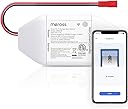
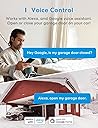
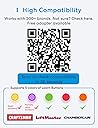
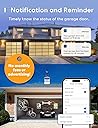
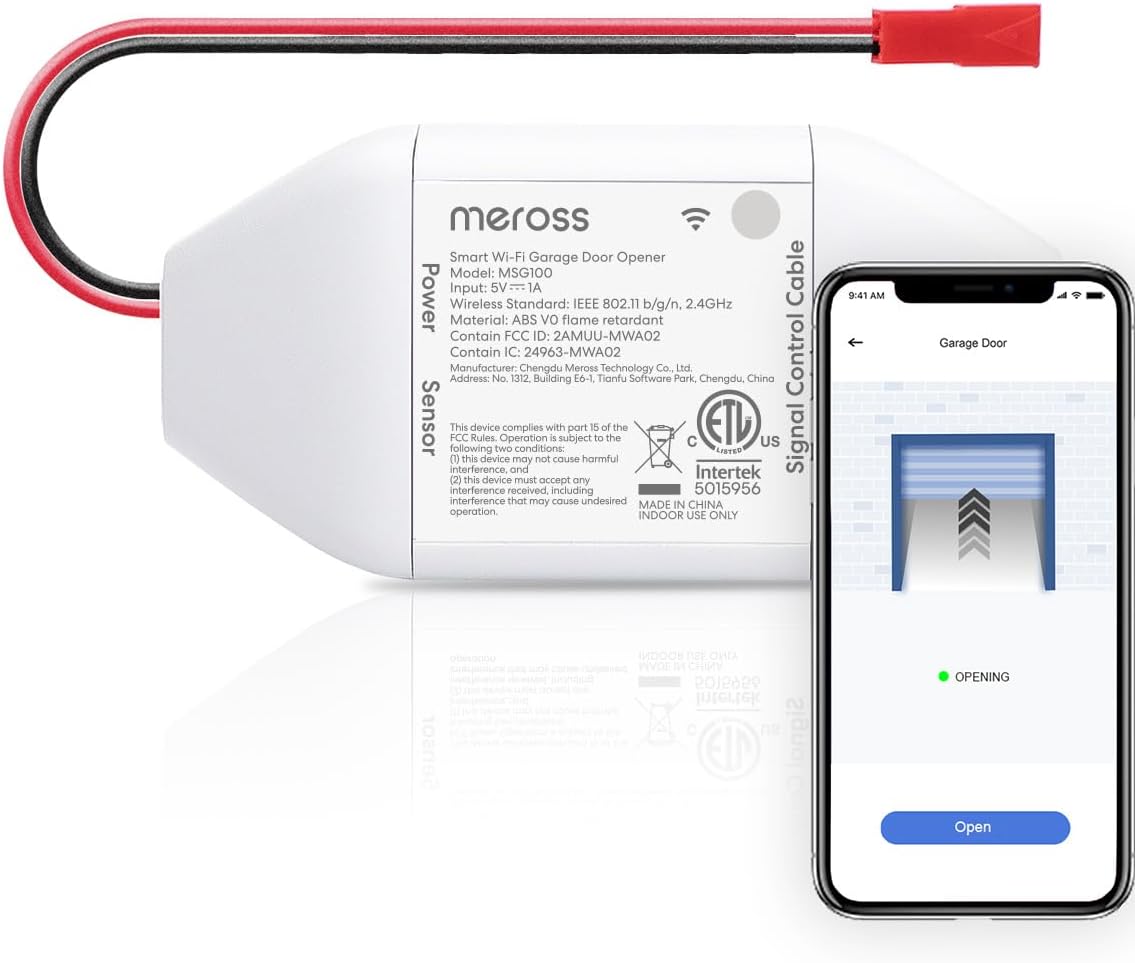
The meross Smart WiFi Garage Door Opener MSG100 transforms your existing garage door into a smart, voice-activated entry point compatible with Alexa, Google Assistant, and SmartThings. Supporting over 200 brands and 1600 models, it features a wired, battery-free magnetic sensor for precise door status monitoring and real-time notifications. Installation is straightforward with no hub needed, and it operates exclusively on 2.4GHz WiFi with zero subscription fees, making it a reliable, cost-effective upgrade for modern smart homes.


| ASIN | B07L5DPK8P |
| Additional Features | No subscription fees or advertising, APP and voice control |
| Battery Type | No battery required |
| Best Sellers Rank | #3,522 in Tools & Home Improvement ( See Top 100 in Tools & Home Improvement ) #19 in Garage Door Keypads & Remotes |
| Brand | meross |
| Built-In Media | Smart Wi-Fi Garage Door Opener |
| Color | White |
| Compatible Devices | Garage Door |
| Connectivity Technology | Wi-Fi |
| Controller Type | Voice Control |
| Customer Reviews | 4.3 out of 5 stars 18,195 Reviews |
| Item Dimensions L x W x H | 3.7"L x 1.8"W x 0.9"H |
| Item Type Name | smart garage door opener |
| Item Weight | 230 Grams |
| Manufacturer | meross |
| Max Number of Supported Devices | 1 |
| Maximum Number of Supported Devices | 1 |
| Maximum Range | 200 Meters |
| Mfr Part Number | MSG100 |
| Model Name | MSG100 |
| Model Number | MSG100 |
| Smart Home Compatibility | Smart Home Compatible |
| UPC | 606015786696 |
| Unit Count | 1.0 Count |
| Warranty Description | 2 year |
N**C
Easiest Way to Convert to a Smart Garage Door Opener
Great product. I've owned many meross products over the years - smart indoor plugs, smart outdoor plugs, and smart water leak detectors. They have all worked very well with Apple HomeKit. Truly easy plug-n-play technology. When meross asked me to test this product, I was more than happy to oblige. The device is small (about the size of two packs of cards) and weighs next to nothing. You can use it to control one garage door opener. I believe meross has a version that can control multiple garage door openers too, but this only controls one. This device transforms your simple garage door opener into a smart garage door opener which gives you the advantage of opening remotely, getting notifications when it opens or closes, and allowing your garage door to be a part of whole-house automations (I use Apple Shortcuts to close the door at a certain time every night - just in case I forget after a long day). It took me only ten minutes to do the initial set up. An additional ten minutes were needed to tidy up my work (stapling up wires and securing them with cable ties). Fortunately, I did have a free electrical outlet near the garage door opener. Then it's just hooking up two wires and running a wire with the door-open/close detector to the garage door. The hardest part was getting HomeKit set up. You must have your phone on a 2.4GHz network (my Orbi has a separate one for the internet-of-things) and be within range. After three tries, I got the device set up (I don't think this was the fault of the meross device but rather my network or my iPhone). It's been over a week now (I recorded the video on day one). And the performance is solid. What's great is I can now open the garage door halfway down the street. This means the door will be open when I get to my house - no waiting in the car. Also, HomeKit lets you know when the door has been opened or closed. No more pulling out of the neighborhood and wondering if I closed the door or not anymore. And because I can now open the door anywhere, when my teenager came home early without their key the other day, I was able to open the garage door remotely from work. I can see this coming in handy when receiving deliveries from Amazon too. I hope you found this review useful. Thanks!
L**L
Wish I Bought These Sooner
All to often, my wife calls me after she leaves the house to check if she closed he garage door. It's always closed, but I still have to check, so I looked into turning my opener into a smart opener so she could check by herself. After eliminating any device that requires a subscription, the Meross Smart Garage Door Opener emerged as the potential best choice for me and since the price was right, I bought three, one for each door. For some reason, I thought they would be a little larger but they are nice and compact. They arrived quickly and were packaged very well, with three boxes inside the larger (but still small) box, each containing a piece of the puzzle, opener unit, door sensor and cable, and installation accessories (not many). If you're at all handy, installation is pretty easy and straightforward. First plug in the unit (USB powered, adapter and cable provided) and the Meross app and it will connect to your wifi and walk you through the installation process. First one took about an hour, the other two, about 20 minutes each. A few installation tips (I have Marantec openers, yes I had never heard of them before either, but they came with the house and Meross said they are compatible, which they are): * I added a pigtail to the wires that connect to my opener just to give me a little more wiggle room and make it a bit easier. * Have a lot of zip ties around. They provide one, I guess to tie down the unit but I had to zip tie everything near the opener because there were a lot of wires (I also use the opener outlets to power security cameras) and the sensor wire is VERY long (had to coil up more than ten feet). I used 5 inch and 8 inch ties. Didn't need anything larger. * Comes with double stick tape for the sensors, but I also screwed them in, just because (screws are provided). * No special tools needed and if you don't pigtail the connection wires, I'm not sure any tools are needed (other than a ladder, and maybe something to snip the tails off the zip ties). I like the app as well. Somewhat basic but easy to use. Can set up notifications when the door opens/closes, is open for more than a specified period of time (mine is set for 30 minutes), or is open after a certain time (I'm set for 9:00 PM). It will also close the door after a certain length of time (I have this turned off), or after a set time (10:00 PM for me). You can set it to beep when it's closing the door (turned off). Says it works with Alexa , Google Assistant, and optionally, Apple HomeKit but I don't use any of these as I figure there are enough things listening to me already, so I can't comment on those. Also, I've only had it for a short time so can't comment on any longer term issues that may arise, but I'll update this review if necessary. I'm very impressed and if/when I do decide to automate more, I'll look into additional Meross options. To me, it does all I need it to do.
L**N
Fairly simple installation
Anything you're adding to a door opener could be a challenge if you don't understand how the opener works. This little device connects where the wall button connects. Most of the time this means that if you were to take a wire and just loop from each of the two connection points on the opener, that usually will cause the opener to operate, opening/closing the door. This device does basically that. It jumps the two contacts and causes the opener to operate. The kit includes a small jumper wire to try jumping these 2 connections to test if your opener is compatible. If your opener doesn't operate when trying to jump these, you'll need their accessory kit. The kit is just a car remote with wires soldered to it for a permanent connection. You pair the remote to your opener and splice the wire to the Meross. Then the Meross acts like a "person" pushing that car remote button whenever the app/HomeKit tells it to operate the door. For HomeKit integration it goes one step further and adds a sensor so HomeKit can report if the door is open or closed. Without the sensor, the device doesn't have anyway of knowing if the door is open or closed. It is just toggling between two states. Keeping track of the state does allow for some knowledge if it's open or closed but not as reliable as a sensor is. Some of poor reviews here have mentioned the door operating by itself. I think this is probably due to a connection issue. The push in wire connectors on most garage doors aren't designed to hold 2 wires at the same time. They will if the 2 wires are the same gauge (diameter). This allows the small spring mechanism to grip both wires equally. The problem comes in when you add the wire for the Meross and it's not the same diameter (gauge) as the wiring on your opener. This leads to a loose connection. If you find your door opening on it's own, check this connection. If you can pull either the button wire or the Meross wire out of the opener, you have a bad connection. This momentary connection causes the opener to operate. I ended up having to "pig-tail" the button wire and the Meross wire, by splicing these together and then running a single wire into each connection on the opener. I soldered these since my opener, Liftmaster 885PLM doesn't have much space inside the cover for a wire nut. This gave a solid connection to both the wall control and the Meross. So if you end up with your door opening/closing on it's own, try splicing these and running a single wire into each of the 2 connection points. With the wiring squared away I ran into another issue. My opener has a "fancy" wall control with a digital display; clock, temperature, motion sensor. Every-time Meross operated the door the wall control would lose power and reset, loosing the clock and going back to a blinking 12 display. In the Meross app there is a setting for the "duration". This is how long the Meross holds it's connection between the 2 points the wiring is tied to. Setting this to "short" instead of the default fixed this issue. The wall control backlight still dims as the Meross operates but it's quick enough that the wall control doesn't reset or loose any settings.
J**R
Easy install, works great with Apple Home, just a few setup quirks
I picked up the Meross garage door opener to integrate my Chamberlain unit with Apple Home, and overall I'm really impressed. Installation was quick—took me about 30 minutes, including a couple trips to the basement for zip ties. The included double-sided tape made mounting the magnet, sensor, and receiver super simple. As long as the magnet lines up with the sensor when the door is closed, you're good to go. Wiring into my Chamberlain opener was straightforward once I figured out which wires were for the wall switch vs. the obstruction sensor. The Meross unit needs to be installed near the wall switch, so keep that in mind. Adding it to Apple Home was seamless—just scanned the code and it started working immediately. I did run into a hiccup trying to get it to work with both the Meross app and Apple Home at the same time. Initially, installing it in the Meross app would cause the Home connection to go unresponsive. After a couple resets and removing/re-adding the device, I got it working smoothly in both apps. Functionality has been solid. One minor quirk: if I pause the door mid-close, the Home app reports it as obstructed due to a timeout. Even using the wall switch wouldn’t clear the error, but toggling the door from the app fixed it. Despite a few setup quirks, this is a cost-effective and reliable way to bring smart control to a Chamberlain opener. Would definitely recommend for Apple Home users looking for an easy upgrade.
T**R
Very easy to setup and get going.
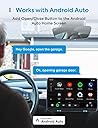
So far so good. I need to have reliable smart-device based garage door opener. I use the Apple eco-system and Homekit, combined with a Homebridge setup, and my priority is to have a smart-connection so I can ask Siri to open the door with my motorcycle communicator (I have Cardo Packtalk Edge) so I can easily park it. First, I had a myQ. I dumped it because they want a subscription to allow smart-home access. For the next few years I went with Aladdin Genie. They are free for smart-home functionality, but since I had that, I had NONSTOP issues with that. It didn't want to connect to my router from inside the house (I have a separated garage, so there is distance between router and the garage connected to the alleyway behind my house.) It would see my wifi, but just blink that it still had connectivity issues. So I got a more powerful router and that thing has no trouble connecting to anything in my garage... except that Aladdin unit. Then I got a repeater in the garage. That had no issues connecting to my router and still, the Aladdin unit had issues even with that. I gave up on the Aladdin when I got locked out of my own garage. It decided to just not connect to the app. Very weird too, it was disconnected right around 3pm, but when I got home at 1am after work, it worked. Maybe they had server issues, but then again, they don't send any emails saying there will be issues. And it happened Monday, Tuesday, then Wednesday. Not very convenient. Now after all that, I did my research and landed on this. The online community who knows Apple Homekit seemed to recommend Meross, and I never heard of them before, and I decided to give it a try. I got the unit and I watched a couple YouTube videos, followed the included instructions, and I had this device up and running in about 30-40 minutes, including tie-wrapping the cables and securing the device. After a few adjustments, learning some functionality in the app (like disabling doors 2 and 3 so Homekit doesn't access them for now, as I only have 1 garage door opener for a 2-car garage) I'm happy to say that this device works great. ZERO connectivity issues so far as my router and my repeater show full strength connection (the Aladdin did too so I'm assuming its on their end). The moment I "flip the switch" in Apple Home, or press the button in Carplay, the garage door opens and closes near instantly. My garage door opener is at LEAST 20 years old and to get it connected, it was just two wires. There is a compatibility list for openers on Meross's webpage so check BEFORE you buy. Because its wired to my garage door, theres no "learning" required and no button to push like an in-car garage door opener. The only thing I liked with the Aladdin device (when it did work) and the myQ was when a signal was sent to open or close the door, or if an automation kicked in (I had a requirement to shut the door after 30 minutes being open,) they had a bright white warning light flasher to indicate the door was about to move, since you didn't push any buttons. Meross's device DOES NOT have that, so if you setup an automation similar to mine, the door will immediately respond without warning. Also, It is important that if you tinker with the wiring, which you likely will be, to verify that you did not disconnect or cause your garage door obstruction safety system to be disabled. Another plus that I have with the Meross is its open/close sensor, which appears to be magnet based. You run the line from the Meross box to the garage door. I have mine at the top corner to my door along the wall, with the additional magnet also right next to it on the door itself. Very similar to window security systems. When you setup your app, it'll go into detail to verify the system is working by using these sensors. What I LOVE about this is that it is not battery based. The Aladdin and myQ used a button-battery-based sensor you stuck to the door which needed to be replaced after a year or two. Not necessary with the Meross thankfully. In fact, the other disadvantage I had with the battery sensor was in winter when the door was very cold as it gave poor performance. And if the battery sensor failed or disconnected due to a dead-battery, or a frozen battery, those garage door openers also failed because it couldn't tell if the door was opened or closed. Thankfully not the case with the Meross. I certainly recommend this unit, especially for people with more than one garage door. I may only have one opener but I know that when I replace that door and add a second opener for that, all I have to do is run another sensor line for that door similar to the way I did my current door and that this package ("meross Smart Garage Door Opener Remote with External Antenna" in case Amazon links this review with other Meross stuff) already comes with that expandability (up to 2 doors out of the box, if you have a 3rd garage door, you need another sensor cable add-on.)
T**Y
My garage is now smart
All-in-all, this little device works well and consistently, giving me remote access to opening/closing my Genie garage door. I purchased this MSG100 just a bit over a week ago. I was initially surprised to find some pieces missing (little screws, adhesive pads, test wire), so I reached out to Meross to see if there was anything they could do. They were able to send me a new package, this one with the missing pieces. Now that I had everything, I was ready to set it up. It really wasn't that difficult. I was initially worried that I didn't know enough about garage doors to do this, but it really wasn't that difficult. I watched a YouTube video where someone mounted this that gave a good easy-to-understand visual. They give you a little piece of wire that you can use to connect between two contacts on your garage door in order to test if the device is compatible with your opener. In my case, the terminals I needed to test had a number 1 and 2 next to them (see attached picture). If you would like to test before you decide to order, you can just use your own wire, or take a pair of pliers and bridge the connection. If your garage door opens/closes when you touch it to both of the terminals, then the Meross device will work. Walking through the app will go over all of the directions. After testing, they recommend to go ahead and plug up the device to power inside your home to get it started with wifi setup. If you can plug it up in the garage, that will also let you test if your wifi will reach. Once I had the app setup, I moved on to installing it. I used the provided adhesive pads to stick the device on top of the opener itself, and just bundled the cables together so they're all up there (see photo). The power cable is a USB plug that connects to a regular power adapter, and there should be an outlet just above your garage door opener. The control cable has two leads that now need to connect to those same two terminals that were tested before. The final cable on the device has a red connector that attaches to the long cable included for the door sensor. This was probably to longest part since I had to run the cable across the rail to the door itself. There should already be some wire running across this rail to one of the control levers that stops the door when it's closed. I just followed that and put the new wire under the plastic clips holding the existing wire. In my case, I opted to attach the sensor using the included adhesive pads to the top of the plastic piece that slides along the underside of the rail (the emergency release lever part). This is what the guy did in the Youtube video. It was a shorter run and easier than attaching the sensor on the door, while also serving the same purpose. If you do the same, just keep in mind this plastic piece also hits the levers on the rail to stop it once it's closed, so just put it like in the picture attached so it doesn't conflict. Once all was done, I just opened the app and tapping the garage door icon was opening and closing my garage door! It initially was giving an error saying that the garage door failed to open or close, even though it opened/closed just fine. This is because of the "Opening time" setting that you will need to adjust. This setting tells the app to wait a longer/shorter time before checking to see if it completed successfully. Since my door takes a while to open, I had to change the 15sec default to 20 seconds. Now I don't get the message, and successfully get notifications when the door opens and closes. These notifications work even if you use your manual remote or button in your car to open, which is cool. And on top of that, it also integrates with Alexa. Just download the Meross Alexa Skill and link it, then you can open and close it with your voice. At the end of the day, it works quite will so far and I am very happy with it. I was apprehensive at first due to my lack of knowledge, but it really was pretty simple. And Meross came through and did the right thing to get me the missing parts so I didn't have to return it. Just give them some time to respond. Final note: If I did have one small gripe so far, it would be that once you have it integrated with Alexa, the Alexa app does not have an open/close button that you can tap. So if you do not want voice control, you can't use the Alexa app to control it, so you'll just have to use the Meross app. I'm not sure if it's an issue with the Alexa app or the Meross skill. The Alexa app does not treat the garage door opener like a smart plug with a simple on/off button. I can't dock them for that, but if Meross and/or Amazon are listening: you guys should get together and find a way to have a simple open/close button in the Alexa app just like you do in the Meross app. That way you can use the Alexa app as the hub even if you don't want to use voice.
P**M
Easy to install, great customer service
I ordered two of these for two different types of garage door openers, so had two different experiences. The first was easy to install and required no adapter. The second required an adapter, which was a bit tough to figure out until I do some googling and understood how it worked (universal remote sending a signal). Once I understood that, install was simple. One of the sets’ sensors did not work, so I notified the company and they sent a new sensor quickly, no issues at all. Great customer service, good product, overall easy to use and has been reliable for a few months now.
P**T
I mean…
I am torn on how to explain this so I will just lay it out. The device itself is great and works exactly as advertised - I can open and close the door from anywhere and it connects to Alexa (I did not opt for the AppleHome Kit version). It’s everything else that I was a little frustrated with. The install is easy - assuming you have some intuition. The reason I say that is the directions provided. I really really really really do not like when companies write directions using AI software and this feels like that. The directions are very simple and too simple simultaneously. I installed the device as instructed, but before I had attempted installation I also watched a few videos on YouTube, just to see if anyone else had issues that I could avoid. Because I use a cheap and simple garage door, connection was simple and at this point the directions were fairly simple - attach this to that, plug here and here, simple things. Then came time to set up the app. This is where I started to feel… cheap. The app is just like the directions, simple but also too simple. It is not very intuitive unless you have a variety of other “smart” products. I say that because it handles similarly to my other smart products that I use for my aquariums, but the app just feels very clunky. It’s a simple UI and display, but it’s not very user friendly and there were more than a few moments that it felt cumbersome. For example, how to connect the app and device to WiFi. As you follow the installation wizard, the wording just feels… cheap. Again, it feels like a cheap AI company that made a little Bluetooth receiver. That is because at its core, that is exactly what this is though. I’m mad at it, but it also doesn’t instill a lot of confidence either. Is the value for money there? Yes - I would buy one again and even recommend it to others. It works and solved my problem. But it’s everything else, you know what I mean? It’s not a user friendly app, but it’s trying really hard. They provide you with all the sticky tape you need, but only one ziptie - which you might think “Why is he saying that?” It’s because some of the wires are EXTREMELY long, while the ones you want to be longer aren’t. I used a total of 6 zip ties to clean up the wiring and keep everything nice and clean (and out of the way of the chain, tracks, rollers, etc.). That is why I cannot give it a higher score. It’s good, but not great. It’s cheap, but that was also a selling point. It works and I’ve had no issues with it, but I also don’t feel confident either. It’s the product you buy and say “Well if it doesn’t work for more than 2 years at least it was only $X.” I shouldn’t feel that way after a week, and yet its price was a selling point. So between a lack of confidence in longevity, a feeling of frustration during setup, the app and directions assuming that you just “know” how to do things (it will tell you to reset the device without any instruction on how to reset in the directions - I had to watch a YouTube video - hold the button till it flashes by the way), I just can’t go any higher. Good not great, and although I would recommend I would also suggest doing a little research before you start installing just to make sure it’s all compatible and you have a good idea of how it will all work.
D**R
Einwandfrei
Ich nutze den Meross Garagentoröffner und bin rundum zufrieden. Die Installation war wirklich unkompliziert, alles wurde in der App super erklärt und Schritt für Schritt geführt – da kommt man auch ohne Technikkenntnisse definitiv zurecht. Besonders begeistert bin ich von der HomeKit-Integration. Ich kann mein Garagentor jetzt bequem per Sprachbefehl steuern, bekomme Benachrichtigungen, wenn es geöffnet oder geschlossen wird, und sehe jederzeit den aktuellen Status. In der Meross App kann man natürlich auch das Tor steuern, sowie Öffnungzeiten und Alarme für ein offen stehendes Tor einstellen. Ein kleiner Kritikpunkt: Der Reed-Kontakt ist etwas fummelig am Garagentor zu befestigen. Mit etwas Fummeln klappt’s aber auch. Insgesamt ein super Gerät – klare Empfehlung für alle, die ihr Garagentor smart machen wollen, vor allem mit Home-Kit Integration.
M**R
منتج يريحك
منتج جدا مفيد ركبه لي كهربائي خلال نص ساعه إعداده سهل على تطبيق المنتج نفسه وتم اقرانه مع تطبيق ابل هوم
A**R
تجربة ممتازة
الجهاز ممتاز ، بدون خدمات سيري إذا يهمك سيري يوجد اصدار آخر من نفس الشركة
M**K
Garajı HomeKit Uyumlu Hale Getiriyor
Ürün montajı ve tanıtımı kolay. Tek eksik kapıyı sonuna kadar açıp yine sonuna kadar kapaması. Yani açmaya bastığınız an istediğiniz yerde durdurup geri kapatamıyorsunuz ve sonuna kadar açılmasını beklemek zorundasınız. Bu durum puan kırmamdaki en etkili sebep, onun haricinde işlevini yapan bir ürün.
M**A
Fonctionne parfaitement bien
Facile d'installation et fonctionne parfaitement bien. Rien à dire.
Trustpilot
1 month ago
2 months ago