
DOWNLOAD THE APP


Customer Services
Copyright © 2025 Desertcart Holdings Limited
DOWNLOAD THE APP



🚀 Elevate your WiFi game — don’t get left buffering!
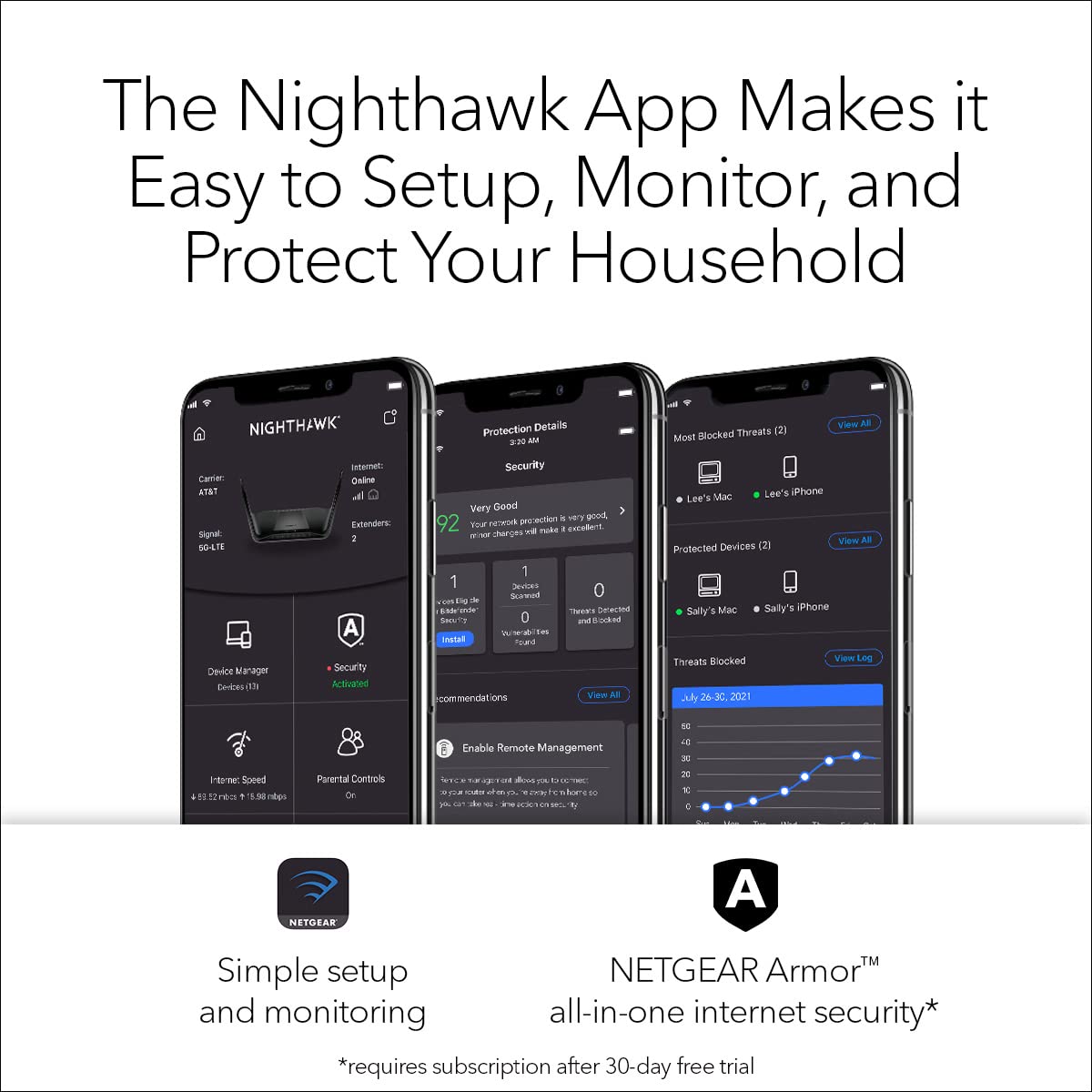
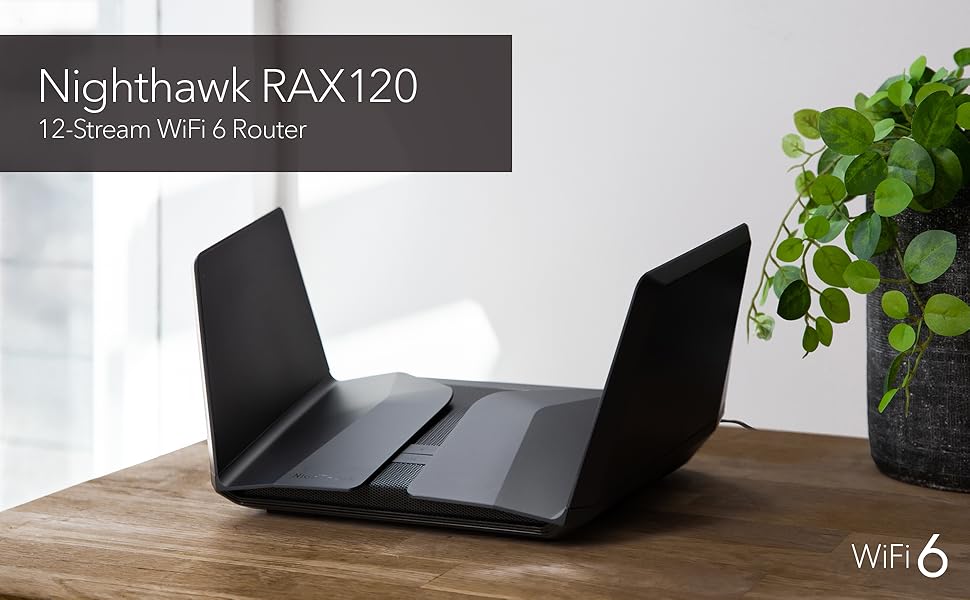
The Netgear RAX120 is a high-performance WiFi 6 router delivering up to 6 Gbps speeds and coverage up to 3500 sq ft. Featuring Beamforming+ technology, a powerful 2.2GHz quad-core processor, and multi-gig Ethernet ports, it supports seamless streaming, gaming, and multi-device use. Enhanced with NETGEAR Armor security and easy app-based management, it’s designed for modern homes and professionals seeking fast, reliable connectivity.



| ASIN | B07P3FGKYD |
| Best Sellers Rank | #4,204 in Computers & Accessories ( See Top 100 in Computers & Accessories ) #154 in Computer Routers |
| Brand | NETGEAR |
| Color | Black |
| Customer Reviews | 3.6 3.6 out of 5 stars (4,137) |
| Date First Available | April 9, 2019 |
| Item Dimensions LxWxH | 12.2 x 7.48 x 1.77 inches |
| Item Weight | 4.62 pounds |
| Item model number | RAX120 |
| Manufacturer | Netgear |
| Operating System | 0, Microsoft Windows 7, 8, 10, Vista, XP, 2000, Mac OS, UNIX or Linux, |
| Product Dimensions | 12.2 x 7.48 x 1.77 inches |
| Series | RAX120-100NAS |
| Voltage | 110 Volts |
| Wireless Type | 802.11ax |
S**C
know which router to get
I chose this router to update my wifi in the house, my criteria was coverage and speed since the old router was starting to show it's age. After reading the reviews the Netgear RAX 120 was my choice, it has the coverage at 3500 sqft and the speed hit the target, an added plus was multi device usage without the lag. To address some issues I have seen in reviews. 1. Set up: From what I saw in most unsat reviews the people that were unhappy used the app to setup the router. I started with this process and quickly saw how this could be frustrating. I would HIGHLY recommend you hardwire setup with pc, it is a MUCH easier process. 2. Firestick: So far, I can start up just about all of my apps on my firestick, I do have one that gives me problems and that's my Dish app. For some reason it shuts down router and it only happens on tv's and not kindle or phone. That being said, I have only had to restart router once so far so this is a puzzle. 3. Real world performance: I have about an 1800 sqft home, the old router I had dead spots. This router performs like a rhino on steroids. Old router I could barely get a signal in the garage, now I can go across the street to the neighbors front door and still have a signal. There is no lag, since this is fast and can handle multiple devices at the same time without issue, I do not get the occasional clocking spinner in center screen. Conclusion: This is a good router if you keep it simple. I am sure other users have tweaked it to their liking but for most of us who buy product and plug it in and expect it to work this router will do. 02/23/2022 - Update: I am sorry to say I have to return this router and lower the rating. The reboot and restart reviews I have read are true and I have experienced them for myself. I am not willing to spend hours or days to try and hash out problem since I don't want to miss my return window and I don't feel like double talk. I think as a consumer that when you get something like this that it should work out of the box with little or no issues. I did set this up correctly and as I have mentioned I did it hardwired. When it works it is great but the reboots several times a day is annoying. 03/11/2022 Traded in the RAX120 for RAX70, the differences between the two are subtle. When the RAX120 worked it was awesome, the range and the speed were just outstanding. The problem with the RAX as I have mentioned is the constant reboot. I traded this in for a RAX70, this router is just as good if not better. RAX70 is a triband router and is wifi 6 however the range is a little shorter by 1000 ft, in my house I do not notice the difference. This router I have had for about 2 weeks now and I must say it is solid, no resets or reboots. I have a theory which is the RAX series 120 and 200 might have program issues but maybe heating problems too. I bring this up because I noticed when I turned on the fan permanently for the RAX120, the reboots were fewer but they still happened.
J**A
I should've listened to the poor reviews (only 50% 5-stars)
I chose this router because my internet service provider recommended it but I had my doubts because of the low star rating it received. Only 50% of reviews gave it a 5-star rating. That's not a good sign. I went against my gut feeling and I paid the price for it. Four months after purchasing this router, I began experiencing issues. I couldn't get internet on any of my devices, hardwired or wifi. Each of my computers and phones saw the wifi signal, but it was not connecting online. Even on my laptop computer with a hardwired connection, the computer saw the router but no internet. When I called Netgear for support, they would not help me because THIS PRODUCT ONLY COMES WITH 90 DAYS OF PHONE SUPPORT. I would've had to purchase the support plan for $99 for 1-yr, or $169 for 2-yr. I declined and did a factory reset on my own. I held the reset button for 10 seconds and then went through the entire setup process of the router as if it was brand new out of the box. This worked and allowed me to regain internet & wifi access. But the same issue kept occurring where none of my devices could get online and I had to do a factory reset. I lost count after 4 times of doing this. Finally, 14 months after I purchased this router, the same issue happened but the factory reset procedure was not working this time. I called Netgear support and decided to go with the 2-year support plan for $169 under the condition that if they couldn't fix my issue on the spot, I would not have to pay the $169. For the troubleshooting process, they had me do the usual things like cycling power and reconnecting all the ethernet cables. When that didn't work, instead of setting up the router through my phone via the Nighthawk app (which is what I had always used to perform the factory reset), we tried setting up the network through my laptop. First, we tried wirelessly. 1. Go to the computer Network and Settings and forget the network password. 2. Once the computer sees the router through wifi, in the Chrome browser, type in Routerlogin.net, or 192.168.1.1, or 10.0.0.1. But those addresses didn't work. The browser said NO INTERNET or THIS SITE CANNOT BE REACHED. Second, we tried setting it up with a hardwired connection to my computer with wifi turned off, but it never was able to detect the router so that didn't work. Third, we tried going through my cell phone wirelessly and connecting the router with the factory password but the phone would not connect wirelessly. Finally, we tried a "master-master" reset on the router. 1. Remove all the ethernet cables from the router. 2. Press the router reset button for 30 seconds. 3. Still holding the reset, unplug the power from the router for 15 seconds. 4. Still holding the reset, plug in the power. 5. Continue holding the reset for 30 more seconds then release. Once the router was fully powered, we tried connecting through a hardwired connection on my computer. Same issue - the computer could not recognize the router. That's when the support tech said there was nothing further they could recommend and said I would need to purchase a new router. Because they couldn't fix the issue, I was not charged the $169 for the phone support, but BECAUSE THIS HAPPENED 14 MONTHS AFTER PURCHASING THE ITEM, I WAS PAST THE 12-MONTH HARD WARRANTY AND I COULD NOT GET A REPLACEMENT. I'm surprised a product from Netgear with so many poor reviews is still being sold.
M**E
Best Router I Have Ever Owned
TL;DR - it's a great router with great capability. I was surprised at the ease of use and ease of configuration. It has great range, can handle multiple devices simultaneously, and has no problems with handling access to network storage. There are a ton of bells-and-whistles options that may or may not come in handy for the average user. It is expensive for a reason but the features are well worth it. This is the best router I have ever used, period. I bought one nearly 2 years ago when they first came out and I bought another one, here on Amazon, recently. This particular one was purchased to help set up my sister and brother-in-law's home network. The setup is very easy and quick and the menu's interface is full of options. Using 2x RAX120 routers for an AT&T fiber service of 1000/1000 Mbps at sis's and Spectrum 1000/35 Mbps in my home. The router's Wi-Fi coverage is approximately 3500 ft^2 (square feet) at 100% signal strength with the ability to beam-form to devices. Power adjustment values are 25%, 50%, and 100%. It is a dual band router with 12 streams (when working with 160MHz clients) broken down as 4x4 (4x 1x1 devices) on 2.4GHz band and 8x8 (4x 2x2 devices) on 5Ghz band. It can handle up to 8 simultaneous Wi-Fi streams (again, 4x 1x1 devices and 4x 2x2 devices). I have run tests to see how it handles walls, metal plates, blankets soaking up the waves, etc and the Wi-Fi still manages to beat through most of it even at extended ranges. A direct LoS (line-of-sight) Wi-Fi connection goes to nearly 200 feet (at 100% power value). There are 5x 10/100/1000 RJ-45 ports and a single 5Gbps (5000Mbps) RJ-45 multi-gig port (1x WAN/LAN + 4x LAN @ 1Gbps + 1x WAN/LAN @ 5Gbps). One can use the port labeled "Internet" (the single 1Gbps WAN/LAN RJ-45 port) as an extra 5th LAN port if you use the 5Gbps port, labeled "Multi-Gig", as your internet service connection. There are 2 ports able to link for aggregation. To take advantage of link aggregation, you will need a device that can team 2 ports. Usually, higher-end motherboards and consumer network gear have this ability but it is rapidly dying due to the newer 2.5Gbps NICs in the last couple generations of motherboards that take advantage of AMD and Intel CPUs supporting 2.5Gbps networking. However, if you have a multi bay NAS with link aggregation, those 2 aggregate ports would help balance the load on the NAS. Also, about the single 5Gbps RJ-45 port: this would be useful if we all had 5Gbps service from our ISPs; however, there is another use. Some of the Aquantia (now Marvell owned) and Intel 2.5/5/10Gbps NICs on consumer motherboards could take advantage of that 5Gbps port to improve network traffic speeds to/from the host/client. To clarify and simplify, your home network device-to-device speeds can take advantage of this. As far as networking, this handles video streams from computer-to-device without a hitch. You can use the 2 USB 3.0 (5Gbps) ports on the router to plug and storage device to get access to the contents of the storage device from any network connected device if you are not using a NAS (Network Attached Storage). For the average person, this is probably useful for streaming videos to any client device. Supported file system types (on the storage device) are FAT16, FAT32, NTFS (both with or without compression), Ext2, Ext3, Ext4, HFS, and HFS+. I, somehow, got my 5 bay DAS (Direct Attached Storage, NOT a NAS) to be identified with all 5 hard drives detected with their own drive letters and such after configuring the access from the RAX120's ReadyShare sub-menu in the router's setup/main menu in the Advanced settings tab. Made my day as I won't need to spend more on a 3rd NAS unit. I'm getting off topic though.
J**Y
Great Hardware Bad Product Launch
4 and 1/2 Stars. The router works great though I had some real concerns about upgrading to this router based on mixed reviews and comments in the support forums. This said, I’m happy to report that firmware updates have fixed a lot of the problems that I was reading about. The latest firmware being 1.0.0.84, I can confirm that DFS channels is added and WAN aggregation is present even through it’s not seen on all of the product documentation. It’s also not clear to me yet if you can configure both WAN and downstream Ethernet aggregation at the same time since WAN aggregation uses WAN+LAN1 which was originally designated for the downstream Ethernet aggregation. Though the multi-link port might be more desirable for downstream NAS connections. The jury is still out on this and I haven’t attempted this yet. After unboxing, I downloaded the app on my iPhone and I followed the directions. I let it update the firmware to 1.0.0.84 then as a precaution to make sure I didn’t have any starting problems, I disabled the AX for now. Doing so seems to have set the 2.4 band to 40Mhz for b/g/n and the 5 band to 80Mhz a/n/ac. I did NOT enable Smart Connect and chose to keep the SSIDs separate. Then after setup was completed, I went to the advanced settings through the web interface 192.168.1.1 and I disabled automatic updates so I can research future firmware updates before beforehand. Everything is stable, I haven’t had any problems connecting laptops and games. I read that if there are connection problems to update those devices and drivers first and if necessary; change the 2.4 band to 20Mhz. So far this hasn’t been necessary. The overall range is great! The signal is stronger and the 5 band works much-much-much better than my previous router. Also in the 5 band, I’m getting the full Mbps over WiFi that my plan with Xfinity allows. In conclusion, I’m very happy with the router on day one. Combined with my new Netgear CM1200 modem, my network has never been faster and I’m future proofed for AX devices and gigabit Internet service. But I think Netgear could have done a much better job on product documentation and firmware stability in the early releases to reduce confusion and early problems. These issues also led to many complaints about their support call center which thankfully I didn’t need to use. Update: Three weeks later and not a problem at all. Patch 1.0.1.90 fixes a few things I didn’t experience but others have including a random factory reset problem, compatibility with AX200 cards and enabling/disabling 11ax OFDMA.
D**Y
Wifi radio goes off randomly?
This is one beefy router. The speed coming from my service is 600mbs and 24MBS. using online test speed, through this router it comes in at over 700 and 28 -- loving it. Also connected to a new Netgear Modem. The modem is replacing a failed Motorola. I use Comcast/Xfinity as my ISP. To save some time I kept all of my old settings, passwords, and user-names and they transferred over just fine. But, on day two, after a couple of days of working great, the WIFI went off. All my in-home devices lost connection. I checked the operation lights on Modem and Router and saw that the WPS and the WIFI button lights were off, but all other lights, indicating proper operation were properly lit. My home phone (what they use to call a land line) is direct connected via ethernet cable and working fine. After the usual reboots I finally resorted to a factory reset. I went to all new Modem and Router because of a failed Motorola modem -- I know for sure that it was the Modem, in the previous fail, having checked the online signal (direct cable connect to the house via Comcast). I decided to go with a matched set from the same manufacture, Netgear -- because I like their ARMOUR Protection plan that comes with Bitdefender -- So, I unplugged and the new netgear 6wifi router and reconnected the older netgear 5wifi router. Once the old router was plugged in, the internet came right up. All good, right? Nope, about 45 minutes and it too lost internet and the WPS and the WIFI button lights were off. Dang. So, I replaced the new, bigger, faster Netgear router and it still would not turn on the Wifi and WPS, while everything else worked and lights showing a signal was coming in and the landline phone was working. That is when I got a paper clip and did the factory reset. It came right back up and online, everything working. I put in a new user name and a different password and set about resetting all of the various devices (14) and we are on day two and the wifi shut off twice in the same hour, yesterday, and checking the wifi and wps button lights? They were off, like before but within just a few minutes they came back on and wifi resumed. Almost like an update or something was taking place??? After that minor hickup it has been working flawlessly, but this is only day two since this crazy adventure -- ? We will see and I will update down the road.
A**C
Too Many Bugs, Disappointed
I have had many Netgear routers throughout the years and had good results with the majority. My family household streams television as our primary source of entertainment and we subscribe to 500mbps of internet speed from the local cable company. About 1.5 years ago, my brother bought me the R9000 model and it was a beast until a power surge killed it. Fortunately, he purchased the warranty insurance from Amazon and square trade refunded the money in full. In 2019 I purchased a r6700 from Amazon during a lightening sale as a backup and I am glad that I did. I put this router into service when the R9000 failed and it did a fairly decent job. My home is about 3000 sq feet and the WIFI coverage was fair and it held the internet speed sufficiently enough for streaming, but I did encounter some buffering in the bedrooms. I was going to repurchase another R9000 from Amazon but the price was 100.00 more than the original price my brother paid so I decided to wait for a lightening deal special and use the R6700 until Amazon offered another deal. On February 1st, Amazon promoted a Netgear special and I came across the RAX120 at a discounted promotion. I read the reviews and was skeptical about buying it. Some of the negative reviews posted on Amazon and other competitor’s websites complained about problems with this router. Time was running out and I did not want to miss the special so I made the investment. DID I MAKE A MISTAKE!! The R6700 worked better than this piece of junk. Many customers posted problems with the wifi cutting in and out, inadequate internet speed and drop outs. I experienced them all. I had to reset this router 4 times within 24 hours because of internet disconnections from the cable modem. The wifi signal was strong on my first floor, but it only broadcasted one bar to the second floor. Netgear advertises that the wifi will cover up to 3500 sq. feet, but it did not perform in my house. The internet speed was cut in half or more and buffering was an issue. For example, I pay for 500mbps and the RAX120 wifi was broadcasting 250 mbps in the same room as where the router is located, 50 mbps on the second floor, and 30mbps in some of the bedrooms. The R6700 as cheap as it is, worked better than the RAX120 and broadcasted well over 500 mbps on the entire first floor and 250 mbps on the second floor. I am familiar with setting routers up and the firmware was updated to the most recent version. I tried different settings and I still could not get this thing to run efficiently. After researching the internet extensively looking for solutions, it appears that the firmware is very buggy for this unit and others had recommended the RAX200 over the RAX120. Netgear customer service if useless and it’s hard to interpret their customer service representatives’ accents. The waiting times are high and I do not have time to wait 50 to 60 minutes for the basic runarounds script instructions. I guess this is the reason that Amazon had given such a significant discount price on this router. I am going to pay the extra 100.00 and upgrade to the RAX200. If the RAX200 does not work then I am switching to another brand. It is terrible that the R6700 outperformed this high-priced router. I am VERY DISAPPOINTED that Netgear would release a product with such flaws at a high price and not correct the problem since it’s release one year ago. Follow up: I purchased the rax200 and what a nightmare. The original came on time and setup went well. I updated the firmware and everything appeared good for about 48 hours. The WiFi signal weakened, and the download speeds went from 500 to 35. I had to reset the cable modem and the router every couple of hours. Very annoying!! I factory reset the router and it seemed to help for a few hours then it was back to low speeds again. I have my local channels running through Kodi and the low mbps speeds caused significant buffering to the point where I could not watch television. The audio was out of synch from the slow WiFi. I tried various setting and recommendations that others had posted on the netgear website and nothing seemed to work. I attached my R6700 and everything worked like a well oiled machine minus the WiFi range. There is definitely a problem with these nighthawks. At this point I notified amazon for an exchange because I really wanted this to work because of the WiFi range. Amazon authorized the exchange and shipped out the new one. I came home from work to find the router laying on my steps, not packed in a shipping box. Man, was I shocked to see this because amazon usually mails there products in a packing box. I was shocked that they would leave a $600 router in plain view for anyone to walk off with. I have their photo of delivery as proof. I set the exchange unit up and immediately detected a strong sweet burning smell coming from the fan area when it turned on. The smell was actually making me nauseated, smelling the room up. I continued the setup and I could not get the WiFi to work. I must of factory reset the router and modem at least 10 times with bad results. I finally got the router to broadcast a signal but the speeds ranged from 15 to 60 mbps. I continued trying different settings and had no luck of getting the WiFi close to 500 mbps. The speed coming from the modem to the router hit the 500 mark but the WiFi is a sham with constant drop outs and signal loss. I do not know how others are saying that this is a great router because the firmware is very buggie. I had great results with the r9000, r6700 and other netgear products throughout the years, but this router is far ready from primetime. It is not worth spending the $600.00. I expect the cream of the crop for this amount of money but instead I got piece of junk. I am very disappointed in netgear because I really need the extra WiFi range in my household. I did as many other dissatisfied customers and returned the router for a refund. I hope others find my review useful.
V**N
New hardware. Netgear still unable to provide adequate support or keep their firmware up to date.
Upgraded from an Nighthawk X6 (R8000) to the RAX120. There are noticable speed improvements over the prior 5 year old router. Pros: Faster, longer range connectivity. Support for WPA3-PERSONAL/WPA2-AES simultaneously. Future proof for upcoming AX/WiFi 6 connections Anyone using Android Q will be able to use WPA3 ------------- Cons: Price: I only purchased this model because it was $100 off at the time. Support: Netgear support is a joke. I'm fortunate to have not been in need of it, but for those that do... good luck. Setup: WARNING this is not for beginners. The Nighthawk app is absolute trash. I bring this up because it's in the "getting started manual". You will need to login to the web interface (which hasn't changed much if you've been using a previous Netgear router. Firmware issues: I had a power outage after initial setup. All was well aside from the fact that DHCP ip address conflicts were permitted...(bear in mind that no devices were set to static IP nor did they have IP reservations. After troubleshooting the issue was resolved and hasn't occurred since. Conclusion: If, like me you enjoy playing with new tech and have the know how to deal with issues should they arrive then give it a try. Otherwise stay far away and save your money.
D**C
Disappointing
I needed a new router since my previous Linksys was 7 years old and provided spotty coverage in the far corners of the house. I also wanted to upgrade to WiFi 6 and better encryption and I have been working from home and want to make sure I have better bandwidth for ever more bandwidth consuming Webex calls and the like. This router was well regarded by consumer reports and most Amazon reviews although there were a few outliers I went with Netgear since that’s supposed to be a top name. Got the router and setup was pretty easy on the app. Then the trouble started. I set the Wifi to auto choose 2.4 or 5G and within an hour, the unit started rebooting itself and dropping the WiFi in the house. I got a lot of yelling when everyone’s devices went dead. This continued even after I took the automatic setting off and defaulted everything to 2.4G. Had a bunch of email correspondence with Netgear support, about 10 emails. They wanted me to do things like shut off my Fios modem, shut off the router and disengage about 40 devices I had linked to the router and start everything from scratch including a factory reset of the router. Needless to say, that was about a 2 hour ordeal and didn’t fix the problem. Next step was phone support. I was told not to plug the router into a surge protector (I have a pretty good one) since the slightest voltage fluctuation might cause the router to malfunction, hmmmmm. The last straw was that it would not link to a Dell Wyse terminal for my work network. I tried for a week and a half and finally my work tech support told me to disconnect the router and run the Ethernet cable from the Fios modem directly to the Wyse terminal and it worked ! As soon as I saw that, I got in touch with Amazon for a return. I was reluctant to do that because I did not have the original packing anymore. They said no probs, take it to UPS and they’ll pack it up for you. Fantastic ! I had 2 days left to go on my 30 day return period. I purchased myself an Asus unit, hooked it up this morning and it works great. Took 10 minutes and no dropouts. I would have given the rating of 1 but I really do like the router. The looks are cool and when it works, it's very fast and the house coverage is like nothing I've ever seen. But to have dropouts once or twice every day was unacceptable and the Wyse terminal issue was a no go for me.
Trustpilot
2 weeks ago
3 weeks ago