Some deliveries may take a little longer than usual due to regional shipping conditions.

DOWNLOAD THE APP


Customer Services
Copyright © 2025 Desertcart Holdings Limited
DOWNLOAD THE APP

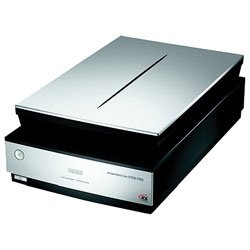
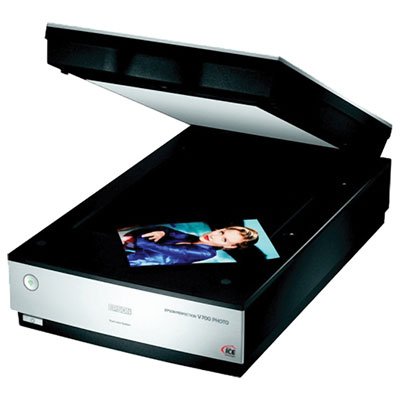
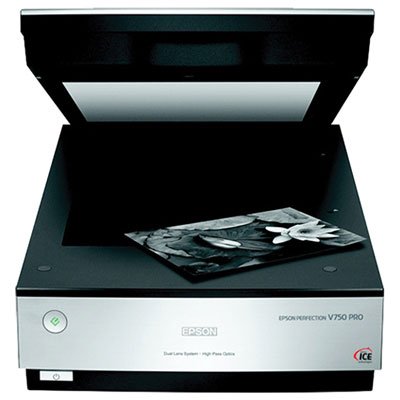
📸 Elevate your memories with pro-level precision and flawless restoration!
The Epson B11B178061 Perfection V750-M Pro Photo Scanner delivers ultra-high 6400 dpi optical resolution and a 4.0 Dmax for exceptional tonal depth. Featuring Digital ICE technology for automatic dust and defect removal, high-pass optics for superior image clarity, and a fluid mount accessory to reduce scratches and grain on black & white film, this scanner is designed for professionals and enthusiasts seeking gallery-quality digital reproductions.
| Manufacturer | Epson |
| Brand | Epson |
| Item Weight | 14.5 pounds |
| Product Dimensions | 20 x 6 x 12 inches |
| Item model number | B11B178061 |
| Is Discontinued By Manufacturer | No |
| Number of Items | 1 |
| Sheet Size | Various (Slide, Photo, Print) |
| Manufacturer Part Number | B11B178061 |
| National Stock Number | 7025-01-576-1905 |
B**E
Stunning results for a flatbed scanner
I bought this scanner a couple of years ago to do a high-res 35mm (Kodachrome) slide -> digital file conversion. I also bought it because all of my dad's slides (shot 40+ years ago) are on the verge of useful life. He also shot medium format with a 5x7 Kodak and a speed graphic.The 35mm slide to digital worked great, and two years later, I'm finally started the main project. I downloaded all the new drivers and Silverfast Ai updates (though the V750 now appears to come with SE), and installed it on a dedicated 2.6Ghz core2duo (4GB dram, hooked up via USB) machine. Works great.I'm doing 35mm negatives right now, and while it took me a while to dial in the focus, I'm very happy with what I'm getting. Excellent detail in the shadows (I believe the Dmax 4.0 claim), and believe I'm getting the 4800 dpi I'm scanning for. (I know 4800dpi for color neg is a waste, but the detail from the Kodachrome conversion I did a couple years back makes me a believer.) 9 minutes/frame@4800dpi with [email protected] allows color reversal with dozens of types of reversal film masks, with individual control (gamma, color, ICE, resolution, orientation, etc.) over each frame. Then you just batch scan the entire holder. (A word about the film/slide holders. They're made of polycarbonate, and feel flimsy, but I've found polycarbonate to be pretty strong stuff. No complaints so far.) I have not tried the Epsonscan software that's also included.I would buy this scanner again (as a film scanner) in a heartbeat. It would be a waste to buy this scanner as a normal reflective unit (and it does work that way). But if you want to scan in archive quality negs/transparencies for preservation, this is an excellent buy.(I will update this review when I start doing all of the medium format stuff.)
P**N
Built-in design flaws; BEWARE!
Update January 2016: Today I find I am once again fighting with this device to scan some negs that have dense sky regions adjacent to the film holder edges, and it is IMPOSSIBLE to get a scan that does not have terrible banding artifacts in it. I sorely wish I had not bought this wretched device. Epson will give you excuses about its performance problems and offer to "repair" it if you press them, but its a built in design flaw: nothing can be done. Be sure you read this: http://photo.net/digital-darkroom-forum/00PWGu?start=0I've had this scanner for close to two years now, and with every passing month its shortcomings and flaws become more apparent and much more problematic.1) its nearly impossible to position 120 roll film in the film holder correctly to obtain a sharp scan. If the film has ANY curl to it at all, you can be guaranteed of getting a soft, blurry result. There's no way to adjust the position of the film holder (though Epson documentation states there is) and thats why there are third part film holders being sold that ARE adjustable.2) this is the biggest issue for me: if the unexposed (clear) area of the negatives is wider than bare minimum (this is determined by the camera you shoot with and is out of your control) then the scanner introduces "banding" artifacts into the scanned image! This is fairly well documented by other users and appears to be inherent in the Epson V700 and V750 designs. (See: http://photo.net/digital-darkroom-forum/00PWGu?start=0 )The only solution to this issue is a clumsy workaround where you have to manually block the clear areas of the film strip before scanning. Kludgy workaround for a problem that Epson doesn't even acknowledge! I submitted a support ticket and the response I got was a canned "This appears to be a hardware failure with the scanner. Please have an Epson servicer take a look at the unit." I've demonstrated for myself that the clear film area is the reason for the failure, not some hardware failure awaiting diagnosis; block the clear film margins and the problem vanishes. See the attached photo, showing the banding artifacts vertically along the right margin.Epson, this is completely unacceptable to sell a device for $700+ and have these crippling flaws built in to the design. Never again will I buy anything from Epson.
G**R
Beware outdated and toxic software
I think this is probably a great scanner, BUT the included third-party software is a series of disasters.The scanner ships with ABBYY FineReader® Sprint Plus 9.0 OCR that is silently installed from the Epson disk as part of the default installation. The version supplied disables all Microsoft Office 2013 applications -- any Office 2013 application will report "xxx has stopped working and will close." At first I did not associate this problem with the Epson installation, so I tried repair of Office 2013, then uninstall/reinstall -- no help. Then I found by Internet search that this was a well-known problem with the ABBYY software, and contacted Epson. Epson denied any prior knowledge of the issue and referred me to ABBYY. ABBYYY has a solution -- "FineReader 9.0 Sprint add-ins are not compatible with your version of MS Office. There is an update available for the software that will fix this issue." The "fix" is NOT the latest release (11.0), but a special version of the old software without the Office add-ins. But it does work. Sixty bucks to upgrade to the latest release with functional add-ins.Having eventually solved that issue, I then addressed the SilverFast software supplied with the scanner. Epson's data sheet says "LaserSoft Imaging® SilverFast® (Version SE 6 with the Perfection V700 Photo and Version Ai 6 with the Perfection V750-M Pro). Knowing the price of SilverFast, this distinction was one of the factors in choosing the 750. The scanner arrived with Version SE 8 -- latest version, but limited functionality. I contacted Epson, and received Version Ai 6 -- full functionality, but two product generations back. And after the ABBYY experience I'm very wary of installing old software. Hundred fifty bucks to get the current Ai 8.Bottom line -- days of wasted time for me, and over two hundred dollars to get the current versions of the promised software.
Trustpilot
1 month ago
3 weeks ago