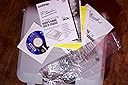
🖋️ Label like a pro, anywhere, anytime — because details matter.
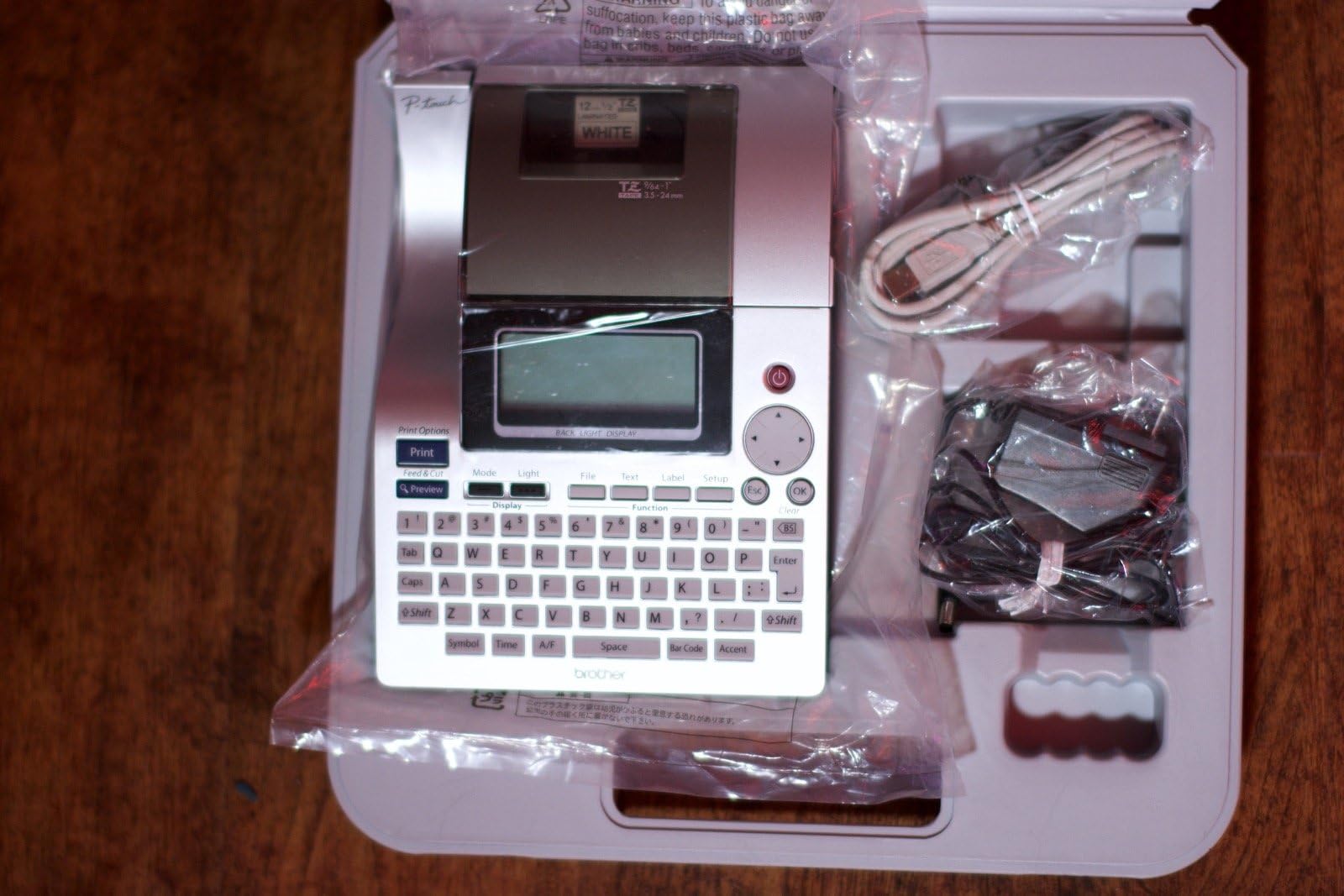
The Brother PT-2700 is a professional-grade desktop label maker featuring a bright 3-line backlit LCD, USB connectivity for PC integration, and high-resolution 600x600 dpi thermal printing. It supports up to 7-line labels in multiple fonts and styles, stores 99 custom labels, and operates on AC power or 8 AA batteries, making it perfect for versatile, on-demand labeling in office or field environments.
| ASIN | B000FHFKGW |
| Additional Printer Functions | Print Only |
| Best Sellers Rank | #164,260 in Office Products ( See Top 100 in Office Products ) #225 in Label Makers |
| Brand | Brother |
| Color | Silver |
| Compatible Devices | PC |
| Connectivity Technology | USB |
| Control Method | Touch |
| Customer Reviews | 4.0 out of 5 stars 80 Reviews |
| Display Type | LCD |
| Dual-sided printing | No |
| Duplex | Simplex |
| Global Trade Identification Number | 00001250261531, 00012502615316 |
| Hardware Interface | USB |
| Ink Color | Black |
| Item Height | 3 inches |
| Item Weight | 4.1 Pounds |
| Manufacturer | Brother Printer |
| Maximum Copy Resolution Black and White | 600 x 600 |
| Maximum Print Resolution Black and White | 600 x 600 |
| Media Size Maximum | 1 inch |
| Model Name | PT 2700 |
| Model Number | PT-2700 |
| Model Series | PT |
| Other Special Features of the Product | Portable |
| Paper Size | 1 inches |
| Print media | Labels |
| Printer Connectivity Type | USB |
| Printer Output Type | Monochrome |
| Printer Type | Thermal |
| Printing Technology | Thermal |
| Resolution | 600 x 600 |
| Scanner Type | Portable |
| Special Feature | Portable |
| Total Usb Ports | 1 |
| UPC | 001250261531 012502615316 |
| Unit Count | 1.0 Count |
| Warranty Type | full warranty |
B**K
Excellent printer for the price...!!!
I do a lot of labeling of equipment at work and I wanted a printer that would allow me a lot of options for making those labels. This unit is just the ticket. With label sizes up to one-inch wide it covers virtually any label I might ever need. I work in the temperature controls industry and once I have installed a control system I am required to label every device. The included software allows me to design the labels on my computer and the usb connection makes printing the labels a snap. I am not limited to the simple text output of lesser labelers as this unit allows me to use many fonts, borders, clip art, symbols, screen captures, time and date, calendar, bar codes, even image files if desired. That is more functionality than I am ever likely to need, but it is nice to know it's there. Admittedly, a wider tape size would help to more fully exploit the usefulness of the image files; still, a small trademark image will fit nicely on a one-inch space. For my labeling needs I am currently using mostly borders and various fonts to make business-like labels that are appropriate in a mechanical room environment. For items inside a building's office spaces I use a more casual font style to convey a bit of a 'friendly' feel to the equipment. These are exactly the reasons I selected this unit rather than a lesser one and I have not regretted that decision in the least. The computer interface is a real plus since it allows me to create the labels in a familiar environment while the keyboard is good for those times when I need a label 'right now' and don't have a computer handy. I didn't order the model that comes with a carry case, but I saved almost forty dollars. All in all an excellent labeler that is serving me well. Now, if only Brother would offer tapes with a red background and white or yellow foreground......! I currently am forced to use the red foreground white background tape as an alternative, but it isn't as good a solution. I really want a lot of red showing when I label an alarm device, something I can only accomplish now by using borders.
M**N
Still kicking 5 years later after a smapp power supply repair
Let me start by saying I'm not OCD, I'm forgetful. I use this to label the network panels and cables, light switches in the guest house and other not-so-necessary things like mail slots. The unit itself is tolerable to use for simple jobs. If you need more than font size and a border, you're better off using the P-Touch software and a computer. The UI is fine once you learn it. I DON'T like having to go find the serial number, though, to download each update. it's a PITA. Label media - what I've learned in the 5 years is that you can use the cheap, non-brother labels for most things that are flat and don't matter much like file folders. If you label antything even slightly round, buy the Brother genuine/flexible labels. The knock-offs will de-laminate in a day or two or just fall off leaqving adhesive residue. The genuine flexible are a year and going on all the cables. Even in the attic. With whatever brand, the labelling is always clear as long as you keep the cover closed and clean. The only issue I've had with the unit is it started to not power on unless it had bateries in it. (It uses 8 AA, which add a lot of weight to carry around) I would wiggle the power wire and it would flash on or off and maybe power up but not stay on. I found the wire right at the wall wart broke in the insulation and stopped delivering the juice. I was able to carefully open the brick, cut off the offending piece and solder the good wire on and it's back to being 100% reliable. I have a lot of soldering and electronics repair experience, just buy a new one if you don't. Don't burn your house down. Would I guy it again? Sure. I'd check out the new models to see what improvements they've made but this one just works (99% of the time) and I'm happy with it - not enough to name it tho. That's just weird.
T**E
Great Product
This is a great product. We have one at work and I liked it so much that I purchased one for home. It is a great machine to label the DVD/CD cases. I have tons of digital pictures and lots of software that I put into the narrow DVD/CD cases. If you use the 1/2 tape and print two lines at 10 points then split the tape put it on the edge of the narrow cases. Use a razorblade to trim it and you have the answer to figuring out what is on all of those DVDs and CDs you have. Then you can also label containers and file cabinets with it. When I find a format for a particular use that I like I save it. Then I just call it up and change the text to what I want next time I need to use it. The only issue I had with it was the software I got did not like to work on my XP computer. I just downloaded the previous (out of production model) software and it worked great. I now am running window 7 and the software is running fine. I'm thinking that it was a glitch in the installation but no big deal. Yes it cuts off 1 inch of tape each time you use it. You should not be purchasing this if you are that tight on money buy food instead. Get real please Yes this is more machine that anyone needs for home use but it is a great machine. It is really nice for the home office. Still more machine than most home offices need. So I would classify it as a toy for most people but it is a great toy.
K**S
Well....
I was able to print a nice-looking and nice-sticking label with this machine after an hour and a half or so of working with it. I was not able to figure out how to connect it to my Windows XP computer. The steps involved went on and on and on, until I finally gave up and kept it unhooked and used it by itself. I will probably like this label maker, but geeze, it is SO complicated. I'm pretty good at figuring equipment out, but geeze. If I can figure out how to minimize the space between labels, I might use it for return address labels. I like the durability of the labels. I do not like ink to run when it gets wet, and wetness does happen sometimes to mail. The first--and so far only--label I've made was one that says "Worthy," to dress up the file folder with my beloved assistance/service dog's information filed in it. The handwritten label had smeared, so I didn't mind so much having the extra blank spaces on both sides of this one, to cover that. It's a start. I think Brother needs to make a new label maker that is simpler to operate, for first-timers like me. Someone said this one would be good for a first-timer, but I don't really think so. This dude is complicated.
P**R
This label maker is a steal.
This Brother PT label maker was dirt cheap. A lot of machine for the money. The highest quality. I heartily recommend it. It takes eight AA batteries, if you choose to go portable. I chose to keep it on my computer desk and plug it into the AC outlet. As is usually the case, the manufacturer makes their money not on the machine, but on the necessary complimentary products, the TZ tapes. If you use this machine as much as I do, you will pay much more for the tapes than for the labeler. The manufacturer could afford to give the machine away. And they almost do. That's OK. The tapes are first class, just as is the labeler. They are always available at Amazon.com. I now have two Brother PT label makers. One on my computer desk, one in my woodworking shop. Along with my Brother FAX machine I have three top-notch products.
R**W
Works, But It Was Cheaper Several Years Ago
I purchased this from Amazon on March 22, 2007 for $89.99. At this point (10/18/12) the pricing has increased dramatically. Apparently Amazon is not carrying it in their own stock and outside vendors are supplying it. Seems strange that pricing on a gizmo like this would increase so much in five years... Today it is listed for $148.50. It must be a collector's item now. The unit works well. It's a little wasteful of the tape, as others have pointed out, but the printing is nice and compared to the old embossed labelers of old, this is a deluxe upgrade. I would not buy it at $148.50, but at the price I paid it was a relatively good value.
N**A
Purchased Online from 2Good4U as new, but received used product
The problem was not with the product itself, but with the seller. I love the product, as I have used one in the past, that's why I ordered another one. The seller however sent me a used product even though I paid full price for a brand new label maker. What I received was a beat up old box with used merchandise inside... not good (disappointed customer). The item was returned for credit after several calls and coorespondence to Amazon and the seller.
R**R
Still wastes too much tape = unforgivable
The tape-wasting of all Brother label-makers is unforgivable. I'm not buying the 'label-curling' excuse from Brother, either. Yeah, there are work-arounds like the 'chain' setting, but why should it be necessary to do that? It's really a shame because the Brother label-makers are otherwise nice products with features that easily beat their main competitor (Dymo). But it's a big 'thumbs-down' for me because of the way Brother has designed in big, 1" lead and trail margins specifically designed to waste tape for no other reason than to make the consumer buy more of their expensive tapes.
Trustpilot
5 days ago
3 weeks ago