Some deliveries may take a little longer than usual due to regional shipping conditions.

DOWNLOAD THE APP


Customer Services
Copyright © 2025 Desertcart Holdings Limited
DOWNLOAD THE APP


🚀 Upgrade your system, upgrade your life — don’t get left behind!
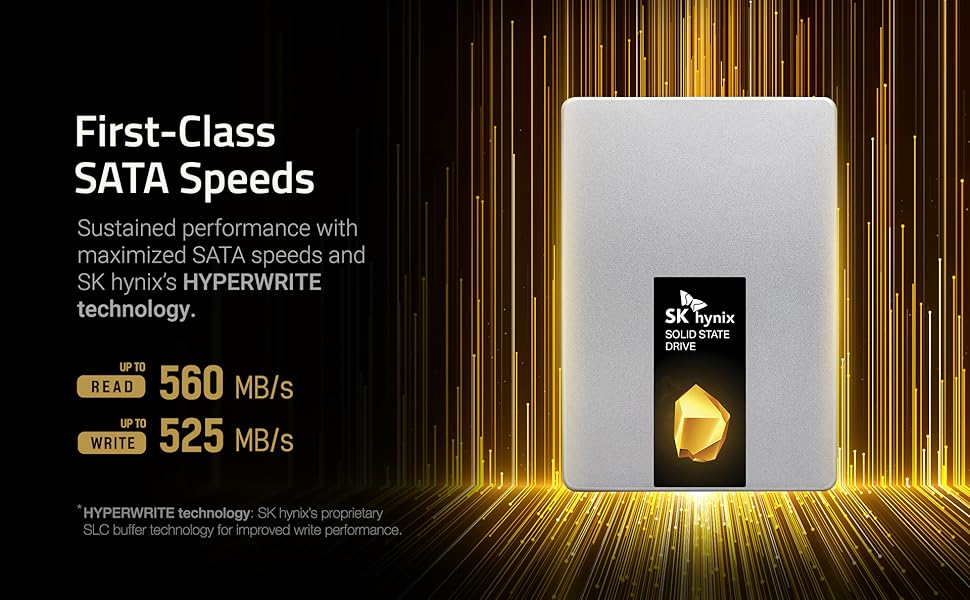
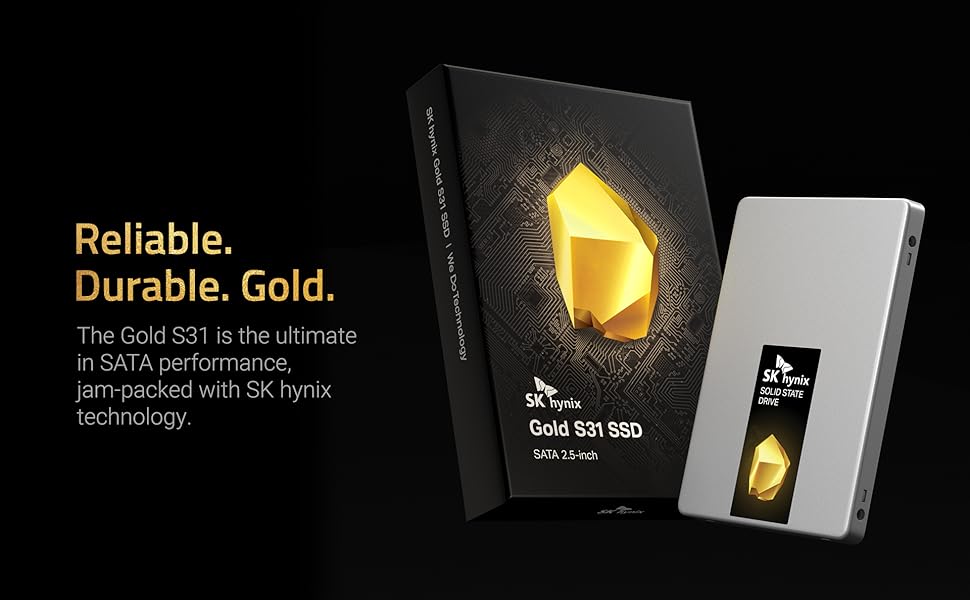
The SK hynix Gold S31 500GB SATA Gen3 SSD delivers premium performance with sequential read speeds up to 560MB/s and write speeds up to 525MB/s. Engineered with in-house 3D NAND, controller, and DRAM, it offers exceptional durability rated at 600 TBW and backed by a 5-year warranty. Its compact 2.5-inch SATA form factor ensures broad compatibility, making it the perfect upgrade for laptops and desktops seeking faster, more reliable storage.


| ASIN | B07SK5BNM1 |
| Best Sellers Rank | #1,230 in Internal Solid State Drives |
| Brand | SK Hynix |
| Color | Gold |
| Customer Reviews | 4.7 4.7 out of 5 stars (16,259) |
| Date First Available | August 15, 2019 |
| Flash Memory Size | 500 GB |
| Hard Drive | 500 GB Solid State Drive |
| Hard Drive Interface | Serial ATA-600 |
| Hardware Platform | This drive is compatible with desktops and laptops that accept 2.5" 7mm SATA drives |
| Item Dimensions LxWxH | 3.94 x 2.75 x 0.28 inches |
| Item Weight | 1.85 ounces |
| Item model number | SHGS31-500GS-2 |
| Manufacturer | SK hynix |
| Product Dimensions | 3.94 x 2.75 x 0.28 inches |
| Series | SK hynix SuperCore Series - Gold S31 |
S**G
So reliable Ive slowly replaced all the HDDs in my life with SK hynix SSDs.
The SK hynix Gold S31 500GB SATA Gen3 2.5-inch Internal SSD is an excellent storage solution that balances performance, reliability, and affordability. Designed with SK hynix’s in-house NAND flash and controller technology, this drive delivers outstanding performance for everyday computing tasks, making it ideal for upgrading laptops or desktops. The sequential read and write speeds of up to 560 MB/s and 525 MB/s, respectively, ensure snappy system responsiveness and fast data transfer rates. Whether you’re booting up your system, launching applications, or transferring large files, the Gold S31 provides a noticeable improvement over traditional hard drives. One of its standout features is its reliability and durability, with an impressive 600 TBW (terabytes written) endurance rating and a 5-year warranty. This makes it a dependable choice for long-term use, even under heavy workloads. SK hynix's reputation as a leading memory manufacturer adds further confidence to its quality. The drive’s 2.5-inch SATA form factor ensures compatibility with a wide range of systems, from older desktops to modern laptops, and its plug-and-play setup makes installation straightforward. It’s also an excellent choice for extending the life of older devices by giving them a significant performance boost. Overall, the SK hynix Gold S31 500GB is a fantastic SSD that delivers solid performance, exceptional reliability, and great value. Whether you’re upgrading an existing system or building a new one, it’s a dependable and cost-effective storage solution.
A**A
Installed in 2010 Mac Mini - Don't Be Afraid to Upgrade
Revving up old Macs is like one of my favorite things. I don't do much of it anymore, because (a) arthritis in my hands has made the turning of tiny screws much more of a chore, and (b) I was running out of old Macs. The last one I had was a 2010 mini that was the first computer I'd bought new since probably 1993 (also a Mac). It had the last of the Core2Duo processors and a spin up hard drive and a couple of gigs of ram that I upgraded pretty much right away. It served as a DVR for a while, then a minecraft server, media streamer, then got put away. I resurrected it to bounce DATS to .WAV to mp3 when I learned that it had digital audio input and output. I had been researching all these expensive things to make that happen, and it turned out that my little friend was able to save me hundreds of dollars with something that had been built in all along. But it was slow because of the HDD. And upgrading looked really daunting. I'd done one of the earlier minis, and it had been an exercise in anxiety. But the other day, I decided to give it a try. Two bits of advice: if you can get through this without disconnecting the wifi connector (you can if you are really careful), do so, and (2) if you accidentally disconnect the wifi connector (I did), don't panic. Watch videos of people putting iPhones back together (the older, the better). These connectors are fussy. Do not force them. If they are seated correctly, a light press will connect them. You'll feel the click. But it's almost like threading a needle to get it seated correctly. And if you push too hard, you'll break it. Same with the fan. Just be careful. If you are pushing and it's not connecting right away, it's not lined up right. Okay, so deciding to do the drive replacement took awhile because the above two steps seemed very daunting. And the project took me several hours, because I had to stop and rest a few times (if your hands work and you keep your screws organized, it should take about 45 minutes). But it was worth every minute. This is an excellent drive. The form factor lines up exactly with the HDD I pulled from the mini (some of the drives I have used in old white MacBooks and older MacBook Pros have not). Not a millimeter off. The OS install flew. This drive is stellar in this context. If you need a 2.5" SSD, I highly recommend this one.
M**D
MY old Windows 10 Laptop now starts up in less than 30 seconds!!!
I have an older Lenovo Thinkpad as my work laptop. It did have a 1TB SSHD (Solid State Hybrid Drive) in it as it's main Hard Disk. Lately, from a complete power off state, when I pressed the power button it was taking upwards of 5 minutes before I could even login, then another 15-20 minutes before I could even attempt to try and start Google Chrome, which would take another 5 minutes or more. If, while it was taking so long to start up, I opened Task Manager and clicked on the PERFORMANCE tab, I could see my Hard Disk Drive running at 100%. Only after it dropped down to under 20% could I try and start Chrome. On Friday, April 29th, 2022, I was working on my laptop when I got a black screen with white text saying it could not find my Hard Drive. I immediately powered it off, removed the power cord and the battery. I ten removed the hard drive and re-inserted it. After powering it up it did finally restart Windows 10 and I finished my work day. That night I got on Amazon and searched through replacement, THIN laptop hard disk drives and found this SK Hynix Gold S31 1TB Solid State Drive (SSD). Most people are not familiar with the name HYNIX, but they have been making memory chips for a very, very long time and are in a lot of high-end Computer Graphics cards. They compete with Samsung as the 2nd if not the 1st largest high-speed memory chip manufacturers in the world. So, they are a good, trustworthy brand name. And since Solid State Hard dives, like this one are all memory chips and no moving parts, I knew I could trust it and the price was right for a 1TB SSD drive. It also has a 5 year manufaturers warranty and has a very impressive 600 Terra-byte of writing to the drive before even one bit of the memory failed in theirs tests. That's important because the main draw-back of solid state drives compared to mechanical, spinning disk drives, is that the memory chips have a limit to how many times you can write to the memory, erase it and write to the same place again. Eventually, the silicon chips start failing. So, a 600 TBWrite before failure is pretty good. I ordered it on Friday night and I am fortunate enough to live in one of the cities where I got it the next day with Amazon Prime next day shipping. SK Hynix has partnered with Macrium software to come up with a free data migration software download. Macrium has a good software program you can purchase from them that is a little pricey. It is nice because it can copy your old hard drive data (as long as your old drive can boot up into Windows) WHILE WINDOWS IS RUNNING!!! This makes it so easy. When you download the free data migration software, make sure to get the instruction file with it. YOU WILL ALSO NEED TO HAVE A SATA-toUSB adapter cable to use the software., so make sure to purchase one if you do not have one already. I bought one of those off of Amazon a long time ago, Mine is made by StarTech. Search Amazon for "StarTech SATA to USB adapter cable" and you should find it. I won't go into the details of how to use the software here. Just follow the well written instructions. It took several hours to completely copy all data from my older drive to my new SK Hynix Gold SSD drive. About 11 hours for me. That was for a 1 terabyte hard drive to a new 1 terabyte hard drive. MAKE SURE YOU HAVE YOUR AC ADAPTER plugged into your laptop if that is where your old drive is installed. Then, put in in a place where no one will come along and mess with the laptop while the migration software is running. No the good news. After it was all done migrating the data from my old drive to the new drive, i replaced the old drive in my laptop with this new SK Hynix one and restarted it. (Make sure you have AC power unplugged and the battery of your laptop removed while replacing your hard drive). Once I pressed the power button on my laptop, it took 15 SECONDS and then I was at my login prompt. I entered that and in another 20-30 SECONDS (!!!) I was at my main Windows 10 screen. I clicked the Google Chrome button on my task bar and in less than 15 seconds, Chrome was up and running (I have 6 tabs in Chrome that startup, including two Gmail accounts). Since this is a company laptop, they have installed a lot of very thorough security software that scans my laptop memory and Hard Drive at boot-up as well, so I can only say my experience with the old Hybrid (solid state cache memory on a spinning disk drive) with this new completely Solid State drive is NIGHT AND DAY! Now I have lots of Physical RAM installed on my laptop as well. If you don't have enough system RAM, just getting a SSD drive may not give you the same results as I have now. Both RAM and the Hard drive are key hardware components to fast performance. But if you laptop has plenty of RAM and is sluggish to start like mine was, I am pretty sure getting a new Solid State hard drive may very well be what you need. Also, a lot of junk malware could slow your computer down a LOT so have someone you trust clean all the crap software off of your laptop, verify that you RAM usage when you have most of your normal programs up and running . Your RAM usage should be 50% or less for best performance. If you have a "Clean" computer, and are using less than 50% of RAM, get one of these SK Hynix drives. I think you will be very pleased. I know I got amazing results.
A**R
Works according to spec as far as I can tell. No issues found. Fair price. On time.
S**M
Great little ssd! Installed it as an upgraded boot drive in a 2012 Mac Mini. Once I finally got through the installation and setup, (my old Mac was a bit of a pain) the drive worked perfectly and my system has sped up significantly with far fewer crashes in apps. I'm running a dual boot system on this drive with all my file storage kept on my old HDD (I have both installed).
M**.
Replaced a 5 year old Western Digital 500Gb drive using Paragon drive copy and found a dramatic speed increase.
K**A
満足
M**T
Very slick to install. I upgraded from a slower 512gn drive to this one. The migration software worked spot on. It just took a while due to the quantity of data to move and the older drive having a slower sustained read speed. Once it was up and running, it works great! It can work faster but my motherboard can’t keep up. It’s already much faster than my previous m.2 ssd, and the durability of this new one (along with more space) we’re my reasons for upgrading.
Trustpilot
1 month ago
1 month ago