
📺 Elevate your space with smart, sleek, and stunning visuals — don’t just watch TV, live it!
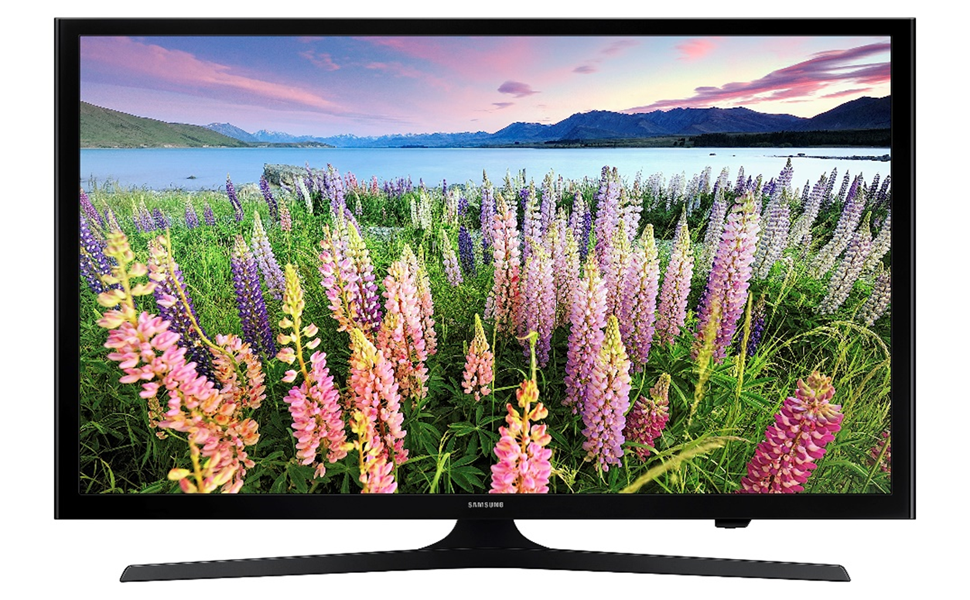
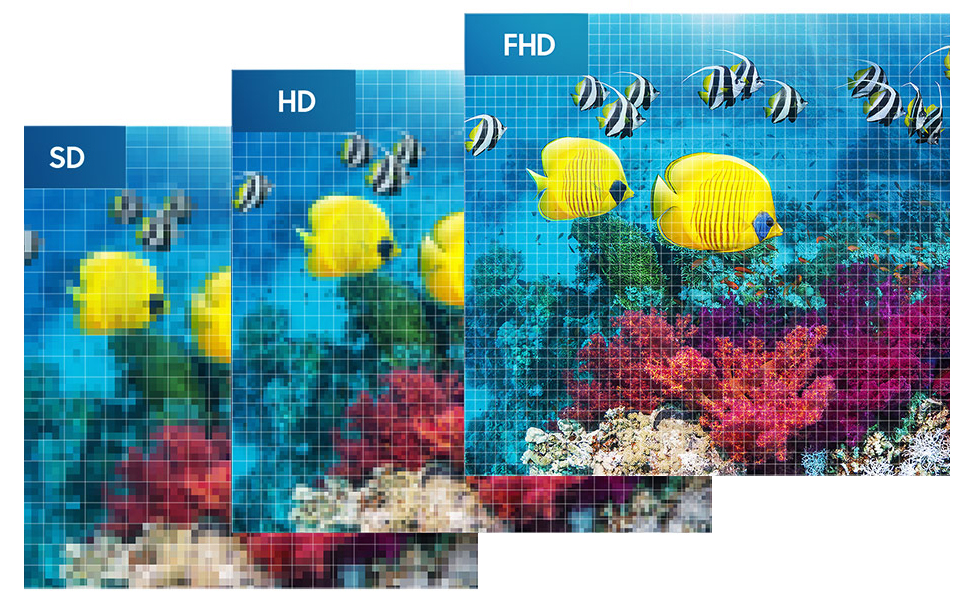
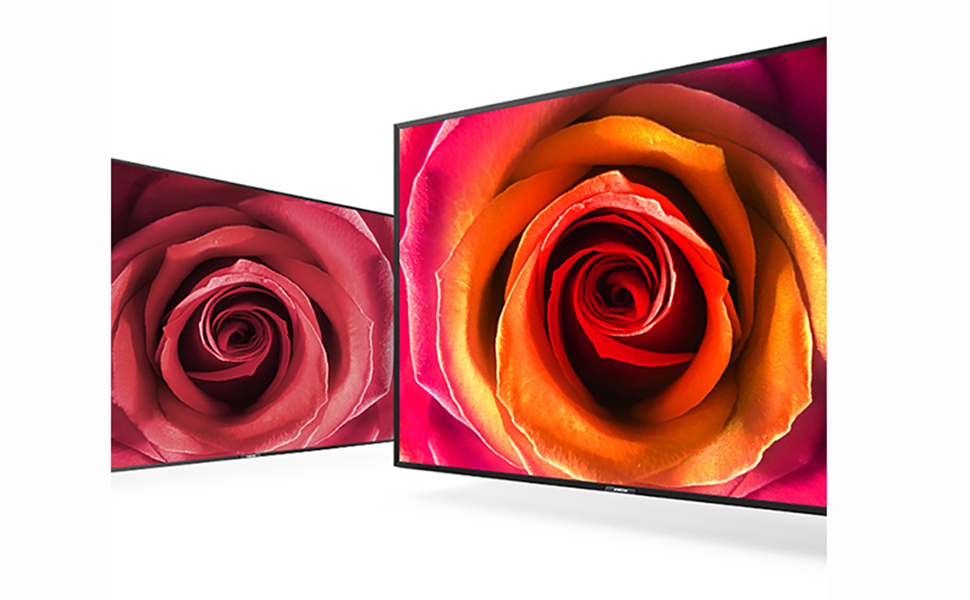
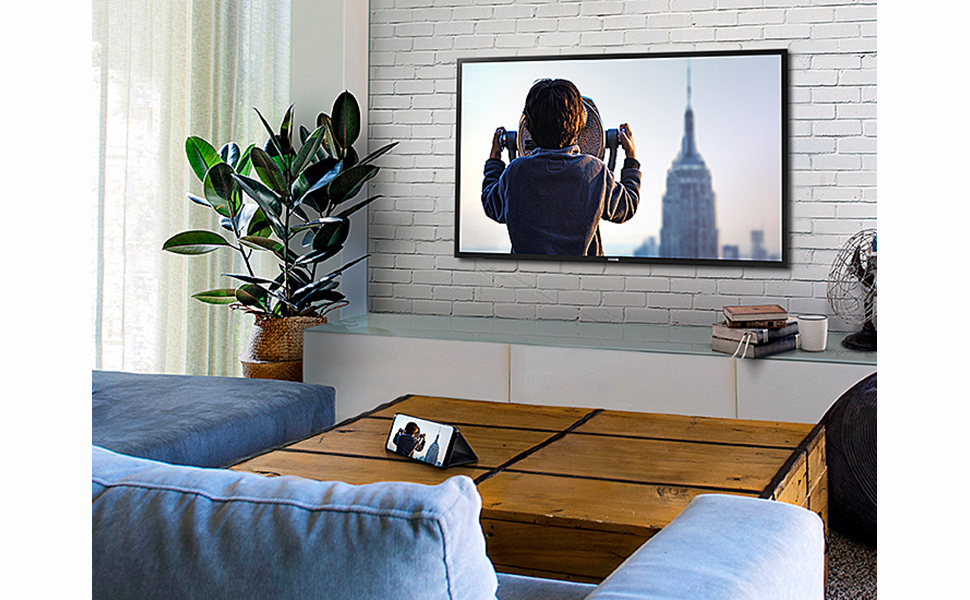
The Samsung 40-inch Class LED Smart FHD TV (UN40N5200AFXZA, 2019) offers vibrant Full HD 1080p resolution enhanced by PurColor and Micro Dimming Pro technology. It features built-in Wi-Fi, SmartThings app compatibility, and voice assistant support for seamless smart home integration. With a slim design, VESA wall mount compatibility, and multiple connectivity options including HDMI and USB, this TV delivers immersive picture and sound quality ideal for modern living spaces.


| ASIN | B07YXH57B8 |
| Additional Features | Digital Clean View; Smart TV with Universal Guide; Eco Sensor; Works with Google Assistant and Alexa |
| Analog Audio Output Count | 1 |
| Annual Energy Consumption | 65 Kilowatt Hours |
| Antenna Location | Home Viewing |
| Aspect Ratio | 16:9 |
| Audio Input | HDMI |
| Audio Output Mode | Digital |
| Best Sellers Rank | #8,744 in Electronics ( See Top 100 in Electronics ) #45 in LED & LCD TVs |
| Brand | Samsung |
| Built-In Media | E - Manual, Power Cable, Standard Remote Control with Batteries, User Manual |
| Color | Black |
| Compatible Devices | Smartphone |
| Connectivity Technology | HDMI |
| Connector Type | HDMI, USB |
| Content Sharing Direction | Mobile to TV |
| Contrast Ratio | Mega Contrast |
| Control Method | App |
| Controller Type | smartthings |
| Customer Reviews | 4.4 out of 5 stars 14,136 Reviews |
| Display Backlight Configuration | Edge LED |
| Display Backlight Setting | Micro Dimming Pro |
| Display Backlight Technology | LCD |
| Display Language Options | English |
| Display Size Class | 40 Inches |
| Display Technology | LED |
| HDR Format Supported | HDR10 |
| Hardware Interface | Ethernet, HDMI, USB |
| Has Color Screen | Yes |
| Integrated Surround Sound Format | Dolby |
| Internet Applications | Browser |
| Item Dimensions D x W x H | 2.9"D x 36.3"W x 20.9"H |
| Item Height | 21.8 inches |
| Item Weight | 15.9 Pounds |
| Item Weight Without Stand | 15.4 Pounds |
| Item Width | 36.3 Inches |
| Line Voltage | 110 VAC 60 Hz |
| Manufacturer | Samsung Electronics |
| Model Name | FBASAMUN40N5200A |
| Model Number | UN40N5200AFXZA |
| Model Series | N5200 |
| Model Year | 2019 |
| Motion Enhancement Technology | Motion Rate 60 |
| Mounting Type | Wall Mount |
| Number of Audio Channels | 2.0 |
| Number of Batteries | 3 AAA batteries required. (included) |
| Number of Component Outputs | 2 |
| Operating System | Tizen |
| Parental Control Technology | Built-in device controls |
| Picture Quality Enhancement Technology | PurColor, Micro Dimming Pro, Digital Clean View |
| Power Consumption | 30 Watts |
| Refresh Rate | 60 Hz |
| Remote Control Technology | Standard |
| Resolution | 1080p |
| Screen Finish | Glossy |
| Screen Size | 39.5 Inches |
| Signal Format | Digital |
| Speaker Description | 2-channel speakers with a maximum output power of 20 watts per channel, and a total maximum output power of 90 watts |
| Speaker Maximum Output Power | 20 Watts |
| Special Feature | Digital Clean View; Smart TV with Universal Guide; Eco Sensor; Works with Google Assistant and Alexa |
| Specific Uses For Product | Entertainment |
| Total Number of HDMI Ports | 2 |
| Total USB 2.0 Ports | 1 |
| Total Usb Ports | 1 |
| Tuner Type | ATSC/Clear QAM |
| UPC | 887276369303 |
| Unit Count | 1.0 Count |
| VESA Mount Standard | 200 x 200 mm |
| Video Encoding | AVC |
| Voltage | 110 Volts |
| Warranty Description | 1 year manufacturer |
| Warranty Type | Limited |
| Water Resistance Level | Not Water Resistant |
| Wattage | 10 watts |
| Wireless Technology | Wi-Fi |
W**.
Good quality - speaker sound output volume is more than needed for normal hearing.
But... I had carefully re-packaged and obtained a refund because... Website does not provide enough pre-purchase information. I even downloaded the so-called Manual that I regard as useless because it doesn't provide any info that is much better than the setup guide. I was looking for a rear diagram to check for RCA Jacks Audio output needed to operate my wonderful SennHeiser remote Headset that I require to hear TV because I am partially deaf. Otherwise I have to turn TV volume up so loud it vibrates the walls and my wife can't sleep. My 20 year old Insignia TV include red and white (right and left jacks) for audio output. This set does not, so I boxed it up for Amazon free return. I then went and checked other boxes at Walmart and Sam's Club and the rear panels are all the same. No RCA Audio Output. A little trap door marked "Optical Audio Digital Output" caught my eye. Audio? I check on Amazon and happy days! Doubly so because 40 inch sets are as rare as Hen's teeth, while 43 inch is too big and won't fit in my room; I find a Converter Cable that converts Optical to Analog RCA Audio at a very reasonable price. I complain loudly at the difficulty of finding good-quality 32-40 inch TV's as marketing strategy is always more, more, more, bigger and bigger. Where does it end? 200 inch TV's at 64K Resolution? I need help to be physically boosted into my Son-in-Law's Pickup Truck. I guess I've been stuck in a 20 year old time warp. I order the Cable, again, unbox this Samsung Unit and Voila! It works great! Cancel my return! Picture and Sound, (for my wife, who can hear a Cockroach fart), are very good. She listens to TV speakers at low volume while I listen separately on my Headset. Sound is so good it's like I'm a teenager; hard of hearing has melted away! I would subtract a star if it weren't for the fact that all the TV manufactures are all the same-manual is mostly useless, RCA Jacks a thing of the past. I blame myself for looking to the past, ignorant of the present. OH well - all's well that ends well.
D**B
Repeat purchaser!
I’ve purchased several of these TV’s to use in a home remodel. They are a great size, simple to set up and at a very reasonable price point. I’ve had 4 installed recently in a rental home. Streaming is easy, picture quality is spot on and I love that there’s no glare. Wifi set up was a breeze, remote control is simple and the colors are crisp and can be adjusted to your preference. Zero complaints for my use!
P**S
A Good Quality Brand and Model
I had this same model until about a year ago, and really liked it until a voltage surge damaged the audio. One of my housemates is still using that set with earphones, but I didn't want to go that route and made the mistake of replacing it with another brand I'd never heard of rather than with a Samsung or equivalent. That set lasted only a year before unexpectedly dying, so when it had to be replaced I went back and got the same Samsung model I'd had and enjoyed before. It's easier to set up [not as many unnecessary and annoying steps], has better video and audio quality, and I expect it to last a lot longer.
C**R
Excellent TV, needs a small gadget to use bluetooth.
It is four stars only because you need an additional gadget to set up bluetooth. The rest is top-notch. I have this TV for couple weeks and love the picture quality, the size of TV, and the price. Being Samsung TV, it has tons of Samsung TV channels, plus I use smart TV apps, and a few local TV channels I receive with a small indoors antenna (I have no cable TV subscription). It took to time to set it up, Wi-Fi connection did not work and I use ethernet, but I guess it is caused by the router being in another room. I am close to illiterate in tech gadgets and I am not paid to promote other Amazon products. I like to use headphones, but this TV has no bluetooth in it. If you go to TV settings - sound, it says something like HDMI-ARC. After googling all these mysterious words and reading answers about this TV, I bought "HDMI ARC Adapter Audio Converter" https://www.amazon.com/gp/product/B0791CFGY1/ref=ppx_yo_dt_b_asin_title_o00_s01?ie=UTF8&psc=1 I already had (also bought on Amazon) bluetooth transmitter receiver, and bluetooth headphones. https://www.amazon.com/gp/product/B09DD33SDD/ref=ppx_yo_dt_b_asin_title_o02_s00?ie=UTF8&psc=1 https://www.amazon.com/gp/product/B09JGF23V3/ref=ppx_yo_dt_b_asin_title_o01_s00?ie=UTF8&psc=1 I paired these headphones with bluetooth a few days ago (they said "paired" but had no sound). I connected the converter to the HDMI ARC in TV via HDMI cable, and also to USB in the TV as power supply. Then I connected the converter to the bluetooth transmitter via audio cable (red and white cables), and got a great sound in my headphones. I had the TV connected to a soundbar via optical cable. Now I can use only soundbar (ot TV speakers without the soundbar), only bluetooth headphones, or both at the same time. The sound quality is very good. If you are looking for the best listening experience (bass, various music etc.), I can't answer because I was looking for a good quality sound via headphones and I got it. Overall, I highly recommend this TV.
B**E
Good quality in a smaller TV
I wanted a TV to wall-mount in my bedroom where I have limited space. I was a little surprised to learn that it's actually getting difficult to find a top-quality TV in a smaller size these days - this Samsung was about the best we could find in a 32" model. Still, despite it's small size, it does have all the essential features, as well as a very good picture quality. The TV itself is very light weight and was easy to wall mount. I used an articulating arm mount that lets me tilt and position the TV any way I want, and the light weight helped make this easy. The TV remote is the same as other recent Samsung TV's use, so if you're used to the layout, it will seem very comfortable to you. This is a "smart" TV, meaning that it has apps for things like Netflix, Amazon Prime Video and many others available. With a fast internet connection, you should have no trouble watching whatever you like through the TV, even if you're a cord-cutter. It's probably a small thing to most people, but I also appreciate that the power draw - especially when the TV is off - is very low. I'd rate the picture quality as very good overall, with a nice bright picture that's sharp and contrasty with most content. Black levels are good, and about the only thing I notice is a certain "harshness" that's common to lots of TV's these days. I admit, I was a plasma holdout, and now my main TV is a 75" OLED just to avoid this issue, so I may be a little more sensitive than most. Overall, if you need a good quality smaller Smart TV that's still capable of putting a nice quality image in front of you, then this Samsung is definitely worth a try.
C**A
I love this TV.
I don't write too many reviews. This is my 3rd. I really do like this TV. I bought it as a back up for the identical model from 2018, in case it goes bad. I bought it at Costco and it still works. There were some issues with picture quality. When you turned it on it looked pretty good and in a few minutes the overall screen just kind of became darker and stayed that way. I got used to it. I just watched it through a component and that made it a little brighter. This new one is very bright and it stays that way. I think they've added some improvements to this particular model. I kind of freaked out trying to start it up, I'm not too technically inclined. The picture and sound options are a little different than the 2018 model. Those are the only ones I've messed with. But I got the picture to my liking, so I'm happy with it. So if you're one of those people who like watching a 32 inch tv screen, this is a pretty good tv. And I don't even watch HD channels. The back panel is the same as the 2018 version. I'm not sure I'm going to use the smart features so, I didn't rate them. Well I'm done here. all the best, chris
W**S
Good picture and color at a competitive price.
A very good, reliable TV. Strongly recommended for a small room.
C**I
If your fingers are toddler-sized, and you hate watching Amazon Prime Video, then this TV is a must!
The only reason I bought this TV is because it prevented me from having to rent a second Xfinity box; my living room Vizio can't use the Xfinity app. The picture is good, but the UX/UI team needs to fired. I don't sleep well and often wake up during the night, so I put the TV on to fall back to sleep. I try NOT to wake my sleeping husband so I like to set the sleep timer to 30 minutes, which could be a new Olympic event with the amount of effort it takes. Not sure what kind of psychopath engineered the remote. Instead of setting up the user interface on the screen and using minimal buttons on the remote, like my 21st century Vizio living room TV does, Samsung has every button they could possibly think of on the physical remote, like it's still 1995. And, the buttons are small. And close together. Notice the red boxes in the images? Those are the buttons you need to press to access the sleep timer. See how small the Samsung button is? If you have fingernails that are any longer than your fingertips, forget it.....you will be in "Inadvertent Button Pressing Hell" for a good while. Here's what you need to do to set the sleep timer on the Samsung: Press Settings button--->then press the "down" button 4 times to get to the General screen---> then press the Right button---> then press the down button 3 times to get to the System Manager screen--->then press the Right button ---> it brings you to Time ---> then press the Right button ---> then press the down arrow on Sleep Times --> then use the down arrow to select the amount of time. Once the time is selected, then hit the Back button 5 times. Here's what you need to do to set the sleep timer on the Vizio: Press the Settings button -- > use the center button to move down 4 spaces to the Sleep Timer, which defaults to 30 min. Hit the back button twice to exit the settings screen. So, you're like ok....get over it. And I would, except I love watching my Amazon Prime Video and 75% of the time the TV can't load the Prime app. "There's been an error", "Try again later", or my very favorite "Something went wrong". Yes, it did....today, yesterday and every day since I bought this POS. So, now you're thinking "C'mon, it's the wifi". And, I would agree, except EVERY OTHER APP LOADS with no problem. So, I've reinstalled the Prime app multiple times.....which works for about an hour. When it refuses to load Prime, the only way I've found to get it to load is to unplug the TV, wait 30 seconds then plug it back in. Which isn't super helpful if I'm trying not to wake up my husband. So, usually at that point, I just go out to the living room to sleep on the couch and watch my Vizio...
Trustpilot
2 weeks ago
5 days ago



