Desert Online General Trading LLC
Dubai, United Arab Emirates
Desert Online General Trading LLC
Dubai, United Arab Emirates

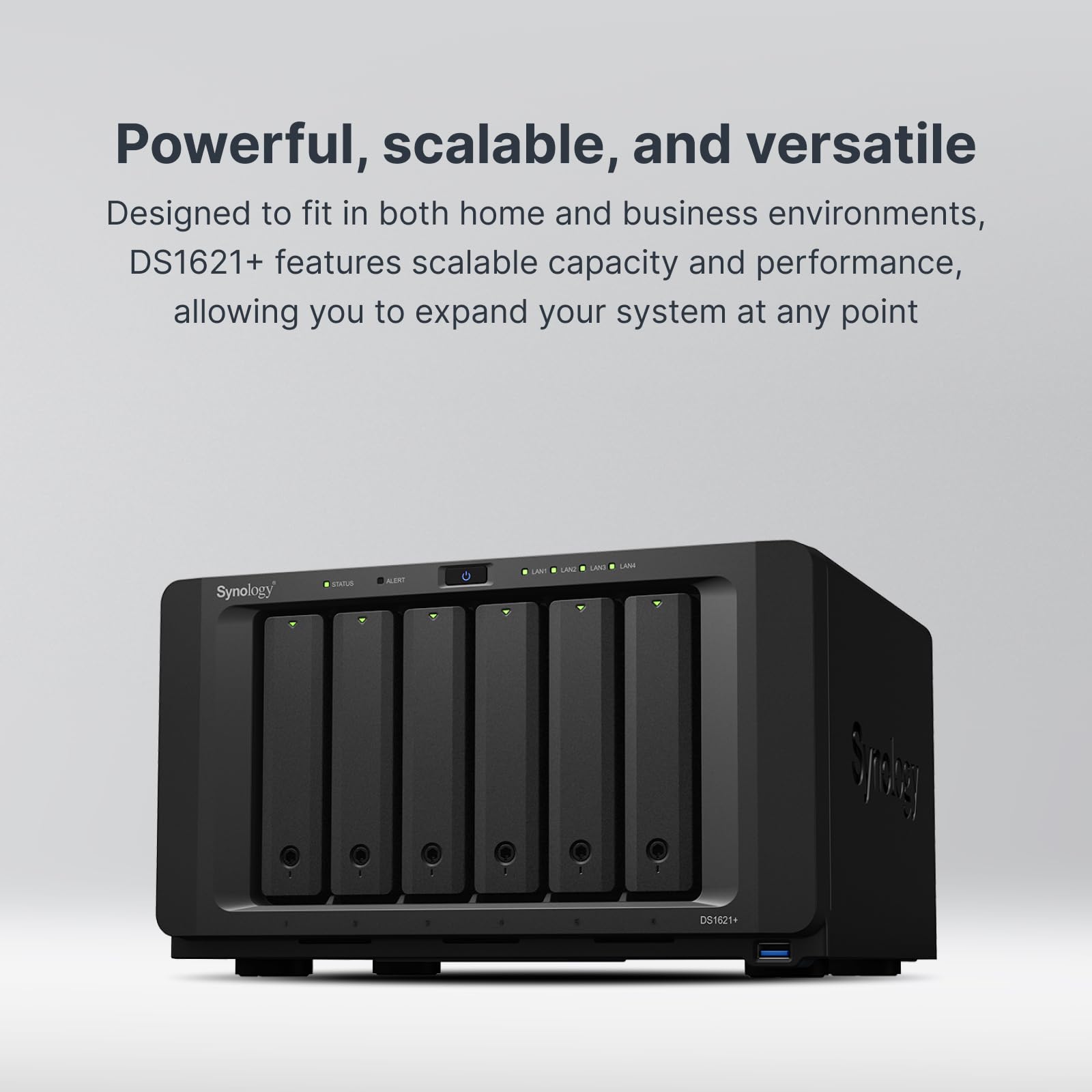


🚀 Unlock next-level storage power and scale like a pro!
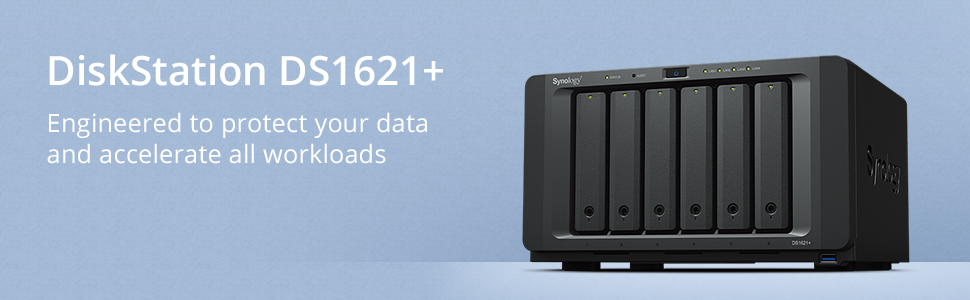
The Synology DS1621+ is a 6-bay NAS powerhouse designed for professionals demanding accelerated performance and scalable storage. Featuring a 174% increase in 4K random read IOPS, dual M.2 NVMe SSD cache slots for turbocharged HDD arrays, and the ability to expand up to 16 drives, it ensures your data workflows stay lightning-fast and future-ready. With built-in comprehensive backup solutions and optional 10GbE networking, it’s the ultimate data management hub for the modern manager.


| Standing screen display size | 24 Inches |
| RAM | 2 GB |
| Hard Drive | Mechanical Hard Disk |
| Brand | Synology |
| Series | DS1621+ |
| Item model number | DS1621+ |
| Hardware Platform | PC |
| Item Weight | 11.22 pounds |
| Product Dimensions | 2 x 10 x 2.7 inches |
| Item Dimensions LxWxH | 2 x 10 x 2.7 inches |
| Color | Enclosure |
| Computer Memory Type | SDRAM |
| Hard Drive Interface | Raid |
| Manufacturer | Synology |
| ASIN | B08HYQJJ62 |
| Country of Origin | Taiwan |
| Is Discontinued By Manufacturer | No |
| Date First Available | September 25, 2020 |
J**S
Fantastic NAS, wishing I took the plunge sooner
If you can stomach the up-front cost, buy a Synology. The convenience and ease of use are well worth the price. You could build a more powerful NAS yourself for less money, but it would use more power, take up more space, and (most importantly) require more time/hassle to manage.My previous setup was a Mac mini with some USB attached storage. That worked mostly great for about 9 years, and I was looking to update the setup and thought I'd give some proper NAS options a look. I have always been put off by the relatively high prices of NAS devices, particularly Synology ones, but after reading about all the built-in features I took the plunge and gave the Synology DS1621+ a try. I'm glad I did!This device has a fantastic array of features, most of which I don't really need, but the ones that I use work very well and (just as importantly) were extremely simple to set up. Here are some thoughts on the things I'm using so far:Synology Hybrid Raid (SHR): I'm using SHR-2 for double redundancy and it was painless to set up. I love that I can pop in another drive later on and expand the pool without any trouble. It also supports checksum validation and correction with the "Data Scrubbing" feature if you're using the default BTRFS file system, so I've set that to run monthly to avoid bit-rot. I don't have enough experience with this yet to say how it works in practice, but in principle this is great.Shared folders: this is the bread and butter for a NAS, and it was extremely easy to setup and configure with Synology DSM. It works SO much better than the shared drives on my old Mac mini because it handles permissions properly and everything "just works".Time machine backup: this is essentially an extension of the shared folders, with one extra configuration required to make the folder appear as a native network time machine backup destination. Worked seamlessly for configuring backups for a few Macs.Docker containers: I migrated all my docker containers which were previously running on Docker Desktop on the Mac mini to the Synology and they work much better than they did on the Mac. They are faster running and simple to manage with a decent built-in UI. I'd have preferred built-in Docker Compose support, hopefully that'll come in the future, but for my use case configuring via the UI was OK.Application portal / reverse proxy: I love this feature, it makes routing requests to various services super easy. I'm comfortable configuring nginx by hand or via automation, but for home use I prefer a simple UI like Synology provides. You can assign certificates to routes, and everything works great with my custom domain.Certificates: I has high hopes for the built-in Let's Encrypt support, but unfortunately it requires the server to be exposed to the internet (no thanks). Hopefully in the future they support the DNS challenge option, but for now the easy way to solve this is to use the open source acme.sh which has support for tons of DNS providers and has built-in hooks to register certificates with Synology's UI. I have acme.sh running with Synology's Task Scheduler and it works great.VPN Server: supports L2TP/IPSec so you can use the built-in VPN for iPhone / Mac, no third party apps required on your devices. This is the only thing I have exposed to the internet, and in my testing it has worked right out of the box with very minimal configuration needed.Other thoughts:- Synology Chat: Slack knockoff, works better than I expected honestly! I disabled this because I don't fully trust the security of this app for exposing it to the internet.- Hyper Backup: haven't fully configured this yet, but seems to support a good selection of services- File Station: really nice web-based file browser which you can access via the admin UI, or as a standalone web UIThere are so many more features that I haven't even begun to explore, like the built-in Plex support, but I can say so far this NAS has exceeded my expectations and I expect that I'll keep finding new useful features as I keep digging and configuring.On the hardware front, I did a couple upgrades:- 32GB ram: https://smile.amazon.com/gp/product/B0899KV2L5/- Synology 10Gbps ethernet adapter: https://smile.amazon.com/gp/product/B07G9N9KJT/I'm using two Seagate IronWolf 8TB drives and two WD Red Plus 8TB drives so far and both work well. The Seagate drives have some extra diagnostic information available due to a special built-in integration with IronWolf drives that is very neat. Unfortunately the WD Red Plus drives say they are unverified because Synology hasn't added them to the official list of verified drives for the DS1621+, but I bet that was an oversight because the WD Red Plus drives are listed as officially verified with pretty much every other Synology NAS. Doesn't make any difference in practice.Despite the high all-in cost, I'm completely satisfied with my purchase and expect that it'll last me a long time.
N**1
Synology or QNAP?
This review is for the Synology DS1621+I've just finished getting my new 1621+ fully installed and up to speed. It took about three weeks to install all the software packages and figure all the settings out and though I'm still thinking through some of the decisions I've made, I'm ready to write a review. I bought the DS1621+ to augment a QNAP TS-453-Be I purchased just under a year ago as a replacement for a QNAP TS-453 Pro which had its motherboard die. This is my second Synology--my first was a two-bay model which was my first NAS.I use my server for the following:1) Plex server. Music only. And for this purpose the Synology is great.2) Photo organization. I use Synology's photo organization software and Lightroom. I like running duplicate software because if one goes on the fritz, I can turn to the other. Synology's Moments AI photo organization software is good. Perhaps a bit less capable than QNAP's QuMagie, but close and Synology won't ever be far behind on software.3) Backups of Windows and Mac computers through Acronis and Time Machine.4) Virtual machine Windows 10 for when I need to get to something and I'm not at my own computer. And for running the disk indexer X1 to have all my documents immediately accessible wherever I am.I never thought I would return to Synology after gettting a QNAP, but here I am with the 1621+, and I find myself preferring my Synology 1621+ to my QNAP TS-453-Be for a number of reasons.But first, let me say that on the hardware front, QNAP probably wins. It's close, but QNAP seems to give you more hardware for the price. For instance you can get 2.5GB ethernet, Intel chip, VMM-capable four-bay NAS from QNAP for less than the price of this 1621+ which is stuck at 1GB (unless you buy a PCIE card). Of course, the QNAP would be a four-bay model to the Synology's six bays, but the QNAP would have an HDMI port, more USB ports, an audio jack, and on and on. Hardware is QNAP's strength.The reasons for buying Synology:First, Synology has a better three-year warranty to QNAP's newly-revised-downward two years. And my first QNAP died a bad death last spring right after the five year mark (prompting my purchase of the TS-453-BE) while my original two-bay Synology still runs today, eleven years after I purchased it. In the end, I will take reliability over features, and I consider Synology more reliable.The second reason I went with this Synology is the constant problems with security QNAP servers have had over the last several years. It's hard to fault QNAP for being attacked, and they've probably hardened their security--perhaps even beyond Synology's--as a result, but I've left my QNAP unplugged for much of the last year because of the constant attacks their servers have faced.But the ultimate reason to get Synology is the software. Synology software is just a cut above everyone else, including QNAP. It feels bulletproof.Most important for me was the Synology disk system which treats all your hard drives--and they can be of varied sizes--as one large storage pool across the entirety of which RAID striping can occur. With QNAP, if you want to increase the amount of storage you have in your NAS, you must back up the NAS, replace all your hard drives, do a restore and go on with your newly increased capacity. You can't replace just one drive with a larger drive. You are limited to addressing in all drives just the amount of storage available in the smallest drive. Thus, if you have one 4TB drive and three 12TB drives in your QNAP NAS, maximum RAID storage would be 12TB, not 40 TB, because only 4TB of each drive could be used for RAID. Synology allows the use of drives of whatever size you wish, placing them all together into one large pool, all of which can be used for RAID striping. So in the above scenario, Synology would have 40TB available in RAID format for your use. This is a huge Synology advantage.I could say much more about Synology's excellent software, but I'll finish by recommending that you buy more RAM if you want to run virtual machines off the 1621+. I added a 16GB ECC RAM module for a total installed RAM of 20TB. I allocated 10GB of RAM to a virtual machine running Windows 10 and it's fairly snappy. I bought ECC RAM here on Amazon which cost half the price of Synology RAM, and it works fine without any reporting of non-standard RAM. The RAM I bought is available here: https://www.amazon.com/gp/product/B07YXCBVWX/ref=ppx_yo_dt_b_search_asin_title?ie=UTF8&psc=1
M**T
Very happy I went with Synology
Just wow. Why didn't I get one of these years ago? High quality, easy to manage, lots of expansion options.
K**S
High end purchase for my home network
Bought this to replace my failing external storge drive bay. Far more complicated, but far more capable than what I am replacing. I have alot of data to move, so it is taking a while to get all that done. This system is very well built and now gives me one place where I can back up data from all my computers on my home office network. Now I have a file sharing server and I can share data from all my systems. Very nice system.
Trustpilot
2 days ago
1 month ago
2 weeks ago
2 days ago