




🎉 Elevate Your Game with AOC's Ultimate Curved Monitor!
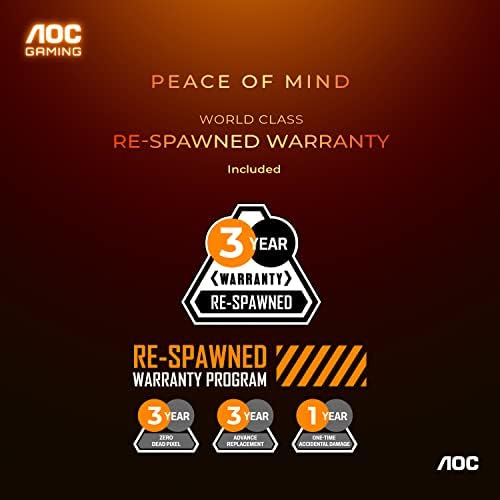
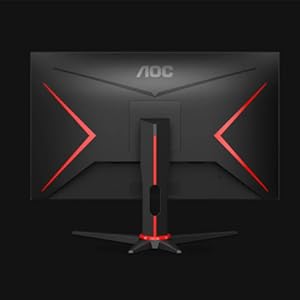
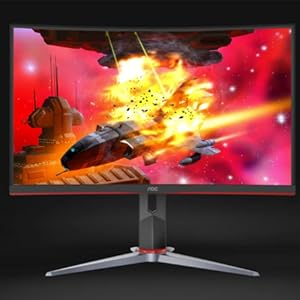
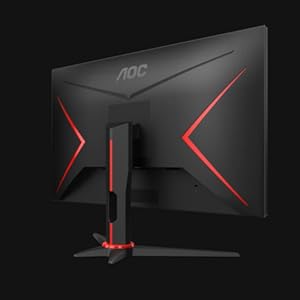
The AOC CQ32G2S is a high-performance 32-inch curved gaming monitor featuring a QHD 2560x1440 resolution, 1ms response time, and a 165Hz refresh rate. Designed for immersive gaming, it includes AMD FreeSync Premium technology, a sleek frameless design, and a comprehensive 3-year warranty for peace of mind.

| ASIN | B08C8L6SB9 |
| Are Batteries Included | No |
| Best Sellers Rank | #25,964 in Computers ( See Top 100 in Computers ) #790 in Computer Monitors |
| Brand | AOC |
| Color | Black |
| Customer Reviews | 4.6 4.6 out of 5 stars (42,090) |
| Date First Available | 10 September 2020 |
| Item Weight | 7.65 Kilograms |
| Item model number | CQ32G2S |
| Manufacturer | AOC |
| Number of HDMI Ports | 2 |
| Number of USB 2.0 Ports | 2 |
| Number of USB 3.0 Ports | 4 |
| Processor Count | 4 |
| Product Dimensions | 24.49 x 71.32 x 53.04 cm; 7.65 kg |
| Resolution | 2560 x 1440 Pixels |
| Screen Resolution | 2560x1440 |
| Series | Gaming Monitor Curved |
| Standing screen display size | 32 Inches |
| Voltage | 120 Volts |
A**A
Amazing
Very nice monitor good panel and colors
M**6
Quality, Delivery and Package are just superb
Amazing packaging, delivery and quality of product received. I am so amused by how this monitor helps me get rid of having tired eyes at the end of the day (coming from someone who sits in front of computer the whole day). Superb deal!
N**H
حجمها رائع و جميلة جدا جدا جدااا
Very nice and good colors
�**�
Perfect monitor
Works fine
A**R
Best Budget Monitor
Pros: - Budget - Included HDMI cable and Display Cable - Thin Bezels - Hight & Pivit Adjustable -144hz Cons: - Power cable has to be positioned in a certain way to work, otherwise, it doesn't. Very satisfied overall.
S**D
Great resolution, great response, don’t miss this monitor you will nit regret it
Perfect
S**A
excellent product
excellent product
H**K
Superb
The packing and product itself was excellent
S**N
I bought the first one of this monitor in AUG 2021 and it was working really well, so I decided to buy another one last Christmas to replace the other old monitor and make it a dual. Unfortunately I received a default one where it has Gradient problem - when the colour change from a certain degree of grey to the next in scale, it shows all green pixels on the edge (AOC's problem, I would expect this kind of issue to be pick up in product quality testing before they sell this to wholesalers). I returned the product through Amazon's return service, got the refund in 2 days, and place order again, this time it is good so far. I guess I was just a bit unlucky to receive a default product but I was okay with it given the return & re-order process was pretty smooth. My recommendation is that you should run a screen test to check the quality of the monitor once you receive it, just in case you are unlucky as I was (frankly if you buy any new monitor you should run a screen test to check the quality of the product). But if by any chance you've got a bad one don't worry too much, just return it and re-order another one or try a different brand altogether. Amazon's service is still pretty good. I would also agree with other reviewers that the buttons on the monitor are not the easiest to use, however once you get used to it, it doesn't really matter that much. You probably wouldn't be changing the settings too often anyways. I actually use those buttons every day because I need to switch between my PC and laptop as input to the monitors, they are not that hard to use. Acceptable for me To conclude, I would recommend this product based on my experience so far.
S**I
I am writing this review after using it for 5 years. The Monitor is awesome. No complaints whatsoever. Very satisfied with the purchase. It's brightness is awesome and screen refresh rate is excellent. The product is sturdy and the games played on it have never been so great.
B**A
Disclaimer: writing this after 1 day of ownership. I will edit this review if necessary. No issues with delivery, the monitor came as advertised and it was securely packaged. Unboxing was quick and setup was very easy. The monitor itself is what you would expect from a 75hz 1080p 21:9 monitor. For browsing the web, netflix and YouTube it does look pretty good. For gaming, considering the size, 144hz would be better. It's not bad at all though for gaming. Games look great so far, no question there. Feels smooth and the pixel density seems fine for my needs. Same with videos on streaming services. The overall build quality seems decent. Nothing to write home about but do be careful unboxing. It's a fairly heavy monitor, but the base works well and it looks quite good from the back, front and side. Overall, for the price I'd say this is great. Not being 144hz may not be great for everyone but if it doesn't bother you, I'd say you will enjoy your experience with this monitor. Disclaimer: writing this after 1 day of ownership. I will edit this review if necessary. EDIT: After roughly 2 years of using this monitor near daily, I have not had a single issue. My original review above still stands and outlines my experiences with this monitor. I see other reviews with some screen tearing issues and similar, but I have not had this issue. Maybe I got lucky, or they got unlucky. All in all, I'm very happy with this monitor and would recommend it based on my experiences. EDIT: 2024-12-17: Still using the monitor, the above review stands. Not a single issue.
A**R
This review is for the 34" CU34G2X UltraWide QHD 3440x1440 monitor. Used for about a week before writing this. This is the best monitor I've ever seen with my own eye's! The curve is perfect, not too much, not too little. It's really immersive for gaming in particular. And for reading online and working for long durations the curve still looks great and is not distracting. Looks amazing on its own, even without content! Solid metal stand and wide metal feet. Very sturdy. The metal feet have lots of solid, grippy rubber pads on them so it stays right where you put it. The screen isn't too glossy or too matte. The red trim is well placed and not over done. It looks very modern and professional, but still calls attention to itself like a gaming monitor should! Refresh rate does indeed go up to 144hz no problem in games and in Windows 10. Color reproduction is really good to my eyes. They include a printed sheet with the color calibration results for your specific monitor with serial number, so AOC really is going the extra mile to prove that these really are high-end monitors. This is a super low latency "VA" type panel. So it is the best looking panel type from a technical and color reproduction perspective. IPS panels traditionally had lower refresh rates than VA panels, but this monitor proves you can have the best looking VA panel type, AND super low 1ms refresh rates. Games look amazing in the ultra-wide format. Halo on PC for example actually gives you a full field of view with this monitor, same with Rocket League. So you do actually get an advantage in some games. You literally can see more of the field of play with the ultra-wide aspect ratio 21:9, than anyone else stuck on the 16:9 ratio that most 1080p or 4k monitors use. Brightness is great, even too bright at highest settings unless your in a really bright room. So that's nice to have if it's needed. All brightness and contrast settings and even gaming profiles are adjustable through physical buttons under the monitor, but also through the G-menu software. So using the G-menu software you don't need to fiddle with the physical controls of the monitor at all to fully adjust and control the monitors settings. G-menu even has hot-keys so you can change your monitor settings to different profiles almost instantly. You can download the G-menu software from AOC's support website. Make sure to use the included DisplayPort cable with this monitor. The HDMI ports don't have the same capabilities as the DisplayPort connectors. To get freesync, 144hz, and native 3440x1440 resolution all together; you MUST use either of the two DisplayPort connectors on this monitor. AND make sure your not just converting from HDMI at the source to DisplayPort. The source signal from your PC also needs to be DisplayPort. There is also a usb3.0 cable included. You can use it to hook it to your computer, then you can use the monitor as a USB 3.0 hub. Power Delivery is off by default on the USB 3.0 ports, but you can enable it via the monitors settings menu, or through the G-menu software. Amazing monitor, highly recommended.
H**I
بعد شهر استخدام ماواجهت فيها اي مشاكل فعلًا الشاشه الوانها جميله وحقيقيه ومتشبعه وتفرق بشكل كبير عن شاشات ال IPS وال VA،واللون الاسود ما اقدر اشرح قد ايش حقيقي، حقيقي لدرجه لو كنت فغرفة مظلمه ماراح تقدر تفرق بين الشاشه والجدار اللي وراها، ايضًا معدل الاستجابه ايضًا قليل والهرتز فنان لكن لاحظت ان سعرها زاد من بعد ماشتريتها، انا اخذتها ب2222 والان وصلت ب2270 فاعتقد كل ماشتريتها اسرع كل ماكان افضل لك
Trustpilot
3 days ago
2 weeks ago



