
✨ Stick with clarity, print with confidence! 🖨️
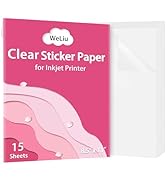
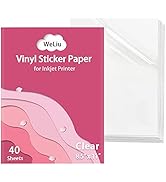
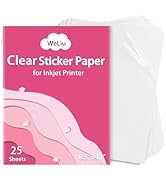
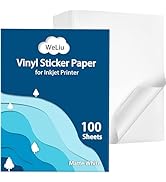
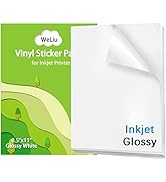
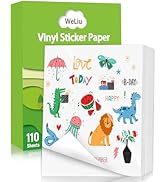
WeLiu Printable Transparent Sticker Paper offers 25 sheets of premium 8.5x11 inch clear vinyl designed for inkjet printers. Featuring a crystal-clear, glossy finish with permanent adhesion and tear resistance, these sheets dry quickly and apply smoothly to any solid surface. Perfect for professional-quality labels, personalized décor, and creative projects, they provide vibrant print results but are not waterproof—ideal for indoor use where durability and clarity matter.






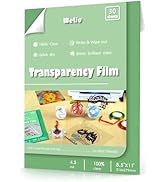
| ASIN | B089NN54M2 |
| Brand | WeLiu |
| Brightness Rating | 50 |
| Color | clear |
| Customer Reviews | 4.4 4.4 out of 5 stars (791) |
| Date First Available | 19 July 2020 |
| Item Weight | 381 g |
| Manufacturer | Lzer |
| Manufacturer Part Number | Lzer002 |
| Material Type | paper |
| Model number | Lzer002 |
| Number of Items | 25 |
| Paper Finish | Translucent |
| Paper Weight | 20 |
| Product Dimensions | 27.94 x 21.59 x 0.1 cm; 381 g |
| Shape | Round |
| Sheet Size | 8.5x11 inches |
J**H
I needed a protective layer for printed shipping labels. These have the proper thickness and clarity. They are easily cut with a paper trimmer, and the backing is easy to peel off.
S**R
Best Avery alternative I've found so far. Prints well, no jams so far (about 5-6 pages printed at this point, no issues yet). Takes colors nicely; if you want to write on the stickers after printing, even a gel pen will dry in a couple of minutes. Not repositionable, if that's something you're looking for - this stuff STICKS, but that means it fits pretty seamlessly into my journal. I use a Hobonichi Cousin Avec; unlike some other printable sticker paper, this fits smoothly onto the Tomoe River pages, so if you use Sterling Ink, Stalogy, or similar this should work well for those. Just fine on "regular" notebook/printer paper, too.
J**R
First time using clear sticker paper. Will purchase again. No issues on sheet feed with any printer I used, Canon Pixma, Epson Workforce, or HP all in one. Ink adhered very well, no smearing after dried. Cut sizes down to 1" off-set, came off backing cleanly, very good adhesion. The paper is glossy, so as I discovered, Recalibrating your Cricut before using for Print then Cut is a must. After printing and ink is dry, placing matte, clear, tape over the black registration box before cutting. The glossy paper often causes a Cut error for your machine, as the "eye" needs to read the black box outline for the cut and cannot, so the tape fixes that. Happy crafting.
E**H
Parkinson’s disease writer, I use this in my printer when I do cards or letters & scrapbooking. I don’t write anymore & this gives me the ability to write anything! Love it!
K**R
Pay attention to the details - this product is very glossy and did not work for my printing project. Also pay attention to what type of printer it is applicable to - this is for inkjet and NOT laser printers. I ruined most of the package of labels by not paying attention. Won't make that mistake again.
Trustpilot
1 day ago
2 weeks ago



