
DOWNLOAD THE APP


Customer Services
Copyright © 2025 Desertcart Holdings Limited
DOWNLOAD THE APP


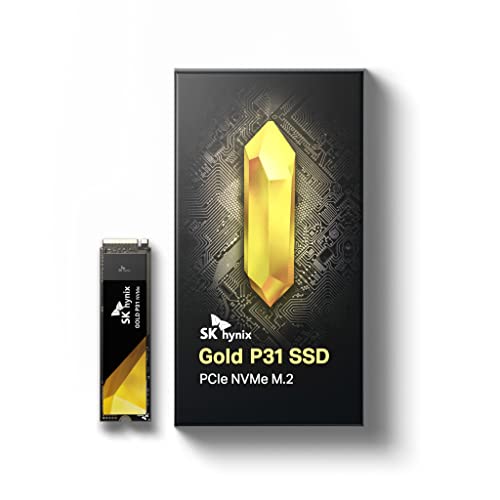


🚀 Upgrade your speed, cool your workflow, and own the future of storage!
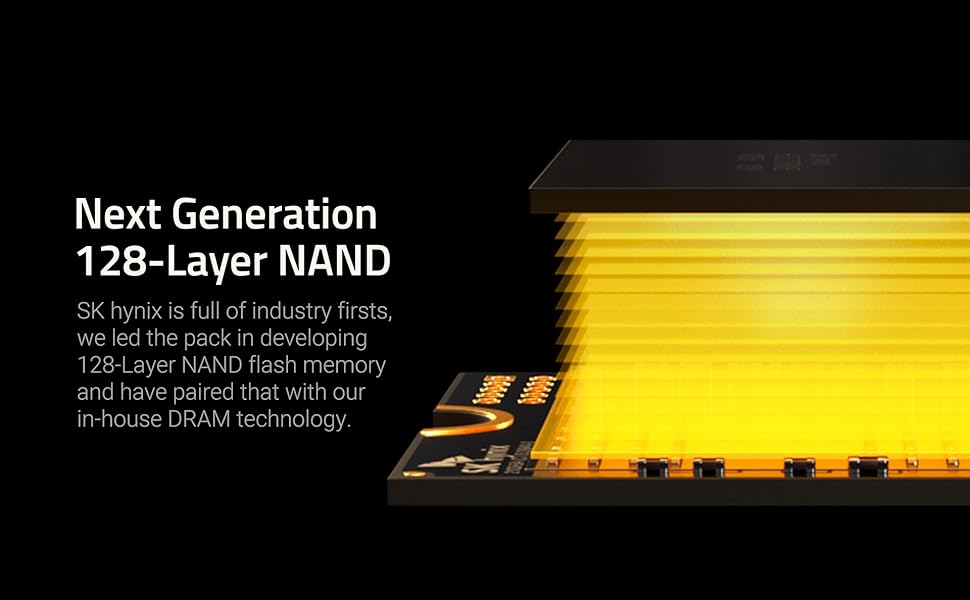
The SK hynix Gold P31 2TB PCIe NVMe Gen3 M.2 2280 SSD features cutting-edge 128-layer NAND flash technology delivering read speeds up to 3500 MB/s and write speeds up to 3200 MB/s. Designed for professionals and gamers, it offers superior thermal efficiency, a compact form factor, and a robust 5-year warranty with 1.5 million hours MTBF reliability. Ideal for desktops and laptops, this SSD ensures fast, reliable storage with easy installation and data migration support.





| ASIN | B099RHVB42 |
| Batteries Included | No |
| Batteries Required | No |
| Best Sellers Rank | #331,731 in Electronics ( See Top 100 in Electronics ) #465 in Internal Solid State Drives |
| Brand | SK Hynix |
| Compatible Devices | Desktop, Laptop |
| Connector Type | PCIe NVMe 3.0 |
| Customer Reviews | 4.7 4.7 out of 5 stars (3,358) |
| Data Transfer Rate | 28000 Gigabits Per Second |
| Date First Available | 15 August 2021 |
| Digital storage capacity | 2000 GB |
| Flash Memory Installed Size | 2 TB |
| Form Factor | M.2 |
| Hard Disk Description | Solid State Drive |
| Hard Drive Interface | Solid State |
| Hard Drive Size | 2 TB |
| Hardware Interface | Solid State Drive |
| Item Dimensions LxWxH | 8 x 2.2 x 0.2 Centimeters |
| Item Weight | 7 g |
| Item model number | SHGP31-2000GM-2 |
| Manufacturer | SK hynix |
| Material | Gold |
| Model | SHGP31-2000GM-2 |
| Model Name | SK hynix SuperCore Seres - Gold P31 |
| Mounting Hardware | Solid State Drvie, User Guide |
| Number of items | 1 |
| Product Dimensions | 8 x 2.2 x 0.22 cm; 7 g |
| Special Features | Compact |
S**I
Bought for MBP mid 2015 model
Downloaded the latest mac os installer, enclosed the sk hynix 2tb in external ssd enclosure, connect it to mac with usb. Open the os installer and choose the external ssd. After installation is complete, open the back case of MBP. Remove the sk hynix from external enclosure. Remove the internal ssd of mac, insert a snitch nvme to pcie 12+18 connector in mac. Insert the sk hynix. Close the back case and boot ur mac.
R**N
Fastest SSD I've ever used
I don't know why Amazon is not allowing me to review the product this is my 3rd review but TBH this SSD is just amazing. Whether it's gaming or Video productivity it's fluidly fast. *Reviewing it after 2 Weeks of heavy workloads and usage continuous for 12 hours.
D**L
The SSD has a broken chip.
The package had issues: the outer seal was tampered, the SSD was loosely placed, its internal box seal was broken, and the SSD itself has a broken chip.
C**U
Ho deciso di aggiornare il mio DELL XPS 13 9360 i7-8550U con 16GB di RAM installando un SSD più capiente da 2TB, per dare nuova vita al mio ultrabook. L'SK hynix Gold P31 è stato una scelta eccezionale, rivelando una perfetta compatibilità con il mio ultrabook. È importante notare che il DELL XPS 13 9360 ha un limitatore di velocità di lettura e scrittura dell'SSD di 1800 MB/s, quindi su un altro computer raggiungerebbe sicuramente valori più elevati. Nonostante ciò, il mio XPS 13 9360 rimane un dispositivo veloce e affidabile in qualsiasi situazione, nonostante sia ormai un modello di qualche anno fa. Windows 11 gira alla grande e la suite Adobe pure! Tornando all'SK hynix Gold P31, avevo bisogno di un SSD che garantisse prestazioni elevate, ma con una gestione termica efficiente. Una volta installato, ha superato ogni mia aspettativa! Rispetto all'SSD di fabbrica, questo nuovo dispositivo mostra temperature di esercizio nettamente inferiori: la ventola raramente si attiva, rendendo il mio DELL XPS 13 9360 incredibilmente silenzioso. È come se avessi un nuovo ultrabook! Stupefacente! In conclusione sono super soddisfatto dell’acquisto! Costa tanto sì, ma vale ogni euro speso.
E**.
Justo lo que necesitaba, buscaba ampliar el almacenamiento de mi laptop cambiando el ssd de fabrica de 256gb por éste ssd, y creo que incluso mejoró la velocidad de arranque de mi laptop, de forma mínima pero definitivamente es perceptible.
A**R
It is fast and responsive, happy with the purchase. I don't have any stability issue with the drive, on par performance as Samsung.
D**D
Perfekte SSD zum Upgrade älterer Notebooks. Wird im Vergleich zu Seagate oder WD Black nicht so heiß und liefert gute Geschwindigkeiten bei Benchmarks und im Alltag.
L**3
Je pensais avoir testé tout ce qui se fait en nvme sortis depuis 3 ans. Et j'ai rencontré un souci en montant un serveur de logs Graylog sur un Raspberry Pi. J'avais besoin d'un stockage sur nvme, le tout alimenté en POE. J'ai d'abord monté un Crucial P5 plus. Résultat reboots intempestifs (trop d'ampères tirés sur le port USB du Pi limité à 1,2 A) et 58 degrés de température disque dans un boîtier en aluminium massif... Bref la cata. En cherchant un disque plus économe en énergie, je suis tombé sur cette valeur sûre recommandée par tous les connaisseurs. J'étais passé à côté... Alors soyons clair. Pour un usage sur système normal, ce disque déboite sérieusement en debit et il les tient dans la durée, bien qu'il s'agisse d'un Pcie 3.0. Il est vraiment hyper veloce pour une installation système. Et niveau température de fonctionnement c'est dingue. Il est tiède là où le Crucial faisait des grillades... Bref un formidable produit. Prochain achat le Platinum en pcie 4.0 mais il paraît qu'il chauffe beaucoup plus. Vu les performances de celui-ci je ne peux que le recommander.
Trustpilot
1 month ago
2 months ago