
DOWNLOAD THE APP


Customer Services
Copyright © 2025 Desertcart Holdings Limited
DOWNLOAD THE APP
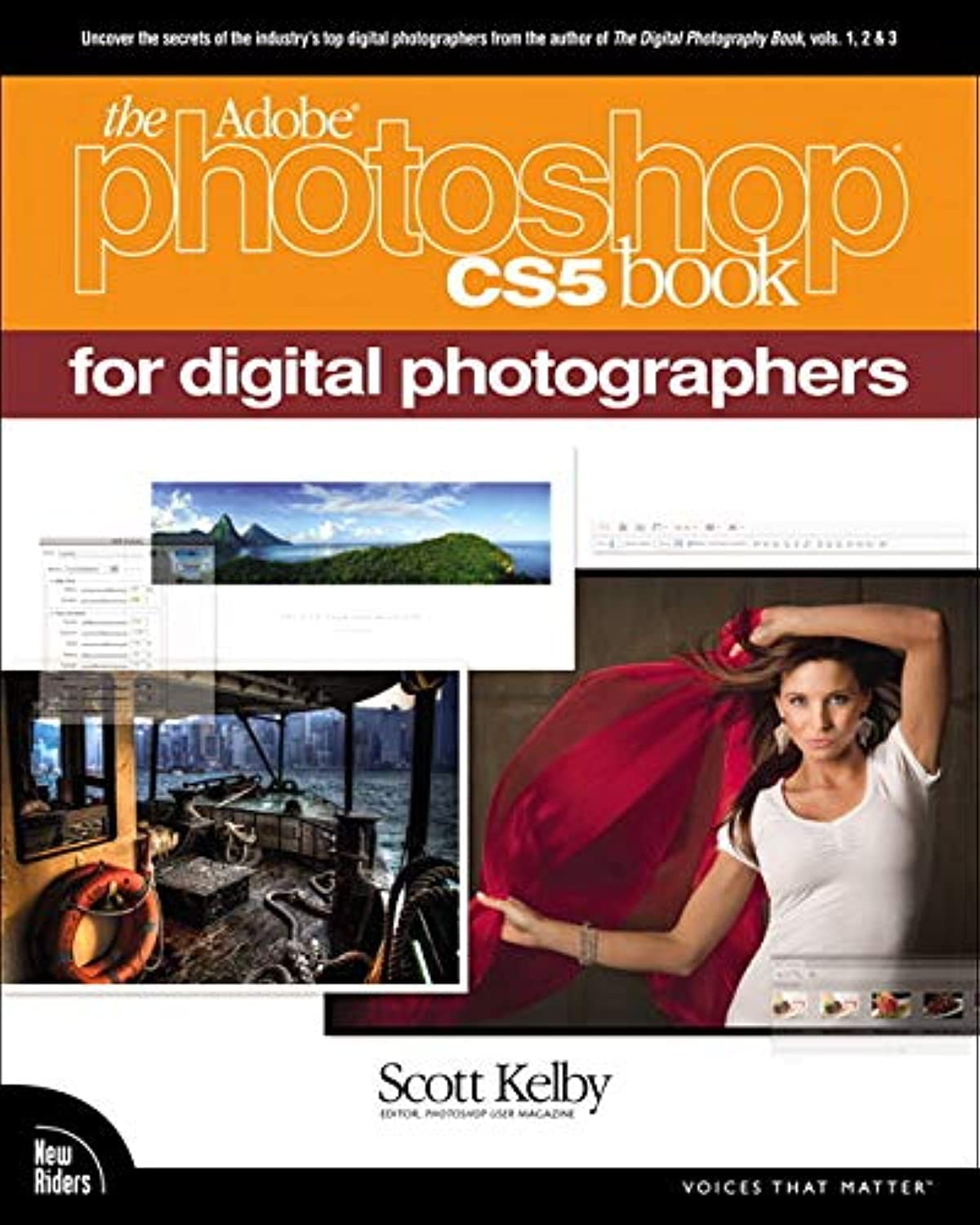
📸 Elevate your photo edits—don’t just use Photoshop, master it!
The Adobe Photoshop CS5 Book for Digital Photographers by Scott Kelby is a must-have, practical guide that unlocks the power of Photoshop CS5’s latest features. Packed with clear, prescriptive instructions and expert tips, it helps photographers quickly master advanced editing tools like HDR Pro and Camera Raw noise reduction. Ideal for professionals and enthusiasts alike, this book transforms your workflow and image quality, making it the essential companion to your Photoshop upgrade.
| Best Sellers Rank | #3,667,585 in Books ( See Top 100 in Books ) #366 in Adobe Photoshop #1,006 in Photography (Books) #1,017 in Computer Graphics |
| Customer Reviews | 4.5 out of 5 stars 313 Reviews |
N**0
Should Be Bundled with Photoshop
I bought the three previous editions of this book for previous versions of Photoshop and refer to them constantly, so buying this one when I upgraded to CS5 was an automatic decision. As a member of a camera club, I process lots of photos for competitions and other purposes and Scott's books have made all the difference in the quality of my final images. An advantage Scott's books have over some other Photoshop books I've tried is that his books are both descriptive and prescriptive. Some descriptive books tell you, in great detail, how Photoshop features work, but not when to use them, what settings work best, and why you'd use one technique over another. Scott includes some description, but devotes his time to prescribing very specifically what you should do, including exact numbers for such things as the sliders in the HDR panel, for sharpening different types of photos, etc. This is a cookbook, and it's got great recipes. I keep it right next to my computer and look up techniques, both new ones and ones I've used before whose steps I've forgotten. And the fact that this is a book--and not a YouTube video, instructional DVD, online manual or help forum, or e-book--matters. Those sources all have their place, but for convenience, rapid and random access, and the ability to follow a step-by-step approach at your own pace, a book is the best reference source. I understand why some reviewers say they don't think it's necessary to buy this edition if you have the previous edition, but I've had that same decision to make three times, and I believe you're missing out if you don't "upgrade" the book when you upgrade the application. If you don't, it's like buying the new model of the car you owned before, but not buying the new owner's manual and instead just using the old one. Sure, some of the features are the same and work the same, like the brake, but you're missing out on learning about and using new features that give you new capabilities, like the navigation system. For most people, those new features are one of main reasons they chose to upgrade in the first place. The section on HDR in the new book is good example. There was a section on HDR in the CS4 book, but Scott's take-away message was, Don't use it--use Photomatix instead. In this book he says, "Photoshop CS5's HDR Pro is one of the biggest stars of the entire CS5 upgrade ... which makes this a really usable and powerful tool ...". To take advantage of the new functionality you paid for--like HDR, the new Mini Bridge, and so on--you need the new book. One more point on the comparison between new and older editions of the book: The sections that appear in both books are similar, but not identical. They've been revised to reflect changes in the program, include new demo images, and have some changed sub-sections. Also, don't throw out your CS4 (and previous) books--some really useful techniques in each book don't make it into the new book; not because they're outdated but because if everything gets carried over from book to book, there would be no room for the new material. I also like the addition of the Killer Tips section at the end of each chapter. Using them saves time and make you feel like a power user. All in all, this book is such a key to producing much-improved images with Photoshop that Adobe should bundle it with the program.
T**5
Another winner from Scott Kelby
Like the other books in this series, the CS5 Book for Digital Photographers is another winner from Scott Kelby. This is the perfect addition to your library if you've upgraded to CS5 and want to be able to take advantage of all the new features without spending a ridiculous amount of time climbing the learning curve. Scott explains step by step how to use the new features in his usual, easy to follow format, and you'll be up to speed with a lot more editing tricks and skills at your disposal in no time with this latest book. The format is the same as previous editions so you can browse through the book and start reading anywhere you see something that interests you. None of Scott's books require you to read the sections in order, and this is one thing that makes his offerings so easy to use and so valuable as reference tools. Also of great value is Scott's direction on some features to avoid in the software package. One example is using noise reduction in Adobe Camera Raw and avoiding the noise reduction feature of photoshop itself. Noise reduction in camera raw is far superior to the alternative and some experimentation with both quickly proves this out. You will learn so many more features in camera raw in CS5 compared to previous versions, that you find yourself using camera raw for most of your editing with this latest book, saving both time and effort. Note that even if you are shooting JPG, you can still open the image in camera raw and use the ACR noise reduction feature. Another great feature is the "Photoshop Killer Tips" section at the end of each chapter. As if you didn't learn enough in the chapter itself, Scott throws in 8 to 12 more killer tips at the end. I've been using this software since the introduction of the CS series, and I still find things in Scott's tips that I never knew were there. I purchased Scott's book for each of the Photoshop CS software upgrades I have purchased, and have found each and every one of them to be invaluable. I actually pre-purchased this CS5 book on Amazon prior to its release because I knew it would be another winner and I couldn't wait to get my hands on it (Amazon also had the lowest price). With each book I have found that I learn enough new skills in the first 15 or 20 minutes to justify its cost. In my opinion, Photoshop CS5 is the best software upgrade yet in the CS5 series. If you are a Photoshop CS5 user, you are cheating yourself if you don't get this book.
D**S
Very Good for Photographers
I'm not quite sure how to summarize this book, but will give it a try of course. Kelby knows his stuff, no question, and he does a pretty good job of filling you in on what you don't already know with respect to fixing those average, as well as good, photos of yours. You WILL learn to make better prints in the end, though Kelby only touches on printing at the end of the book. The book is a Camera Raw (which I really needed) and Photoshop primer, except that you do need to know a lot of the basics, especially of Photoshop, already. (Here's where it's hard to summarize.) He will tell you of some fairly basic stuff, such as how to use Curves, how to Crop in a number of different ways, how to sharpen and/or reduce noise, how to Dodge and Burn, and all the rest to much to mention, but he doesn't really ever explain what a Layer IS. You see? He assumes you know that already, that is, what a Layer is and reasons for using them at all. That's also true of masking and a few other basics of Photoshop. Actually, I think his chapters concerning Camera Raw are some of the best in the book, as it is a bit more explanatory, or so it seemed to me. But then I had less knowledge of Camera Raw than of Photoshop. So, it's not a book for beginners but it's still a book for beginners. Sorry about that. If you've at least got the basics of Photoshop already then this is a very good book that teaches about all of Photoshop, and Camera Raw, photographic capabilities and what you can do with those. Don't look for a chapter on Photoshop 3D, however, or, say, anything about painting in Photoshop. Those aren't what he teaches. He teaches photography like it says on the cover of the book, "for digital photographers." There are many more tools in Photoshop not necessarily intended for photography, though Photoshop remains first and foremost a digital darkroom, and Camera Raw even more so. Camera Raw is strictly for photography and it should not be ignored, even if Photoshop by itself has most of the same tools. Camera Raw can still outshine Photoshop in certain respects and Kelby points out where as well as how. He's excellent on Camera Raw in particular. I can't possibly list all that's in the book, as it's jam-packed with methods both basic and more advanced, bearing in mind that Kelby is himself a commercial photographer--at least in this book. At the end of each chapter are his "Photoshop Killer Tips," a lot of which are pretty neat, if not all of them. A few aren't so "killer." But most are and well worth knowing. Can't give any away here, but I'd guess that some of them aren't known by a lot of pros. Kelby will also lead you to a fantastic plug-in to try out and then buy if you can afford it. Man, it's a really good one, in my opinion! I'll probably spend the dough to get it after having tried it out. It includes, though Kelby doesn't say a lot about the plug-in per se, a terrific noise reducing tool, something Photoshop notoriously lacks. Camera Raw's is better. The book is very well organized, which I always appreciate. Having said that, and after adding that what is in this book could make you into a pro as long as you otherwise take great photos, there are spots where the book suffers from insufficient explanation of some method or other, or of some tool or other; i.e. using Photoshop's new Refine Edge tool. If you work at these things long enough you'll eventually work out how it works, but on these occasions a little more in the way of explanation would help. I took a star off for that reason in general. In fact, all of these instruction books suffer from a common syndrome that really bugs me; namely, using as illustrations photos that are perfectly suited to the use of a given method or tool. I get why authors do it but I'm still bugged by it. Just once I'd like to see one of them use a really tough example of how to do something. E.g., try that Refine Edge tool on a photo with a background a lot more busy and it doesn't work so well, or try dodging or burning an area not so well defined as in the case of the photo used by an author specifically chosen for the purpose of illustrating dodging and burning. I tried to get the Refine Edge tool to work on a photo of some trees against a fairly dark background, wherein contrast was not so great, and forgetaboutit. Not happening. Against a clear bright sky it would have been easy, but not all photos come like that. And I wonder if there's a way I could do it but just can't find out or if there's just no way. (One way that helps a little with the Refine Edge tool is to temporarily blow up contrast and THEN try the tool. Hey, Adobe, the older tool was better.) Most all of these instructional writers are lazy about this, including Kelby, who's otherwise an engaging and clear writer 95% of the time. And not to say Kelby isn't ever critical of both programs. He certainly is on several occasions, even chastising Adobe, and I LIKE THAT. The book really is very good and I DO recommend it for serious photographers. Great reference book to have around too.
T**M
The truth about this book
Whenever I consider buying any item, I always look for reviews of the item, and often pay more attention to negative reviews. Then I weight the negative reviews contents against the more positive reviews, especially if they are equal in number or the negative reviews make up a substantial number of the overall reviews. This book was no different, but I must say that after receiving it and using it for over a week, the negative reviews were baseless. The book is well written, and the author has a sense of humor which makes things easier at least for me. So why were the negative reviews wrong? Simple, they must have skipped over the section in the front of the book titled "Seven Things You'll Wish Had Known Before Reading This Book". Reading that section is imperative to reading the book, and those who skip it write bad reviews. As a computer geek who started out with computers in the late 60's (yes, no typo there), I have seen numerous books written on how to use various software programs, and even been a part of writing some. This book ranks up with the best I have seen. It is written to what I would consider a 9th or 10th grade level, which does not mean it's dumbed down, only that people with reading skill levels of that level or higher will easily understand what the author is telling them. The steps the author takes are logical and progress at a rate that makes using the book not only easy, but you can put it down and come back a few days later and instantly pick up where you left off. For do-it-you-self-as-you-read books, it is great. Photo Shop is a wonderful software package, but it is very complicated and not at all user intuitive (unless you happen to work for Adobe, maybe). This book sorts that out and makes sense out it, and along the way, it will also help you understand your digital camera and become a better photographer at the same time. If you are looking for a book to get you started with PS, are a PS user who is upgrading to a new version, or even if you have experience using PS, like I do, this book is a great tool and teacher.
R**H
Wonderful book for photoshop beginners
I bought this book a few weeks ago and love it. I am new to both digital photography and Photoshop and wanted a book that would teach me the basics of editing photos. This book did that and so much more. Scott Kelby's casual style of writing really draws you into the book and makes it very easy to learn. The layout of the chapters makes it very easy to follow along and learn how to do something, but also the reason behind it so you can use it in other ways. The chapter introductions are fun and engaging. The pictures in each chapter are clear and colorful, and relevant. What also makes it nice is that you can download most of the pictures Mr. Kelby uses in the book to follow along in order to get the practical experience. To me this is key to the book. You can tell/show me what to do, but until I can do it and replicate the results it doesn't truly sink in. At least for me. And since you are taking the pictures through a variety of stages/steps you can see the results of what each of those steps produces. Which may be an effect you want to use later because you think it is cool. I have gone back to the book time and time again as I tried to work on my photos and remembered "What a sec, I saw this in Scott Kelby's book." Find the right chapter, look up the steps and produce fantastic results. So beyond just an educational tool it is also a reference book. If you are using Photoshop to work on digital photographs I can't recommend this book more.
E**O
The Mother of all things Photoshop!!!!!
I'm not new to photography, but I'm fairly new to Photoshop...CS5 in particular. In the interest of quickly getting up-to-speed, I signed up a few weeks ago with an Adobe Certified Instructor to provide personal Photoshop mentoring to me on a once-a-week basis. To supplement these sessions, I also joined NAPP and have watched dozens of their video tutorials; Adobe TV, etc. At the same time, I also picked up another highly respected author's book on CS5 (lets call it the "me" book) to try and put things together. The videos have helped, but I must candidly say that I quickly got lost in complexities of the writing in the "me" book and found it quite frustrating to say the least! Thats not to say that the "me" book isn't well done, but it is clearly written for someone that has had a fair amount of Photoshop experience in the past. IMHO, it's just way too detailed for the neophite user. Then WOW...fast forward to Scott's new book which arrived at my home earlier this week. What an amazing book this is indeed. BANG...just open up to any Chapter and there you have a very straightforward, concise, step-by-step tutorial to guide and fast-track even the most inexperienced user through the process of getting the very best results out of his or her images. Photoshop frustration has been replaced with Photoshop fun. Trust me, using this book is like having Scott looking over you shoulder as you go through his easy-to-follow methodology. Even the complete novice can process some amazing images the very first time through. Without reservation, I highly recommend you BUY THIS BOOK!!! Thanks, Scott, I'm having an absolute blast.
S**N
Extremely Helpful, but wish the "original" images files were available online....
I am fairly new to photography and Photoshop. I know the basics of photography, but have virtually no experience with Photoshop. In an attempt to grasp the intricacies of Photoshop, I picked up this book and am not regretting it in the slightest! I have been diligently working my way through the book in order and am currently in Chapter 5. Luckily this not a requirement to understand the book, but I just wanted to get an overall feel of all of the tools that are now at my disposal. Occasionally you are asked to select a tool without being told/shown how to get it (this happens rarely, but you can quickly find the tool on your own). The ONLY reason that I give this book 3 stars is that some of the images that you download from the website so that you can work along with the book already have been processed! (so there is nothing left for the reader to do) If they remedy this terrible oversight, I will gladly revise my review to 5 stars.
M**R
The great book for most general photo-editing using Photoshop CS5
I liked this book very much and it made me much more proficient in photo editing. I was looking for some detail tutorial as how fully utilize Photoshop CS5 to create as close as possible professional images. Mainly this book gives you detail step by step information as how to accomplish major corrections and some effects for your images. Scott Kelby is really good in his way to deliver his knowledge in easy understandable and very informative language. The only thing I would object is his focusing on Mini Bridge within Photoshop CS5. I read another books on digital photography and using Photoshop CS5 where I've learned the benefit of the Adobe Bridge where you can do much more than in the Mini Bridge. I use the Bridge now on starting from the capturing images from my CF card and going into Camera Raw and finally batch image processing for converting them into different format than raw. Any way, Mini Bridge is using Bridge for its operation so I don't see much benefits to use Mini Bridge. Unfortunately, when Photoshop CS5, Mini Bridge, Bridge and Camera Raw are all open, the Photoshop crashes on my computer and I have 4GB of RAM with Intel Core 2 Duo 2.4 plus NVIDIA Geforce CT 120M. I guess you need at least 8GB of RAM to run all the Adobe PhotoshopCS5 software at the same time. One more thing is I actually would love to learn as how to use many more existing tools and different kind of adjustments in Photoshop CS5 that Scott Kelby has not covered in his book. I am still looking for the complete book of Adobe Photoshop CS5 related to digital photography.
Trustpilot
2 weeks ago
4 days ago