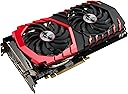
🔥 Level up your rig with MSI RX 580 Gaming X 8G – where power meets precision! 🎯
The MSI RX 580 GAMING X 8G is a high-performance graphics card featuring 8GB of GDDR5 memory on a 256-bit interface, powered by AMD's Polaris architecture. Designed for desktop gamers and professionals, it delivers smooth, artifact-free gameplay at 1080p and supports VR experiences. Equipped with dual fans for efficient cooling and multiple display outputs, it balances power, reliability, and versatility with a 3-year warranty.
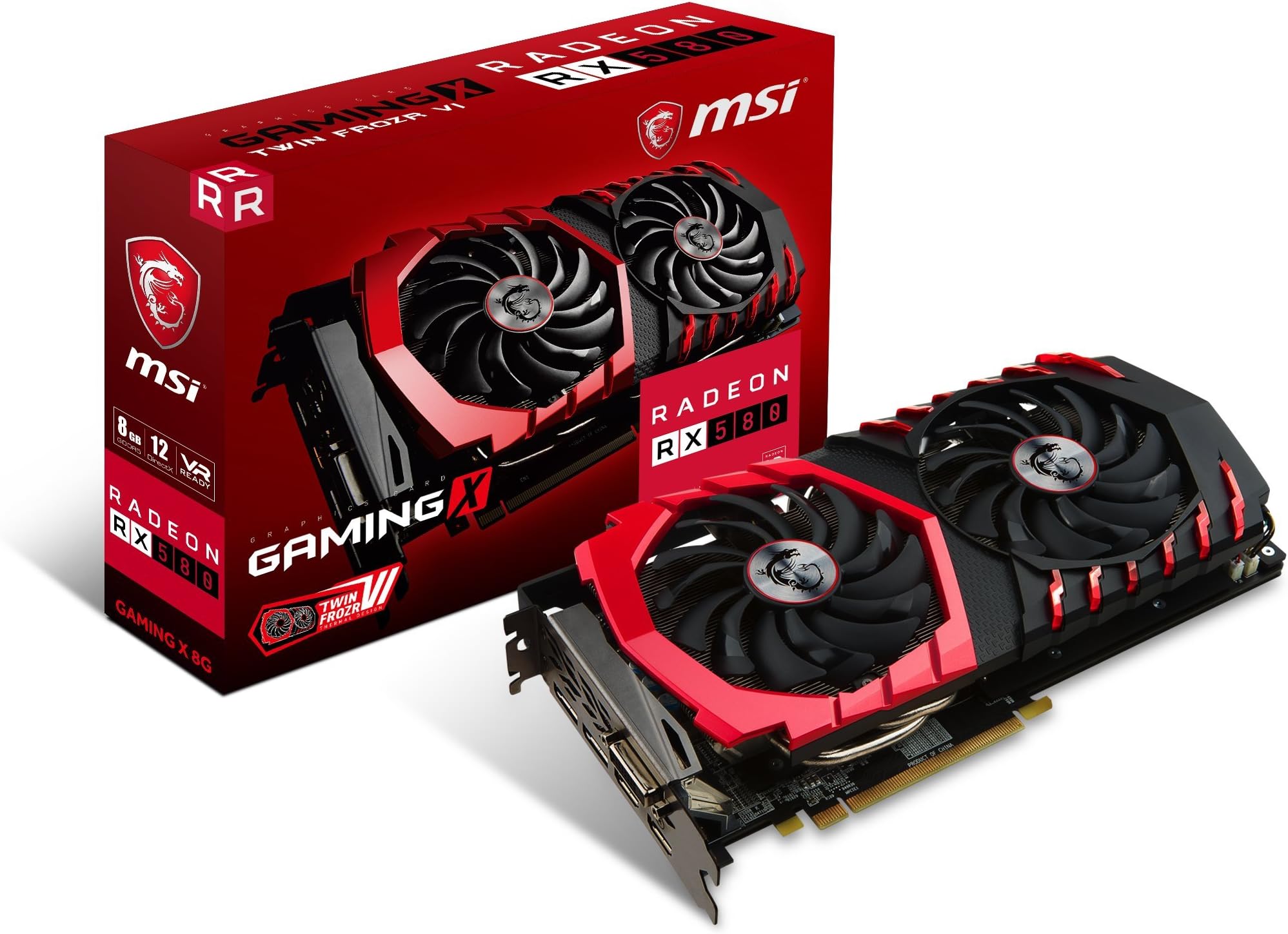
| ASIN | B06Y19NMP3 |
| Best Sellers Rank | #1,946 in Computer Graphics Cards |
| Brand | msi |
| Built-In Media | Graphics card, cables and connectors, quick setup guide |
| Compatible Devices | Desktop |
| Customer Reviews | 4.5 out of 5 stars 3,107 Reviews |
| Display Resolution Maximum | 4320 x 7680 |
| Global Trade Identification Number | 00824142144916 |
| Graphics Card Interface | PCI Express |
| Graphics Card Ram | 8 GB |
| Graphics Coprocessor | AMD Radeon RX 580 |
| Graphics Description | AMD Radeon RX 580 |
| Graphics Processor Manufacturer | AMD |
| Graphics RAM Type | GDDR5 |
| Graphics Ram Size | 8 GB |
| Graphics Ram Type | GDDR5 |
| Item Height | 1.7 inches |
| Item Type Name | RX 580 GAMING X 8G |
| Item Weight | 2.2 Pounds |
| Manufacturer | MSI Computer |
| Memory Clock Speed | 1316 MHz |
| Model Name | Radeon RX 580 GAMING X 8G |
| Number of Fans | 2 |
| UPC | 824142144916 |
| Video Output Interface | VGA |
| Video Processor | AMD |
| Warranty Description | 3 Years |
B**5
If you cannot get gtx 1050 due to system configuration, then consider this card. I did and like it alot.
This my opinion of this msi Rx 550 Lp card. i have a dell 780 desktop with 255W PSU. You will only need one slot, but have room for the dual fan.That is why its like a 2 slot card. Thankfully it fits,and work i my system. my previous card was a GT 1030,and it was fast,and a great card,but it let me down at times with the games freezing,and stuttering at times with my system,and lack features like ansel,or anything to make it a GTX. I also realized that i will never be able to get a GTX 1050 in my system which has 112 GBs cause of its design has to have two pci slots,and i got no pci slots left. This Rx 550 also has 112 gbs,and not as fast, but it performs superb,and smooth and fluid. i run it without chill or the frtc so it can be its fastest. i tried a comparsion on my system with its rival GT 1030. To me even though it has a slower boost clock it runs smooth,and and faster on most games including aaa games on high or max settings then the gt 1030.besides you do not really notice anything but smoother running games.Its already factory overclocked,and if i overclock it i get only a few more fps. so i do not use it. It also has better visuals,and brighter colors,and the crimson relive software is great cause you have control of everything on the card,and even overclock with amd wattman. I play action,fps,simulations,flight,and others and its performance is amazing during game play,and also esports play them too. i am not knocking the gt 1030 cause its a great card too, but i think this rx 550 is better. But brought it for performance in all games with high,max and ultra settings at 1080p,and my media experience is all hd. which is crystal clear,and sharp. the crimson relive software give you everything to make a true RX card. One thing I know if struggles gaming during play I have not seen it yet. Train sim 2017,and fsx run smooth with ultra settings.i mention this games cause they are graphically demanding,and they use to freeze for a brief moment,and now they do not. I also love the dual fans keeps my card cool even with a heavy load during are gameplay,and they quiet too. the main thing about the dual fans is a better cooling overall. 112 gbs is better then 48 gbs,,and that equals better game play,and overall performance which is what i was looking for. i am happy with this card,and recommend it.
C**G
msi RX 570 Armor mk2 8g OC video card
2 day shipping took , 2 days and 3 hours . That's 5star shipping . msi RX 570 Armor 8g OC ( generation 2 ) newer boards have 2 HDMI , 2 DP , 1 DVI-D ( BIOS March 2018 ) One 8 pin power connector . board length 10.6 inches . about 2 pounds ( 892 grams ) 2048 Stream precesses ( half that of the new RX 5700 ) 224 Gig Bytes of memory bandwidth RX 570 . 448 Gig Bytes of memory bandwidth RX 5700 . RX 570 170 RX 5700 350 RX 570 half price for half the performance , at about the same power . Below details setup and game use : quiet fans , 5 watts when on desk top . runs at a max temperature of about 74 C under full load . Temperature can be less when making custom wattman profiles . room temperture plays a factor with GPU temperature . Max power is about 106 watts under full load using default voltage values . When under-Volting , max power is about 96 watts under full load . How to keep it cool : Back Plate radiates a lot of heat . to keep the case inside cool , a fan ( 3 inches or so ) can be set on top of the GPU Back Plate , with the Fan blowing\venting straight out to room environment . Cass temperature is now normal . Mother board and video card have temperatures as expected . The card has massive ( 2 fans and heatsink ) but no venting to outside of case ( You must find a way to Fan Vent the case ) Stays cool best when the Fans have direct access to ambient air intake , while Fan venting the case to ambient room . ( Shrouds might help , not using shrouds here ) Back Plate can get warm . Keep ALL cables OFF the back plate . Heat will eventually soften the rubber sheething and ruin the cables. custom wattman profiles : GPU 1165 Mhz at 900 mV , Memory 1750 Mhz at 900 mV ( Under-clocked and under-volted , 60 watts at 60 C , ( this is my main use game profile ) or GPU 1400 Mhz at 1100 mV , Memory 1400 Mhz at 765 mV ( overclocked , 85 watts at 71 C ) or GPU 1400 Mhz at 1100 mV , Memory 2100 Mhz at 1000 mV ( overclocked , 96 watts at 74 C ) or GPU 300 Mhz at 750 mV , Memory 300 Mhz at 750 mV ( desktop use , 5 watts fans OFF , at 30 C to 39 C ) or use their "Default" : auto ramps GPU from 300 Mhz to 1286 Mhz . Note : all of my custom profiles set GPU "State 1" min = max all of my custom profiles set Memory "State 2" min = max Thus ALL frequencies operate at "Fixed Frequency" No ramp up\down . ( CPU has very little impact on GPU fps performance ) Fan curve : 25 C at 31 % 50 C at 31 % 60 C at 60 % 70 C at 70 % 85 C at 90 % ReLive recordings : 4k at 30 fps 2k at 60 fps press Ctrl-Shift-R anytime to start\stop recording . only have a 1080p monitor\TV ? you can still record in 4k . use SVR ( Super Virtual Resolution ) ( if you have a 4k monitor\TV , SVR has No purpose ) When using SVR with your 1080p monitor\TV , turn SVR On in Radeon "Display" Tab Settings . ( i recommend a reboot after SVR is turned ON\OFF ) when in game menu , you now have 3840 x 2160 resolution choice . all GPU processing occurs at 3840 x 2160 , then the output to the Frame Buffer is down scaled to 1080p for your 1080p monitor\TV . When pressing Ctrl-Shift-R , the game will now record using the GPU internal 4k processing . you can game at 4k and record at 4k , while using a 1080p monitor . or you can choose to stay at 1920 x 1080 game resolution and record at 1080p . processing still occurs at 4k inside GPU . Something of a hardware Super-Sampling mode . or keep SVR OFF , and ( play and record ) at 1080p , on your 1080p monitor\TV . Recordings are ( h.264 or h.265 ) to .mp4 your choice . Audio has perfect sync . bit rate slider max at 100 Mbps . Recommend using AMD HDMI audio sound device when recording . .mp4 imports into Vegas 14 or newer for HEVC h.265 . Want to record the desk top at 4k , on your 1080p monitor\TV ? yes you can . With SVR ON , now go into window' Settings and and set Display properites to 3840 x 2160 . All desk top processing now occurs at 4k inside the GPU , while the desk top is scaled down to 1080p . Screen captures and recordings are Full Quality 4k . The desk top fonts may take on a slight fuzz because of the down sampling to 1080p however , the desktop 4k recordings come from the GPU at Full quality 4k . Whenever windows display resolution is set to 4k\2k , i recommend a reboot . Radeon Overlay : Radeon Settings , click "Preferences" Tab at bottom of Home Screen , click "Show Overlay" . Overlay is now available but NOT yet visible . Now press ALT-R to show the full overlay Menu . or press Ctrl_Shift-o , to view GPU stats . Dying Light does NOT like the showing GPU stats( overlay ) when in SVR using 4k in game menu . the AMD driver will crash . ( for normal gaming , keep ALL overlays OFF , "Show Overlay" OFF ) passive Speed boost performance smoothness increase . "Shadow Map" in game setting : do NOT use AA . Blur is ok to have ON . Moti0n Blur is the Continious Bluring as you move ( i keep this OFF ) Dying Light , reduce Shadow Map from "Very High" to "High" All remaining settings can be ON to the max , including Nvidia post processing . runs nice at 1080p . "Witcher 3" , reduce Shadow Map from "Ultra" to "High" panning is now smooth at 1080p . DOOM 2016 with Vulkan API , does NOT seem to have Shadow Map size issues . thus Shadow Map "Nightmare" works just fine at 1080p . 8 gig VRAM is plenty to access max Shadow Map size , but , causes too much pixel processing on the GPU to determine which pixels are found to be "in shadow" and than to paint each pixel that were found to be "in shadow" to black\gray value .
J**Y
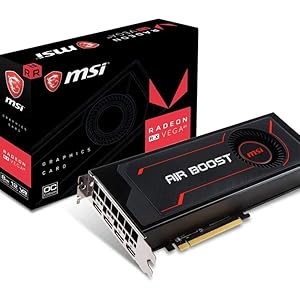
I love the Vega 56 Air Boost 8gb OC from MSI.
I had upgraded from an XFX 570 XXX 8gb Edition to the MSI Vega 56 Air Boost 8gb OC, believe me when I say that you should get an adequate PSU, specifically one in the 650w range, but if you want to future proof it for future graphic cards then get a 1200w PSU or the biggest best brand PSU that you can buy. I say this because I have a 600w power supply from EVGA. Apparently, it isn't powerful enough to run the AMD 2nd Zen 2200g CPU, along with an ASUS TUF X470-Plus Gaming motherboard and 2 16gb Kingston's HyperX fury black 2666MHz DDR4 memory cards and the Vega 56. The graphic card just kept getting too hot, at temps of 79c to 85c and it would just die suddenly, sending my screen into the black abyss of death. The solution was to use the Afterburner software, where you can download from the MSI's website, to under volt the card. Now it works like a charm with temperature spikes only around 71c, but mostly it stays down around 59c to 62c when in a game. The fan is quiet. it only goes at only 49% of its total speed. all-in-all, get a big enough PSU and it should run cool and smooth for you, but if not you can use the Afterburner software to under volt the card. I have mine set on -100, you can also adjust the fan manually, but that could cause the fan to stay running, at least it did with me. So, I had to set everything back to default, and just settled for under volting the card. I would definitely buy this card again if I had the money. But my next purchase may be a 2nd or 3rd rDNA 7nm Radeon Graphic's card that can possibly do ray tracing. But with everything that I said, I only had this card for a little under a week, and MSI' Vega 56 seems to be of the best quality for this specific card. plus, it just looks cool.
L**N
Great for high detail FHD gaming
I got this as an upgrade from a Radeon HD7850 which was getting a bit long in the tooth. Initial impressions after using it for a few weeks: PROS: * 60+ FPS on a few years old game with details cranked to max including 4x FSAA at FHD (1080p). * Quiet (at idle, the fans shut off, and at full utilization the fan noise blends into the rest of the system fan noise). * Temps never exceed 75C under load (as long as the system has good airflow). * Very smooth performance. * Great value for the price I paid. CONS: * Not sure if this is the card or my system (but this never happened with my old card), but occasionally whatever game I'm playing will minimize and focus will shift to my desktop. The game has not crashed, but is still running in the background: when I switch back to the game using the taskbar it's right where I left it. Could be very annoying if it happens at the wrong time (especially during games that can't pause, like MMOs). * It's quite large (it's height barely fits the width of my full ATX tower case. OVERALL: Don't expect to use this card for maxed out details beyond FHD, but if, like me, you need to upgrade from 5-6 years ago (or more), this is a great (not so) little graphics card that will easily handle everything that's currently out there and (hopefully) will provide good performance for the next several years. If you can find it around $170 or less, it's a great value, even though it's previous generation tech.
J**U
Works on a 2010 Mac Pro with no drivers or extra power needed!
Just wanted to let other potential buyers know that I bought the MSI Gaming Radeon RX 570 256-bit 8GB GDRR5 version but was a little worried it wouldn't work with my old Mac Pro since Mac OS was not listed as compatible. I know the RX 580 works but is nearly double the price of the 570 with relatively similar specs (and the 570 is way better than my stock GPU from 2010!) I received the card, plugged it in and used 1 auxiliary power port on the mother board (which is the same setup as the original Radeon graphics card) and it powered up fine, no drivers needed, and no issues whatsoever. Because this card isn't made for Mac you won't see the boot screen so keep your original card in case you ever need that, but otherwise this worked great. You will also need to purchase an 8pin to mini-6pin cable to connect into the power on the motherboard. I don't do any gaming but do a fair bit of Garage Band and iMovie, as well as some graphics intensive video production. This card handles it fine and is good value for the money. I wish it had two HDMI ports as I had to buy a DisplayPort to HDMI adapter but the output is crisp and clean either way. Highly recommend if you are a Mac Pro user wanting to upgrade at a lower cost.
D**A
HDMI audio clipping problem solved – with new vvRadeon video card
MSI Radeon RX-580 8GB Graphics Adapter HDMi audio clipping problem solved! Apparently, according to the GPU or graphics display adapter industry, the only reason to purchase a costly display graphics adapter, or video card, for a desktop PC is because one plans on becoming a mindless video gaming zombie, like my adult neighbor, who I believe has given up real life for gaming. What if somebody does not play video games, and has no plans to do so, but still needs a good GPU? Take someone like myself. I use a self-made powerful AMD Quad Core 4 GHZ home theater PC as my music and video server in my home theater room. In it I have loaded my entire music library in lossless audio – thousands of albums and collections in just about all musical categories. I also keep my music video and film libraries in same server. In order to enjoy all of this, one needs solid video and sound performance from a PC video card with HDMI output in the 1080P (Blu-ray) and 4K (2160 x 3840) resolution ranges. The video card has to also output at least 8 channels of high definition audio up to 24 bit 192 kHz for surround sound music (such as a Blu-ray audio disc) or Blu-ray movie running Dolby Digital Plus, DTS, or HD Master Audio. The HDMI video and audio combined signals are then fed into an audio processor with HDMI inputs – like a Yamaha CX-A5000 or any receiver with HDMI inputs for BD players or other playback devices. The problem I experienced playing music through my older NVidia GeForce 210 4gb HDMI card was that when playing music in random mode, where one audio track follows the next without fading effect or pause, the beginning of each song got clipped by as much as 2 seconds. This issue also occurred when manually playing one track at a time – you press play or enter on a track and the first second or two of the track would get clipped. As you might expect, this issue was unsettling. After hundreds of hours researching this peculiar issue, I learned that others in audiophile land were experiencing similar issues when playing music from a PC via a GPU with HDMI going into a receiver or processor. One solution I learned from a Foobar 2000 user (the audio media player of choice for audiophiles) was to insert digital silence into the HDMI audio stream to fool the receiver, or processor, to detect audio and not cut out the streaming signal from the PC to the processor. I was given to understand that the PC GPU apparently does not naturally send out a digital silence signal that would keep the HDMI audio stream open between each device long enough to not clip the beginning of each song. The net effect is that the HDMI “handshake” between the PC and processor was dropped thereby causing the audio cut out problem. That is, every time a new song starts, the “handshake” has to reinitialize, thereby leading to the clipping problem. The silent one to two second gap in between songs was effectively interpreted by the GPU as no signal at all, thereby dropping the HDMI handshake –if only for a few milliseconds. I know! Exhausting, right? Henceforth, enter my new MSI Radeon RX580 GPU with 8 GB of RAM with its rather fast processor even at default settings without overclocking. This seemed like overkill for my purposes, music listening and watching movies on a PC. However, as I predicted, it solved the audio clipping issue! Bank! Over and done! Now songs playing at random play flawlessly from one to the next without clipping. The way I figure it, is that the RX580 GPU simply works faster, much, much faster, than my older video card in terms of how it processes audio and video. Luckily, the Foobar 2000 community is creative and a user created a fix, or patch, to at least solve the audio clipping issue while operating inside the Foobar environment through the older NVidia GPU. And, indeed the patch works fine. However, if one were to play a song using, say, VLC Media player, then the clipping problem persisted. The MSI RX580 has effectively corrected the Sound clipping problem. I am unsure whether the issue is corrected in real time or whether it is merely the fact that this new GPU is superior in every way to my previous NVidia 210 GeForce 4gb card. Moreover, connected via HDMi to my Yamaha CX-A5000 11 channel processor the RX580 Radeon card renders glorious HD audio performance. Music of any sort, classical, jazz, rock, comes to life regardless whether I play it in stereo through a Dolby Pro Logic II music matrix or whether I listen to straight no processing quadraphonic recording from lossless FLAC. Music is now much more nuanced and full of texture – very much unlike the opaque audio I was hearing from the old video card. Is it the 8 GB of DDR5 RAM at 256 bit processing? Is it the overall faster processing of data as a gaming video card? I remain unsure! All I do know, however, is that what I hear is truly magical audio performance.
A**A
Avoid MSI's technical support at all cost
I've wrote pretty much the same comment on another person's negative review but will include my own review. This is merely to target their technical support as I am unable to really get the full extent of this card as I've received the same terrible RMA support negating my concern of my PC being afflicted with black screen without noise and black screen with a loud noise with no way on how to troubleshoot, the popular blue screen with errors of DRIVERS_IRQL_EQUAL_OR_LESS on pci.sys file, fuzzy-static-like picture on display then crashing to instead listen to the spokesman tell me they do not support Windows 7 64 bit when on their website they do in fact support it and have the drivers to download and install then proceeded to tell me the Ryzen 5 2nd generation I got doesn't officially support the OS when AMD's website has support for it as well with his insistence to get Windows 10 as if I was talking to somebody at Microsoft. I won't forget how he proceeded to tell me his years of building PC's too as if that means anything to me. Add all that with an attitude while another guy I couldn't even understand what he was saying to me... I would recommend folks grab the 1-2 year extended warranty to just get a replacement and not deal with MSI's shaddiness that is their Customer Service Support at all cost. I sincerely tried to support AMD financially with a Ryzen 5 2nd gen, this graphic card, and an MSI B350M Gaming Pro by not following the zombie crowd of Intel and NVIDIA. Now, maybe I just won't help anything done by MSI. All of this has been occurring within the same month of purchase (Aug 2, 2018) to now Nov 13, 2018 without an end in site. I've gone days to weeks without a crash only due to changing my single 8 GB Crucial RAM to another slot to days with multiple crashes (on the same slot I changed it to weeks ago) and all of this is towards a person who is building their very first custom PC... So unless I am able to correct all of the above this has been not only a waste of purchase for this card but the entire build which might be over $500... my 10 year old G33/G31 Express Chipset Family PC from HP is more reliable.
N**H
Great Video Card on a Budget!
I bought this when it was on sale, because I was having to rebuild my computer due to my previous motherboard shorting out on me. I replace my GTX 980, and have to say it's a beast of a card, it handles everything I throw at it. I have read that some people have overheating issues with this card, which does hold true if you just use the stock cooler/fan with this. I ended up buying an aftermarket cooler and fans to cool this video card, now it sits always under 32 degrees celsius. Once I did that I noticed major improvements in the responsiveness of my graphics card and it handles most gaming on ultra graphics with no problem at all. The software for AMD is getting better as well and is becoming more user friendly. The drivers are significantly better than Nvidia's, as I was a fanboy of Nividia ever since I started building my own computers at the age of 10. If you are looking for a middle of the road graphics card on a budget, I would recommend this product!
Trustpilot
1 day ago
4 days ago