
DOWNLOAD THE APP


Customer Services
Copyright © 2025 Desertcart Holdings Limited
DOWNLOAD THE APP




🎤 Elevate your voice, own the room—without the hassle.
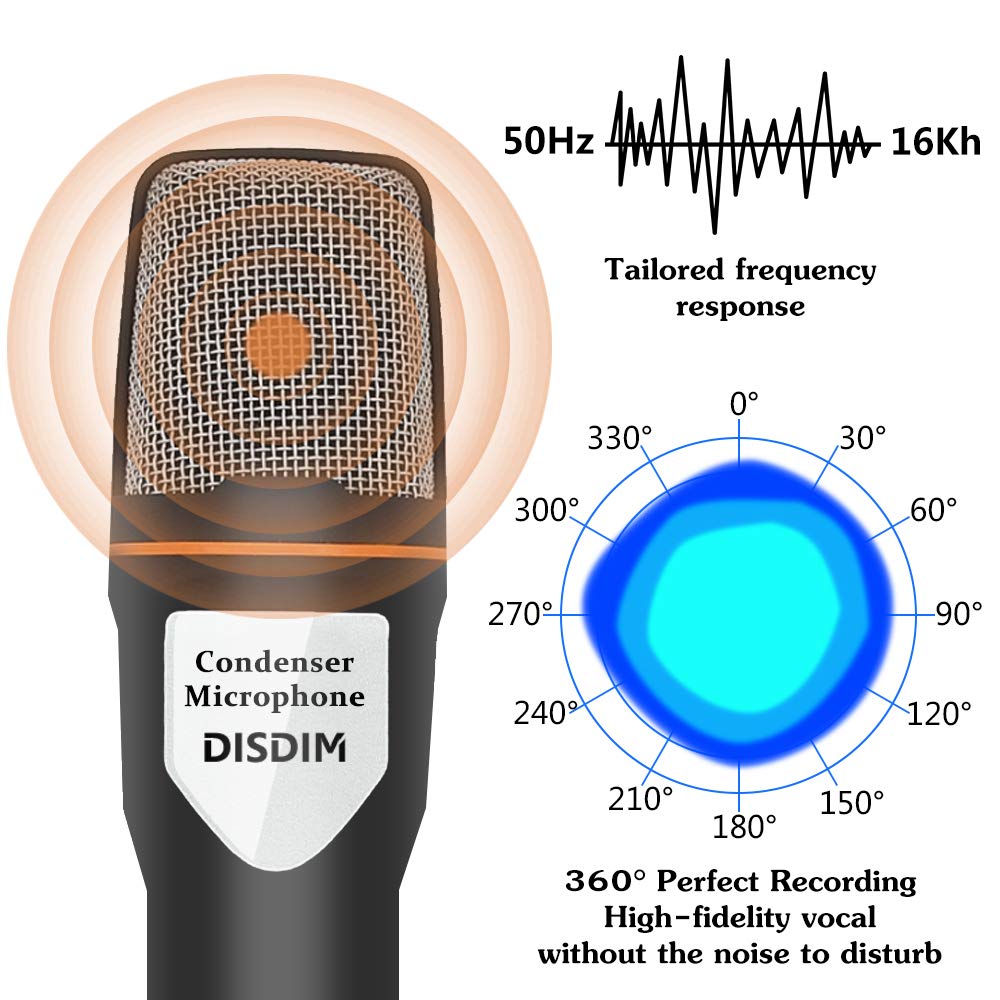
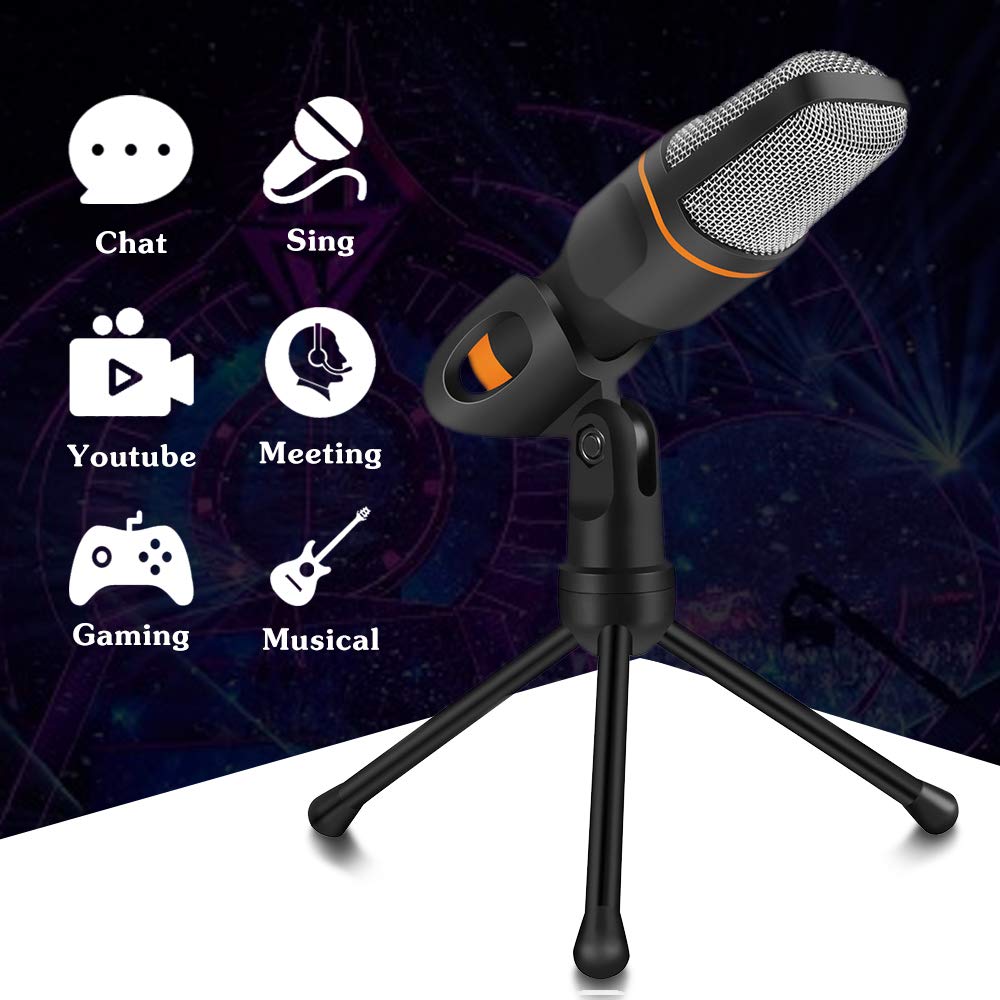
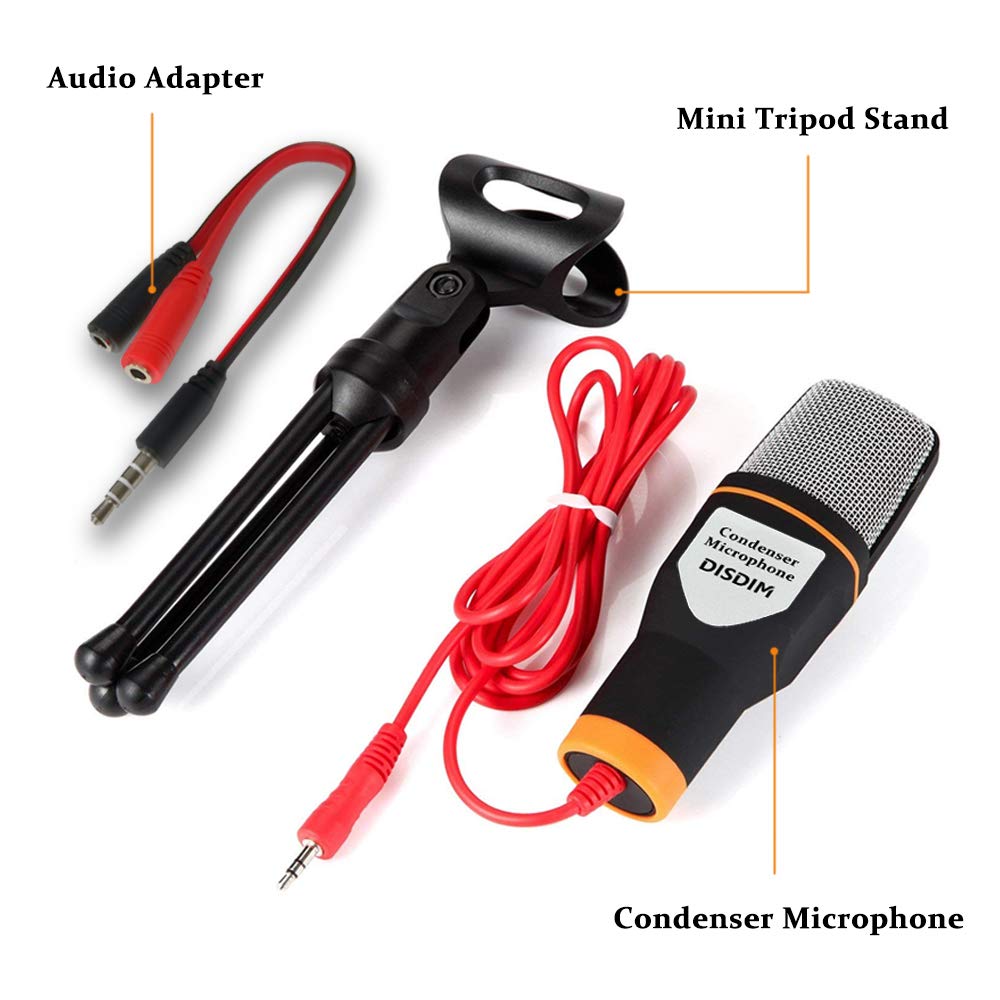
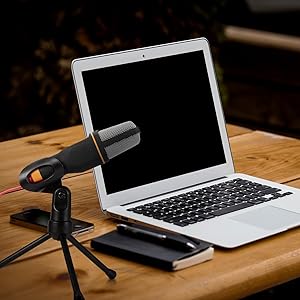
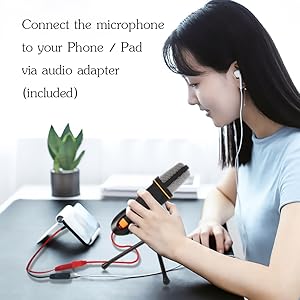
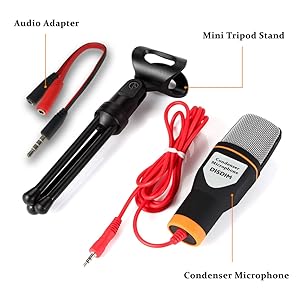
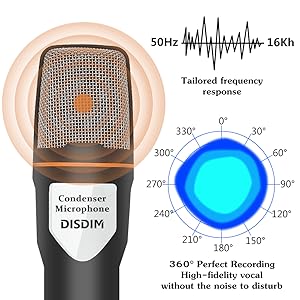
This black condenser microphone features a 3.5mm stereo jack for universal device compatibility, a custom 50Hz-16KHz frequency response for clear, high-fidelity sound, and a 180° adjustable tripod stand for ergonomic positioning. Ideal for gaming, podcasting, streaming, and conferencing, it offers plug-and-play convenience and professional-grade audio quality at an accessible price point.


| ASIN | B0719CHFLS |
| Are Batteries Included | No |
| Customer Reviews | 3.8 3.8 out of 5 stars (5,788) |
| Date First Available | 9 May 2017 |
| Frequency response | 16 KHz |
| Guaranteed software updates until | unknown |
| Hardware platform | laptop,pc |
| Impedance | 2200 Ohms |
| Item Weight | 190 g |
| Item model number | DI-19 |
| Manufacturer | iDISDIM |
| Microphone form factor | Handheld |
| Number of channels | 1 |
| Package Dimensions | 27 x 14.5 x 3.9 cm; 190 g |
| Power source | Corded Electric |
| UPC | 611029497469 |
T**T
Ok mic to start out with.
Got it on the Boxing Day sale for 20% off. Good for a beginner on a budget—I'm sure I've seen this and its USB plug iteration under some other brand names (A chinabrand perhaps? Still, kinda sneaky for Amazon to be selling this to get more people on Twitch and such). Decent sound quality and it's a plug-and-play, so no need to spend money or download software for an interface. Doesn't take plosives very well ("Please just get some Papa John's pepperoni pizza, pronto!"), so I'm glad I added a generic foam windscreen onto my purchase to be sure. A DIY pop filter would work as well, in a small room setup. Both my phone and Macbook still have a 3.5mm port so I can use it on both, just make sure to use the splitter included in the box (the "adaptor") or it won't register properly. It does sound bland, but that's okay for a streamer, or even a budding recording artist—by recording with a cheap mic you can observe the sound characteristics you wish it had, which will help inform your future purchase when it's time to buy your first "real" mic. I've used it for recording demos and choral rehearsals and the sound is flat enough where you can accurately record true-to-life, without any alteration or bass boosting that some mics have built-in. P.S. The way the mic is setup in the product pics has the top part pointed towards the speaker, but the pickup seems to be more towards the front of the mic, the side with the sticker. Maybe they could clarify which way is 'up,' or where the pickup really is. I don't think it's a 360 mic like the frequency response suggests—or maybe I'm just using it wrong lol
B**.
Decent cheap microphone if you don't mind sound quality
I bought this microphone to use with a laptop as a replacement for the inbuilt mic. It does work as intended and the adjustable stand is easy to use ableit basic. For the price the quality of the build is fine and the sound quality is reasonable, though one issue I do have is the volume of the input, often for calls on various platforms such as Zoom, Google hangouts, Discord, I've often had comments my voice is a bit quiet and so have needed to set the device settings with maximum boost. Overall it's a good mic to have if you're looking for one at a budget, don't mind sound quality that much and want something that sounds better than a basic headset microphone.
L**N
Good for the price - if set up correctly!
I have only been using this mic for a few days, but I am pleasantly surprised and rather happy with it. Don't expect it to be a studio-quality mic, but for the price point I would say it's brilliant - if set up correctly, as I'll explain further down. You can scroll down to skip to that part, but I'm going to explain exactly what the microphone comes with first. First though, the mic itself and its included tripod both weigh almost nothing, and the only metal on the thing seems to be the mesh for the microphone top, the nut for the tripod pivot, and the audio jack. Despite this, it actually manages to feel somewhat sturdy - I don't feel like it will break if I look at it funny. Now, like you probably are, I was conflicted over the massive range of reviews for this mic. Some people seem to have got some good results out of it (like the young man with the guitar recording, if that's still in the review media when you're reading), while others can't get it to work at all and declare it a one-star dud. Initially, I had the same issue - I plugged it into my Windows 10 desktop and couldn't get a peep out of it. Windows wouldn't even acknowledge that it had been plugged in, like it does with most devices. I'm going to explain how I got the mic to work to a decent voice-calling standard in a second, but first I need to explain exactly what the mic is and what it comes with. You can scroll down if you'd like to skip to that part. This is an unpowered microphone that connects to your phone/laptop/PC/device via a 3.5mm jack. Some parts of the product listing mention the microphone having a USB connection. This, for my copy at least, is false. There are adapters you can buy to turn 3.5mm jacks into USB connectors, but I did not receive one with this mic. What I did receive with it, however, is an adapter which splits a combined headphone/microphone jack slot into a separate headphone and microphone slots, and that is important to note. Many reviews I've read for this mic complain that it did not work after plugging it into a PC's headphone slot, or into the universal jack slot on a laptop/ipad/tablet/phone etc. Some even said that it did work, but prevented devices from outputting sound over their speakers. These are not faults of the microphone, but very much user error or design incompatibility. This is a microphone, and so it needs to be plugged into your PC's dedicated microphone slot - this is usually denoted by a pink border and/or a little picture of a microphone next to the slot. Devices with only one jack slot often have slots designed to take headphones that have a built in microphone. As a result, plugging a microphone jack into that slot can cause the device to send the audio signal to the microphone (which has no speakers, it is just a microphone) rather than its speakers. This issue can sometimes be solved by the included splitter I mentioned. Simply plug the splitter into your jack slot, and plug the microphone into the microphone slot. You can then plug your speakers or headphones into the headphone slot, and you'll be able to hear the device's sound at the same time as using the microphone. For laptops, tablets, phones and other devices with built-in speakers, you'd likely have to put headphones into the headphone slot to hear anything with the splitter plugged in. With all that out of the way, I'm finally going to explain how I got my mic to work. As I mentioned, Windows did not notify me that it had been plugged in, and that worried me initially. However, this was because it is an unpowered microphone. The device still showed up in my Devices and Printers and Sound menus accessed through the control panel. Rest assured, it is a plug-and-play microphone. That was a good start, but now I struggled to get any sound out of it. I would have to effectively put the microphone in my mouth to get any audible speech to register. Again, this is because it is a cheap, unpowered microphone - you should expect a low volume. Again, though there is a way to remedy that. The easiest way on a Windows 10 PC would be to plug the microphone in, type 'control panel' into the search bar at the bottom left of the screen, and click on the control panel icon that should come up. From there, type 'Sound' into the search bar at the top right of the control panel window and press enter, then click on 'manage audio devices', which should be near the top. Give this window a little while to pop up. Once it does, click on the 'recording' tab at the top of the window. This should give you a device simply called 'microphone' - with any luck, this should be our microphone. Click on that, and go to the 'levels' tab on the window that opens up. From there, you can boost the microphones signal up to an additional +36 decibels, which should make it more than usable from a normal distance away. Other programs such as Zoom, Teams, Skype, and Discord offer additional microphone settings if you need to tweak for that specific program, but for the most part if you're using this mic for video calls you should find overall that the mic is louder. I imagine there is a similar process available on iOS, iMacs and Macbooks, but as I don't use those I couldn't tell you what to do. You could also invest in a powered audio interface if you don't already have one - this would allow you to control the microphone's volume much more effectively. But at that point, you might as well just buy a more expensive microphone. I don't believe tablets/ipads/phones have the same degree of microphone settings, so this product will likely make quiet recordings on these devices - keep that in mind. Overall though, this is a good little mic for the money, and I'm happy I took the risk on it - I couldn't find anything else of good quality any cheaper anywhere else online. I will update this review after a little while of using it to let you know how it stands up to prolonged use, but for now all is A-OK. Please feel free to comment or ask questions if I could be of any more help with this microphone - is it a shame to see such a nifty little thing get so many bad reviews that relate purely to user error!
A**N
It's great... For the price
The mic looks and feels good, the quality doesn't appear shoddy or tacky in any way, and overall it's really good for considering the cost of the product. Realistically, if you looking to start streaming, podcasting, recording content then this mic shouldn't be one that you consider using long-term, although, it could definitely do a job short-term but you will immediately recognise that it is lacking in terms of quality needed for higher level content. For whatever reason the microphone (for me at least) seems to need at least 20% microphone boost before I can safely say that my voice will be easily heard by anyone I'm in a call with, and if I am sitting back in my chair with the mic on the desk, it greatly reduces the output through the call which means I have to repeat myself quite often. Setting up the microphone is super simple, and attaching it to the tripod is also a breeze. TL;DR: Super easy to set up, made from good material - Not ideal for making professional content with at all but excellent for the price.
K**S
Verschiedentlich habe ich schon Rezensionen gelesen, in denen vermutet wird, dass „gekaufte“ Bewertungen abgegeben wurden. Und diese dann immer positiv ausfallen. Deswegen möchte ich mich outen und mitteilen, dass ich dieses PC-Mikrofon im Zuge einer Produkttestung erworben habe. In meinem Fall bedeutet das jedoch nicht, dass ich automatisch eine super Bewertung abgeben muss. Dieses DIMDISC Mikrofon ist klein und sehr leicht. Schon auf den ersten Blick hin gibt es nichts zu bemängeln. Es hält sich gut in der Hand. Die gummierte orange Ummantelung am kurzen Griff hält das Mikrofon zusammen mit der flexiblen Mikrofonhalterung aus Kunststoff wackelfrei im Stativ. Das integrierte Kabel ist saubrer ummantelt und 2 Mtr. Lang. Das Stativ hat keine gummierten Standfüsse. Dadurch kann es unter Umständen leicht durch Kabelzug verschoben werden. Zusätzlich ist ein Adapter im Lieferumfang, mittels dem gleichzeitig das externe Mikrofon und z. B. ein externer Lautsprecher oder Kopfhörer angeschlossen werden können. Bedienung Das Mikrofon kann ohne Mühe in das 3-Bein-Stativ eingebunden werden. Anschluss des CINCH-Steckers an Laptop, Mobiltelefon oder direkt am Desktop-PC. Mehr ist da zunächst nichts zu bedienen. Das Microfon ist sofort einsatzbereit, es gibt keine Schalter die betätigt werden könnten. Packungsinhalt Mikrofon SF-666 (mit 3.5 mm CINCH-Stecker) 3-Bein-Stativ Adapter: Y-Kabel, CINCH-Stecker (mit 3.5 mm) mit schwarz/rot Splitter Testgeräte zur Wiedergabe Samsung S5 NEXOC M737II, Streaming Audio Recorder (APowersoft) Fazit Dieses Mikrofon ist universell nutzbar. Angenehm empfinde ich das im Lieferumfang befindliche 3-Bein-Stativ. Wünschenswert wäre hier, wenn die Beinchen einen gummierten Abschluss hätten. Tatsächlich überrascht war ich von der guten Aufnahmequalität und Rauschunterdrückung. Ich habe mir mp3-Files generiert, diese dann z. B. per eMail versandt. Vom Empfänger nur positive Nachricht erhalten, gut verständlich und rauschfrei sei meine Nachricht gewesen. Ich nutze einen Laptop mit Windows 10. Ich habe das Gerät nur in geschlossenen Räumen benutzt und unterschiedliche Entfernungen während der Aufnahme probiert. Ich empfehle max. 100 cm als Abstand zu wählen. Dieses Set ist sehr preisgünstig und macht was es soll. Profis werden sicherlich wesentlich teureres Equipment wählen. Ich bin sehr zufrieden mit diesem Mikrofon. Ich vergebe 5 Sterne und spreche meine Empfehlung aus.
F**I
Questo piccolo ed estremamente economico microfono a condensatore, viene venduto brandizzato di varie marche (alcune anche altisonanti) ma è lo stesso prodotto made in china. Io lo uso per registrare pezzi per il teatro, ambienti compresi. Lo utilizzo connesso ad un telefono utilizzando il software originale DOLBY ON, che è in grado di pilotarlo alla grande. E' molto sensibile ed ha una gamma di frequenza intercettata veramente ampia (ottima la captazione dei bassi.... Le frequenze alte "sono buoni tutti"). Viene fornito con una sua base (quella in foto... il Filtro Anti Pop NON E' COMPRESO) moto stabile, e con un connettore separatore mini jack in grado (utilizzandolo su pc o telefoni) di separare ingresso microfono ed uscita cuffie e di poter avere le cuffie connesse per avere un ritorno in tempo reale (utilissimo se si stanno registrando ambienti). Probabilmente ne comprerò altri.....
J**E
Un très bon rapport qualité prix. J'avais peur au début mais après utilisation, je suis très ravi. Il capte le son très bien même en étant placé au milieu de la table lors d'une partie de JDR. J'en suis très satisfait.
R**O
crdevo che era più scarso come prodotto invece dopo che è arrivato ho constatato che funziona bene e che è anche di buon materilale
K**N
Feed are unsturdy, quality is acceptable, but not good. When using the microphone, make sure that your mouth is relatively close to the microphone, as it seems to be a bit unsensitive/poor in recording. I replaced it eventually with a headset with microphone since poeple could not hear what I was saying the moment I was more than 30cm away from the microphone. Considering what I paid for it, I should not expect more.
Trustpilot
3 weeks ago
3 days ago