We remain fully operational. Our teams are working around the clock to ensure your deliveries continue safely.

DOWNLOAD THE APP


Customer Services
Copyright © 2025 Desertcart Holdings Limited
DOWNLOAD THE APP


🔥 Stay cool, perform hotter — the ultimate thermal paste for pros!
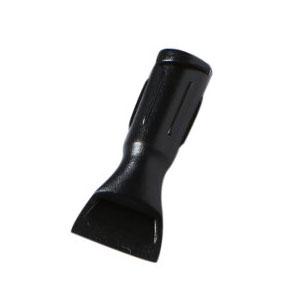
GC-Extreme 3.5g thermal paste by Gelid Solutions offers an exceptional 8.5W/mK thermal conductivity rating, ensuring ultra-fast heat transfer for high-performance CPUs and GPUs. Designed for professional builders and overclockers, it includes a precision applicator for mess-free use and is compatible with all major cooling systems. Its non-toxic, non-corrosive formula guarantees long-term stability, making it the trusted choice for maintaining peak system performance under extreme conditions.



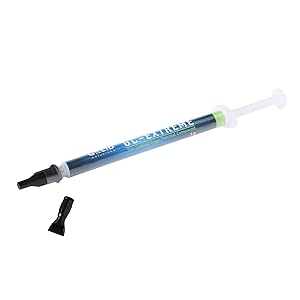
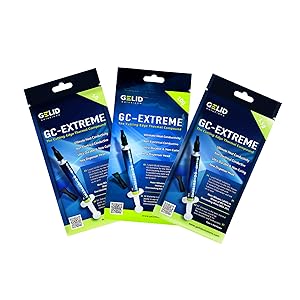



| ASIN | B002P5W4RU |
| Best Sellers Rank | 23,232 in Computers & Accessories ( See Top 100 in Computers & Accessories ) 42 in Thermal Paste |
| Brand | Gelid Solutions |
| Cooler Heatsink Compatibility | CPU and GPU coolers (Intel, AMD, air, liquid, custom cooling loops) |
| Cooler Heatsink Material | Copper |
| Country Of Origin | China |
| Customer Reviews | 4.5 4.5 out of 5 stars (2,024) |
| Global Trade Identification Number | 04897025780279 |
| Item Weight | 3.5 Grams |
| Manufacturer | KOMQI |
| Mounting Type | Chassis Mount |
| Product Warranty | 2 year manufacturer |
| UPC | 637282916028 807320229797 168141424717 191120058030 666674973486 163120890569 172302660951 803982904393 012304362944 851905114763 780411579950 132017921198 872182808763 |
J**S
Best thermal paste I've ever used in my life
I've built/maintained quite a few systems in my years and have always just relied on other pastes like arctic etc. I figured as long as I wasn't buying absolute junk, I'd be set. Surely it can't make that much difference, as long as you're not buying trash - right? Well, seems I was wrong! I've had temperature issues with my laptop pretty much from the get-go, and have replaced the paste and cleaned it out multiple times to limited effect, and after a couple weeks those temps just creep back up. Well, not with this stuff. I applied a thin layer using the spreader tip it comes with, (a little fiddly but you get the hang of it) and put my machine back together not expecting too much. I figured the reviews might be hyperbole, but I wanted to try this before buying a whole new heatsink. Well, lo and behold, my temperatures are now stable when gaming and under heavy load. My fans rarely kick up to max speed, when they used to be running at max all the time just to try and maintain. Spikes are down, recovery to ambient is much faster, and my system is quieter. All this DURING A HEATWAVE! I'm honestly pretty blown away by how effective this compound is. It's what I'll be buying and recommending from now on. TL;DR; Great product, applies relatively easily, does exactly as others suggest. A noticeable impact on the cooling capabilities of my laptop. Highly recommend!
T**M
The Gelid GC-Extreme was getting some consistently good reviews, so I bought a pack
I've had a number of different after-market heat sinks in any number of PC's over the years, and the universal finding I've had is that regardless of how well these gadgets work (or not!), the thermal compounds that are supplied are, generally, not fabulous. I bought myself a new Corsair H80i V2 cooler for my PC a little while ago, so I did a little research on-line to see which thermal pastes were about on the market at the moment. The Gelid GC-Extreme was getting some consistently good reviews, so I bought a pack. As anticipated, the new cooler was pretty good, and was supplied with pre-applied paste on the pump. My PC is over-clocked, so it runs very hot if the cooling is not up to scratch, but I ran with the Corsair paste so start with. It appeared to be working reasonably well, so I left it alone for a while. I've had the PC running for about a month with the new cooler fitted, and I've abused it with a number of stress tests, loading up the CPU to 100% for 10 to 15 minutes at a stretch on a number of occasions. The new Corsair Link software can log temperature and fan speed data into a file on the PC, and on examination I found that the highest single-core temperature recorded over the month was 84 deg C. That's within the operating parameters of my CPU, and my PC would rarely use 100% of it's processing capacity for more then a second or two unless I'm deliberately stress testing it, but that's still above the recommended max for my CPU. That's hardly surprising as I'm pushing it more then 1GHz over its design parameters, but that's still a little warmer then I'm comfortable with. I've just finished disassembling and reassembling the PC again, having cleaned up the old paste and applied the Gelid GC-Extreme thermal compound. Having fired the PC up an let it settle for a while, I could see all of the core temperatures were running at around 10-12 deg C above ambient, and they're all running at about the same temperature. That confirms that the reinstallation of the pump was successful, and I've got a good spread of paste across the CPU. So... I opened up the stress tester and burned the CPU at 100% load for about 15 minutes. Long story short; the worst single core temperature was pushed up to 72 deg, and then dropped back down again as the Corsair fan switched to a higher rate. That's spot on for the max recommended maximum temperature for the CPU. In comparison with the out-of-the-box thermal paste, that's a whopping 12 degrees cooler on the same test with the Gelid GC-Extreme compound instead. In summary then, I'm very impressed with this goop. While the low-level CPU usage temperatures logged using this paste vs the out of the box paste are about the same (high 20's / low 30's Deg C at idle) the performance of the paste when the CPU is being challenged are very good indeed. It does what it's supposed to, very well, is easy to apply, and isn't too expensive. Highly recommended.
D**D
Great paste, highly recommended.
I purchased this paste to use on both a CPU and GPU. I've been impressed with the results it is very good paste. I was using MX-4 previously on the CPU and I have dropped about 5 degrees centigrade by using the GC-3. As for the GPU I found the plastic applicator included with the paste very useful for getting full die coverage, as you may be aware the GPU die is much larger than a CPU and so the pea method isn't going to get all of it accurately and it is important to get every bit of the GPU including the corners as there is no integrated heat spreader on most of the modern GPU's. Here too I saw a great reduction in load temperatures even greater than when used on the CPU by about 8 to 10 degrees centigrade. So overall I would highly recommend this paste it is very easy to apply, it isn't too thick and spreads easy with the included applicator.
G**S
It comes with a little spade you'll probably never use
Bit hard to rate this as I only just applied it. But, it's non-conductive, and it probably works better than mayonnaise. Looses a star because it's a bit "stringy." Makes finishing off without leaving streaks an act of concentration. I'll edit this review if my CPU blows up, but otherwise I'd say it works as advertised.
G**D
Transforms my gaming laptop
Fantastic stuff. Bought this for my MSI Gaming laptop which I use for flight simming. The CPU is usually at 100% usage when simming and previously would sit at 90c most of the time under full load (45 to 50c at idle). This would cause the CPU to throttle quite a bit. It especially got worse recently due to dust build up in the exhaust fans. I decided to thoroughly clean the fans out and re-paste the CPU and GPU with the Gelid Extreme compound while I was in there. This has resulted in an average 15c drop in CPU temperate. It now sits at 75 to 80c under 100% load in the flight sim. The GPU is running at 61c under 80% load. The CPU idle temp is now 32 to 35c. There is no longer any thermal throttling occurring and the CPU and GPU remain at max clock speed! Very pleased with the result.
M**E
Expérience avec GELID SOLUTIONS GC-Extreme 3.5g nouvelle version (paquet bleu) + backplate + vis sur processeur socket 1150 J'ai 2 supports ventilo avec attaches en plastique et je me suis aperçu que le contact n'était pas OK avec le cpu (mauvaise expérience aussi avec un vieux cpu AMD socket 939 grillé (car pas protection) à cause d'un support ventilo plastique fendu à cause de la chaleur et d'une position verticale), j'ai décidé de changer les vis plastiques par un backplate + des vis métal Avant : en idle 40-45 °C, en Full 100 °C Avec Gelid-Extrême nouveau modèle : en idle 27-35 °C, en Full 60°C Donc oui au niveau thermique, elle est super efficace. J'avais l'habitude d'étaler la pâte précédente car plus fluide, la Gelid-Extrême nouveau modèle est beaucoup plus épaisse : j'ai essayé de l'étaler avec ou sans l'applicateur mais le résultat est à peu près le même, après plusieurs tests, j'en mets beaucoup trop (d'autant plus que je peux serrer à fond le ventilo sur le proc) et je galère ensuite à l'enlever. Donc je suis revenu à la bonne vieille méthode, une boulette au milieu du proc. J'ai changé ma méthode d'étalage à cause de sa viscosité, du gaspillage engendré et de la fixation avec des vis métal, mais au final j'ai appris que mon proc pouvait monter à 100°C mais avec la Gelid-Extrême, il reste la plupart du temps à 60 °C. Bien sûr qu'une grosse partie du gain est dû au changement de fixation du ventilo mais les -15° à -18°C en idle prouve qu'elle est super efficace.
F**V
Resulta un poco espesa a la hora de aplicarla, pero considero que es una ventaja que ayuda a que no se esparrame y llegue donde no debe. Buena cantidad para el precio que tiene, la he usado en procesadores y en gráficas, con muy buen resultado. Los mejores resultados de temperatura, se notan a partir de las 48 horas, cuando la pasta ya se ha asentado. Un tubo da para varias aplicaciones, comprar pastas mas baratas, puede salir caro. No lo penséis, esta es de las mejores.
N**A
Ürün olması gerektiği gibi beklentiyi karşılıyor.
M**U
I used GC extreme because it was recommend to me and I'm thankful that i did. I used to hit TJ-Max on both my CPU and GPU as soon as i started playing RDR2 on my laptop. (With AC on at 25/26 degrees) I finally changed it's stock thermal paste after 3 months of use. Even though i don't play much, my stock thermal paste was almost dried out on GPU and CPU. Pros- 1. Very reasonably priced. 2. Works flawlessly 3. Non-Conductive 4. Much much better than stock thermal paste or the generic thermal paste these companies apply to our laptop in the name of "service". 5. Heavy games like RDR2 are showing temps under 85 degree Celsius without undervolting/disabling turbo boost, which was not the case for me previously on the stock thermal paste. Idle temp was around 30-40. I'm personally very satisfied. (with AC on at around 26 degree Celsius) Neutral- 1. Bit difficult to apply but good thermal pastes are generally thick and they are not easy to apply. I have also not done it before so, Kinda new experience for me. Cons None as of day 1. Things to note- 1. This is a day one review. Will edit it in the future as the need arises. 2. If you want to have a rough idea about the temps (like really rough) use Hwinfo app and monitor idle/gaming temps. If you Want a better idea run Antutu, 3Dmark and other benchmark tests before and after applying this thermal paste. If someone is not willing to change the thermal paste themselves (which is fine) ask your laptop service guy to apply this thermal paste (buy it yourself), if the service guy is hesitant tell him that this is non-Conductive thermal paste (it won't damage the motherboard even if some of it spills on to the motherboard).
S**N
Leí muy buenas reseñas de ella, está entre las primeras 5 pastas según reseñas de varios foros en internet. Es una pasta que tiene creo más de 10 años en el mercado. aunque no está tan disponible, por lo cual tardó en llegar unas dos semanas, realmente no me importó, ya que valió la pena esperarla estando confiado que había adquirido una pasta de calidad. Además no tenía urgencia en usarla. Recién la apliqué y aunque estuve midiendo antes la temperatura de la laptop la cual llegaba hasta los 81 grados bajo carga constante. Al aplicarla se.noto una diferencia de 5 a 7 grados centígrados a la baja promedio, esto es muy bueno. Sin embargo no conforme, no me refiero al producto sino con el deseo de bajar aún más la temperatura, modifique la tapa inferior viendo que era factible hacerlo y sorprendentemente se logró bajar hasta uno 60 grados como máximo a carga constante. Quedé muy satisfecho con la modificación hecha, con la aplicación de la pasta y con el resultado. El equipo es una HP Pavilion dm1, siendo AMD y muy viejito, le estoy dando una segunda oportunidad a este hardware antigüo, además agregué un SSD e instalé Linux mint con el escritorio Xfce. Con este último las carga del procesador es mucho menor que con Windows 10 instalado, el cual ponía al 100% al procesador cuabdo reproducía videos en el navegador, y con mint, cuando mucho llega a 65%, obvio con algunos picos de 100% pero solo momentaneos. En resumen recomiendo la pasta. Más adelante actualizaré con fotos y más resultados del comportamiento de temperaturas.
Trustpilot
2 months ago
2 weeks ago