
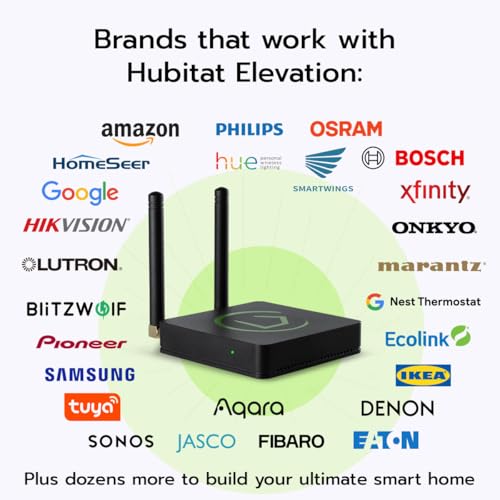


🏠 Elevate your smart home game with speed, privacy, and endless compatibility!
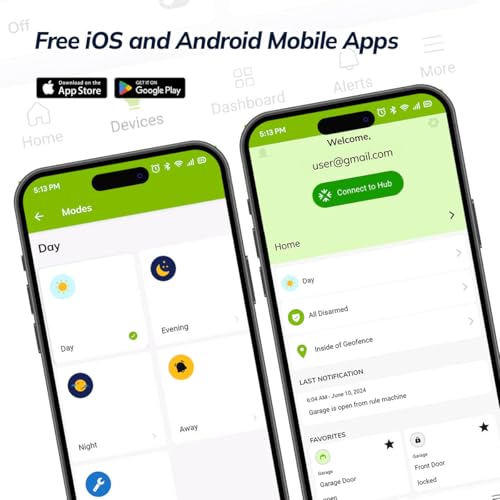
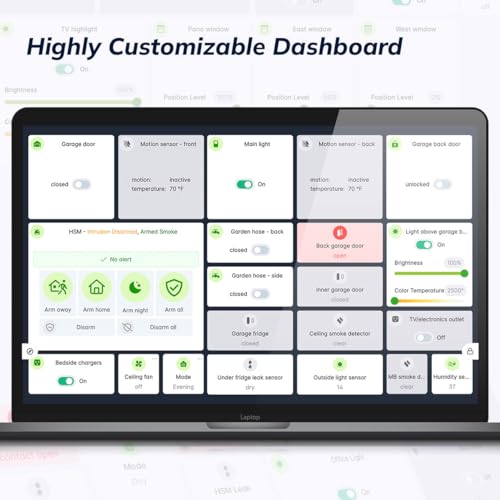
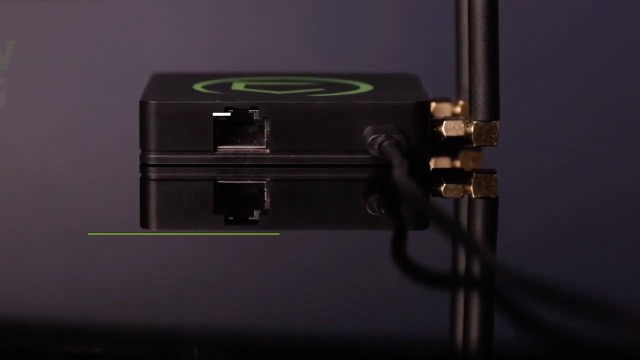
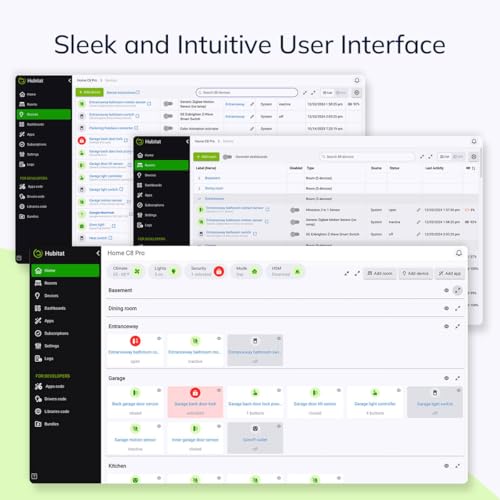
The Hubitat Elevation C-8 is a compact, privacy-focused home automation hub that processes automations locally for unmatched speed and reliability. Compatible with over 1,000 devices and major platforms like Alexa, Apple HomeKit, Google Home, Zigbee, Z-Wave, and Matter, it offers versatile connectivity including Wi-Fi and Ethernet. Designed for both advanced users and newcomers, it delivers powerful, subscription-free automation with a robust app and continuous software updates.


| ASIN | B0BSNZVDJ2 |
| Batteries Included? | No |
| Batteries Required? | No |
| Best Sellers Rank | #384,926 in Tools & Home Improvement ( See Top 100 in Tools & Home Improvement ) #343 in Home Automation Hubs & Controllers |
| Color | Black |
| Customer Reviews | 3.7 3.7 out of 5 stars (404) |
| Date First Available | January 19, 2023 |
| Included Components | home automation hub, USB-C cable, power supply, ethernet cable |
| Item Package Quantity | 1 |
| Item Weight | 2.54 ounces |
| Item model number | C-8 |
| Manufacturer | Hubitat |
| Part Number | C-8 |
| Product Dimensions | 2.95 x 3.23 x 0.67 inches |
C**S
Smartthings to Hubitat: A Game-Changer in Home Automation!
As someone who has been using Samsung Smartthings for 6 years, I must say that transitioning to Hubitat has been a game-changer for me. It feels like I have entered into the future of home automation! The ability to execute everything locally is simply astounding. The hub is an impressive tiny device offering advanced automation capabilities without the need for Webcore. The built-in "Rule Machine" allows for a smooth and effortless user experience once you get familiar with it. A huge setback would be that there can be a huge learning curve if you are new to home automation. You can however use the community forum to learn or go on YouTube. Another big concern is the user interface as it may not be the most intuitive or user-friendly, but it's not a significant issue once you've set everything up. I'm confident that the developers are actively working on improving the UI, but for now, it's a minor concern that doesn't detract from the overall functionality of the platform. To me, Hubitat's local execution alone is worth the upgrade as it ensures an instant and smooth experience. I'm truly impressed by how much faster my lights, garage, and other smart devices operate now. In my opinion, one of the most notable advantages of Hubitat is its ability to seamlessly integrate with Siri shortcuts. By utilizing the "Cloud endpoint" feature of Hubitat Rule Machine, my family and friends can now open the garage simply by issuing a voice command through Siri. This was previously impossible with SmartThings, as Webcore was removed, and even when it was available, the process was slow and unreliable on their platform. By leveraging Shortcuts, I can share garage door access without granting full access to all my devices on HomeKit. Furthermore, apart from using the Shortcut app on my iPhone, I have also set up a Virtual Shade device in Hubitat and integrated it with the HomeKit app. Since HomeKit doesn't support native Garage Door functionality, I created a virtual device that mirrors the actual garage door. (For this you will need the “Hubitat Package Manager” App and then install “Switch Bindings” by @joelwetzel) This enables me to open the garage using my voice and send commands through Apple TV, Macbook, and the iPhone Home app. If anyone is interested, I have included pictures of my settings for reference. They have proven to be quite impressive! 2024 quick Update & thoughts - I originally posted the above review on April 4, 2023. Since then, here’s what changed, HomeKit now supports native garage functionality so my review is a bit dated. Hubitat continuously puts out updates making the hub better and better. I still love and recommend everyone to get this device. It just works, seriously never fails, no reboots nothing.. it just works, I struggled so much with smart things. I have since then gotten better at using this system so maybe I will update my review when I get the chance with more information.
L**N
Horrible. Don't buy this version. Major bugs poor support.
Pros: It's relatively cheap and for the tech savvy it has a lot of integration options. Better performance then the previous C7 Version. Easy migration between the two versions. Cons: Extremely unstable even after 100+ hours of diagnostics many posts on the community support. The C8 zwave radio is not stable. It looses all devices and only after hard reboots will it return to normal operation. Support was no help. They kept attempting to blame the zwave devices which never made sense as hard reboots always solved the problem. This is the controller of a zwave network and if it looses connection to all devices and after reboot magically all devices return then it has to be the controller radio itself. Not all devices I have on the zwave network are 700 series. I spent a lot of money i know regret replacing older 500 series lock components because support said the S0 security was the issue. That had no positive impact. I did migrate from a C7 and it never had these issues. My concern with the older C7 was the performance. It would fail to complete complicate tasks requiring several retries to get it right. I migrated from a Samsung Smartthing and while that devices was slow, it always worked. It's biggest issue was the cloud dependance for processing. I'd go back to Smarthings if it wasn't for that issue.
F**R
Don't let negative reviews influence you on this...
I bought this a few weeks ago thinking with my existing Zigbee devices, that this would hook right up to them; they didn’t. I’d already invested a small fortune in devices/sensors/gadgets, and the idea that Hubitat would not work with any of them was very discouraging. Unfamiliar with Hubitat, I didn’t know if I had a bad device or the device was just very selective on what it works with. I’m a programmer of many years, and when some of what I was doing was taking about 3 seconds (using SmartThings/Google Home) to go through all the clouds, I was determined more than ever to get this to work so… I bought a new zigbee sensor, one stating it works with Hubitat. I received the device, installed it… and was surprised when I unplugged the cable to my modem disconnecting me from the internet and was able to turn a light off. That was about 2 weeks ago and since, I’ve replaced most of my sensors/gadgets with ones that work with Hubitat, and I now have more than 100 devices both physical and virtual. Having used this now for 2 weeks, truly I tell you… this is an incredible device. When I turn something on or off, it’s instant. Incredible is pushing a button on my phone and as soon as I do… before I even take my finger off my phone… the action of on/off has already taken place. There is NO DELAY unless the device itself it slow to turn on/off (like a TV, WIFI colored LED bulbs, etc.). Hubitat works with Zigbee and Z-Wave devices, but not all of them. It also works with Matter devices but requires you to commission the Matter device first using something else (like a hub), and then share the Matter device via the device you commissioned it with; I use a SmartThings hub for such and to control my Samsung TV’s. So I’d add the Matter device to my SmartThings hub, then open the Matter device up in SmartThings, 3 little dots menu upper right corner, click “Share with other services,” click QR code, and then you’ll get a QR code with a new Matter code. Take that code to Hubitat (on the same network as your hub), add device, add Matter device, enter the code and you’re done… that’s all that needs to be done to add a Matter device to Hubitat. Not all Matter devices can be shared so not all Matter devices can be added to Hubitat. To get things to work, there is “programming” involved… some call it “coding.” But you don’t need to be a rocket scientist to know how to program it. I don’t know what the programming language is that they use… but it’s all easily understandable programming instructions… you’ve just got to play with it and see how it works. Common to me was “If () then” statements. I took it from there and just started messing around. If you know Basic or Javascript, you can use and will eventually get how this works. This isn’t something you can just jump into and by the end of the day have your “smart home” together. I’ve programmed for 30 years and am still learning their system. The payoff in the end is wonderful… automated home without a required internet connection. It does have a built-in editor to help those who don’t know the system or how to program, to program. It’s very buggy. I’ve learned, instead of trying to edit an “If () then” statement, to just insert a new one and delete the old. I’ve gotten stuck in the editor where it won’t allow me to get out… even aborting the page and going back, it resumes right where I left off. Plenty of times, I’ve just needed to finish an edit with whatever information, just to get out of the edit so I can delete it and start over. Sometimes the editor once I’ve completed a statement, won’t provide the “Done” button to let me continue… that can happen when creating a “while” statement. So far the only thing I’ve discovered needing help with the Hubitat is their programming/coding editor. But, it allows me to program and use the Hubitat device when I otherwise would not be able to since I don’t fully know the language it uses. The editor, while it is buggy with conditional statements mostly, is better than nothing. There is way too much to cover for a full review of this. I struggled to figure it out but just kept with it. There’s still plenty I don’t know but am learning little by little. This really isn’t something you can just throw together in one day well, maybe if you’re just using a few switches/devices and not doing anything special with it. I’m still learning, discovering, and building. Consider the reviews, but if you really want a smart home free from the internet, this is the route you want to go. Get it, try it out for a few weeks, and if you don’t like it or aren’t understanding it, return it before the 30 day window. I originally was going to send this back, but have since canceled the return request and won’t part with it.
O**A
Excelente pero más avanzado , no para alguien que quiere lãs cosas demasiado sencillas
R**H
Il faut faire 10 années d’université pour le configurer.
S**R
Don't buy if you are not a tech-savvy person. It is not that easy to set up.
N**L
If you plan on integrating with any nonnative 3rd party systems like UniFi, spend the extra few dollars and get the C-8 Pro model.
P**.
Vous devez être à l'aise avec les programmes logiques, sinon, apprentissage obligatoire.
Trustpilot
3 weeks ago
1 month ago



