We remain fully operational. Our teams are working around the clock to ensure your deliveries continue safely.

DOWNLOAD THE APP


Customer Services
Copyright © 2025 Desertcart Holdings Limited
DOWNLOAD THE APP


🔗 Connect, Control, Conquer!
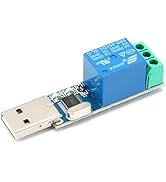
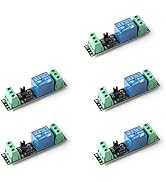
The 12V Bluetooth Relay Module allows for seamless wireless control of devices from your mobile phone, boasting a 10-meter range and an easy-to-use app. With 8 circuits and robust performance, it supports both AC and DC applications, ensuring reliability and safety for all your IoT needs.













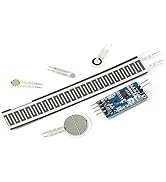






| ASIN | B0BXDP3J5Q |
| Best Sellers Rank | #2,690 in Single Board Computers (Computers & Accessories) |
| Brand Name | JESSINIE |
| Color | 1CH 12V |
| Customer Reviews | 3.8 3.8 out of 5 stars (8) |
| Display Type | LED |
| Item Weight | 0.02 Kilograms |
| Manufacturer | JESSINIE |
| Material Type | Plastic |
| Operating Temperature | 20 Degrees Celsius |
J**E
Poor app, too much hassle to get it working. Need to make it simpler with a better app and setup.
Even with instructions provided by another person who purchased this and figured out how to make this work, no luck for me. Why should we have to deal with all this anyway ? Just provide a working app that simplifies usage like everyone else.
T**K
Serial Bluetooth Terminal
In November '25, Google Play had none of the apps mentioned by the other reviewers. Perplexity recommended using a general purpose Serial Bluetooth Terminal app, so I downloaded one with that name, and set the on-off macros as another reviewer suggested: On = A0 01 02 A2 Off = A0 01 00 A1 These are entered in hex format. The app displays all the bluetooth devices available; mine (a single relay board) was called JDY-33-SPP; connect password was 1234. Then long press the M buttons to enter the hex codes, at it works. (4 stars because of the lack of information included with the board).
G**M
Doesn't work
Doesn't work
M**.
Set to (HEX).
Set to HEX, and use A00101A2 for ON, A001001A1 for OFF. Then use A002001A3 for ON (second relay), A00200A2 for OFF (second relay). Then third relay A00301A4 ON, A00300A3 OFF, Do each relay the same, just up the numbers.
Trustpilot
3 weeks ago
4 days ago