
✨ Type Your Way to Happiness!
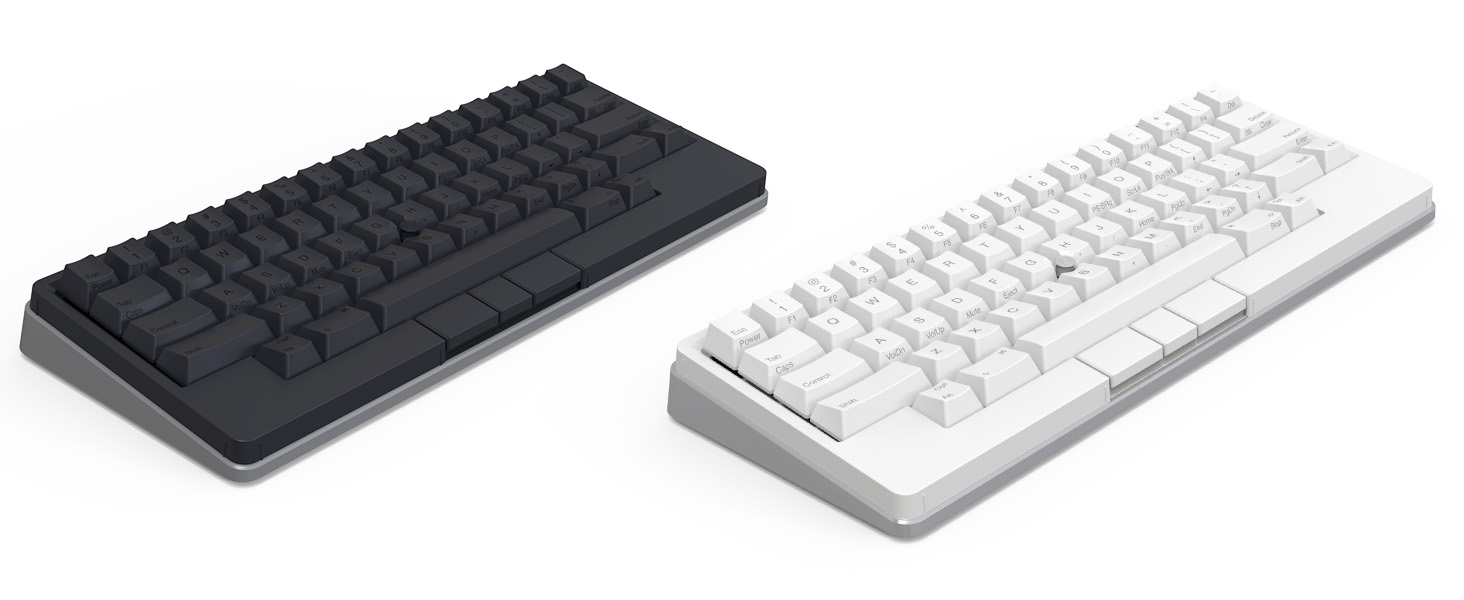
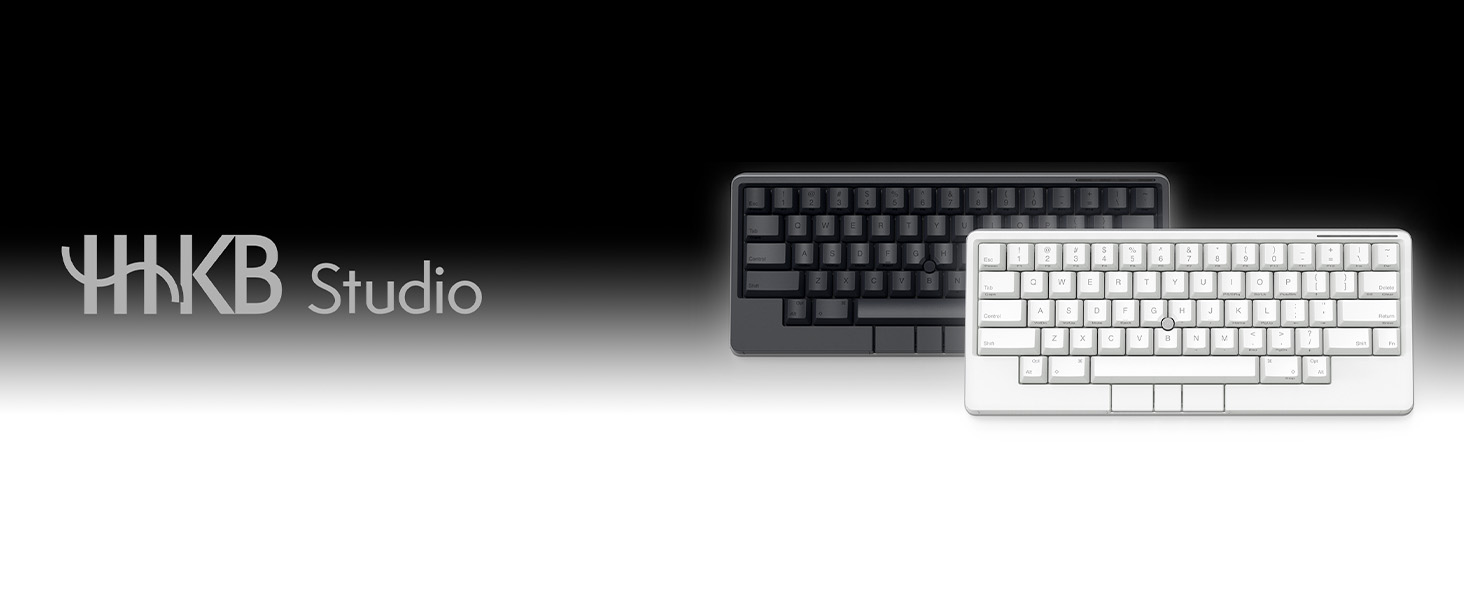
The HHKB - Happy Hacking Keyboard Studio is a versatile, minimalist keyboard designed for both Mac and Windows users. It features a sleek pure white design with a silver base, hot-swappable key switches for customization, and advanced gesture controls for enhanced productivity. Weighing just 1.34 kg, this wireless and wired keyboard is perfect for professionals seeking a blend of style and functionality.








| ASIN | B0D2HZJD3T |
| Are Batteries Included | Yes |
| Best Sellers Rank | 51,589 in Computers & Accessories ( See Top 100 in Computers & Accessories ) 801 in Keyboards (Computers & Accessories) |
| Brand | HHKB |
| Colour | CHARCOAL/BLACK |
| Customer Reviews | 3.3 3.3 out of 5 stars (17) |
| Date First Available | 14 Mar. 2024 |
| Delivery information | We cannot deliver certain products outside mainland UK ( Details ). We will only be able to confirm if this product can be delivered to your chosen address when you enter your delivery address at checkout. |
| Guaranteed software updates until | unknown |
| Item Weight | 1.34 kg |
| Item model number | PA03840-B105 |
| Manufacturer | HHKB |
| Number of Batteries | 4 |
| Operating System | Windows 10 |
| Package Dimensions | 37.1 x 22.6 x 6.4 cm; 1.34 kg |
| Power Source | Battery Powered |
| Series | HHKB - Happy Hacking Keyboard Studio (Wireless, Bluetooth, Wired, USB-C, Silent, Mac, Windows, Snow (Pure white), Printed Keycaps |
T**N
An excellent addition to the lineup
I like that these are a 5 pin hot swap keyboard meaning any key switch from the big manufacturers will work. I’m not so much a fan of the linear switches they chose, given that traditionally the HHKB uses tactile Topre switches, but they are super super silent. Personally I’m using a silent tactile switch (Akko penguin) these are perfect in the office
L**O
Este teclado es de altísima calidad, con un tacto extremadamente suave y firme, se siente robusto, y es de el diseño se hace extraño, y te acostumbras muy rápidamente, su peso con pilas es de unos 950gr, el uso de los paneles delizables lo hace muy cómodo, yo lo recomiendo
M**.
Comprata a prezzo pieno ho riscontrato non pochi errori software. In particolare la mia tastiera presentava un drift sull'trackpoint. Ho effettuato il reso non chiedendo la sostituzione perchè sono sopraggiunte altre spese. La prenderò appena possibile. Un po deluso all'apertura in quanto pensavo fosse una tastiera di quelle "ready" , ma in realtà la prima cosa che devi effettuare è un aggiornamento software. Venendo da altri prodotti del brand HHKB , si vede che è di materiale premium, ed è molto equilibrata, la scrittura è un piacere e i tasti sono infinitamente più silenziosi di una Type-s dello stesso brand. Detto questo do 3 stelle perchè comprare una tastiera di 400 euro e ritrovarsi a fare un aggiornamento firmware per calibrare il tutto e vedere il trackpoint driftare è stato snervante. Il prezzo è assurdo e non vale la spesa , almeno per me , amante delle tastiere. Se però siete amanti del brand è un must che potete concedervi e non vi deluderà .
V**R
I had so many problems with the delivery service when I ordered this keyboard that I almost cancelled my order and gave up on trying it. At first, I really wanted to leave a 1-star review and describe everything I went through. But that wouldn’t be fair, because those problems weren’t related to the keyboard itself. I decided to try the so-called “end game” keyboard. I’m a geek, and I wanted to test the HHKB because I knew that if it didn’t work for me, I could always return it. For reference, I already own a Keychron Q3, a Keychron 12 Pro (60%), and an HHKB Professional Hybrid. And honestly — I’m really happy with this keyboard. ### Pluses 1. You almost don’t need a mouse anymore — that’s the killer feature for me. 2. Great brand. 3. Works on Arch Linux (though I needed a VM to set it up). 4. Perfect if you want to use just one device without constantly switching to a mouse. 5. Ideal for people who enjoy blind typing and dislike flashy RGB lighting. 6. Typing feels much better: your hands are not forced into a parallel position anymore, you can sit more comfortably, and typing feels freer. (Blind-typing aspect — you also don’t have Ctrl keys stuck awkwardly at the corners.) 7. The layout. Having fewer keys is actually a big plus — it feels more comfortable and practical. 8. Batteries. ### Minuses 1. The price. It’s just too expensive. Even €285 would be a lot for a keyboard !!! - My Q3 (aluminium case): ~€230 - Keychron 12 Pro: €180 + €50–80 for upgrades - HHKB Professional (used): €130 — I was lucky - But this HHKB Studio costs €385! That’s a lot just to “try out,” and if you’ve never used one before, the price is painful. --- ### Final thoughts This keyboard is definitely **not for everyone**. It makes sense if you spend 12+ hours a day at the computer, mostly for work, not for gaming. It really helps you stay in flow — you don’t need to grab the mouse every minute just to deal with SSO or other small tasks. So, is the price the most important factor when deciding to buy it? Maybe yes. But if you care about focus, ergonomics, and workflow — it might actually be worth it. ——————- Updated after several days of use: The overall quality is decent, but honestly, for the price it should have been much better. I spent some time experimenting with layouts and trying to optimize it for my workflow. Occasionally, the side touch panels would stop responding (something I could reproduce), and the only way to fix it was to restart the keyboard. On the bright side, Bluetooth performed quite well during this short test period, though on Linux you have to configure it through CLI, which may not suit everyone. The layout software is very basic — whether that’s a good or bad thing is debatable. Also, the keyboard doesn’t come with any covers or protective cases, which feels odd at this price point. The only cases I could find were bags, and the only lids available were for the classic version, which was disappointing. After remapping the Control key, the keyboard stopped connecting to the configuration software. On my Keychron, I use Caps Lock as a third layout key, so I tried replicating that here — moving Control to another layer and binding combinations as macros. This allowed me to create a hybrid German-English layout with arrow keys, which worked great… until the keyboard completely refused to reconnect to the software. I spent hours searching for a fix online but found nothing. I contacted support, hoping there was some undocumented factory reset option. Instead of offering a solution, they just asked why I was remapping keys — which left me stunned. Why buy an expensive programmable keyboard if not to use its full potential? To make things worse, there’s no factory reset at all, so if the board bricks itself, you’re stuck. That’s a massive oversight on the manufacturer’s part and shows a complete lack of understanding of their own product. Honestly, it feels sloppy. I wouldn’t be surprised if they quietly discontinue this model and revert to a more standard one. My advice: don’t bother with this keyboard. The idea is good, but the execution is on the level of a cheap stock keyboard. P.S. Another example of poor design: if you touch the stylus within ~5 seconds after boot, calibration gets messed up and the pointer drifts. Also, the software doesn’t allow unbinding keys — only remapping — which is just bizarre. Maybe I could forgive all this on a $50 startup product. But not at this price.
M**S
5 Stars: The keyboard is a dream to type on. It is very compact and has a built in 3 button pointing device. The gesturepads are a really great idea. 3 Stars: The software to program it only runs on Windows and Mac. It can be programmed on Linux via a Rust app after installing the Rust build chain and wrestling yourself through that. Writing basic software like that is trivial to do cross platform, so this is really weak from the development side. Especially considering the purchase price. It would be cool if the gesturepads could drive the mouse, too. 0 Stars: You cannot press Ctrl-F1 through Ctrl-F4 because to do that, you have to press Fn-Ctrl-1 through Fn-Ctrl-4 and those are the key sequences that change the connected Bluetooth device and they are not reprogrammable. What the hell we're you guys thinking when you engineered that? Ctrl-F10 is affected by that, too. Workaround: Reprogram Fn2-Ctrl-q through Fn2-Ctrl-r to do Ctrl-F1 through Ctrl-F4. In my case Fn-Return is Fn2 So simply Press Fn-Return-Ctrl-q to get Ctrl-F1 without switching the Bluetooth source. Thanks guys, great work! :/
H**G
I’ve been using my Studio for about a month. Things I like: - The keys are quite silent, which makes this board office-friendly. Things I don’t like: - The left mouse key on my Studio doesn’t work at all. I reached out to PFU, and after investigating for a few weeks, they told me they had no idea what went wrong and recommended that I return it. Neutral: - I rarely use the gesture pads. They are fun to play with, but in practice, I find them less accurate and they tend to throw my hands out of position. If PFU were to release a v2 without the gesture pads, then I'd consider that an upgrade.
Trustpilot
3 weeks ago
2 weeks ago



