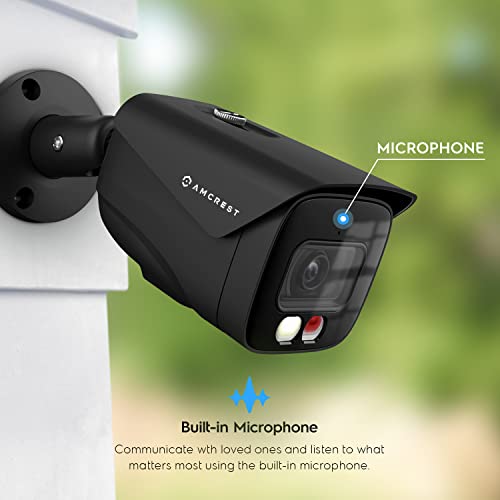


🕵️♂️ See everything, miss nothing — security redefined in stunning 4K clarity!
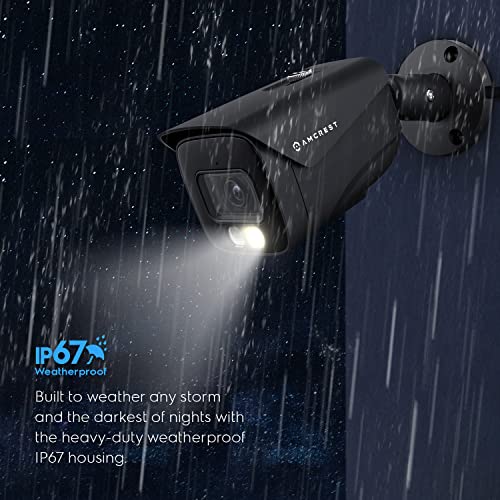
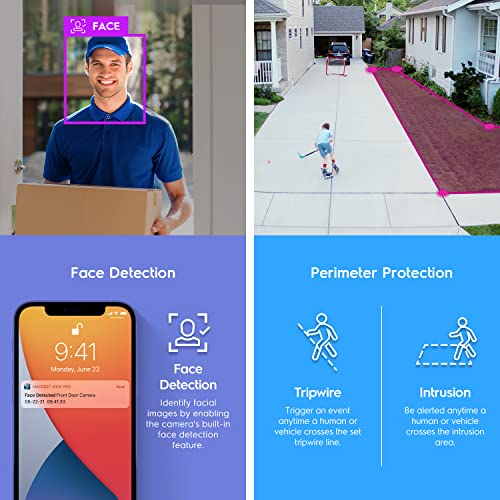
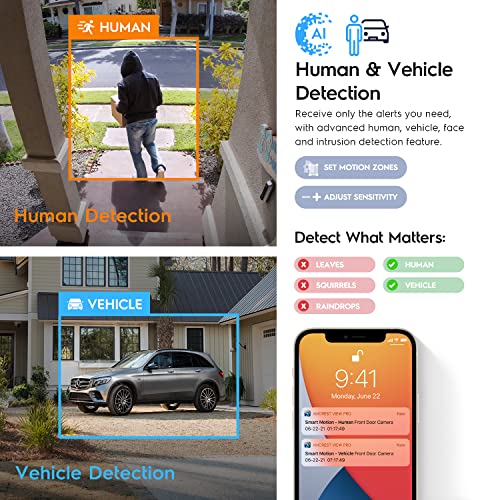
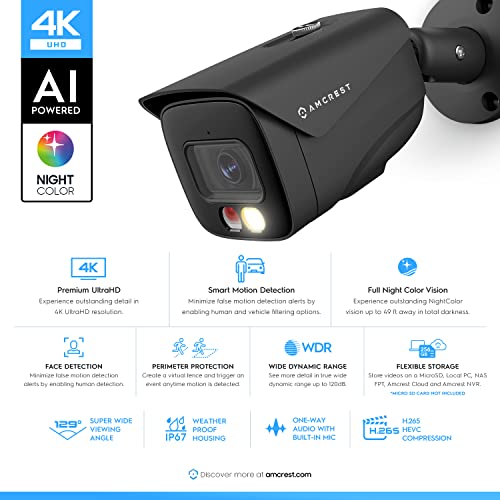
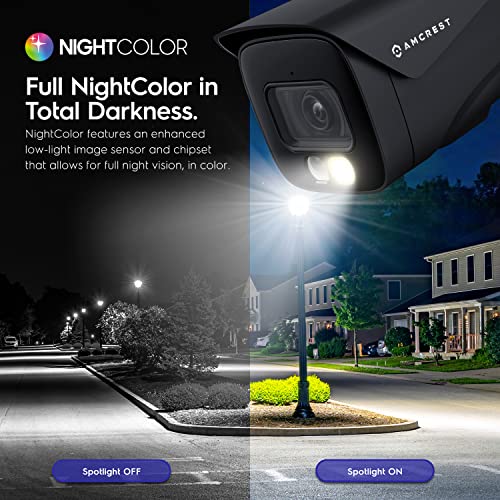
The Amcrest UltraHD 4K (8MP) IP PoE AI Camera combines cutting-edge AI detection with a super-wide 129° lens and dual illumination night vision, delivering crystal-clear color video up to 49 feet in any lighting. Its rugged IP67 metal housing ensures durability outdoors, while PoE connectivity simplifies installation. Compatible with Amcrest’s cloud and NVR systems, this camera offers professional-grade security with smart alerts and versatile storage options, perfect for millennial managers who demand reliable, high-tech surveillance that keeps them connected and in control.


| ASIN | B0BMW4M484 |
| Batteries Required? | No |
| Batteries included? | No |
| Best Sellers Rank | 104,433 in Electronics & Photo ( See Top 100 in Electronics & Photo ) 983 in Bullet Cameras |
| Colour | Black |
| Compatible devices | Desktop, Smartphone |
| Connectivity protocol | Wi-Fi |
| Controller type | Iris |
| Customer Reviews | 4.4 4.4 out of 5 stars (572) |
| Date First Available | 19 Dec. 2023 |
| Form factor | Bullet |
| Frame rate | 15 fps |
| Included components | Quick Start Guide |
| Item Package Quantity | 1 |
| Item Weight | 680 g |
| Manufacturer | Amcrest |
| Material | Metal |
| Mounting type | Wall Mount |
| Number of channels | 1 |
| Number of items | 1 |
| Package Dimensions | 24.79 x 13.69 x 11.3 cm; 680.39 g |
| Power source | Ethernet Cable / POE |
| Special Features | Image Sensor, Motion Sensor, Night Vision, Portable |
| Type of Bulb | LED |
| Video capture resolution | 4k |
| Viewing angle | 129 Degrees |
| Wattage | 6 watts |
| Wireless communication technology | POE |
C**G
Simply the best, including the night vision feature.
C**N
The Amcrest UltraHD 4K (8MP) IP PoE AI Camera IP8M-2796EB-AI (Black) is a great option for outdoor monitoring, as its sturdy case and high definition video coupled with smart software packs a solid combo for any business or private residence Pros: The 4k video quality is very well defined, when magnified it doesn’t pixelate. Face detection has come a long way, the IP8M-2796EB-AI does a good job at tracking faces, yet there are limitations (see below) The POE option works very well for powering the camera and transferring AV info. POE can be furnished by POE capable switch or one of the Amcrest NVRs (I am using the Amcrest NV4108E-A2 4K 8CH POE NVR and it works great!) Motion detection works very well with the IP8M-2796EB-AI and can save on storage when used to record only if motion is detected The super-wide 129° viewing angle is a major benefit over other cameras (I currently own 3 other turret Amcrest cameras). The built in light is useful, as it can deter intruders Night-vision is good, better than some other cameras, yet not as good as the best color night-vision cameras. Still good for the price point. The H.265 compression works well with the microSD card and also the SSD installed in the NVR. The adjustment of the camera is easier than turret cameras. Cons / Areas of improvement: Video — the 15 fps at 4k may be sufficient for most circumstances, but limiting when dealing with fast moving subjects. Face detection can be difficult when the camera is installed high up and a direct angle on the person’s face cannot be obtained. The microSD card is not easily accessible, therefore enabling some protection from potential thieves, but also difficult to access by the owner. Cloud $ subscription can add up over the course of time, thus SD card access for local recording or NVR option are necessities (upfront cost vs. subscription cost). Recommendations: Include a camera speaker for two-way communications (the microphone option on the software requires additional speaker to be installed in order for it to be functional). Amcrest Cloud does not see the cameras once powered by the Amcrest NV4108E-A2 4K 8CH POE NVR and has no option for adding a NVR device. Please fix this. Amcrest Software needs to be more user friendly and intuitive. As is, it appears to be more friendly to programmers. Conclusion: The Amcrest UltraHD 4K (8MP) IP PoE AI Camera IP8M-2796EB-AI (Black) is a great option for an outdoor camera, it appears sturdy enough to withstand the harshness of weather, it installs relatively quickly and securely, with enough motion range and a wide angle that forgo the need for pan/tilt. The quality of the image is very good and the AI options for face detection, motion detection and setting up to four zones for movement/sensitivity come in very handy. I recommend the IP8M-2796EB-AI (Black) camera.
E**C
I recently purchased the Amcrest UltraHD 4k 2796EB-AI Camera, and I must say, it exceeded my expectations in every aspect. This camera offers an unrivaled combination of stunning clarity, advanced features, and user-friendly functionality, making it an absolute gem for both personal and professional use. First and foremost, the image quality provided by the 2796EB-AI camera is truly outstanding. With its 4K UltraHD resolution, every detail is captured with remarkable precision and sharpness. Whether it's monitoring a home, office, or any other environment, this camera leaves no room for ambiguity, providing crystal-clear visuals that allow for accurate identification and analysis. Paired up with my NVR (NV4108HES) it was easy to setup right from the start! What sets the Amcrest 2796EB-AI apart from the competition is its intelligent AI-powered features. The camera utilizes cutting-edge artificial intelligence algorithms to enable intelligent human and vehicle detection. This ensures that you receive only the most relevant alerts, reducing false alarms and saving valuable time and effort. The accuracy and reliability of the AI detection were impressive during my testing, allowing me to focus on genuine security concerns. Setting up and operating the camera is a breeze, thanks to Amcrest's intuitive user interface and mobile app. The accompanying Amcrest View Pro app offers a seamless experience, allowing you to view live footage, playback recorded videos, and customize settings effortlessly. The camera also supports multiple storage options, including local microSD cards and cloud storage services, providing flexibility and convenience. Another notable feature of the 2796EB-AI camera is its robust night vision capability. Equipped with powerful infrared LEDs, it delivers exceptional low-light performance, allowing you to monitor your premises 24/7 without compromising on image quality. Even in complete darkness, the camera provides clear and detailed footage, ensuring your peace of mind at all times. Furthermore, the camera's sturdy construction and weatherproof design make it suitable for both indoor and outdoor applications. It can withstand various environmental conditions, ensuring its durability and reliability over the long term. Whether it's rain, snow, or extreme temperatures, the 2796EB-AI camera is built to withstand the elements and deliver exceptional performance consistently. Last but not least, Amcrest's customer support deserves special mention. Their knowledgeable and responsive team is always ready to assist and address any queries or concerns promptly. This level of customer care further enhances the overall experience and reinforces the brand's commitment to customer satisfaction. In conclusion, the Amcrest UltraHD 4k 2796EB-AI Camera is an outstanding product that offers unparalleled image quality, advanced AI features, and user-friendly functionality. Whether you're looking to enhance your home security or monitor your business premises, this camera is a top-tier choice. With its impressive performance, intuitive interface, and solid build quality, the 2796EB-AI camera has truly won my admiration. I wholeheartedly recommend it to anyone seeking a reliable and feature-rich surveillance solution.
M**X
This Amcrest bullet security camera, model IP8M-2796EW-AI, has been an overall positive experience to set up and use. I am using it to replace an older model camera with lower resolution, and have attached the new one to the rear of my property on the garage. The packaging for the camera was top notch. It was packed securely in foam padding, and included a mounting template, screws and anchors, and the necessities to ensure a water-tight connection to the ethernet port if necessary. Some brief documentation was also in the box, although I found myself consulting the more thorough online documentation while learning the nuances of the device. As has been my experience previously with other Amcrest cameras, set-up was simple. I attached the camera to a PoE switch to provide power and to perform initial configuration before mounting it. It obtained an IP address from my DHCP server, and after logging in to the familiar web interface and changing the default password, I set a static address for the device. For this type of gear, I prefer to group the cameras within the same consecutive static IP space - it just makes them easier for me to manage, but isn't a necessity for operation. After completing the initial configuration, I mounted the camera in its new home on the outdoor wall of the garage and aimed it in the direction that I want to observe. The camera housing is quality, and it feels quite durable, so I wasn't fearful of breaking it while mounting. Once mounting was complete, I attached the permanent PoE ethernet cable and began to configure the details of the device. I utilize my fleet of Amcrest cameras with Synology's Surveillance Station, and I was pleased to see that this camera model is present in the Synology, so I did not have to configure it as a generic Amcrest device. The camera's AI features are really good at detecting both humans and cars. The alley at the rear of my property is infrequently traveled by cars, but people do walk through it during the day. In the Synology, I configured it to record only on detection of these advanced events, and it's doing a great job. The camera's image sensor is EXCELLENT, at 8MP. The detail captured by this sensor is really good quality. Should something nefarious occur at the back of my home, I am confident that this camera will capture anything needed to identify those involved. The nighttime image quality is also exceptionally great. I have also scheduled the camera, within its web interface, to only flash the white light during specific overnight nighttime hours - hours during which I want someone to know it's there, in case they have bad intentions. While performing configurations and in an attempt to get everything set up just right, I consulted with Amcrest's detailed PDF documentation for the product. They cover the bases, detailing answers to any of the questions I had along the way. There's also the option to reach out to support, and even a few support forums for deeper discussion, but I didn't require that level of help with this device. In all, Amcrest has delivered another device that doesn't disappoint. I feel comfortable knowing that this watchful eye is present to keep watch over things on my property.
L**W
Installation: - The nice thing about PoE cameras is that they are essentially plug and play. If your PoE is setup correctly, then you can plug it in and be on your way. It took me a few days to get my PoE switch in the mail and so a few extra days before I could actually try the Amcrest camera. - When I first connected the camera, I downloaded the Amcrest Config Tool and searched for my camera. It found it immediately, and I tried to login with default credentials... and it didn't work! - I called customer service and spoke with Jasmine who led me through the process of doing a factory reset on the camera, which reset the credentials. Then I was able to login to the camera. - Unfortunately, the URLs in the user manual were no longer active (e.g. amcrest.com/blueiris) or I did not have permissions to access them (e.g. amcrest.com/aisetup) however, I was able to figure it out pretty easily Mounting: - I did not receive any mounting instructions or a drilling template with this camera, but the screws and anchors were present. I decided against using those and instead I cut out some metal sheeting that would fit over my soffits and I bolted the camera down to them. This was very effective. The placement of the holes gave me several different options for mounting the camera. Camera Access: - Being a PoE camera, I was interested in accessing it via the web browser, or accessing it via BlueIris. Both were so simple to do - The web interface is easy to use - it provides the Main Stream as well as two Sub Streams. Each stream is configurable. This allows me to be able to look at the 4k resolution video, record at a lower resolution, and then switch to recording at the higher resolution when an event occurs. If you set it up right, you get a good amount of data saved while saving a lot of storage space. - I really really appreciate being able to modify Network settings, configuration, etc. from the web browser. And it works great - Being able to set schedules from the web interface for recording is very useful. It even has a provision for Holidays - and it can send your data to SD Card, to FTP or to a NAS! And it works great Camera Rotation: - This is my biggest annoyance with the camera - it can only rotate in one direction after mounting - not 360 degrees. I actually mounted it wrong the first time not realizing this and had to unmount, rotate and mount again. It also severely limited where the camera could look after it was mounted. If I wanted it to look in a slightly different direction on one axis, I would need to unmount, drill new holes and remount. Get it right the first time! Camera Resolution/Visuals - The camera has two adjustable profiles for Day and Night which is awesome! - The camera is advertised as 4k, and the settings say 4k on them. I do not have any 4k monitors to test this on, but the picture is crystal clear on my 2k monitors. - I am impressed with the Night Vision... I can actually see color and it's as if I'm looking at the camera in the evening Audio - I have not had the need for Audio yet in the placement of this camera, however it is close by my HVAC Unit so I was able to see how sensitive the Audio is. - I hear a lot of wind sounds throughout the day when I have the camera open, so if possible to have some wind screening that might be a good improvement Motion Detection - The Motion detection works very well. It seems to be a little inconsistent with bugs though - sometimes when bugs fly in front of the camera it triggers motion detection and other times it doesn't. Blue Iris Integration - I could not figure out how to control the light from BlueIris software (to turn it on and off) but I was able to control it from the web interface of the camera to turn on with motion detection - Blue Iris integration was very easy - I simply gave it the IP of the camera and it was ready. Overall - All in all, I am very impressed with this product. I evaluated it for a couple of weeks now, and I am happy to include it as part of my home integration, smart home and security system. - I would give it an 8/10 with the following notes for improvement: -- Better rotation capabilities (even if it needs a screwdriver) after it is mounted -- Update microphones to include wind screening (minor) -- Include a drilling guide if not already included
Trustpilot
1 week ago
2 weeks ago



