🎛️ Elevate your sound, own the stage, and never miss a beat!
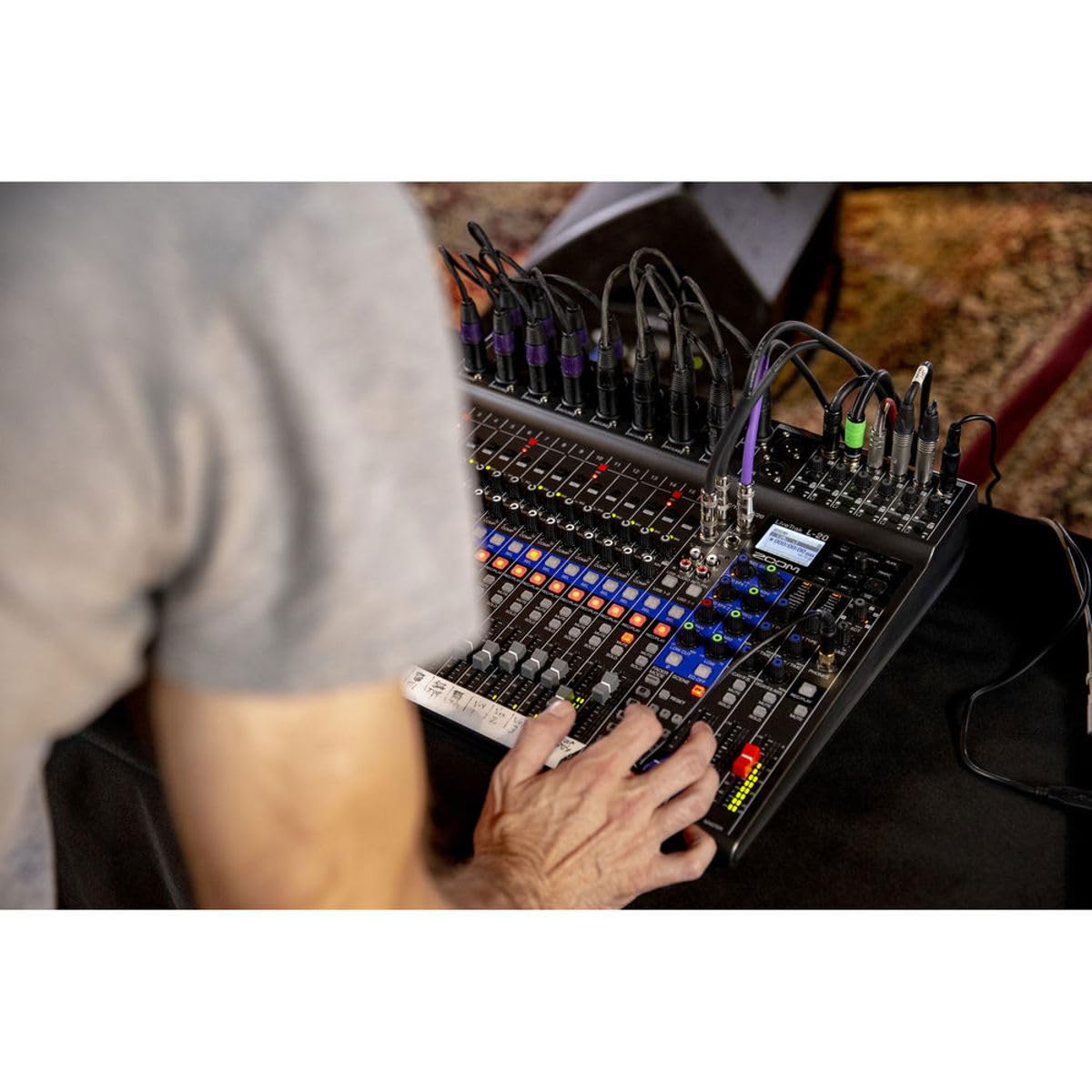
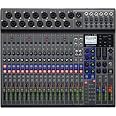
The Zoom LiveTrak L-20 is a professional-grade 20-channel digital mixer and 22-track recorder delivering studio-quality 24-bit/96kHz audio. Featuring six independent headphone outputs with customizable mixes, 20 built-in effects, and a versatile 22-in/4-out USB interface, it’s designed for live performance, home studios, and streaming setups. Wireless control via iOS app adds modern convenience, making it a powerhouse for creators who demand flexibility and pristine sound.


| ASIN | B07FKBFK11 |
| Best Sellers Rank | #49,349 in Musical Instruments ( See Top 100 in Musical Instruments ) #86 in Stage Powered Mixers |
| Customer Reviews | 4.7 4.7 out of 5 stars (212) |
| Date First Available | July 11, 2018 |
| Is Discontinued By Manufacturer | No |
| Item Weight | 9.8 ounces |
| Item model number | L-20 |
| Material Type | Stainless Steel |
| Power Source | Corded Electric |
| Product Dimensions | 17.5 x 15.3 x 3.25 inches |
| Speaker Size | 22 |
V**F
L20 A Great Recording Board
Just a little background to put my review in perspective. I have run and taught audio for churches for about 20 years. Also, occasionally I have played a little rhythm guitar during worship services. My purpose for purchasing this Zoom L20 board was to replace some older equipment for doing some home recordings. Sometimes it’s all live instruments and vocals. Other times I convert some MIDI files to audio and bring them in and add music and voices. This board is easy to do all of this and more. I like the onboard effects although it could have a few more. Having compression and EQ built in is very handy. Being all digital keeps my recordings nice and clean. Having 6 headphone outputs that can have their own mix makes it great. My wife, daughter and granddaughter all like a separate mix and this board makes it easy to do. It is also very easy to add tracks at later dates and to edit existing tracks. Plus, you can save “Scenes” with the project so you can come back to it at a later date, and you will have your settings. While I have not found a way to use the board to transfer one track to another, it is fairly easy to do. You just “export the project” to a USB. Then insert the USB into your computer to make changes. Example: To change from track 1 to track 7 change the track name from TRACK01.WAV to TRACK07.WAV. Then “import the project” back to your board. If you try to import the project into an existing “Folder” it will state “The project Exists”. So, you can either pick a different folder, or to import it into the same folder, change the project name, or delete the exiting project. Make sure you back it up first. What I found really helpful is the ability to do a master recording, with appropriate effects and panning for say the drums, base and rhythm guitar. Then export the project and change the name from MASTER.WAV to TRACK17_18.WAV. Then import the project. You will now have that master stereo track show up on channels 17 & 18 in stereo. There are probably other ways to do some of this manipulation on board. I just have not had enough time to play with it yet. There are lots of other features that I like but not enough time to list them now. I hope you find this review helpful.
W**R
Does what it claims to do, and then some!
I deliberately waited to write a review until I had some real experience, both live and in the studio, with the L-20. In short, Zoom knocked this one out of the park. The board does what it claims to do, no fuss, no muss. It just works. Is there some learning curve to climb? Of course. The board's not only a highly capable live mixer but a high quality recorder as well. It has a lot of features, and it can take a little time to learn how to use them all. But unlike some other products I've used, the L-20 makes climbing that learning curve well worth it, delivering results that are very pleasing to the ear. Having six monitor mixes available is a feature I didn't expect to make that much use of...until I did. I'm in a horn band (I'm a lead singer) and we used four different monitor mixes in a tech rehearsal for a concert tonight. Being able to say "Sure!" to everyone's requests for "more of this, less of that" even when those requests were conflicting with each other was very nice indeed, and not too long ago it would have been either impossible or would have required a significantly larger board. The L-20 is compact, but not so small that it's hard to use. There are a few gotchas to watch out for (e.g., make sure you know which mix you've selected to adjust; some hilarity ensued from a failure to do just that tonight) and that leads to the suggestion I have for Zoom: I'd make the VU LEDs a different color when a monitor mix is selected rather than the master, just to give a clear visual indication to the operator that they may not be adjusting what they think they're adjusting. But that's a nice-to-have, not a must. I also have to say that Zoom's method of combining recording level and live level on a single VU meter is pretty ingenious. In closing: If this board has the features you want, you can count on it to deliver the results you need. It simply Works As Advertised, a "feature" that is sadly lacking in many products nowadays. Zoom claims they are "for creators". As one, I'm glad to have them on my side!
A**N
Great and Affordable Mixer!
This is one of the most affordable mixers which allows to record individual channels simultaneously or overdubbing them. It is a life saver for the bands that want to record, perform live, compose, and experiment before spending a fortune at a pro studio. The SD card recording lets you record and transfer files to you DAW. Our band owns two units, and we are very happy with them.
A**E
Brilliant in unexpected ways
This product line basically replaces almost everything in your recording studio, which is a jarring adjustment to me. It records clean, crisp audio to 22 tracks simultaneously. On playback, the sound levels are the same as monitoring during recording - you can't tell the difference, which is excellent. You just press Stop when your song is done, back to beginning with the arrow key, then press play. Almost frighteningly straightforward and instantaneous recording and playback procedure. The Mic preamps are good. The memory card is a convenient storage feature that enables easy transfer to a DAW (I use Logic and Garageband on a Macbook pro) for mixing and effects etc. I also use the iPad Bluetooth interface, and that works great as well. Like most Zoom products, it just works. The user interface is straightforward and intuitive. Monitor section is good, and pairs very well with a JamHub. Overall, this feels like a game-changer for home studios, especially one like mine that is designed to record four or more musicians in live performance. I'm busy today packing up my analog board, A/D converters, limiters, active patch bays etc. and clearing space in the studio. All I really need is the
S**E
Reseña corta: Lo compré por su capacidad para grabar en vivo hasta 16 micrófonos cada uno con su track, sin laptop, esa es su característica estelar, además se puede usar como interfaz en casa. Sí tiene sus bemoles pero por su capacidad autónoma no lo dudes ni tantito, cómprala. Reseña larga: la verdad lo que puse arriba es lo principal, el tener autonomía para grabar es su característica estelar , lo demás incluso su función como mixer son extras, y como tal pues no están tan pulidos. Como mixer suena espectacular, como referencia usamos una Yamaha de 6 canales y sentí que esta se oye muy limpia, quizas es efecto placebo pero cumple. Como grabadora en vivo usandolo como mixer empieza lo que se le podría criticar, graba los tracks individuales pero no sus efectos, si quieres los efectos puedes grabar el master track, es decir la pura salida estereo, pero ya no puedes hacerle nada en post mas que lo que puedes hacerle a cualquier archivo wav o mp3 estereo, los canales individuales unicamente graba la ganancia y la compresión (esta es opcional), puede ser un punto en contra pero hay que tomar en cuenta que antes que otra cosa este es un dispositivo de captura, asi tienes los canales limpios para mezclar en tu en la compu en el programa que se te antoje. Otro punto que podría ser en contra es que solo graba hasta 96 khz cuando casi todas las interfaces nuevas llegan mucho mas alto, y si usas esa opcion te corta bastantes opciones, me parece que ni siquiera puedes usarla como mixer. Pero insisto aun con estas cosas en contra para lo que es o sea como estudio portatil autónomo realmente no tiene "pero" , 48 khz es excelente a menos que quieras grabar para dolby atmos sonido multidimensional o algo así exageradamente pro. Insisto es una chulada y si pueden comprenla.
M**K
I just received the L20 today and have already begun the return process. Plugged a condenser mic into channel 1. Engaged phantom power. Brought up the trim control. I see the green signal LED illuminated and the LEDs along the track fader lighting up as I speak. No sound in the headphones. No illumination to the LEDs on the master fader. Hit the solo button on track 1. Now I have audio in the headphones. Release solo, again no sound. No other tracks are soloed. Selector is set to "Master" in the Master track, though I switched between solo and master with no effect. No audio unless the track itself is soloed. Power it off, change from 96khz to 48khz sample rate. Change to track 5. Same thing only now track 1 select button is illuminated. Press it to deselect and the screen tells me to "please power off". Ok. Power it back on, same thing. I again press track 1 select button and I'm asked to power the unit off. I do so. This time when I power it back on, instead of booting up, the screen just says "Goodbye see you" (see attached photo). There it sits saying goodbye to me so I am saying goodbye to it and returning it.
L**A
Tuve la L-12 y hoy tengo esta L-20, en lo personal este equipo me ofrece todo lo que necesito para grabar el ensayo de la banda o un evento en vivo, sencilla y practica, sobre todo una gran calidad de sonido sin problemas de una mezcladora digital muy avanzada.
C**S
I love the ZOOM line of products but I returned this item because I was getting hum through the pre-amps and buzz on the submix and main mix outputs. As this was without having the device attached to any other power sources and only with microphones and headphones attached this means that either this one unit has some major grounding problems or it's a design flaw. Please try one out for yourself and give ZOOM a chance but I can only think that because it mainly a plastic case it may not be isolated as well as previous ZOOM products I have owned and used. The concept of the product is fantastic if not for these issues that I experienced and have not had problems with other items through the same power sources. I tried a number of different power sources and switched microphones and cables and the problem did not go away unless I turned all the pre-amps down to zero (no input sources) and kept that headphone amps low output. Even battery powered line level sources had the same problem. Nothing I plugged in was connected to a wall power supply (except the ZOOM) so the ground hum was being generated within the unit. I never got to the point of connecting the unit to Bluetooth controllers or an outboard computer so usb cables were not part of the problem. I primarily wanted the L-20 as a 16 channel recorder for live events and with the input noise problems it was not suitable for my usage. I will continue to use either my ZOOM F8n and/or Tascam DA-688 units connected to the outputs of another mixer for multi-track sync'd recordings.
M**T
This wasn't for me, wanted to return it. Didn't realize I had ordered from one of the sketchy 3rd party companies and not from Amazon. "Sounds Distribution". They eventually did issue me an RMA but with conditions that I would have to ship it to them at my own cost and they would then evaluate the product and possibly refund some of the money. I'll know better next time not to deal with "Sounds Distribution" or any other of the 3rd party amazon sub companies. I kept the device to cut my losses.
Trustpilot
2 days ago
4 days ago